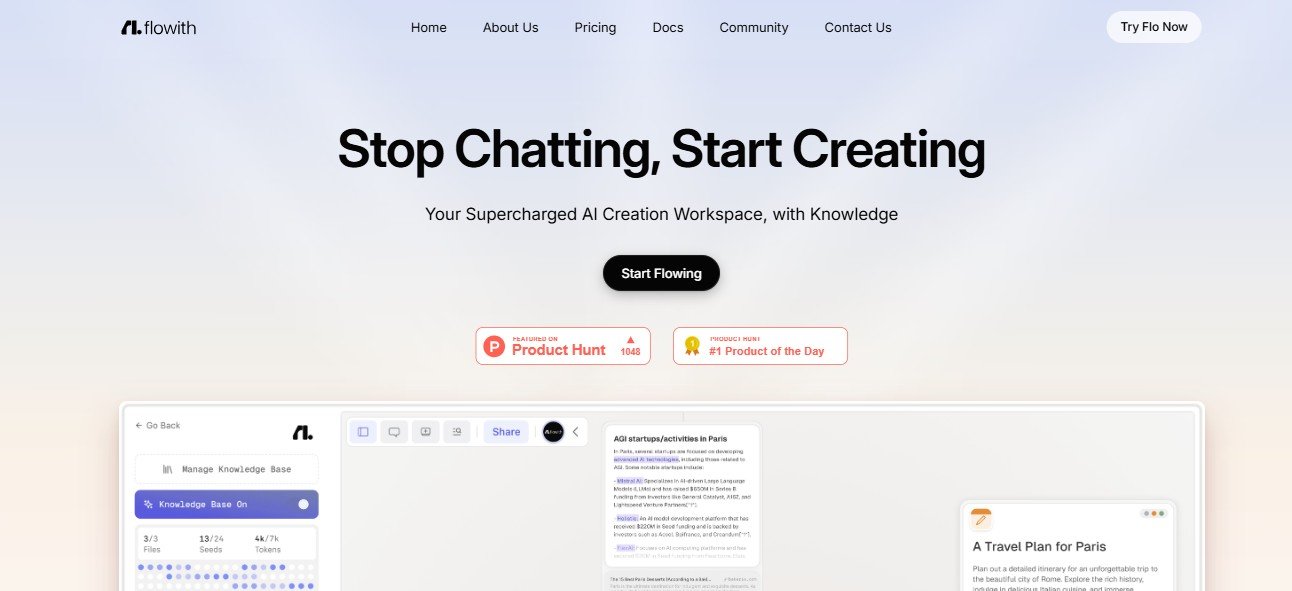
Managing workflows, automating tasks, and improving team productivity are essential for businesses aiming to scale efficiently. Flowith is an AI-powered workflow automation tool designed to streamline business processes, reduce manual work, and optimize team collaboration.
With features such as AI-powered task automation, smart integrations, and real-time analytics, Flowith enables businesses to improve operational efficiency and reduce workflow bottlenecks.
This article explores Flowith’s key features, pricing, use cases, strengths, drawbacks, and comparisons with other workflow automation tools.
Key Features of Flowith
AI-Powered Workflow Automation
- Automates repetitive tasks and business processes.
- Uses AI to identify inefficiencies and suggest improvements.
No-Code Workflow Builder
- Allows users to create and customize workflows without coding.
- Drag-and-drop functionality for easy automation.
Smart Task Management
- Automatically assigns tasks based on priority, deadlines, and team workload.
- Ensures smooth collaboration and project execution.
Seamless Integration with Business Apps
- Connects with Google Workspace, Slack, Trello, Asana, CRM tools, and more.
- Allows data synchronization and automation across platforms.
AI-Powered Data Analytics & Insights
- Tracks workflow efficiency, team productivity, and automation success.
- Provides real-time insights to optimize business operations.
Collaboration and Approval Automation
- Automates document approvals, task delegation, and team notifications.
- Improves cross-functional coordination and reduces email overload.
How Flowith Works
Step 1: Set Up and Integrate
Users connect Flowith with their existing apps and business tools.
Step 2: Design and Automate Workflows
The AI suggests automation workflows to improve efficiency.
Step 3: Assign and Monitor Tasks
Flowith automatically distributes tasks, tracks progress, and provides insights.
Step 4: Optimize with AI Recommendations
Users receive AI-powered insights to refine workflows and boost productivity.
Use Cases of Flowith
Business Operations Automation
- Automates invoice processing, reporting, and approval workflows.
Project and Task Management
- Helps teams manage tasks, deadlines, and team collaboration.
Marketing & Sales Workflow Optimization
- Streamlines lead nurturing, email campaigns, and customer follow-ups.
HR & Employee Onboarding
- Automates new employee documentation, approvals, and training.
Flowith Pricing
Flowith does not publicly list its pricing details. Workflow automation platforms typically offer:
- Free Plan – Basic automation with limited workflows.
- Pro Plan – Advanced AI-powered automation and integrations.
- Enterprise Plan – Custom solutions for large businesses and teams.
For exact pricing, visit Flowith’s official website or contact their sales team.
Strengths of Flowith
- AI-powered task and workflow automation to enhance efficiency.
- No-code interface for easy workflow customization.
- Seamless integrations with business tools.
- Real-time analytics to track and optimize workflows.
- Scalable for teams of all sizes.
Drawbacks of Flowith
- Pricing details are not publicly available.
- May require customization for complex business workflows.
- Internet-dependent for real-time automation.
Comparison with Other Workflow Automation Tools
Flowith vs. Zapier
Zapier specializes in app-to-app automation, while Flowith provides comprehensive workflow automation and team collaboration tools.
Flowith vs. Make (formerly Integromat)
Make offers advanced workflow automation, while Flowith integrates task management and AI-powered workflow optimization.
Flowith vs. Monday.com
Monday.com is a project management tool, whereas Flowith focuses on workflow automation and business process optimization.
Customer Reviews and Testimonials
Since Flowith is a relatively new AI-powered workflow automation tool, user reviews are limited. However, early adopters highlight:
- “Flowith helped us automate our entire onboarding process, saving hours of work.” – HR Manager
- “Great tool for automating repetitive business tasks without any coding!” – Operations Lead
- “I love the AI-driven workflow insights, but it takes time to set up complex automation.” – Project Manager
For updated reviews, visit Flowith’s official website or automation software review platforms.
Conclusion: Is Flowith Worth It?
Flowith is an AI-powered workflow automation platform that helps businesses streamline processes, reduce manual work, and improve operational efficiency. With no-code automation, smart task management, and real-time analytics, it is a valuable tool for teams looking to optimize workflows and enhance productivity.
However, businesses should consider pricing details and customization requirements before full adoption.
For those looking for an AI-driven workflow automation solution, Flowith is worth exploring.
Visit Flowith’s official website to learn more.