
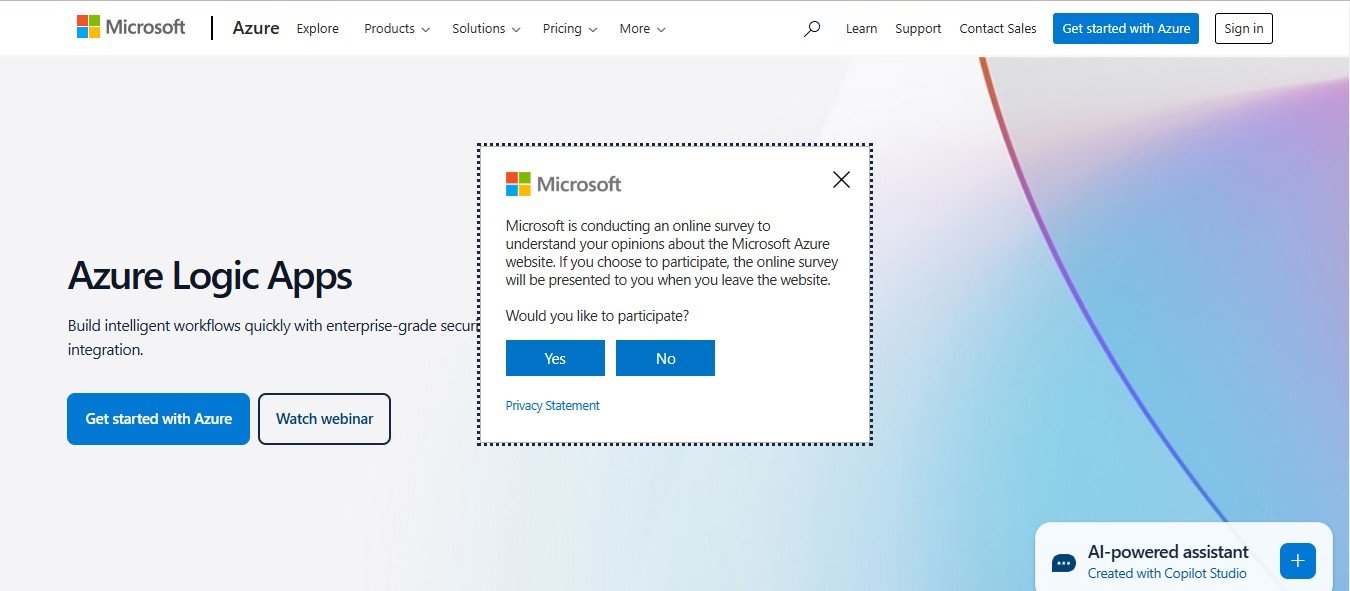
Azure Logic Apps is a cloud-based workflow automation platform by Microsoft that allows businesses to integrate applications, automate tasks, and streamline business processes.
Azure Logic Apps is a cloud-based workflow automation platform by Microsoft that allows businesses to integrate applications, automate tasks, and streamline business processes. With a low-code/no-code interface, users can create scalable workflows that connect cloud and on-premise services. Designed for enterprises, Azure Logic Apps helps IT teams, developers, and business users automate complex workflows, integrate APIs, and optimize operations.
1. IT and DevOps Automation, 2. Business Process Optimization, 3. Data Integration and ETL
1. AI-Powered Workflow Automation, 2. Low-Code/No-Code Workflow Builder, 3. Seamless App and API Integrations
Check the website
Is Azure Logic Apps right for you?
- use it for 1. IT and devops automation
- use it for 2. business process optimization
- use it for 3. data integration and ETL
- use it for 4. customer service and support automation
Azure Logic Apps pricing
| Plan | Price | What you get |
|---|---|---|
| 1. Consumption Plan | See site | Pay-as-you-go pricing based on workflow execution and API calls Suitable for small to medium workloads |
| 2. Standard Plan | See site | Fixed pricing with higher performance and hybrid connectivity Ideal for enterprises with high-volume automation needs |
| 3. Enterprise Integration Plan | See site | Includes advanced API management, B2B integrations, and security compliance Designed for large-scale business process au |
Prices from our earlier review; check the official site for current pricing.
Key features
1. AI-Powered Workflow Automation
Uses AI-driven automation to optimize processes and decision-making Supports event-driven workflows for real-time execution
2. Low-Code/No-Code Workflow Builder
Drag-and-drop designer for creating and managing automated workflows Enables users to build complex automation with minimal coding
3. Seamless App and API Integrations
Connects with over 400 cloud and on-premise services, including Microsoft 365, Salesforce, SAP, and SQL Server Supports REST and SOAP APIs for custom integrations
4. Enterprise-Grade Security and Compliance
Built-in security features, including role-based access control (RBAC) Compliant with industry standards such as GDPR, HIPAA, and ISO 27001
5. Scalable Cloud-Based Execution
Runs workflows in Azure’s secure, serverless environment Supports auto-scaling for high-demand processes
6. Event-Driven Automation
Triggers workflows based on external events, schedules, or manual inputs Supports real-time data processing for faster decision-making
Pros and cons
- AI-powered automation with enterprise-grade security
- No-code/low-code interface for building workflows
- Over 400 built-in integrations with cloud and on-premise applications
- Scalable, serverless execution with Azure cloud infrastructure
- Real-time monitoring and AI-driven insights for process optimization
- Pricing complexity based on execution and API usage
- Some advanced integrations require technical expertise
- On-premise hybrid connectivity may need additional setup
How to get started
- 1. Create a Logic App in Azure: Choose from pre-built templates or start from scratch
- 2. Design a Workflow with Triggers and Actions: Define event triggers (e.g., an email received, a file uploaded) and set automated actions
- 3. Integrate with Enterprise Applications: Connect Logic Apps with CRM, ERP, databases, and messaging platforms
- 4. Deploy and Monitor Performance: Use Azure Monitor and AI-driven analytics to track workflow execution
- 5. Optimize with AI-Powered Insights: Adjust processes based on real-time data and AI recommendations
Azure Logic Apps: frequently asked questions
What is Azure Logic Apps?
Azure Logic Apps is a cloud-based workflow automation platform by Microsoft that allows businesses to integrate applications, automate tasks, and streamline business processes.
What are the main features of Azure Logic Apps?
1. AI-Powered Workflow Automation, 2. Low-Code/No-Code Workflow Builder, 3. Seamless App and API Integrations, 4. Enterprise-Grade Security and Compliance.
How much does Azure Logic Apps cost?
1. Consumption Plan: See site; 2. Standard Plan: See site; 3. Enterprise Integration Plan: See site. Check the official site for current prices.
More about Azure Logic Apps
Azure Logic Apps is a cloud-based workflow automation platform by Microsoft that allows businesses to integrate applications, automate tasks, and streamline business processes. With a low-code/no-code interface, users can create scalable workflows that connect cloud and on-premise services.
Designed for enterprises, Azure Logic Apps helps IT teams, developers, and business users automate complex workflows, integrate APIs, and optimize operations. Whether orchestrating business processes, handling data transformations, or automating system alerts, Azure Logic Apps provides a flexible and secure solution powered by Microsoft Azure’s AI-driven cloud infrastructure.
Features
1. AI-Powered Workflow Automation
- Uses AI-driven automation to optimize processes and decision-making
- Supports event-driven workflows for real-time execution
2. Low-Code/No-Code Workflow Builder
- Drag-and-drop designer for creating and managing automated workflows
- Enables users to build complex automation with minimal coding
3. Seamless App and API Integrations
- Connects with over 400 cloud and on-premise services, including Microsoft 365, Salesforce, SAP, and SQL Server
- Supports REST and SOAP APIs for custom integrations
4. Enterprise-Grade Security and Compliance
- Built-in security features, including role-based access control (RBAC)
- Compliant with industry standards such as GDPR, HIPAA, and ISO 27001
5. Scalable Cloud-Based Execution
- Runs workflows in Azure’s secure, serverless environment
- Supports auto-scaling for high-demand processes
6. Event-Driven Automation
- Triggers workflows based on external events, schedules, or manual inputs
- Supports real-time data processing for faster decision-making
7. Data Transformation and ETL (Extract, Transform, Load)
- Automates data extraction, cleansing, and transformation for analytics
- Works with Azure Data Factory for advanced data pipeline management
8. AI-Driven Process Insights
- Monitors workflow performance with built-in analytics
- Uses machine learning to detect inefficiencies and suggest improvements
9. Hybrid and Multi-Cloud Integration
- Connects on-premise systems with cloud applications using Azure Hybrid Connections
- Works across multiple cloud platforms, including AWS and Google Cloud
10. Built-In Error Handling and Monitoring
- Provides AI-powered error detection and automatic retry mechanisms
- Logs workflow execution for debugging and compliance tracking
How It Works
1. Create a Logic App in Azure
- Choose from pre-built templates or start from scratch
2. Design a Workflow with Triggers and Actions
- Define event triggers (e.g., an email received, a file uploaded) and set automated actions
3. Integrate with Enterprise Applications
- Connect Logic Apps with CRM, ERP, databases, and messaging platforms
4. Deploy and Monitor Performance
- Use Azure Monitor and AI-driven analytics to track workflow execution
5. Optimize with AI-Powered Insights
- Adjust processes based on real-time data and AI recommendations
Use Cases
1. IT and DevOps Automation
- Automates system monitoring, log analysis, and incident management
- Integrates with Azure DevOps for CI/CD pipeline automation
2. Business Process Optimization
- Automates HR onboarding, invoice approvals, and procurement workflows
- Streamlines document approvals and data processing
3. Data Integration and ETL
- Extracts, transforms, and loads data from multiple sources into analytics platforms
- Works with Azure Data Factory for big data processing
4. Customer Service and Support Automation
- Integrates with chatbots and CRM systems for automated ticketing
- Automates email and notification workflows for customer engagement
5. Security and Compliance Management
- Enforces role-based access controls and security policies
- Automates compliance reporting and data protection workflows
Pricing
Azure Logic Apps offers flexible pricing based on usage and execution.
1. Consumption Plan
- Pay-as-you-go pricing based on workflow execution and API calls
- Suitable for small to medium workloads
2. Standard Plan
- Fixed pricing with higher performance and hybrid connectivity
- Ideal for enterprises with high-volume automation needs
3. Enterprise Integration Plan
- Includes advanced API management, B2B integrations, and security compliance
- Designed for large-scale business process automation
For detailed pricing, visit the Azure Logic Apps Pricing Page.
Strengths
- AI-powered automation with enterprise-grade security
- No-code/low-code interface for building workflows
- Over 400 built-in integrations with cloud and on-premise applications
- Scalable, serverless execution with Azure cloud infrastructure
- Real-time monitoring and AI-driven insights for process optimization
Drawbacks
- Pricing complexity based on execution and API usage
- Some advanced integrations require technical expertise
- On-premise hybrid connectivity may need additional setup
Comparison with Other Tools
Azure Logic Apps vs Power Automate
- Azure Logic Apps is designed for enterprise-scale automation, while Power Automate is focused on user-friendly business workflows
- Logic Apps offers deeper integration with Azure services and custom APIs
Azure Logic Apps vs Zapier
- Zapier is ideal for simple app-to-app automation, while Logic Apps supports enterprise workflows and hybrid integrations
- Logic Apps provides better scalability and security compliance
Azure Logic Apps vs AWS Step Functions
- AWS Step Functions focus on AWS-native automation, while Logic Apps integrates across multiple cloud platforms
- Logic Apps provide a broader range of pre-built connectors and business-focused workflow automation
Customer Reviews and Testimonials
Positive Feedback
- Azure Logic Apps has automated our IT workflows, saving us hours of manual work – IT Manager
- The seamless integration with Microsoft 365 and Power BI makes it a must-have for business automation – Operations Lead
- AI-powered insights have helped us optimize business processes and reduce inefficiencies – Finance Director
Constructive Criticism
- Pricing can be difficult to estimate for large-scale workflows – Cloud Architect
- More AI-driven automation suggestions would be helpful – Business Analyst
Conclusion
Azure Logic Apps is a powerful AI-driven workflow automation platform designed for enterprises looking to integrate applications, automate processes, and improve efficiency. With its no-code/low-code interface, scalable execution, and seamless integrations, Logic Apps is ideal for IT teams, developers, and business users aiming to streamline operations.
Looking to automate and optimize your enterprise workflows? Try Azure Logic Apps today.
⇄ Compare Azure Logic Apps with similar tools
Want more tools like this?
Get the best new AI tools in your inbox every two weeks. Free, no spam, unsubscribe anytime.


