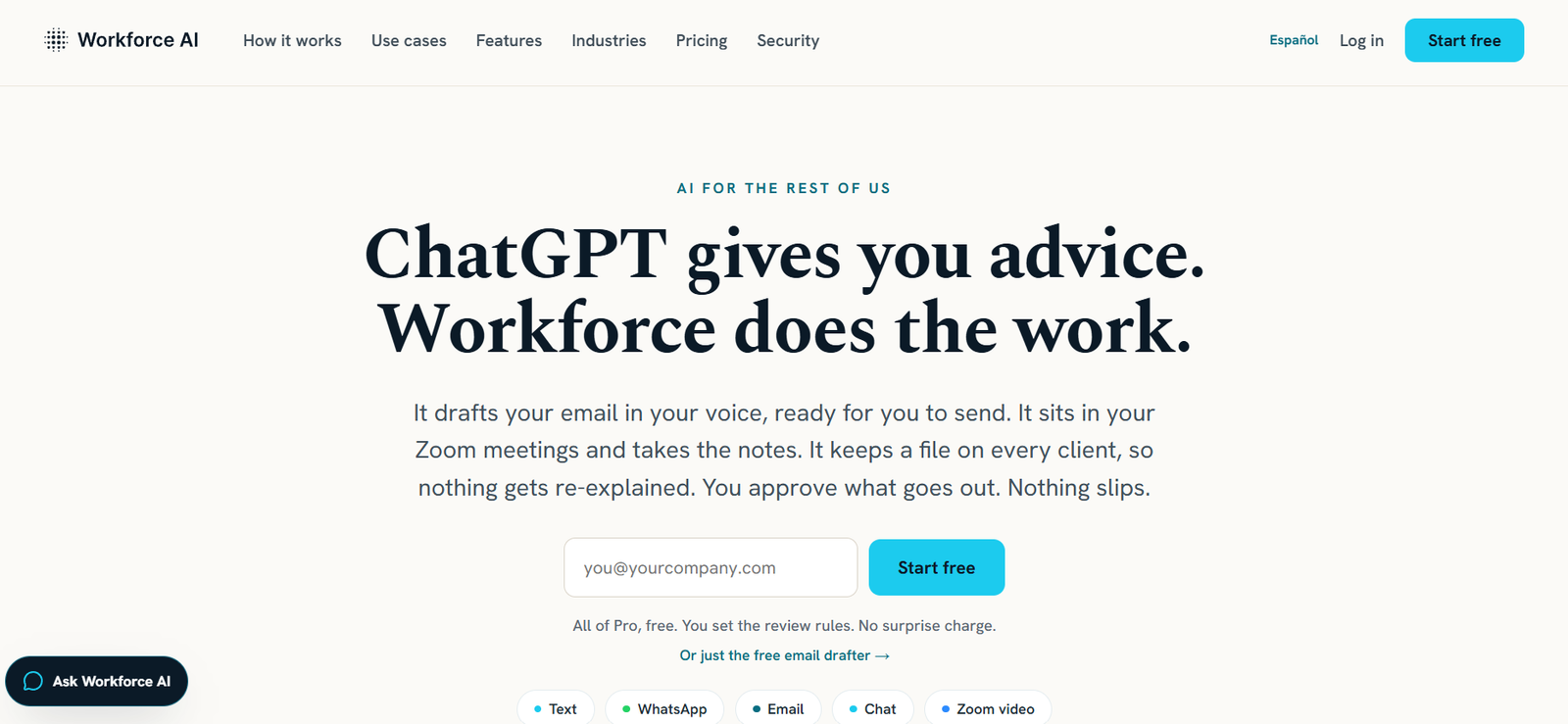
Workforce AI is an AI-powered virtual employee designed to help businesses automate everyday administrative work. Instead of functioning as a traditional chatbot, it acts like a digital team member that can draft emails, attend virtual meetings, take notes, manage follow-ups, remember client interactions, and perform recurring business tasks. The platform is built primarily for small and medium-sized businesses that rely heavily on email, meetings, and client relationships rather than technical workflows.
Users can communicate with their AI employee through email, text messages, WhatsApp, chat, and other supported channels. The platform integrates with popular business applications, enabling organizations to automate routine work while maintaining human approval for important actions. This approach helps business owners save time, improve follow-up consistency, and reduce repetitive manual work.
Features
AI Employee
Workforce AI functions as a virtual employee capable of handling ongoing business responsibilities instead of completing isolated AI tasks.
Smart Email Drafting
The platform drafts emails in the user’s writing style, allowing users to review and approve messages before they are sent.
AI Meeting Assistant
It joins virtual meetings, captures notes, creates summaries, identifies action items, and stores searchable meeting transcripts.
Client Memory
The AI maintains organized client records by remembering previous meetings, conversations, documents, and commitments.
Automated Follow-ups
Workforce AI automatically prepares and manages client follow-ups, helping businesses maintain stronger customer relationships.
Approval Workflow
Users remain in control through review rules that require approval before important actions are completed.
Multi-channel Communication
The AI employee can be accessed through email, SMS, WhatsApp, chat, and other supported communication channels.
Business Integrations
The platform connects with over 60 business applications, including Gmail, Outlook, Google Calendar, Zoom, Slack, Salesforce, HubSpot, Notion, Asana, Dropbox, Google Drive, Zendesk, and more.
How It Works
- Create a Workforce AI account.
- Connect your email, calendar, and supported business applications.
- Configure your AI employee by assigning a name, personality, voice, and job role.
- Upload business documents or knowledge for context.
- Allow the AI to attend meetings, draft emails, and manage routine tasks.
- Review suggested actions whenever approval is required.
- Continue refining workflows as the AI learns your business processes.
Use Cases
Business owners can automate administrative work and client communication.
Sales teams can manage follow-ups, meeting summaries, and email drafting.
Consultants and agencies can organize client information and improve response times.
Financial advisors can keep accurate meeting records and automate client reminders.
Law firms and accounting firms can reduce manual administrative tasks.
Healthcare administration teams can streamline communication and scheduling.
Staffing agencies can manage candidate communication and recurring workflows.
Pricing
Workforce AI offers a free email drafting tool and a free trial of its Pro features without requiring immediate payment details. The platform also offers a paid AI employee plan starting at $299 per month. Pricing and available plans may change, so users should verify the latest details on the official website.
Strengths
- Functions as a virtual AI employee rather than a simple chatbot.
- Automates emails, meetings, and follow-up tasks.
- Maintains long-term client memory.
- Supports human approval before important actions.
- Integrates with more than 60 business applications.
- Accessible through multiple communication channels.
- Designed specifically for non-technical businesses.
Drawbacks
- Advanced automation features require a paid subscription.
- Businesses handling sensitive information should review integration and privacy settings before deployment.
- Initial setup requires connecting business accounts and defining workflows.
- Organizations with highly specialized processes may still need manual oversight.
Comparison with Other Platforms
Unlike many AI assistants that focus on answering prompts or generating content, Workforce AI is designed to function as an ongoing digital employee. It combines email drafting, meeting assistance, client memory, recurring task automation, and business integrations into a single platform. This makes it particularly suitable for service-based businesses that want to automate operational work rather than simply generate AI content.
Customer Reviews and Testimonials
The official website features testimonials from business owners who report saving several hours each week through automated follow-ups, meeting documentation, and email drafting. It also highlights customer success stories from agencies, advisory firms, and staffing businesses. However, a large collection of detailed customer reviews is not currently available on the official website.
Conclusion
Workforce AI is a practical solution for businesses looking to reduce administrative workload without adding additional staff. By combining AI-powered email drafting, meeting assistance, client memory, workflow automation, and broad software integrations, it helps organizations improve productivity while keeping users in control of important decisions. It is particularly well suited for small businesses, agencies, consultants, and professional service firms that want an AI employee capable of handling everyday business operations efficiently.