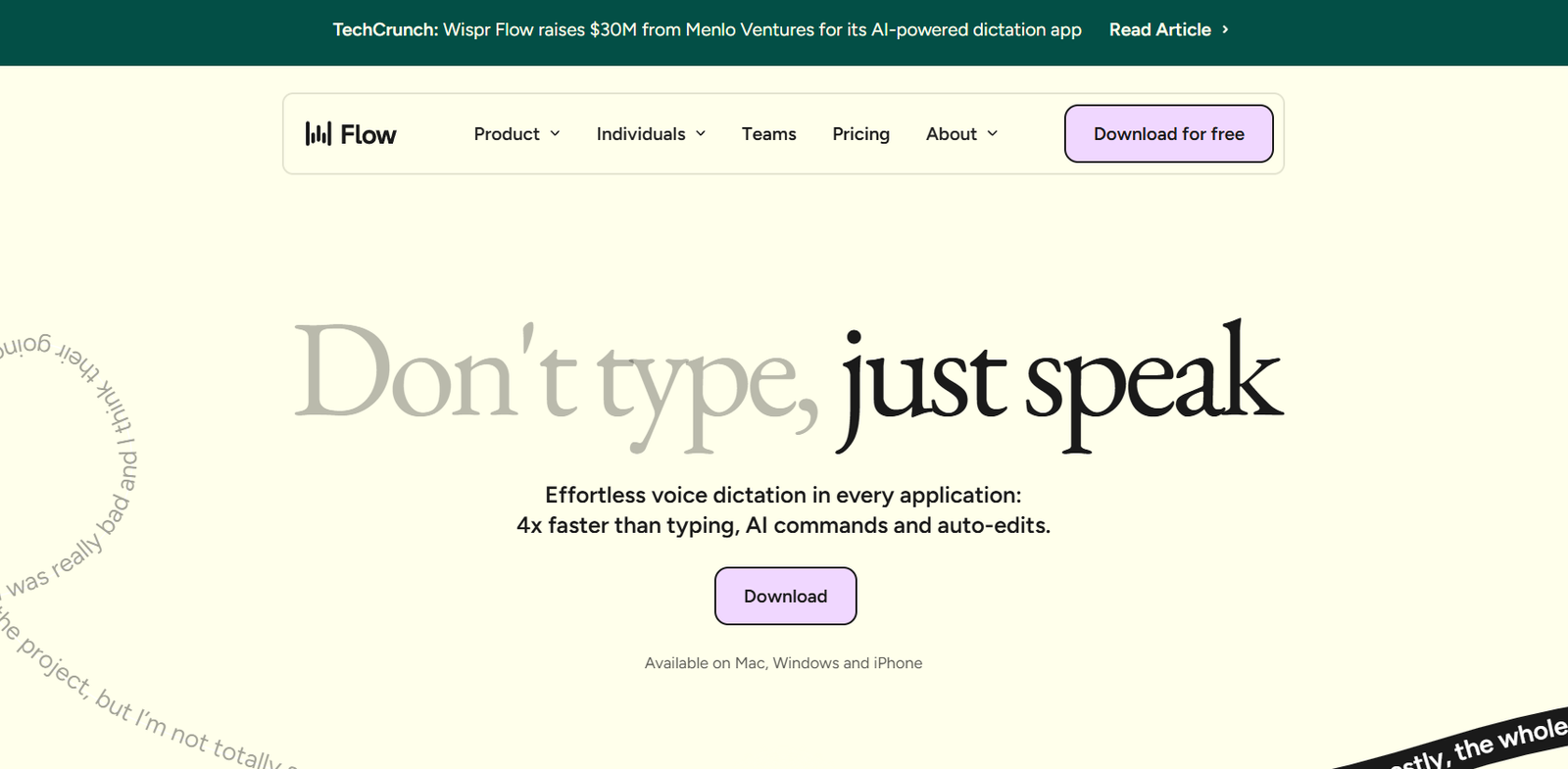
Wispr AI is an intelligent voice assistant platform designed to convert natural speech into structured, actionable workflows. Built for professionals who want to work hands-free and stay organized, Wispr enables users to create notes, manage tasks, draft emails, generate documents, and integrate with tools like Notion and Google Workspace—all using voice commands.
Unlike traditional voice assistants that offer simple responses, Wispr is built to understand context, follow instructions, and generate outputs that go beyond reminders or web searches. It’s a productivity-focused solution ideal for entrepreneurs, consultants, executives, and knowledge workers who want to capture and execute thoughts instantly without typing.
With Wispr, your voice becomes the most powerful tool to automate routine tasks and structure complex ideas—all in real time.
Features
Wispr AI offers a rich set of voice-enabled features that help streamline daily workflows and enhance productivity.
Voice-to-Action Commands: Capture tasks, notes, and emails through natural language with zero typing required.
Instant Notetaking: Convert thoughts or meeting insights into structured notes synced across platforms.
Document Generation: Draft reports, meeting summaries, or proposals using spoken input.
Task Automation: Automatically create to-dos and reminders that integrate with your existing productivity tools.
Smart Integrations: Seamless connection with platforms like Notion, Google Docs, and task managers.
Contextual Memory: Remembers prior commands or context to deliver more accurate, personalized results.
Secure and Private: All data is encrypted, and users maintain full control over their voice inputs and stored content.
Cross-Device Sync: Access your voice commands and generated content from mobile or desktop environments.
Hands-Free Workflow: Ideal for driving, multitasking, or capturing ideas during moments of inspiration.
How It Works
Wispr AI works as a voice-based productivity platform that you can use via its mobile app or browser extension.
To begin, users activate Wispr and start speaking naturally—for example, “Remind me to send the investor report tomorrow” or “Draft an email to the team summarizing our Q3 goals.” Wispr processes the voice input using advanced natural language understanding, determines the intent, and produces structured output.
That output may include a calendar reminder, a Notion update, a Google Doc, or an email draft—depending on the request. Users can review and approve the action before sending or saving.
The system is designed to be intuitive, making it simple to capture thoughts and automate tasks on the go, without breaking focus.
Use Cases
Wispr AI is ideal for a wide range of professionals and real-life scenarios.
Entrepreneurs and Founders use Wispr to dictate emails, business plans, and strategy docs while commuting or walking.
Consultants use it to capture meeting notes, generate summaries, and organize follow-up tasks without manual entry.
Sales Teams log CRM notes, create proposals, and draft emails directly from voice during client visits or calls.
Content Creators turn spoken ideas into structured blog posts, newsletters, or scripts for editing later.
Executives use it as a hands-free productivity tool to stay organized and manage time efficiently.
Remote Workers use Wispr to reduce screen time while capturing ideas and updating workspaces through voice.
Pricing
As of the latest information available on https://wisprflow.ai, Wispr AI is currently available in early access mode.
The platform is free to join with limited access as part of the beta program. Users can sign up to test the features and provide feedback.
Official pricing tiers have not yet been publicly released, but the team has indicated that a freemium model will be introduced, likely including:
Free Tier with limited voice commands and integrations
Pro Tier with enhanced integrations, priority access, and additional workflow automation
Enterprise Tier with custom integrations, admin controls, and usage analytics
For early access and updates on pricing, users can join the waitlist on the official website.
Strengths
Wispr AI brings a unique set of strengths that distinguish it from traditional productivity tools and voice assistants.
Hands-free workflow management increases productivity on the go
Deep natural language understanding allows for nuanced commands
Integrates with tools professionals already use, like Notion and Google Docs
Supports fast ideation, writing, and note-taking via voice
No need for typing—ideal for multitasking professionals
Secure platform with data privacy and user control
Designed for real-time thinking and doing, not just reminders
Drawbacks
While Wispr AI offers strong innovation, some limitations are worth noting.
Still in early access—some features may be under development or not fully stable
Limited public documentation on integrations and roadmap
Currently optimized for English voice commands only
Accuracy can vary depending on environment noise or speech clarity
Enterprise features and team-based collaboration tools are not yet launched
Mobile-only experience may limit some users until a full web app is available
Comparison with Other Tools
Wispr AI competes in a growing field of voice-enabled productivity and AI workspace tools.
Compared to Apple Siri or Google Assistant, Wispr offers more advanced context handling and task output beyond basic reminders.
Compared to Otter.ai, which focuses on voice transcription, Wispr provides real-time actionable commands and productivity integrations.
Tools like Fireflies.ai offer meeting transcription and summaries, but Wispr is designed for dynamic voice-to-action flows, not just passive recording.
Wispr’s unique proposition lies in transforming spontaneous voice input into structured digital outputs across multiple platforms—something few tools currently offer.
Customer Reviews and Testimonials
Since Wispr AI is still in early access, full customer reviews are limited, but early users have shared positive feedback via social media and tech forums.
Users appreciate the simplicity of capturing tasks and ideas while away from a keyboard. Several note how useful it is during walks, commutes, or brainstorming sessions.
Beta testers have praised its responsiveness, clean interface, and potential for transforming daily routines.
As the product expands and exits beta, detailed reviews and case studies are expected to become available on the official site and product platforms.
Conclusion
Wispr AI is redefining productivity by turning spoken thoughts into structured action. With its focus on contextual understanding, hands-free operation, and smart integrations, it enables modern professionals to stay productive without being tied to a screen.
Whether you’re drafting documents, capturing tasks, or simply organizing your thoughts, Wispr offers a fast, natural, and intelligent way to interact with your digital workflow.
For professionals seeking a smarter, voice-first productivity experience, Wispr AI represents a promising step forward in the AI workspace evolution.