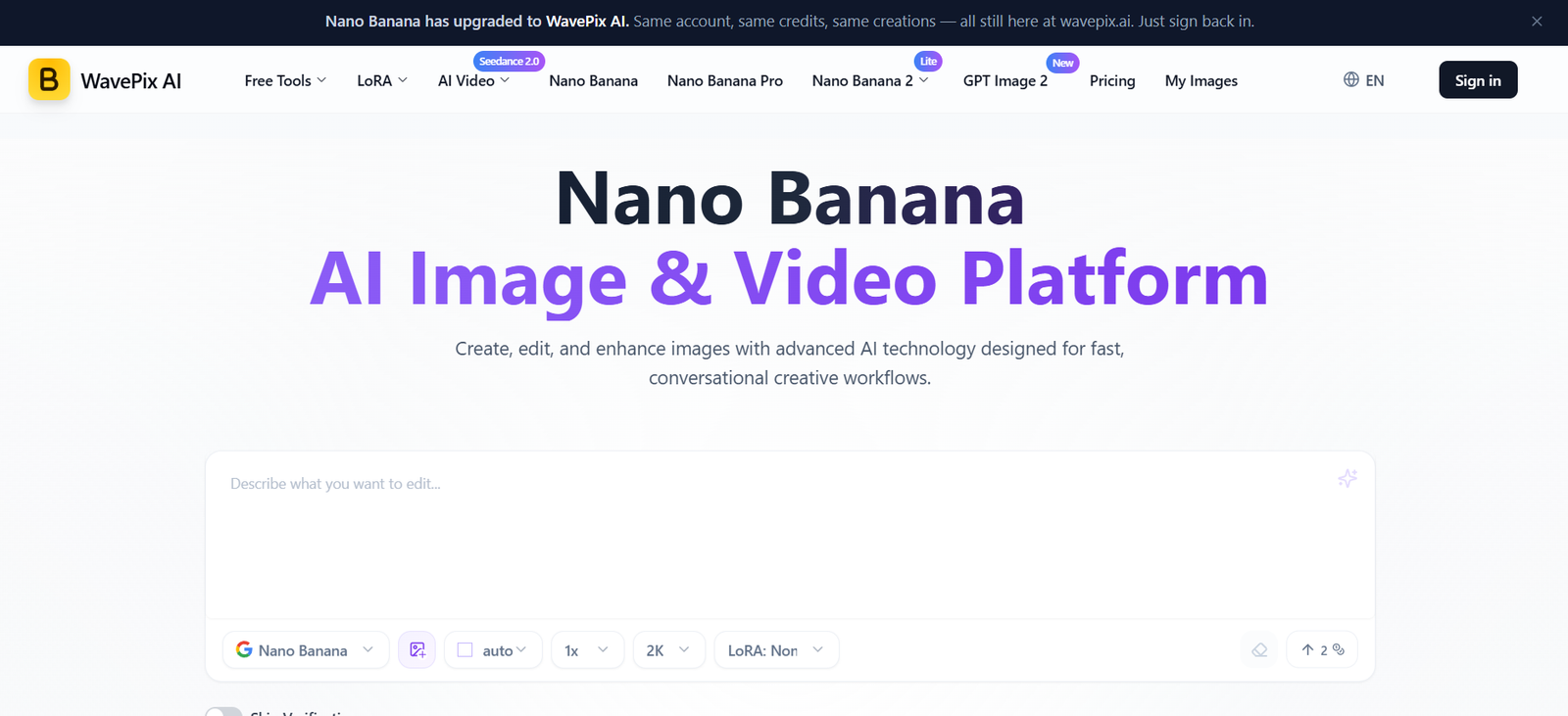
WavePix AI is an online AI image and video creation platform designed for creators, marketers, designers, businesses and everyday users who want to produce or modify visual content with artificial intelligence.
The platform focuses strongly on conversational image creation and editing. Instead of requiring complicated design controls, users can upload an image and describe the changes they want in ordinary language. WavePix AI can then modify backgrounds, remove objects, change poses, colorize photographs, combine multiple images and perform broader visual transformations.
WavePix AI also provides AI video generation. Users can create videos from text descriptions or transform existing images into short videos. Depending on the selected video tool, different resolutions, durations and aspect ratios are available.
The platform currently provides access to tools and model based workflows including Nano Banana, Nano Banana Pro, Nano Banana 2, Nano Banana 2 Lite, Veo 3.1, Grok Imagine and Seedance 2.0. It also provides specialized AI tools for background removal, image upscaling, image to prompt conversion and numerous LoRA based visual effects.
A major focus of WavePix AI is maintaining character and style consistency across multiple generations and edits. This can make the platform useful for marketing campaigns, product visuals, AI characters, social media content and other projects where maintaining a recognizable subject is important.
Features
AI Image Generation
WavePix AI allows users to create images using AI driven workflows. Users can provide prompts describing the visual they want and generate new creative assets for personal or professional projects.
The platform supports several image focused options, including Nano Banana and related models.
Conversational Image Editing
Users can edit images by explaining the desired change in natural language.
For example, the AI can be instructed to remove unwanted objects, modify backgrounds, change poses, colorize photographs or add new visual elements. This makes image editing more accessible to people without advanced design experience.
Character and Style Consistency
WavePix AI emphasizes maintaining the appearance of characters and objects across different prompts and edits.
This can help users place the same character in multiple environments, create recurring AI personalities or produce product images from different perspectives while attempting to preserve a consistent visual identity.
Multi Image Fusion
Users can combine multiple input images into a new composition.
This can be useful for placing objects into new environments, combining products with lifestyle scenes or experimenting with different colors, textures and visual elements.
Text to Video
WavePix AI includes a text to video generator that turns written descriptions into short AI generated videos.
Users describe the desired scene, action, lighting and camera movement. The platform then generates a video based on the instructions.
Available resolutions include 480p, 720p and 1080p.
Supported aspect ratios include 16:9, 9:16, 1:1, 4:3 and 3:4, making the feature useful for different social and digital platforms.
Image to Video
Users can upload an existing image and animate it using AI.
The platform accepts PNG, JPG, JPEG and WebP images for this workflow. Users describe the motion or scene they want and select the desired video settings.
Depending on the selected configuration, videos can be generated in 480p, 720p or 1080p and in 5 or 10 second durations.
Veo 3.1 Video Generation
WavePix AI provides access to Veo 3.1 based video generation as part of its video creation options.
This gives users another AI video workflow for producing short creative and promotional content from prompts or visual references.
Grok Imagine Video Generation
The platform also offers Grok Imagine for text to video and image to video generation.
Users can select 480p or 720p resolution and generate clips between 6 and 30 seconds. Several aspect ratios are supported for text based generation.
The tool also provides Normal and Fun modes, giving users a choice between closer prompt adherence and a more playful interpretation.
Seedance 2.0
WavePix AI lists Seedance 2.0 among its AI video options. This expands the range of generation technologies available to users interested in creating AI based motion and video content.
AI Image Upscaler
The image upscaling tool can be used to improve the size and visual quality of images. This is useful when preparing AI generated visuals or existing images for larger displays and professional applications.
Background Removal
WavePix AI includes a background removal tool that helps users isolate subjects from their original backgrounds.
This can be useful for product photography, profile images, ecommerce listings and graphic design projects.
Image to Prompt
The Image to Prompt tool helps users analyze an existing image and create a text based prompt from its visual content.
This can help creators understand how to describe a particular visual style or use an existing image as inspiration for further AI generation.
LoRA Effects
WavePix AI provides a large collection of LoRA based creative effects and transformations.
Available options include caricature styles, pixel transformations, 3D figure creation, artistic portraits, studio portraits, hairstyle effects, image restoration, stickers, illustration styles and other specialized transformations.
These ready made effects can help users create specific visual styles without having to develop complex prompts manually.
Image Restoration
The platform provides tools for restoring older or damaged images. AI can help improve the appearance of photographs and prepare them for further editing.
Visual Templates
WavePix AI supports workflows aimed at maintaining consistent visual assets.
This can be useful for applications such as product catalogs, real estate listings, marketing materials and other projects that require a repeated visual format.
Visual Understanding
The platform describes its image technology as capable of interpreting visual information beyond basic image creation.
This includes understanding diagrams, following multi step instructions and handling prompts that involve contextual or real world information.
Batch Image Generation
Paid plans include batch image generation, allowing users to produce multiple visual assets more efficiently.
This can be valuable for businesses, agencies and creators producing content at higher volumes.
API
WavePix AI lists an API as part of its platform resources. This may be relevant to developers and businesses interested in integrating supported AI image functionality into their own applications or workflows.
Users considering API integration should review the current API documentation for specific availability, pricing and technical requirements.
How It Works
Create an Account
Users can create an account and sign in to WavePix AI. A limited free option is available for testing the platform.
Choose an AI Tool
Select the required workflow, such as AI image creation, image editing, text to video, image to video, background removal, image upscaling or another available tool.
Upload an Image
For image editing and image to video tasks, upload a supported image.
The platform accepts common formats such as PNG, JPG, JPEG and WebP for relevant workflows.
Enter a Prompt
Describe the desired result using natural language. Users can explain what they want to add, remove, modify or generate.
Choose the Settings
Depending on the selected tool, users can configure options such as resolution, duration, aspect ratio, number of images or other generation settings.
Generate the Content
The AI processes the instructions and creates the requested image or video.
Refine the Output
Users can continue editing or adjust their prompts if the initial result does not fully match their requirements.
Download and Use
Completed content can be downloaded and used according to the platform’s applicable usage terms.
Use Cases
Content Creators
Creators can produce images, illustrations, AI videos and visual effects for blogs, YouTube, Instagram, TikTok and other digital channels.
Social Media Managers
Social media professionals can generate campaign visuals, short videos and branded content in different formats.
Marketers
Marketing teams can create promotional images, advertising concepts, product visuals and short video assets.
Ecommerce Businesses
Online sellers can remove backgrounds, improve product images, combine products with new scenes and create promotional visuals.
Designers
Designers can use conversational editing and multi image fusion for concept development, visual experimentation and rapid creative iterations.
Brands
Character and style consistency can help brands maintain a recognizable visual identity across multiple AI generated assets.
Advertising Agencies
Agencies can use the platform to quickly experiment with different campaign ideas before investing in more extensive production.
Educators and Students
The platform’s visual understanding capabilities can potentially assist with diagrams, educational visuals and creative academic projects.
Photographers
Image restoration, background editing, colorization and upscaling can help photographers experiment with existing photographs.
Developers
The availability of an API may make WavePix AI useful for developers exploring AI image capabilities within their own products or workflows.
Pricing
WavePix AI currently offers Free, Hobby, Basic, Pro and Max plans. Monthly and annual billing options are available.
The prices below reflect the annual billing rates displayed on the official website at the time of review.
Free
$0 per month
The Free plan requires no credit card.
It includes 24 credits per year, basic image generation, video generation access, multiple AI models, image dimensions, batch image generation and image upscaling according to the features currently listed on the pricing page.
Hobby
$4.90 per month when billed annually
The annual charge displayed is $58.80.
The plan includes 1,200 credits per year, basic image generation, Veo 3.1 video generation, standard response time, email support, image upscaling and batch generation.
Basic
$6.90 per month when billed annually
The annual charge displayed is $82.80.
The Basic plan provides 4,800 credits per year.
It includes premium image generation, unlimited image dimensions, Veo 3.1 video generation, faster response, priority support, image upscaling and batch image generation.
Pro
$19.90 per month when billed annually
The annual charge displayed is $238.80.
The Pro plan provides 18,000 credits per year along with premium image generation and the other advanced features listed for the plan.
Max
$39.90 per month when billed annually
The annual charge displayed is $478.80.
The Max plan provides 48,000 credits per year and is intended for higher volume usage.
Subscriptions renew automatically unless cancelled. The official website states that users can cancel from their account settings.
The platform also states that first time purchases may qualify for a 7 day money back guarantee subject to reasonable usage and its Terms of Service.
Pricing, discounts, credits and plan features can change, so users should check the official pricing page before subscribing.
Strengths
Image and Video Tools in One Platform
WavePix AI combines image generation, editing, enhancement and video creation, reducing the need to move between separate tools for basic creative tasks.
Natural Language Editing
Users can describe image changes in ordinary language rather than relying exclusively on manual editing controls.
Character Consistency
Maintaining recognizable characters and objects across multiple generations is valuable for recurring content and brand campaigns.
Multi Image Fusion
The ability to combine several visual inputs can support more complex compositions and product marketing workflows.
Multiple Video Options
Text to video, image to video, Veo 3.1, Grok Imagine and other available video workflows provide users with different approaches to AI video creation.
Useful Supporting Tools
Background removal, image upscaling, image restoration and image to prompt generation extend the platform beyond basic AI image creation.
Free Plan
A free option allows new users to explore some platform capabilities before purchasing a subscription.
Commercial Usage
The website states that paid plans include commercial usage rights for generated content, subject to its applicable terms.
Drawbacks
Credit Based Limits
Although several tools are available, generation depends on credits. Users producing many images or videos may need a higher subscription tier.
Video Generation Can Consume More Credits
Video credit requirements vary according to factors such as resolution and duration. Higher quality and longer generations can therefore consume credits more quickly.
Short Video Focus
Some video workflows are designed primarily for short clips. Users producing long form videos will likely need additional video creation and editing software.
Results May Require Multiple Attempts
AI image and video generation can produce variable results. More complex prompts may require several generations or editing attempts before achieving the desired output.
Numerous Tools May Require Exploration
The combination of different models, LoRAs and generation workflows can initially feel complex for users who simply need a basic image editing tool.
Some Outputs May Include AI Markers
The website states that some generated images may contain invisible attribution or provenance markers intended to support responsible AI use.
Comparison with Other Platforms
WavePix AI competes broadly with AI image generators, conversational image editors and AI video creation platforms.
Its main difference is the combination of several creative functions in one browser based environment. Users can generate and edit images, merge visual inputs, upscale content, remove backgrounds and create videos without moving between several separate services.
Compared with traditional image editing software, WavePix AI focuses more heavily on natural language instructions and automated generation. This can make it easier for beginners, although professional designers may still prefer dedicated editing applications when precise manual control is required.
Compared with tools focused exclusively on AI video, WavePix AI provides a broader creative workflow because users can work with both images and videos.
Its character consistency and multi image fusion features can also make it useful for creators who need recurring characters, product visuals or related images across a campaign.
The best choice therefore depends on the user’s needs. WavePix AI may suit users looking for an accessible combination of AI image editing and short video generation, while specialized professional software may remain preferable for complex image manipulation or long form video post production.
Customer Reviews and Testimonials
The official WavePix AI website displays several user testimonials.
Sarah Chen, identified as a Content Creator, describes the platform positively for understanding her content creation requirements.
Marcus Rodriguez, identified as a Marketing Director, highlights character consistency and its usefulness for creating campaigns featuring the same AI influencer.
Emma Thompson, identified as a Digital Artist, praises scene preservation when working with AI generated images.
David Kim, identified as a Brand Designer, comments positively on the time saved through the platform’s editing workflow.
Lisa Patel, identified as a Social Media Manager, highlights the usefulness of natural language image editing.
These testimonials are displayed directly on the WavePix AI website and represent the views presented by those users. Independent verification of these testimonials is not clearly provided on the website.
Conclusion
WavePix AI is a versatile AI image and video platform for users who want to create, edit and enhance visual content through simple prompts.
Its strongest capabilities include conversational image editing, character consistency, multi image fusion, AI image generation and a growing selection of video creation workflows. Supporting tools such as background removal, image upscaling, restoration and specialized LoRA effects make it useful for a wider range of everyday creative tasks.
The platform can be particularly useful for content creators, marketers, ecommerce businesses, designers, agencies and social media professionals who regularly need fresh visual content but want to reduce the amount of manual editing involved.
The availability of a free plan also gives new users an opportunity to explore the service before choosing a paid subscription. However, frequent users should consider credit consumption carefully, particularly when generating higher resolution AI videos.
Overall, WavePix AI is worth considering for users looking for a browser based platform that combines conversational AI image creation and editing with short form AI video generation.