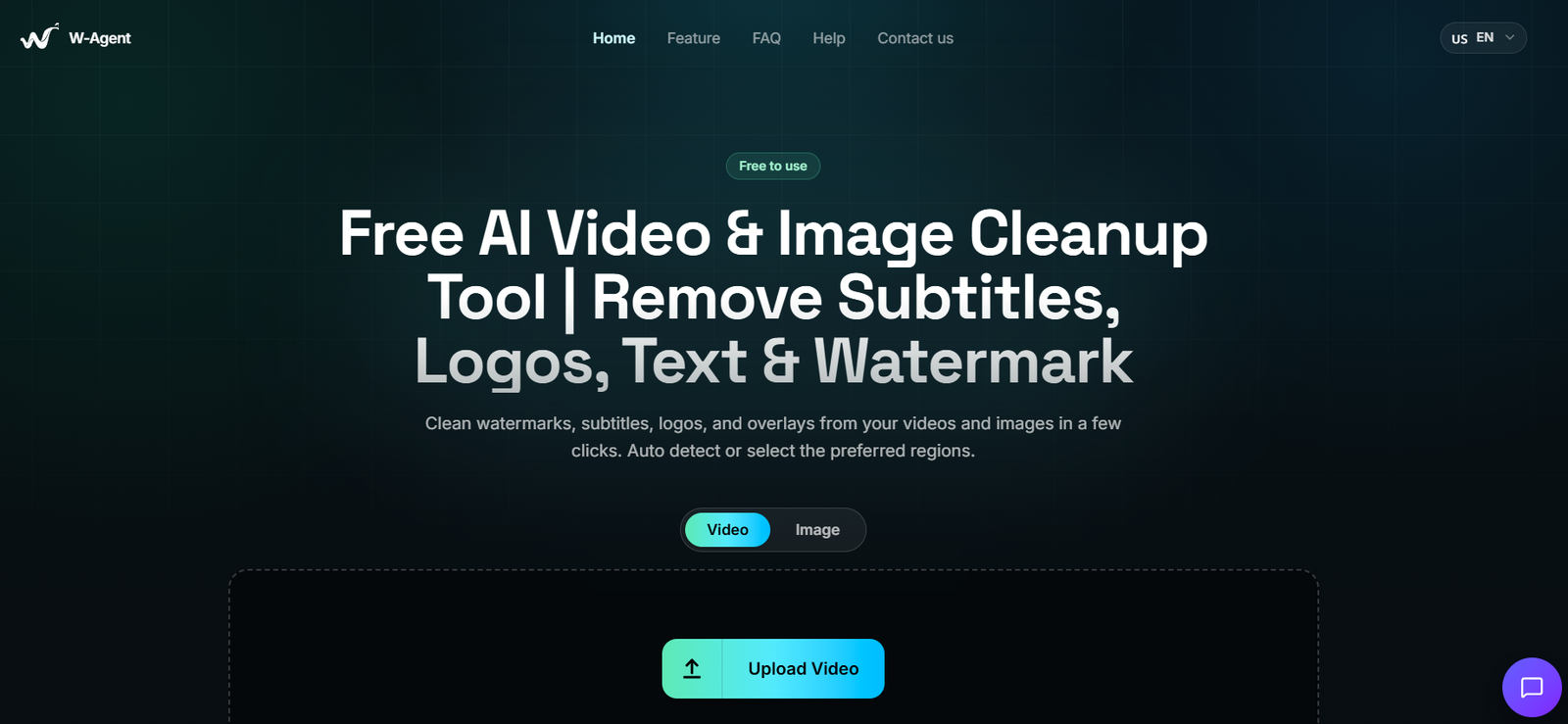
W-Agent is a free web-based AI tool for cleaning unwanted visual elements from videos and images.
Users can upload a video or photograph containing unwanted text, subtitles, logos, timestamps, watermarks, stickers or other overlays and use AI to remove the selected elements.
The platform combines automatic detection with manual selection tools.
For simple jobs, users can allow W-Agent to detect visible overlays automatically. For more precise work, they can use bounding boxes or brush masks to identify exactly which areas should be removed.
Video users receive additional control through time-range masking. This makes it possible to remove an element only during the part of a video where it appears rather than applying the same mask throughout the entire clip.
After identifying the unwanted element, W-Agent uses AI-assisted inpainting to reconstruct the area behind it. The system attempts to maintain surrounding edges, colors, movement and image resolution.
W-Agent works entirely through a web browser and does not require users to install desktop software or plugins.
It currently supports popular video formats including MP4, MOV, WEBM, MKV and AVI, along with JPG, JPEG, PNG and WebP images.
The service is currently completely free to use.
Features
AI Video Cleanup
W-Agent can process video footage and remove unwanted visual elements.
It is useful for cleaning authorized footage containing unnecessary text, timestamps, subtitles or graphic overlays.
AI Image Cleanup
The platform also works with still images.
Users can upload an image and identify unwanted visual elements for AI-assisted removal.
Automatic Detection
W-Agent provides automatic detection for visible overlays.
This is the fastest workflow when the AI can clearly identify the unwanted element.
Manual Masking
Users who need more control can manually indicate which part of an image or video should be processed.
Bounding Box Selection
A bounding box can be placed around an unwanted element.
This provides a quick way to identify a specific area for removal.
Brush Masking
Brush-based masking allows users to define irregular or more precise areas.
This is useful when an unwanted element does not fit neatly inside a rectangular selection.
Time-Range Video Masking
Video masks can be restricted to specific time ranges.
For example, if a text overlay appears for only ten seconds, the user can apply the removal mask specifically to that portion of the video.
AI-Assisted Inpainting
After an element is removed, W-Agent uses AI-assisted reconstruction to fill the affected area.
The AI estimates what the underlying background should look like based on surrounding visual information.
Background Reconstruction
W-Agent attempts to rebuild the area that was covered by the removed element.
This can create a more natural-looking result than simply blurring or cropping the unwanted area.
Edge Preservation
The processing system attempts to maintain surrounding edges during reconstruction.
Color Preservation
W-Agent tries to retain the original colors of the surrounding image or footage.
Motion Preservation
For videos, the system attempts to maintain visual continuity and motion around the processed area.
Subtitle Removal
Users can remove unwanted hardcoded subtitles from authorized video footage.
Text Removal
Visible text overlays can be selected and removed.
Logo Removal
Unwanted logos can be cleaned from images or videos when the user owns the content or has permission to modify it.
Timestamp Removal
W-Agent can be useful for cleaning date or timestamp overlays from personally owned recordings.
Overlay Removal
The tool can handle other unwanted graphical overlays in addition to text and logos.
Browser-Based Processing
No desktop application needs to be installed.
Users access the complete workflow through a web browser.
No Plugins
W-Agent does not require additional editing plugins.
Full-Quality Download
After processing, users can download the cleaned result.
W-Agent states that it aims to preserve the original resolution and overall visual quality as much as possible.
Supported Formats
Video
W-Agent currently supports:
MP4
MOV
WEBM
MKV
AVI
Images
Supported image formats include:
JPG
JPEG
PNG
WebP
Video Limits
W-Agent currently specifies the following maximum video limits:
Maximum duration: 2 minutes
Maximum resolution: 2560 × 2560
Maximum frame rate: 60 FPS
Maximum file size: 500 MB
These limits make the service more suitable for short clips than long-form video editing.
How It Works
W-Agent uses a straightforward three-step workflow.
Upload
Upload the video or image containing the unwanted visual element.
Remove
Choose how the element should be identified.
Users can allow the AI to detect it automatically or manually define the affected area using a bounding box or brush mask.
For videos, masks can also be applied to specific time ranges.
Start the AI processing.
W-Agent removes the selected visual element and reconstructs the affected background.
Download
Preview the processed result and download the cleaned file.
No desktop editing software is required.
Use Cases
Video Cleanup
Creators can clean unwanted visual elements from videos they own or have permission to modify.
Image Cleanup
Photographers and designers can remove distracting text or graphic overlays from authorized images.
Subtitle Removal
Users can remove unwanted hardcoded subtitles from their own video footage.
Timestamp Removal
Old camera recordings can contain permanent timestamps. W-Agent can attempt to remove these and reconstruct the underlying scene.
Text Removal
Unnecessary labels and text overlays can be removed from visual assets.
Logo Cleanup
Businesses can clean outdated branding from their own archived marketing materials before redesigning them.
Social Media Content
Creators can prepare their own previously published content for reuse in different formats.
Marketing Asset Updates
Businesses can modify old creative assets when branding or campaign information has changed.
Presentation Material
Unwanted annotations or text can be removed from visual material that users have permission to edit.
Personal Photos
Users can remove distracting text, dates, stickers or similar additions from their own photographs.
Short-Form Video
The two-minute maximum duration makes W-Agent particularly suitable for short clips.
Pricing
W-Agent is currently:
Free to use
The official website states that there are:
No hidden fees
No subscriptions required
Users can upload supported images and videos, process them and download the resulting files without purchasing a paid subscription.
At present, the official website does not advertise separate Free, Pro or Enterprise subscription tiers.
Because W-Agent is a newly launched service, its pricing model may change as the product develops.
Strengths
Completely free at present.
No subscription required.
No software installation.
Runs through a web browser.
Supports both images and videos.
Provides automatic overlay detection.
Provides manual masking.
Includes bounding-box selection.
Includes brush-based masking.
Supports time-specific masks for videos.
Uses AI-assisted inpainting.
Attempts to reconstruct backgrounds naturally.
Can remove unwanted subtitles.
Can remove text overlays.
Can clean timestamps.
Can remove logos from authorized content.
Supports several popular video formats.
Supports common image formats.
Handles videos up to 2560 × 2560 resolution.
Supports up to 60 FPS.
Accepts video files up to 500 MB.
Simple three-step workflow.
Suitable for users without professional video-editing skills.
Uploaded files are automatically deleted after processing according to the official website.
Drawbacks
Videos are currently limited to two minutes.
The tool is therefore not suitable for processing long-form videos in a single upload.
Maximum video resolution is 2560 × 2560.
Maximum file size is 500 MB.
AI reconstruction cannot recover the actual hidden pixels behind an overlay.
Instead, the AI predicts what the missing background should look like.
Results may therefore be imperfect when an overlay covers a person’s face, complicated text, detailed objects or rapidly moving areas.
Large overlays can be more difficult to reconstruct naturally.
Complex camera movement can create inconsistencies between video frames.
Automatic detection may not identify every unwanted element correctly.
Manual masking may be necessary for difficult footage.
Professional video editors may still need dedicated editing software for frame-level corrections.
The service is relatively new, so its feature set may change quickly.
Privacy
W-Agent states that uploaded files are processed securely.
According to its current FAQ, uploaded videos and images are automatically deleted after processing is completed.
The platform states that user media remains private while the cleaned result is generated.
This automatic-deletion approach can be useful for users concerned about leaving uploaded media stored indefinitely on an online editing service.
However, businesses working with confidential, unreleased or commercially sensitive footage should review the current Privacy Policy before uploading such material.
Copyright and Responsible Use
W-Agent includes an important copyright disclaimer.
Users uploading an image or video must confirm that they own the rights to edit the material or have permission from the rights holder.
The tool should therefore be used for legitimate visual cleanup rather than removing ownership information from copyrighted material without authorization.
Appropriate uses can include cleaning a user’s own footage, removing an obsolete company logo from company-owned media, removing timestamps from personal recordings or modifying content when permission has been granted.
Users remain responsible for ensuring that their use complies with applicable copyright and privacy laws.
Comparison with Other Platforms
W-Agent competes with AI cleanup and object-removal tools such as WatermarkRemover.io, Dewatermark AI and RemoveFrom.Video.
Its main advantage is simplicity.
Users upload an image or short video, select what should be removed and let AI reconstruct the affected area.
Another advantage is that W-Agent supports both automatic and manual workflows. Automatic detection provides convenience, while bounding boxes and brush masks offer greater control when the AI cannot identify the desired region correctly.
Time-range masking is particularly useful for video. An unwanted overlay may appear for only a small portion of a clip, and W-Agent allows the user to target that specific period.
Its current free pricing is another major advantage over services that impose subscription or credit requirements.
The biggest limitation is the two-minute video duration. Users working with long-form footage will need a more comprehensive video-editing solution or divide their content into shorter clips.
Customer Reviews and Testimonials
W-Agent is a very new product, having launched in August 2026.
A substantial collection of independently verified customer reviews is therefore not yet available.
The official website focuses on demonstrating the before-and-after cleanup workflow rather than presenting a large library of customer testimonials.
Because W-Agent is currently free, users can evaluate its effectiveness directly using their own authorized images or short videos.
The most useful test is to try several types of footage, including static overlays, moving scenes and detailed backgrounds, since AI reconstruction quality can vary considerably depending on the source material.
Conclusion
W-Agent is a straightforward AI-powered tool for removing unwanted visual elements from images and short videos.
It combines automatic detection, manual bounding boxes, brush masks and AI-assisted inpainting to clean text, subtitles, timestamps, logos and other overlays from content that users own or have permission to modify.
Its video workflow is particularly useful because masks can be limited to specific time ranges. This allows users to target an element only during the section where it appears.
W-Agent currently supports MP4, MOV, WEBM, MKV and AVI videos as well as JPG, JPEG, PNG and WebP images. Videos can be up to two minutes long, 2560 × 2560 resolution, 60 FPS and 500 MB.
The service’s biggest attraction is its price: it is currently completely free, with no hidden fees or subscriptions advertised.
Its main limitation is that AI inpainting predicts what was hidden behind a removed element rather than recovering the actual missing pixels. Complex backgrounds and moving subjects can therefore produce imperfect results.
Overall, W-Agent is best suited to creators, marketers, photographers and everyday users who need a fast browser-based way to clean unwanted overlays from their own or properly authorized visual content without installing professional editing software.