
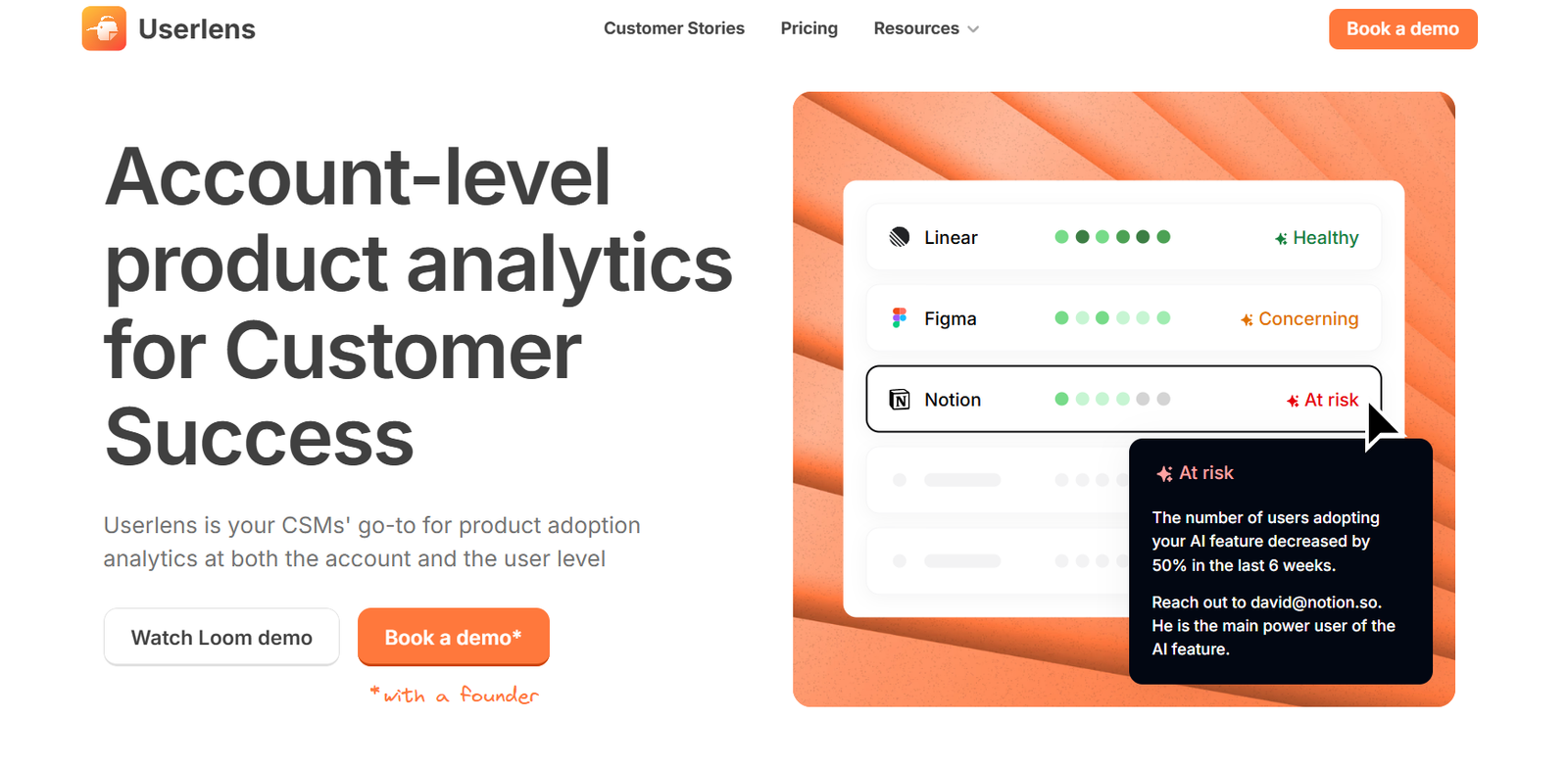
Userlens is an AI-driven platform designed to help product teams automatically analyze and extract insights from user feedback. It leverages natural language processing (NLP) and large language models to turn raw feedback from multiple sources into structured, actionable insights. This allows product managers, UX designers, and customer success teams to better understand user needs, identify pain points, and prioritize features based on real customer data.
By automating the tedious process of categorizing and analyzing feedback, Userlens enables faster decision-making and more user-centric product development. Whether the feedback comes from surveys, support tickets, reviews, or interviews, Userlens helps teams identify patterns and trends without manual sorting.
Features
Userlens includes a range of AI-powered features specifically built for product feedback workflows.
The core feature is AI Feedback Analysis, which automatically categorizes large volumes of qualitative feedback using NLP. The platform groups similar responses and highlights common themes without manual labeling.
It provides Visual Insights Dashboards, enabling teams to view trends, sentiment breakdowns, and keyword patterns across time and categories.
With Source Integration, Userlens connects to tools like Slack, Notion, Intercom, Google Forms, Typeform, and more, making it easy to centralize feedback from various channels.
Userlens supports Topic Clustering and Theme Detection, automatically grouping feedback into product-relevant themes like usability, bugs, feature requests, or onboarding issues.
Sentiment Analysis helps teams understand how users feel about specific features, allowing prioritization based on urgency or emotional weight.
Team Collaboration tools allow teams to share findings, tag items for prioritization, and build internal reports directly within the platform.
How It Works
Userlens begins with data collection. Teams can upload CSV files, connect existing data sources, or sync real-time feedback through integrations. Once imported, the feedback is processed by Userlens’s AI engine.
The platform automatically analyzes the text to detect themes, topics, sentiment, and frequency of issues. It clusters similar feedback to highlight the most commonly reported challenges or suggestions.
Users are then presented with a visual dashboard showing high-level metrics like sentiment score, top pain points, and most requested features. Each data point is backed by real user quotes, giving context to the findings.
Product teams can filter feedback by product area, time period, sentiment, or custom tags. They can also export insights or share live dashboards with stakeholders.
The platform’s AI models continuously improve as more data is processed, ensuring that insights remain accurate and relevant over time.
Use Cases
Userlens is a valuable tool for various teams across an organization.
Product managers use it to validate roadmaps by understanding what features users truly care about and where the biggest friction points lie.
UX researchers rely on Userlens to synthesize user interviews or survey responses at scale, identifying patterns and user emotions that inform design choices.
Customer support teams analyze support tickets to find recurring issues, bugs, or usability problems that might not be formally tracked.
Startups and growth-stage companies use it to listen to early adopters and rapidly iterate their products based on feedback insights.
Marketing and customer experience teams use sentiment analysis to measure the impact of feature launches or user communication.
Pricing
As of the latest update from the official Userlens website, the platform offers the following pricing structure:
Free Plan
Includes 100 feedback items per month
One workspace
Basic integrations
Access to AI analysis with limited filters
Pro Plan – $49/month
Up to 2,000 feedback items per month
Multiple data sources and advanced integrations
Theme detection, clustering, sentiment analysis
Workspace collaboration tools
Team Plan – Custom pricing
Unlimited feedback items
Advanced data governance
Priority support and onboarding
Tailored for larger product teams or enterprises
For up-to-date pricing details or enterprise inquiries, users can request a demo via the official site.
Strengths
Userlens excels at simplifying and speeding up the feedback analysis process, saving teams hours of manual work.
Its AI capabilities deliver actionable insights almost instantly, helping teams focus on what matters most to users.
The platform’s integrations with popular tools make it easy to centralize all feedback in one place, improving team visibility and collaboration.
The sentiment and theme clustering features provide both quantitative and qualitative understanding, offering a well-rounded view of user feedback.
Its clean and intuitive UI makes it accessible to non-technical users, including product marketers and customer success managers.
Drawbacks
The free plan has limited capacity, which may not be sufficient for teams dealing with large volumes of feedback.
Some advanced features, such as sentiment filtering or historical trend analysis, are only available on the Pro or Team plans.
Userlens is focused primarily on textual feedback. It currently lacks features for audio or video feedback analysis, which may limit its use for teams conducting user interviews in multimedia formats.
Customization of categories or taxonomy might be limited in lower-tier plans, which could restrict teams with very specific internal workflows.
Comparison with Other Tools
Userlens competes with tools like Productboard, Dovetail, EnjoyHQ, and ProductSignal in the product insights space.
Compared to Productboard, which is roadmap-centric, Userlens is more focused on unstructured qualitative feedback and AI analysis, making it better for early-stage insight gathering.
Dovetail is a more comprehensive research repository with manual tagging capabilities, whereas Userlens emphasizes automation and speed, making it better suited for lean teams or high-volume environments.
EnjoyHQ offers robust research workflows but requires more manual setup. Userlens’s plug-and-play approach is more accessible for teams looking for faster feedback-to-insight workflows.
Unlike spreadsheets or Notion-based systems, Userlens provides automated clustering and analysis, reducing the risk of bias and inconsistency in manual synthesis.
Customer Reviews and Testimonials
Userlens has received positive attention on platforms like Product Hunt and social media, especially among product-led teams and early-stage startups.
Users often praise the platform for cutting down hours of manual feedback sorting and surfacing actionable insights quickly.
Product managers have reported using Userlens to identify the top five pain points affecting churn and validating them with actual user comments.
UX teams appreciate the ability to turn hundreds of survey responses into structured themes without building custom spreadsheets or hiring analysts.
Many startups have shared that using Userlens improved their product-market fit validation process by letting them make faster, data-informed decisions.
Conclusion
Userlens is an effective AI-powered platform that transforms raw user feedback into actionable product insights. Designed with product teams in mind, it eliminates the need for manual tagging and analysis, enabling organizations to make better decisions, faster.
With a user-friendly interface, smart integrations, and AI models tailored for qualitative feedback, Userlens empowers teams to build products that truly resonate with their users. Whether you’re a startup or a mature product organization, Userlens helps bring user voice to the center of your product strategy.













