
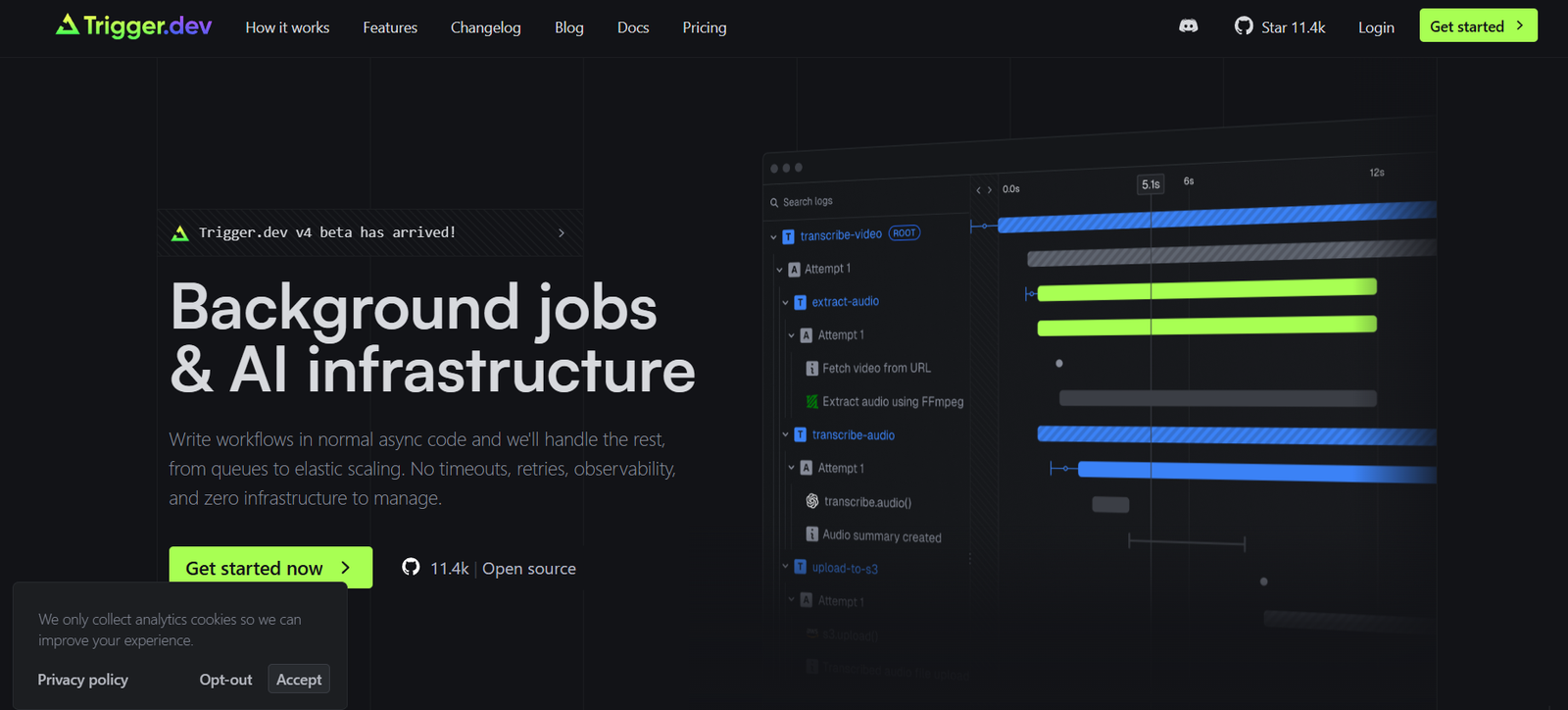
Trigger.dev is an open-source platform that allows developers to schedule, run, and manage background jobs directly within their TypeScript codebase. Tailored for modern applications and SaaS products, Trigger.dev integrates seamlessly into your app to handle workflows like scheduled tasks, delayed jobs, and event-based automations—all without relying on third-party workflow engines or building infrastructure from scratch.
Unlike traditional task schedulers or enterprise-grade workflow tools, Trigger.dev is built natively for TypeScript and modern web stacks, offering a simple developer experience with full observability, retries, and built-in integrations.
It’s ideal for startups, solo developers, and engineering teams looking for reliable and version-controlled background jobs inside their codebase—with the added benefits of Git-based deployments and local development.
Features
Code-First Background Jobs
Write background jobs as regular TypeScript functions using the Trigger.dev SDK. Run them on schedule, in response to events, or with delays.
Open Source
Trigger.dev is fully open-source under the MIT License, giving developers full control and transparency over the platform.
Scheduling & Delays
Easily create scheduled or delayed jobs using simple code—no CRON expressions required (though supported).
Event-Based Triggers
Run jobs in response to webhooks, database changes, user actions, or any custom event via API or direct integration.
First-Class TypeScript Support
Write jobs with full type safety and autocompletion. Designed specifically for TypeScript and modern Node.js projects.
Built-in Integrations
Native integrations with popular APIs and services like Slack, Resend, Stripe, and OpenAI. More integrations are continually added.
Retries & Error Handling
Automatic retry logic, error tracking, and custom failure workflows ensure reliable job execution.
Full Observability
Built-in job history, logs, and performance metrics via the Trigger.dev dashboard—debug workflows in real time.
Local Development
Run Trigger.dev locally with Docker and test jobs as part of your development workflow.
GitHub Deployment Sync
Jobs are version-controlled and deployed via GitHub, making CI/CD integration seamless.
How It Works
Trigger.dev simplifies the process of writing and running background jobs through these steps:
Install the SDK
Add@trigger.dev/sdkto your TypeScript project and initialize it in your app server.Register Jobs in Code
Useclient.defineJob()to write jobs with names, schedules, and logic. You can listen to webhooks, trigger on events, or schedule executions.Start the Development Server
Runtrigger.dev devlocally to test jobs and see logs in real time.Connect GitHub and Deploy
Link your GitHub repository to Trigger.dev to sync your job definitions and deploy them automatically with your code.Monitor and Manage
Use the Trigger.dev dashboard to monitor execution logs, schedule changes, failures, and retries.
Use Cases
Scheduled Reports
Automate daily, weekly, or monthly report generation and email delivery.
Email & Notification Workflows
Trigger confirmation emails, password resets, and reminders with built-in email providers like Resend.
Data Syncing
Move data between services like Stripe, HubSpot, or internal APIs without manual intervention.
Webhook Handling
Receive and process third-party webhooks (e.g., Stripe or GitHub) and respond with automated workflows.
AI-Powered Automations
Trigger GPT or OpenAI-based jobs for summarizing emails, generating content, or parsing structured data.
Slack Bots & Notifications
Send automated Slack alerts when jobs complete, users take actions, or errors occur.
Delayed Onboarding Flows
Run post-signup tasks like survey delivery or CRM updates minutes or hours after a user registers.
Pricing
Trigger.dev is open source and free to use locally or self-hosted. They also offer a fully managed cloud platform for production deployments with additional features:
Free Tier
5,000 job runs/month
1 user
Community support
GitHub sync
Local dev tools
Pro Plan – Contact for pricing
Higher job limits
Team collaboration
Advanced integrations
Priority support
Enterprise Plan – Custom pricing
Self-hosting support
SSO/SAML
Custom SLAs and onboarding
Pricing details are available at: https://trigger.dev/pricing
Strengths
Code-First Approach
Fits naturally into developer workflows—no need for separate orchestration tools or GUI builders.
Native TypeScript Support
Full type safety, autocomplete, and debugging within your IDE.
Open Source & Transparent
You control the code, environment, and data. Perfect for privacy-focused or regulated industries.
GitHub Integration
Jobs are version-controlled, deployed, and auditable through Git workflows.
Zero Infrastructure Setup
Start running background jobs immediately without setting up queues, servers, or message brokers.
Modern Developer Experience
CLI, dashboard, observability tools, and local dev support are intuitive and well-documented.
Drawbacks
TypeScript Required
Best suited for TypeScript/JavaScript developers. Other languages are not supported.
Still Maturing
Some features (e.g., advanced orchestration or cross-service transactions) are under development.
Cloud Usage Limits
The free tier is generous but may be limiting for high-frequency, production-level jobs.
Not a Traditional RPA Tool
Not suitable for non-developer users or those looking for drag-and-drop workflow builders.
Comparison with Other Tools
Trigger.dev vs. Temporal.io
Temporal is a powerful workflow engine but has a steep learning curve. Trigger.dev is simpler, faster to implement, and code-first.
Trigger.dev vs. Airplane.dev
Airplane focuses on internal tools and UIs. Trigger.dev focuses purely on background jobs and backend workflows.
Trigger.dev vs. Zapier
Zapier is no-code and best for non-developers. Trigger.dev is developer-focused, with far more control and reliability.
Trigger.dev vs. BullMQ / Agenda.js
While BullMQ and Agenda.js manage queues, Trigger.dev provides a full platform with logs, retries, observability, and Git integration out of the box.
Customer Reviews and Testimonials
While specific testimonials on the site are limited, developer feedback on GitHub and Product Hunt has been positive:
“Trigger.dev is what I always wanted in a background job tool—native to my stack, fast, and easy to debug.”
— Indie Hacker
“Replaced my cron jobs and Zapier integrations with a few lines of TypeScript. Game-changer for workflow automation.”
— Startup CTO
“The open-source model and GitHub integration make it a no-brainer for compliance and transparency.”
— DevOps Lead
More reviews and community discussion can be found on Product Hunt and GitHub.
Conclusion
Trigger.dev is a powerful open-source solution for developers who need to run background jobs, automate workflows, and respond to events—all from their TypeScript codebase. It eliminates the need for third-party task managers or building orchestration infrastructure, allowing teams to ship reliable automations faster.
With first-class developer tools, observability, and flexible hosting options, Trigger.dev is ideal for startups, indie developers, and teams building modern web applications.












