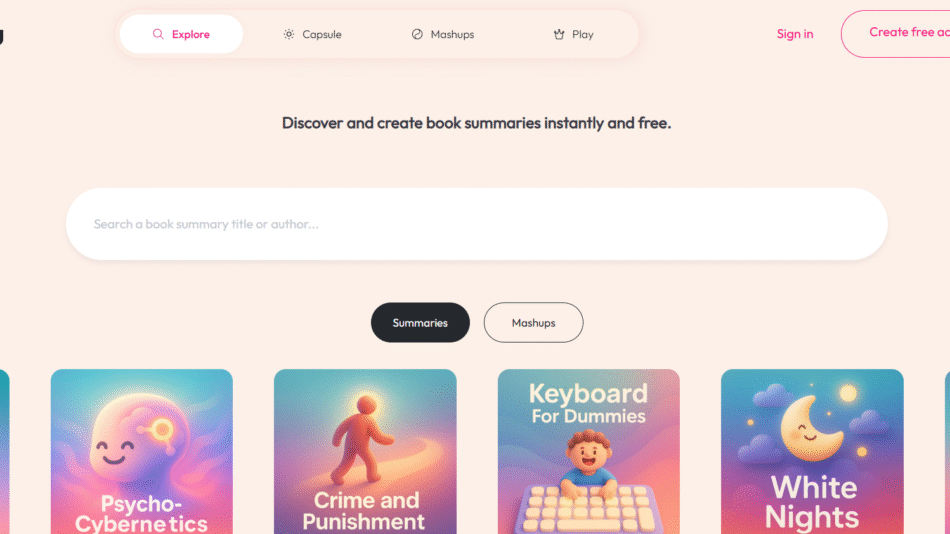
TL;DL (short for “Too Long; Didn’t Listen”) is an AI-powered meeting assistant that records, transcribes, and summarizes online meetings in real time. Designed for professionals, remote teams, and product managers, TL;DL makes it easy to capture key takeaways, action items, and decisions from every meeting—without needing to take notes.
Whether you’re using Zoom, Google Meet, or Microsoft Teams, TL;DL joins your calls, records the session, and delivers a searchable summary with timestamps and speaker notes. It’s built to make every conversation productive—even for those who couldn’t attend live.
Features
AI Summarized Meeting Notes: Automatically generate concise summaries of your meetings, with bullet points, decisions, and next steps.
Multi-Platform Support: Works with Zoom, Google Meet, Microsoft Teams, and more.
Video & Audio Recording: Record meetings with high-quality audio and video, then revisit important moments via smart highlights.
Searchable Transcripts: Get full transcripts with speaker identification, searchable by keyword or phrase.
Action Item Detection: Automatically identifies follow-ups, tasks, and commitments mentioned during the call.
Speaker Insights: See who talked the most, when, and what was discussed.
Calendar Integration: Syncs with Google Calendar to join and record scheduled calls automatically.
Team Sharing: Share meeting summaries, snippets, and highlights with teammates or stakeholders.
How It Works
Install the TL;DL Extension or App: Available for Chrome, Google Meet, and other platforms.
Join or Schedule a Call: TL;DL automatically joins your meeting if integrated with your calendar.
Record and Transcribe: The AI records the conversation and generates a transcript in real time.
Summarize and Tag: After the meeting, TL;DL provides a concise summary with action items and highlights.
Review and Share: Access your meeting library, search past meetings, or share content with your team.
The entire workflow is designed to save time and improve post-meeting follow-up.
Use Cases
Product Teams: Review decisions, roadmap discussions, and customer feedback without digging through notes.
Sales Teams: Record and summarize client calls to identify objections, needs, and next steps.
Marketing & Content: Capture brainstorming sessions, campaign reviews, and editorial planning meetings.
Engineering Teams: Keep track of stand-ups, sprint planning, and retrospectives.
Remote Workers & Freelancers: Share meeting notes with clients or collaborators across time zones.
Pricing
As of the information available on TL;DL’s official site:
Free Plan
Record up to 3 meetings/month
AI summaries and transcripts included
Google Meet and Zoom support
Ideal for individual professionals or small teams
Pro Plan – $20/month
Unlimited meeting recordings
Priority AI summarization
Enhanced search and integrations
Designed for growing teams or professionals with frequent meetings
Team & Enterprise Plans – Custom Pricing
Team dashboards
Role-based access
Collaboration and API features
Suitable for large teams and organizations
All plans come with a 7-day free trial. No credit card required to start.
Strengths
Easy to set up and use
Supports real-time and asynchronous meeting workflows
Summaries are accurate and include action items
Works across popular video conferencing platforms
Cost-effective compared to hiring a notetaker or using multiple tools
Drawbacks
Limited transcription languages (English-focused)
Advanced collaboration tools are only in paid tiers
Requires user permissions for meeting access
Not suitable for in-person meetings without platform support
Comparison with Other Tools
TL;DL vs Otter.ai
Otter offers strong transcription and note-taking. TL;DL focuses more on structured summaries, speaker tracking, and integration into remote workflows.
TL;DL vs Fireflies.ai
Fireflies includes CRM integration. TL;DL provides a simpler UX and more accurate summaries geared toward actionable outcomes.
TL;DL vs Notion AI + Meeting Notes
Notion AI is general-purpose. TL;DL is dedicated to meetings—offering specialized summaries, recording tools, and team collaboration features.
Customer Reviews and Testimonials
Users from SaaS teams, remote companies, and consulting agencies have praised TL;DL for its simplicity and value:
“Finally, a meeting tool that actually helps reduce the noise.”
“I don’t need to take notes anymore—just read the TL;DL summary and move on.”
“Perfect for async teams. Everyone’s always on the same page.”
These reviews emphasize TL;DL’s role in improving meeting efficiency and team communication.
Conclusion
TL;DL is a powerful meeting assistant that transforms how teams record, track, and share their conversations. By using AI to summarize and organize discussions, it frees professionals from manual note-taking and ensures every call has a clear, actionable outcome.
Whether you’re managing a fast-paced product roadmap, running customer calls, or just trying to reduce meeting fatigue, TL;DL is an intelligent, time-saving companion worth integrating into your workflow.