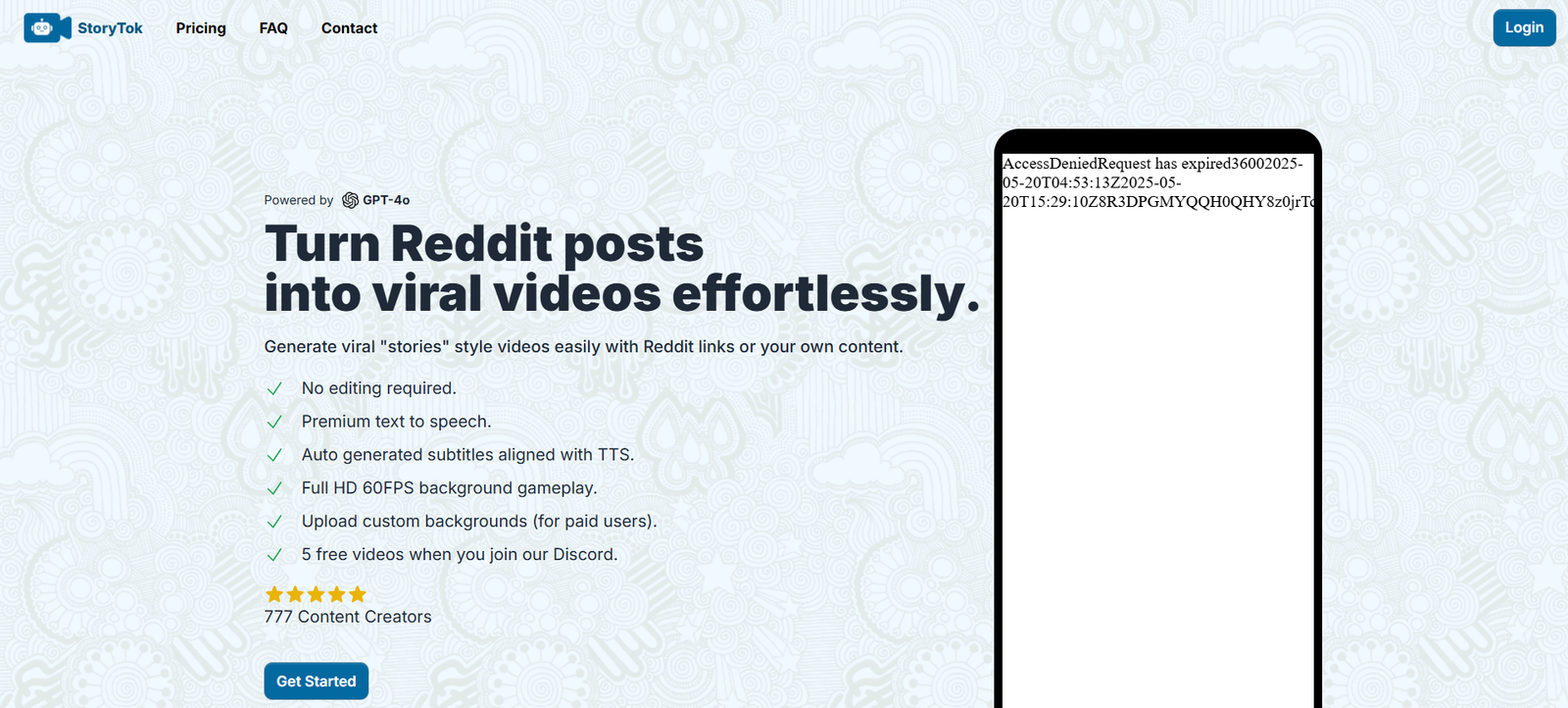
Storytok AI is an innovative AI-powered video generation platform that transforms written scripts into short, engaging videos ideal for TikTok, Instagram Reels, and YouTube Shorts. With a focus on storytelling, audience engagement, and automation, Storytok AI enables marketers, creators, and businesses to scale video production without needing video editing experience.
Designed to meet the growing demand for high-performing short-form content, Storytok AI streamlines the video creation process from script to final product—complete with visuals, narration, animations, and captions.
Features
Storytok AI offers a rich set of features designed to make video content creation fast, efficient, and impactful:
Script-to-Video Conversion: Automatically generates a video from a written script or idea.
AI Voiceovers: Choose from realistic AI-generated voices to narrate your videos.
Stock Footage Integration: Uses relevant stock video clips, background visuals, and overlays to illustrate each scene.
Text-to-Speech Support: Add lifelike voice narration without recording manually.
Vertical Video Output: Videos are formatted in a 9:16 vertical layout for platforms like TikTok, Reels, and Shorts.
Auto Subtitles: Captions are automatically generated and styled for mobile viewing.
Video Editing Timeline: Review and edit video flow, scene timing, and transitions directly in the editor.
Content Templates: Pre-built formats for storytelling, marketing, education, and more.
Brand Customization: Add logos, fonts, and colors to match your branding.
One-Click Export: Download or publish social-ready videos instantly.
These features enable anyone to turn an idea or marketing message into a compelling short-form video in minutes.
How It Works
The process of creating videos with Storytok AI is streamlined into a few simple steps:
Input Your Script: Write or paste a short script or message into the Storytok editor.
Select Voiceover & Visual Style: Choose an AI voice and video theme (e.g., cinematic, professional, educational).
Generate the Video: Storytok’s AI automatically matches your script to stock visuals, narration, music, and captions.
Edit & Customize: Use the built-in timeline editor to tweak visuals, adjust subtitle timing, or apply branding.
Download or Publish: Export the video or upload directly to your social channels.
No filming, recording, or complex editing tools are required—Storytok AI handles all of it behind the scenes.
Use Cases
Storytok AI is suitable for a wide range of industries and goals:
Content Creators: Produce daily short videos without manual editing or filming.
Marketers and Brands: Promote products, campaigns, or offers through storytelling videos.
Startups and Founders: Share launch announcements, customer testimonials, and updates in engaging formats.
Educators and Coaches: Turn lessons or frameworks into quick, digestible clips.
Agencies: Scale content delivery for multiple clients efficiently.
Social Media Managers: Keep a consistent flow of short-form content across channels.
With the rise of short-form video dominance, Storytok AI offers a competitive edge in content repurposing and speed-to-publish.
Pricing
Based on the Storytok AI website, the platform offers tiered pricing to meet different content creation needs:
Free Plan
Create up to 3 videos/month
Watermarked videos
Limited voice and style options
Great for testing
Creator Plan – $29/month
Up to 30 videos/month
Full access to AI voices and templates
No watermark
Basic customization tools
Pro Plan – $59/month
Up to 100 videos/month
Advanced branding options
Priority video processing
Access to premium stock visuals and music
Agency Plan – Custom Pricing
Unlimited video generation
Multi-user access
White-label export
Team collaboration tools and dedicated support
All plans offer vertical video formatting, AI voiceovers, and access to the in-browser editor.
Strengths
Fast Turnaround: Create polished short videos in minutes from just a script.
No Filming Required: All videos are generated using AI visuals and narration.
Platform-Optimized: Ideal for TikTok, Instagram Reels, and YouTube Shorts.
Voiceover Variety: Dozens of realistic voices available for different tones and languages.
Customizable Templates: Easily match content to different audiences or goals.
Affordable Plans: Pricing suits both solo creators and growing agencies.
Scalable Workflow: Great for producing content in bulk without quality loss.
Drawbacks
Stock-Only Visuals: Limited ability to include your own footage unless manually uploaded.
Script Required: You must provide a written script; the tool doesn’t generate one from scratch.
Limited Editing Flexibility: Power users may find some editing features basic compared to full-scale editors.
Watermark on Free Plan: Free version includes branding, which may not be suitable for professional publishing.
Comparison with Other Tools
Storytok AI vs. Pictory
Pictory turns long-form videos into shorts. Storytok AI works in reverse—starting from text to create video, making it more idea-driven.
Storytok AI vs. InVideo
InVideo is a traditional video editor with templates. Storytok is faster and more automated, focusing on short-form storytelling.
Storytok AI vs. Descript
Descript offers editing and transcription. Storytok specializes in AI-generated storytelling videos from scratch, with no need for prior recordings.
Customer Reviews and Testimonials
While public reviews are still limited, early adopters have shared their thoughts through creator communities and LinkedIn:
“I made my first TikTok ad in 10 minutes using Storytok AI. No camera, no scriptwriter—just my idea.”
“Finally a tool that helps non-designers create real content without needing editing software.”
“I’ve been able to post consistently on Instagram with daily video content built from short texts.”
“It’s like Canva for video storytelling. Just type and export.”
Early users praise Storytok AI for its speed, simplicity, and ability to turn text ideas into production-ready content quickly.
Conclusion
Storytok AI is a powerful, user-friendly platform for transforming short scripts into engaging short-form videos. It removes the technical barriers of video creation by using AI to handle visuals, narration, subtitles, and exports—all within one workflow.
Whether you’re a solo creator looking to grow on TikTok, a startup promoting new features, or a social media manager handling multiple accounts, Storytok AI provides the speed, flexibility, and quality needed to keep your content pipeline full and relevant.