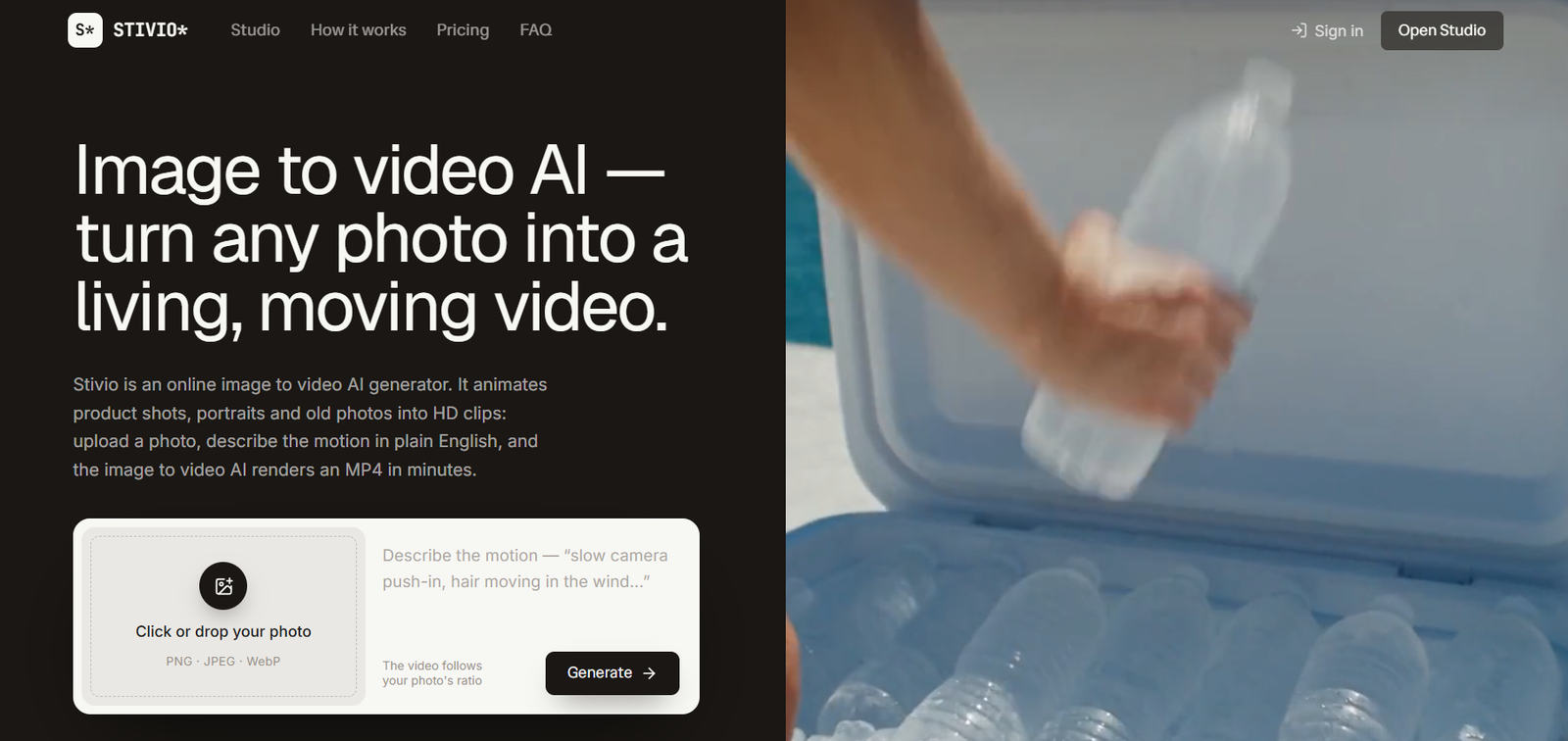
Stivio is an online AI image to video generator that transforms still photographs into short animated video clips. Users upload an image, describe the desired movement in simple language, and let the platform generate an HD MP4 video.
The tool is designed to make image animation accessible to people who do not have traditional video editing skills. Instead of working with timelines, keyframes, or complicated animation software, users can explain what they want to happen in a sentence. For example, they can describe how a person should move, how the camera should behave, or what kind of mood the scene should have.
Stivio brings several AI video models into one interface, including models from the Kling, Seedance, Wan, and MiniMax families. Users can select a model according to their creative requirements and available credits.
Generated videos can range from 3 to 30 seconds. The platform is particularly useful for ecommerce sellers, content creators, marketers, small businesses, and individuals who want to animate product photography, portraits, artwork, travel pictures, pet photos, or old family photographs.
Features
AI Image to Video Generation
Stivio turns a single still image into an animated video. The uploaded image becomes the starting frame, while AI generates movement according to the user’s instructions.
Plain Language Motion Prompts
Users describe the desired animation in ordinary language. They can specify subject movement, camera motion, atmosphere, or other visual behavior without manually creating keyframes.
Six AI Video Models
Stivio currently brings six AI video models into the same platform. These include Kling O3, Kling 2.6, Wan 2.6, MiniMax H3, Seedance 2.5, and Seedance 2.0.
3 to 30 Second Videos
Users can generate clips ranging from approximately 3 to 30 seconds, depending on the selected model and configuration.
HD MP4 Export
Generated videos are available as HD MP4 files. This makes them suitable for social media, product pages, advertisements, presentations, and further editing.
Original Aspect Ratio
The generated video follows the aspect ratio of the source image, helping users create content suited to the format of their original photograph.
Multiple Image Formats
Stivio accepts PNG, JPEG, and WebP images up to 10 MB.
Audio Support on Selected Models
Some available models support optional audio generation, giving users additional flexibility when producing video clips.
Browser Preview
Completed videos can be previewed directly in the browser before users download them.
Persistent Share Links
Finished videos are stored with shareable links that remain available for one year. This makes it easier to send generated clips without repeatedly uploading the video elsewhere.
No Watermark on Paid Plans
Videos generated through paid plans can be downloaded without the Stivio watermark.
Commercial Usage Rights
Paid plans include personal and commercial usage rights, making generated videos suitable for advertisements, product listings, client projects, and business content.
Automatic Credit Refunds
If a video generation fails, the credits used for that generation are automatically returned to the user’s balance.
Private Uploads
Stivio states that uploaded images, prompts, and generated videos are private by default. User uploads are not used for model training or sold for advertising purposes.
How It Works
Step 1: Sign In
Users sign in to Stivio using Google. New users currently receive 10 free credits.
Step 2: Upload an Image
Upload a PNG, JPEG, or WebP image of up to 10 MB. Clear photographs with a distinct subject generally provide the best starting point.
Step 3: Describe the Motion
Write a short prompt explaining what should move, how the camera should behave, and what atmosphere the video should have.
Step 4: Select an AI Model
Choose from the available Kling, Wan, MiniMax, or Seedance models according to the type of video required.
Step 5: Choose the Clip Length
Select the desired video duration. Available clips can range from approximately 3 to 30 seconds.
Step 6: Review the Credit Cost
The required number of credits is displayed before generation begins, allowing users to understand the cost before committing.
Step 7: Generate the Video
Stivio sends the request to the selected AI video model and renders the animation. The official website states that generation typically takes around 1 to 5 minutes, depending on factors such as queue load and clip length.
Step 8: Preview the Result
Once generation is complete, users can watch the video through the browser.
Step 9: Download or Share
The finished clip can be downloaded as an HD MP4 or shared through its persistent link.
Use Cases
Ecommerce Sellers
Online sellers can animate existing catalog and product photographs to create short videos for listings, advertisements, and product pages without arranging another photo or video shoot.
Content Creators
Creators can turn still photographs into B-roll, intros, visual sequences, and short-form content.
Social Media Marketers
Marketing teams can transform existing image libraries into short videos suitable for platforms such as Instagram Reels and TikTok.
Small Businesses
Businesses with limited video production resources can create simple promotional clips from photographs they already own.
Digital Advertisers
Paid-plan users can create commercial video assets from product photographs and other marketing images for advertising campaigns.
Photographers
Photographers can experiment with adding movement and camera effects to selected still images.
Artists and Designers
Artwork, illustrations, and creative images can be animated to create additional digital content from existing visual material.
Families and Individuals
Old photographs, family portraits, travel images, and pet pictures can be animated to create moving interpretations of personal memories.
Agencies
Creative and marketing agencies can generate short clips from client images for social media, product promotion, and campaign concepts.
Pricing
Stivio currently offers Free, Pro, and Team plans along with one-time credit purchases.
Free: $0
New users receive 10 credits after signing in.
This is enough for one free 5-second video using an eligible standard model.
Free users can upload PNG, JPEG, and WebP images and download the generated video as an HD MP4. Free exports contain a small Stivio watermark.
Failed generations are automatically refunded in credits.
Pro: $19 per month
The Pro plan currently provides 200 credits per month, which can produce up to approximately twenty 5-second videos when using models that cost 10 credits for that duration.
The plan supports clips from 3 to 30 seconds, access to six AI video models, HD MP4 downloads without a watermark, one-year share links, and personal and commercial usage rights.
Team: $59 per month
The Team plan currently provides 800 credits per month, equivalent to up to approximately eighty 5-second videos when using eligible models at the 10-credit rate.
It includes the Pro features, higher generation volume, and email support.
Generation Costs
Standard models such as Kling, Wan, and MiniMax generally start at 2 credits per second. A 5-second generation therefore starts at 10 credits.
Seedance models have higher credit requirements. A 5-second Seedance 2.5 generation currently starts at 15 credits, while Seedance 2.0 starts at 25 credits.
The exact credit requirement is displayed before a user starts each generation.
Yearly and One-Time Credits
Stivio also provides yearly billing and one-time credit purchases.
Monthly subscription credits reset with each billing cycle. One-time top-up credits do not expire.
With yearly plans, the full annual credit allocation is provided upfront and does not expire during normal use according to the current pricing information.
Pricing and credit requirements can change, so users should verify the current official pricing before purchasing.
Strengths
Simple Workflow
The process of uploading an image, writing a motion description, and generating a video is easy to understand.
Multiple Video Models
Six AI models are available through one interface, reducing the need to work with several separate image to video platforms.
No Video Editing Skills Required
Users do not need to understand timelines, keyframes, or professional animation software to create basic animated clips.
Flexible Video Length
Support for clips between 3 and 30 seconds makes the platform useful for different short-form video requirements.
Commercial Use on Paid Plans
Businesses, agencies, and creators can use paid-plan outputs for commercial projects.
HD MP4 Output
Videos are exported in a widely supported format that can easily move into social media platforms or conventional editing software.
Automatic Failed-Generation Refunds
Credits are automatically returned when a generation fails, reducing the financial impact of unsuccessful renders.
Free First Generation
The 10-credit signup allowance lets new users test an eligible 5-second generation before paying.
Privacy Approach
Stivio states that uploads are not used for AI model training and are not sold or shared for advertising.
Drawbacks
Stivio currently focuses on image to video generation rather than providing a complete video editing environment. Users who need detailed timeline editing, transitions, subtitles, multi-scene assembly, or advanced post-production may need separate editing software.
Video length is limited to short clips of up to 30 seconds, so the platform is not designed to generate complete long-form videos in a single render.
AI generated motion can also vary depending on the source image, prompt, and selected model. Complicated movements or images with unclear subjects may produce less predictable results.
Free videos contain a watermark, while clean exports and commercial usage rights require a paid option.
Generation costs also vary by model. Premium models such as Seedance can consume more credits than standard models, which may increase the effective cost for users generating large volumes of video.
Comparison with Other Platforms
Stivio competes with a growing range of AI image to video generators. Some platforms develop their own video models, while others provide interfaces that give users access to one or more third-party models.
Stivio’s approach is to place several established video model families behind one simple workflow. Users can work with Kling, Wan, MiniMax, and Seedance without moving between separate interfaces.
This can be convenient for creators who want to compare different models while maintaining a straightforward image, prompt, generate, and download process.
Compared with full AI video production suites, Stivio is more focused. It does not attempt to replace conventional video editors or provide an extensive multi-scene production environment. Instead, it concentrates on converting individual images into short animated clips.
This narrower approach may suit users who value simplicity, while creators requiring extensive editing, avatars, long-form generation, or complex scene management may prefer broader video platforms.
Customer Reviews and Testimonials
Customer reviews and testimonials are not clearly available on the official website.
Independent public listings for Stivio are still limited, which is understandable for a relatively new AI video service. Users should therefore evaluate the free generation themselves before deciding whether a paid plan meets their requirements.
Conclusion
Stivio is a straightforward AI tool for anyone who wants to turn a still photograph into a short moving video without learning traditional animation or video editing.
Its combination of plain-language motion prompts, six AI video models, 3 to 30-second clips, HD MP4 exports, persistent share links, automatic failed-generation refunds, and commercial rights on paid plans makes it useful for both personal and professional applications.
Ecommerce sellers, marketers, content creators, agencies, photographers, and small businesses can use Stivio to get more value from existing photographs. Individuals can also use it creatively to animate portraits, artwork, pet pictures, travel photos, and old family images.
The platform is best suited to short image-based animation rather than complete video production. For users who already have good still images and simply want to bring them to life with AI generated movement, Stivio provides a focused and accessible solution.