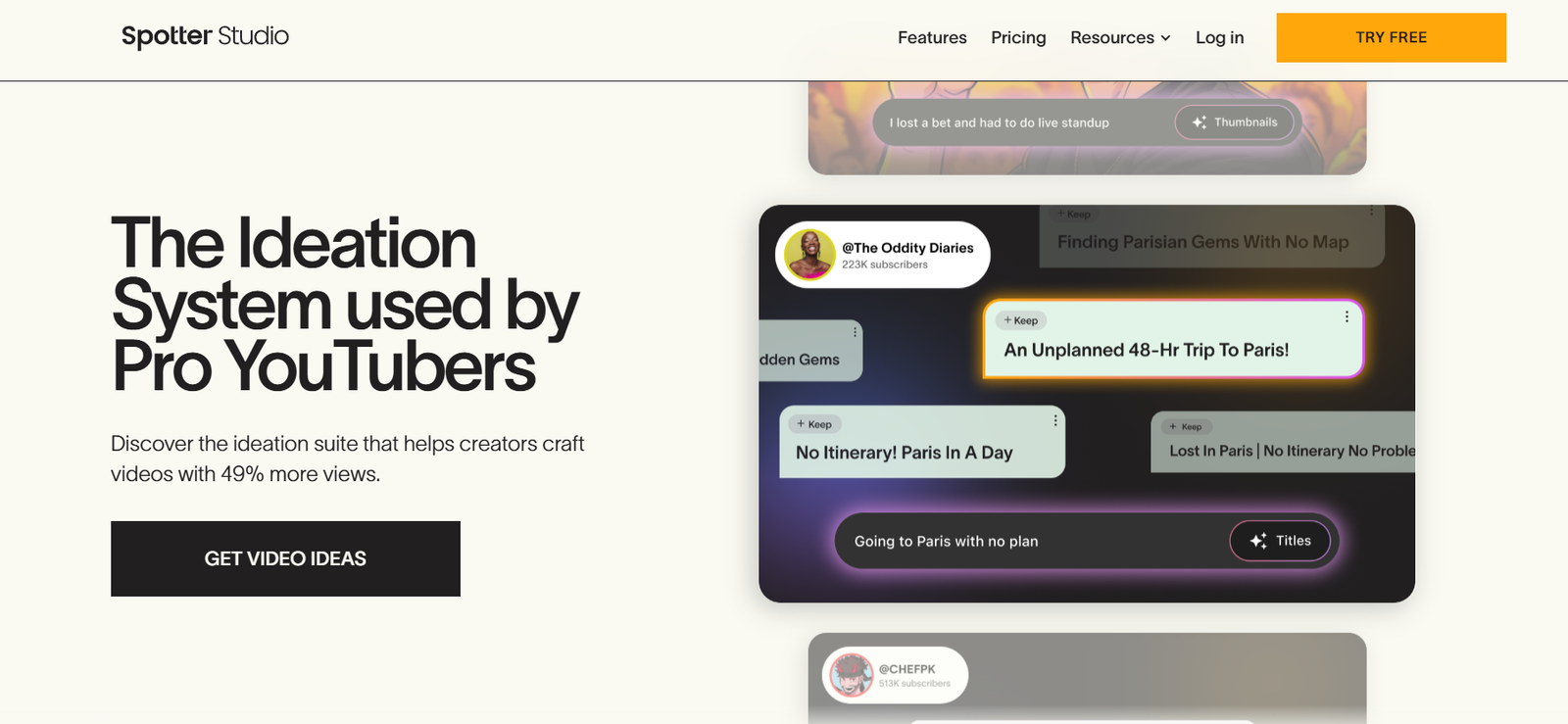
Spotter Studio is an AI video editing platform that helps content creators automatically identify and extract the most engaging moments from long-form video content. Built for today’s social-first media landscape, Spotter enables users to create short-form, viral-ready videos with just a few clicks — eliminating the need for manual clipping, editing, and resizing.
Whether you’re a podcaster, YouTuber, coach, or brand marketer, Spotter Studio simplifies your content repurposing workflow and helps you stay consistent across TikTok, YouTube Shorts, and Instagram Reels — all using AI.
Features
AI Clip Detection: Automatically detects high-interest, high-engagement segments in long-form content.
Speaker Detection: Recognizes when someone is talking and uses facial framing for auto-cropping.
Smart Zoom and Reframing: Dynamically crops and resizes content for vertical formats.
Multi-Platform Optimization: Outputs videos in sizes and formats compatible with TikTok, Reels, Shorts, and more.
Captions and Subtitles: Adds stylized, platform-native captions for better engagement and accessibility.
Custom Branding: Allows users to add logos, templates, and intros/outros.
Batch Processing: Upload one long video and generate multiple short clips automatically.
Editor Preview Panel: Manually review and refine AI-generated clips before publishing.
Cloud-Based Access: No installation needed — all editing happens in the browser.
Multi-Language Support: Supports multiple languages for subtitle generation (depending on plan).
How It Works
Upload Long-Form Content: Drag and drop a video or paste a link (e.g., from a podcast or webinar).
AI Processes the Video: Spotter analyzes audio, visual cues, and speech to find the most shareable moments.
Auto-Clip Generation: The AI produces short video clips, complete with subtitles and optimized framing.
Customize and Edit: Use the editor to adjust clip length, captions, or branding elements.
Download or Publish: Export your videos or upload them directly to your preferred social platform.
Use Cases
Podcasters: Turn full episodes into viral short clips that drive listeners to the full podcast.
YouTubers: Repurpose long YouTube content into engaging Shorts for audience growth.
Coaches & Consultants: Promote webinars, interviews, and client sessions with social media clips.
Content Agencies: Automate short-form content creation for multiple clients at scale.
Startups & Brands: Boost brand visibility with snackable video content optimized for mobile platforms.
Event Recordings: Highlight speaker moments and key takeaways from virtual or in-person events.
Pricing
As of June 2025, Spotter Studio offers tiered pricing based on usage needs. While the website encourages scheduling a demo for enterprise features, here’s a general overview:
Free Plan
Limited uploads
Watermarked exports
Basic AI clip detection
Ideal for trial users
Pro Plan (Approx. $30–$50/month)
Unlimited clips
HD export
Custom subtitles
Branding support
No watermarks
Enterprise Plan (Custom Pricing)
Team collaboration tools
API access
Dedicated support
Priority rendering
White-labeling options
For the most accurate pricing or to schedule a personalized demo, visit https://www.spotterstudio.com.
Strengths
Massive Time Saver: Automatically cuts down multi-hour content into usable short clips.
AI-Powered Accuracy: Clips focus on facial expressions, speech segments, and contextual emphasis.
Mobile-First Output: Pre-formatted for vertical, short-form video — no need to adjust dimensions.
Customization Options: Supports custom branding and stylistic templates for consistent content identity.
Engagement Boosting: Automatically adds captions to improve retention and accessibility.
Team-Friendly: Enterprise options include collaboration and bulk processing.
Drawbacks
Limited Manual Editing Tools: Advanced editors may find the manual editing options minimal.
Learning Curve for Optimization: Getting the best AI clips may require some fine-tuning and review.
Free Plan Limitations: Watermarks and lower output quality make the free plan unsuitable for professional use.
Requires Quality Input: Poor video/audio quality in source files may impact AI performance.
Cloud-Based Only: No offline functionality; internet is required for all features.
Comparison with Other Tools
vs. Descript: Descript offers transcription-driven video editing, while Spotter focuses on auto-generating short clips.
vs. Opus Clip: Opus Clip and Spotter are close rivals, but Spotter emphasizes faster output and branding customization.
vs. Pictory: Pictory is more focused on turning text into video, while Spotter transforms existing videos into short clips.
vs. Adobe Premiere Pro: Spotter is built for automation and speed, not manual editing and pro-level control.
Spotter is ideal for non-technical users and social media teams who want fast, consistent video content production without the complexity of traditional editing software.
Customer Reviews and Testimonials
As of mid-2025, public customer reviews are limited on third-party platforms like G2 or Capterra, but early user feedback from creators and marketers on Spotter’s website and community forums has been positive:
“I used to spend 4 hours editing each podcast episode. With Spotter, I get 6 great clips in 10 minutes.”
“Finally, a tool that understands what makes content go viral.”
“I’m not a video editor, but now I look like one on social media.”
Spotter is widely appreciated for speed, accuracy, and ease of use, especially among small teams and solo creators.
Conclusion
Spotter Studio is a smart, AI-first solution for turning long-form videos into short, viral-ready content in minutes. Built for today’s fast-paced content environment, it empowers podcasters, marketers, and creators to stay consistent, visible, and relevant — without burning time or budget on manual editing.
If you’re looking to repurpose your video content at scale, increase social engagement, and simplify your editing workflow, Spotter Studio offers a compelling, easy-to-use platform powered by intelligent automation.