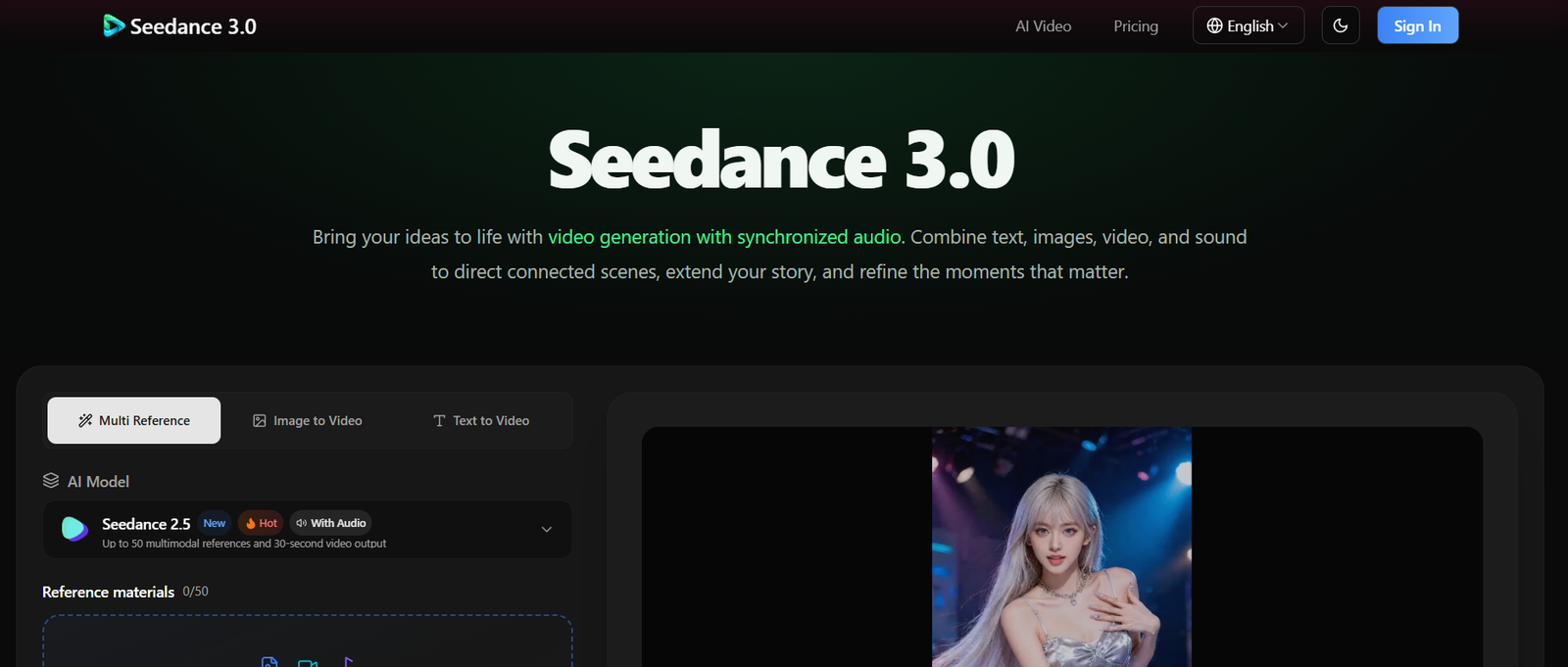
Seedance 3.0 is an AI video generation platform designed to turn text prompts and multimedia references into connected video scenes with synchronized audio. Users can combine images, video clips, audio and written instructions to guide the appearance, movement, atmosphere and sound of a generated video.
The platform is designed around a reference based workflow. Instead of relying only on a text prompt, creators can provide visual and audio material to communicate what they want the final scene to look and sound like.
Seedance 3.0 can generate videos of up to 30 seconds in a single generation and supports continued story development through video extension. Users can also guide camera movement and action using video references.
The platform is aimed at creators, marketers, filmmakers, educators, social media professionals, designers and businesses that need short AI generated video content without creating every scene through conventional filming and editing.
The website also states that generated videos are watermark free and that uploaded and generated content is not used to train AI models.
Features
Text to Video
Users can describe a scene, action or story using a text prompt. The platform interprets the instructions and creates a corresponding video sequence.
Image to Video
Static images can be used as references for generating moving scenes. This can be useful for bringing product images, characters, illustrations or other visual concepts to life.
Multimodal References
One of the central features of Seedance 3.0 is the ability to combine different types of references. Users can provide images, video, audio and text together to guide the generation process.
The official website states that a request can support up to 30 images, 10 video clips and 10 audio clips, although upload limits can vary according to the selected model and generation mode.
Synchronized Audio
Seedance 3.0 generates audio alongside video. This can include voices, environmental sounds and sound effects, allowing the audio to form part of the generated scene rather than being added separately afterward.
Character and Scene Consistency
Reference materials can help maintain the appearance of characters, clothing, objects, voices, lighting and visual style across connected shots.
This can be particularly useful when creating a story containing the same characters or when presenting a product across multiple scenes.
Camera and Motion Control
Video references can be used to guide movement and camera direction. Creators can describe movements such as tracking shots, push ins and reveals through prompts and references.
Video Extension
Users can continue an existing generated video with additional scenes. This makes it possible to develop a longer story through multiple generations while attempting to maintain the established characters, setting and audiovisual style.
Video Editing and Refinement
The platform allows users to rework generated content by changing prompts and references. It is designed for iterative creation rather than requiring the user to accept the first generated result.
The website notes that Seedance 3.0 does not provide timeline based video editing. Traditional trimming, arranging and detailed editing therefore require a separate video editor.
Batch Generation
The generator includes a batch option that can create multiple videos using the same settings, with the current interface showing support for up to 10 videos in a batch.
Multiple Resolution Options
The current generator displays 480p, 720p and 1080p options. Available resolution and other settings can depend on the selected model and generation mode.
Watermark Free Output
According to the official website, generated videos do not contain a Seedance watermark. The platform states that users can download clean versions of their generated videos.
Content Privacy
The website states that uploaded material and generated videos are stored using encryption and are not shared with third parties. It also states that user uploads and generated content are not used to train AI models.
How It Works
Step 1: Sign In
Create an account or sign in to access the Seedance 3.0 video generator.
Step 2: Choose a Model and Mode
Select the available model and generation mode according to the type of video you want to create.
Step 3: Add Your Prompt
Describe the scene, characters, action and camera movement in natural language.
Step 4: Upload References
Add images, videos or audio if you want greater control over the appearance, movement or sound of the generated scene.
Step 5: Explain the Role of Each Reference
Tell the system what each reference should influence. For example, an image can define a character while a video can provide movement or camera direction.
Step 6: Select Settings
Choose available options such as resolution, duration and aspect ratio. The available choices depend on the selected model and generation mode.
Step 7: Generate the Video
Submit the prompt and references to create the video.
Step 8: Review the Result
Watch the generated sequence and check the characters, movement, camera work and audio.
Step 9: Refine or Extend
If the result needs improvement, modify the prompt or references and generate another version. You can also extend the video to continue the story.
Use Cases
Social Media Creators
Seedance 3.0 can be used to create short videos for YouTube Shorts, Instagram Reels, TikTok and other social platforms. Product reveals, character scenes, visual stories and creative effects are among the possible applications.
Marketers and Advertisers
Marketing teams can use product images and campaign concepts as references to develop advertising ideas, promotional videos and alternative creative directions.
E-commerce Businesses
Product photographs can be transformed into demonstrations, product reveals and short promotional videos without requiring a traditional video shoot.
Filmmakers
Filmmakers can use the platform for concept development, storyboarding, previsualization and exploring camera movements before committing resources to production.
Educators and Trainers
Teachers and training professionals can create visual explanations, demonstrations and short educational sequences to make abstract concepts easier to illustrate.
Music Artists
Musicians can combine audio and visual references to explore music video concepts, performance scenes and audiovisual storytelling.
Real Estate Professionals
Real estate and architecture teams can turn property and design references into animated presentations, room reveals, virtual staging concepts and visual walkthrough ideas.
Designers and Creative Professionals
Designers can experiment with visual styles, motion, characters, product concepts and camera direction using a combination of reference materials.
Agencies
Creative and advertising agencies can use Seedance 3.0 to develop early concepts, campaign variations and visual prototypes before moving to conventional production.
Pricing
Pricing details are not clearly mentioned on the official website.
The website indicates that users can choose a plan or credit pack before accessing the generator, and the interface displays credit costs before generation. However, a clear public pricing breakdown is not currently provided in the accessible official page.
Strengths
Strong Multimodal Workflow
The ability to combine text, images, video and audio gives creators more ways to communicate their intended result than a text only workflow.
Integrated Audio Generation
Video and sound are generated together, which can be useful for scenes where dialogue, ambience or sound effects are important.
Reference Based Control
Creators can use reference material to influence characters, settings, movement, camera work and sound.
Story Extension
The ability to extend generated videos makes the platform more suitable for connected storytelling than tools limited to isolated short clips.
Character and Visual Continuity
Reference based generation is designed to help maintain visual details across connected scenes.
Multiple Creative Applications
The platform covers marketing, education, social media, filmmaking, music, real estate and other visual content requirements.
Watermark Free Videos
The official website states that generated videos are watermark free, which can be useful for creators who want clean output for their projects.
Drawbacks
Limited Detailed Video Editing
Seedance 3.0 does not currently provide timeline based editing. Users who need precise trimming, sequencing and post production controls will need another video editing application.
Generation Is Not Always Predictable
As with other generative video systems, the final result can differ from the exact creative intention. Users may need several generations and prompt adjustments to achieve the desired outcome.
Short Individual Generations
Although videos can be extended, the official website specifies a maximum of 30 seconds for a single generation. Longer projects therefore require multiple generation rounds.
Pricing Transparency
The publicly accessible official website does not clearly present a detailed pricing table, making it difficult to compare the cost with competing AI video platforms without signing in or checking the available plans.
Dependent on Reference Quality
The quality and clarity of uploaded images, videos and audio can influence how effectively the system interprets the creative direction.
Comparison with Other Platforms
Seedance 3.0 belongs to the growing category of AI video generation platforms that compete with tools such as Runway, Kling, Luma and other text to video and image to video systems.
Its distinctive approach is the combination of multiple reference types within one workflow. Users can provide images for appearance, video for movement, audio for sound and text for creative direction.
Another area of differentiation is synchronized audio generation. Rather than treating video generation and sound generation as completely separate tasks, Seedance 3.0 presents them as part of the same creative process.
The platform is also designed for continuing a generated scene. This can be useful when a creator wants to develop a sequence instead of producing a single isolated clip.
However, different AI video platforms have different strengths in areas such as generation quality, motion control, editing, image consistency, audio, speed and pricing. Seedance 3.0 should therefore be evaluated according to the specific type of video project rather than treated as a universal replacement for other video tools.
Customer Reviews and Testimonials
The official website includes testimonials attributed to creators and professionals working in areas such as e-commerce, filmmaking, branding, documentary development, social media, education and visual production.
These testimonials describe potential uses including product demonstration videos, campaign development, visual storytelling, social content, music videos and educational material.
The testimonials are presented on the company’s own website and should therefore be considered promotional testimonials rather than independent customer reviews.
Conclusion
Seedance 3.0 is an AI video creation platform built around multimodal references, synchronized audio and connected storytelling. Its workflow allows creators to combine text with images, video and audio to provide more detailed creative direction.
The platform can be useful for social media creators, marketers, filmmakers, educators, agencies, musicians, designers and businesses that need short visual content or want to explore ideas before investing in conventional production.
Its ability to generate video with synchronized sound, maintain visual references across scenes and extend an existing video makes it particularly relevant for projects that involve storytelling rather than a single standalone image animation.
For users who need detailed timeline editing, advanced post production or highly predictable professional footage, a separate video editing and production workflow may still be necessary. Overall, Seedance 3.0 is most relevant for creators looking for a reference driven AI video generation workflow that combines visuals, motion and sound.