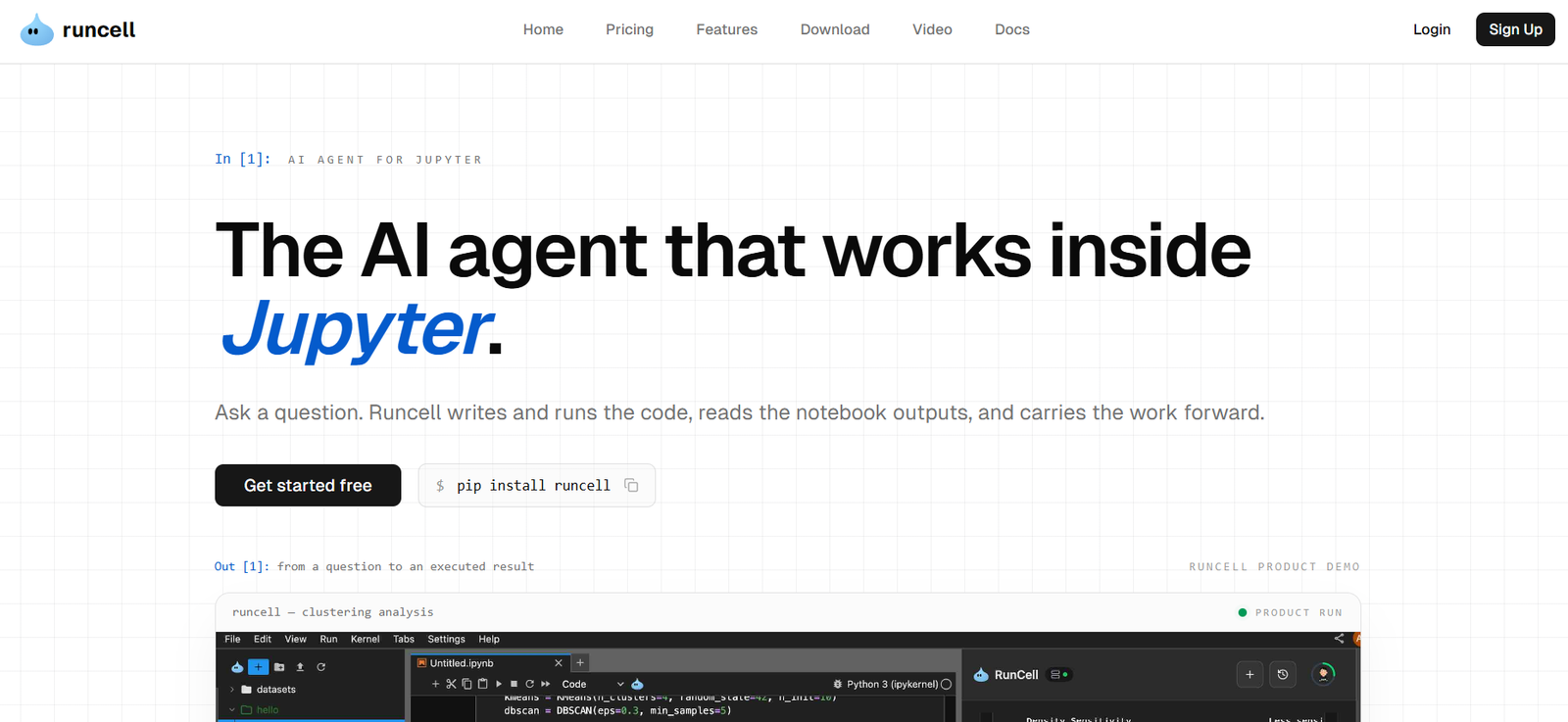
Runcell is a Jupyter-native AI agent designed for data analysts, data scientists, researchers and other professionals who perform analytical work inside JupyterLab. Instead of functioning only as an AI coding assistant, Runcell can inspect a notebook, write Python code, execute cells, examine the resulting output and continue the analysis based on what actually happened.
Users can begin with a question or desired outcome. Runcell then plans the required notebook steps, writes and runs the code, analyzes tables, charts and statistics, and handles errors as the workflow develops. This makes it useful for multi-step analytical work where simply generating a piece of code is not enough.
Runcell works with existing .ipynb notebooks, so users do not need to move their projects into a separate AI coding environment. It integrates directly with JupyterLab and maintains context across the analytical workflow.
The platform also provides access to multiple advanced AI models without requiring users to bring their own OpenAI, Anthropic or other API keys. Depending on the subscription plan, users can select from different models for coding, reasoning and analysis.
Features
Autonomous AI Agent
Runcell can work autonomously through multi-step notebook tasks.
Users describe the result they need, and the agent plans the workflow, creates Python code, executes cells, evaluates the results and continues with the next appropriate step.
Automatic Code Execution
Unlike AI assistants that only suggest code, Runcell can actually execute Python inside the notebook.
This helps close the gap between receiving a code suggestion and determining whether that code works correctly with the user’s real data.
Automatic Debugging
When code produces an error, Runcell can inspect the problem, modify the code and continue the workflow.
This can save time during data preparation, experimentation and model development.
Notebook Context Awareness
Runcell reads surrounding notebook cells and outputs before answering questions or making changes.
This helps the AI understand how the current task relates to previous transformations, calculations and analytical decisions.
Output-Aware Analysis
The AI can interpret actual notebook outputs rather than reasoning only from source code.
It can work with tables, statistics, charts, plots and other results generated by notebook cells and use those outputs to determine the next step.
In-Context Assistance
Users can ask Runcell questions about an individual cell, transformation, error or result.
The assistant considers nearby cells and outputs, provides an explanation or correction and helps continue the analysis.
Multi-Step Workflows
Runcell can break larger analytical problems into multiple notebook operations.
A workflow can include data inspection, cleaning, transformation, statistical analysis, visualization, validation and follow-up experimentation.
Cross-Session Memory
Runcell states that it can maintain project context across sessions.
Information about the dataset, previous decisions and project state can remain available so users can continue longer projects without repeatedly explaining the complete context.
Long-Running Tasks
The agent is designed to handle extended analytical and experimental workflows rather than being limited to one question or one notebook cell.
This can be useful for research projects and data science experiments involving many sequential steps.
Chart and Visualization Understanding
Runcell can analyze charts, plots and image outputs created within notebook cells.
This allows the agent to reason about visual results and use them when suggesting or executing subsequent analytical steps.
Existing Notebook Support
Users can apply Runcell to existing .ipynb notebooks rather than creating a project from scratch.
This is useful for analysts and researchers who already have established Jupyter-based workflows.
Multiple AI Models
Paid plans provide access to advanced AI models.
The platform currently lists models including GPT, Claude, Gemini and other model families, with the available selection depending on the plan and current Runcell model support.
Adjustable Reasoning Effort
For supported models, users can select different reasoning levels, including Low, Medium, High and Extra High.
This provides greater control over the balance between speed, cost and analytical depth.
Privacy Mode
Paid plans include a Privacy Mode for users working on projects where stronger privacy controls are required.
JupyterLab Integration
Runcell is installed directly into JupyterLab as a Python package and extension.
Users therefore continue working inside the notebook environment they already know rather than switching to a separate AI IDE.
No Personal API Key Required
Runcell includes AI model access according to the user’s plan.
Users do not need to separately configure their own OpenAI or Anthropic API key before using its AI capabilities.
How It Works
Step 1: Check the Requirements
Users need Python 3.10 or later and a compatible modern version of JupyterLab.
Runcell is designed for JupyterLab rather than the classic Jupyter Notebook interface.
Step 2: Install Runcell
The package can be installed using pip:
pip install runcell
It can also be installed through supported environment and package-management methods.
Step 3: Restart JupyterLab
After installation, users restart JupyterLab so the Runcell frontend and backend components can load correctly.
Step 4: Sign In
Open Runcell from the JupyterLab sidebar and sign into the service.
Step 5: Open a Notebook
Users can create a new notebook or continue working with an existing .ipynb file.
Step 6: Ask a Question
Describe the analytical result or task required in natural language.
Step 7: Let the Agent Build the Workflow
Runcell examines the notebook context, plans the required steps and generates Python code.
Step 8: Execute the Analysis
The agent runs notebook cells and evaluates the results.
Step 9: Debug Problems
If errors occur, Runcell can diagnose them and modify the workflow accordingly.
Step 10: Continue From the Results
The agent reads tables, charts, statistics and other outputs and uses the evidence to determine useful next steps.
Use Cases
Data Analysis
Analysts can turn business questions into reproducible notebook workflows involving data preparation, calculations, visualization and interpretation.
Data Science
Data scientists can explore datasets, compare analytical approaches, build models and examine results without manually creating every notebook step.
Research
Researchers can turn research questions into executable experiments and maintain the resulting code and evidence inside Jupyter.
Quantitative Finance
Runcell can assist with market analysis, portfolio research, forecasting and risk-related quantitative workflows.
Statistical Analysis
Users can ask the AI to perform statistical tests, interpret results and create supporting visualizations.
Data Cleaning
The agent can help identify and address missing values, incorrect formats, duplicate records and other data preparation issues.
Data Visualization
Users can ask Runcell to create plots and charts and then analyze what those visualizations show.
Machine Learning Experiments
Data scientists can experiment with different methods, train models and compare outputs within the notebook environment.
Python Learning
Students and professionals learning Python can explore concepts using runnable experiments rather than relying only on theoretical explanations.
Debugging
Users can ask Runcell to investigate notebook errors and correct code while considering the surrounding analytical context.
Pricing
Runcell currently offers several credit-based plans.
Hobby: $0
The free Hobby plan provides 20 credits per month.
It includes limited AI execution credits and limited access to available LLM models. It is suitable for testing Runcell before purchasing a paid plan.
Pro: $20 per month
The Pro plan provides 500 credits per month.
It includes access to advanced AI models, priority support and Privacy Mode.
Pro+: $60 per month
Pro+ provides 2,000 credits per month.
It includes everything in Pro, access to all models, priority access to new features, priority support and Privacy Mode.
The plan provides four times the Pro credits for three times the monthly price.
Ultra: $200 per month
Ultra provides 10,000 credits per month.
It includes the capabilities available with Pro+, advanced model access, priority support and Privacy Mode.
Teams: Starting at $40 per Seat per Month
The Teams plan provides centralized billing and team management.
It includes 500 credits per seat each month, team invitation links, a usage dashboard, administrative controls and seat management.
Runcell also provides custom solutions for organizations requiring additional capabilities.
Ask/Chat and Agent usage is calculated according to actual model token consumption. Runcell currently converts model usage using the relationship of one credit to approximately $0.01 of model usage.
Strengths
Runcell’s biggest advantage is that it works directly inside JupyterLab. Analysts and researchers can continue using their existing notebook environment rather than transferring their work into another AI editor.
The agent does more than generate Python code. It can execute that code and reason about the resulting tables, charts and statistics.
Automatic error handling can reduce time spent repeatedly copying error messages into a separate AI assistant.
Its ability to maintain context across multiple notebook steps makes it useful for more complex analytical projects.
Cross-session memory can also help with projects that continue over several days or weeks.
Access to multiple AI models without requiring separate API keys simplifies setup for users who want to experiment with different models.
The free Hobby plan provides a practical way to test the agent on real notebook work before subscribing.
Drawbacks
Runcell is specialized for JupyterLab, so developers who primarily work in conventional IDEs may prefer AI coding tools designed around complete software repositories.
The platform requires Python 3.10 or later and JupyterLab. Classic Jupyter Notebook is not supported.
The free plan provides only 20 credits per month, which may be consumed relatively quickly during extensive agent workflows.
Paid plans use credits, and AI usage depends partly on model choice and token consumption. This means actual usage can vary considerably between simple and complex analytical tasks.
AI-generated analysis and code should still be reviewed, particularly when results are being used for scientific research, financial analysis or important business decisions.
Comparison with Other Platforms
Runcell differs from general AI coding environments because it is specifically designed around Jupyter notebooks.
AI IDEs such as Cursor focus heavily on source files and software development projects. Runcell instead focuses on notebook cells, data, executed outputs and the iterative analytical process.
It also goes beyond conventional AI code completion. Autocomplete tools generally predict or suggest the next lines of code, while Runcell can turn a question into a multi-step workflow, execute it and evaluate the resulting evidence.
Compared with simple notebook chat assistants, Runcell takes a more active approach. Rather than only explaining a cell, it can modify code, run cells, inspect results and continue the analysis.
This makes Runcell particularly suitable for analysts, researchers and data scientists whose work depends on the interaction between code and its actual outputs.
Customer Reviews and Testimonials
Customer reviews and testimonials are not clearly available on the official website.
The official website primarily demonstrates the platform through product examples, feature explanations and notebook workflow demonstrations rather than presenting a substantial collection of customer testimonials.
Conclusion
Runcell is a specialized AI agent for people who perform serious analytical work inside JupyterLab.
Its ability to understand notebook context, write and execute Python, debug errors, inspect tables and charts and continue multi-step workflows makes it more than a conventional AI coding assistant.
The platform is particularly useful for data analysts, data scientists, quantitative researchers, students and academic researchers who want AI assistance without abandoning their existing Jupyter notebooks.
For users who primarily need software repository editing, a general AI coding IDE may be more suitable. For notebook-driven analysis and experimentation, however, Runcell offers a focused AI agent that works directly where the analysis is actually being performed.