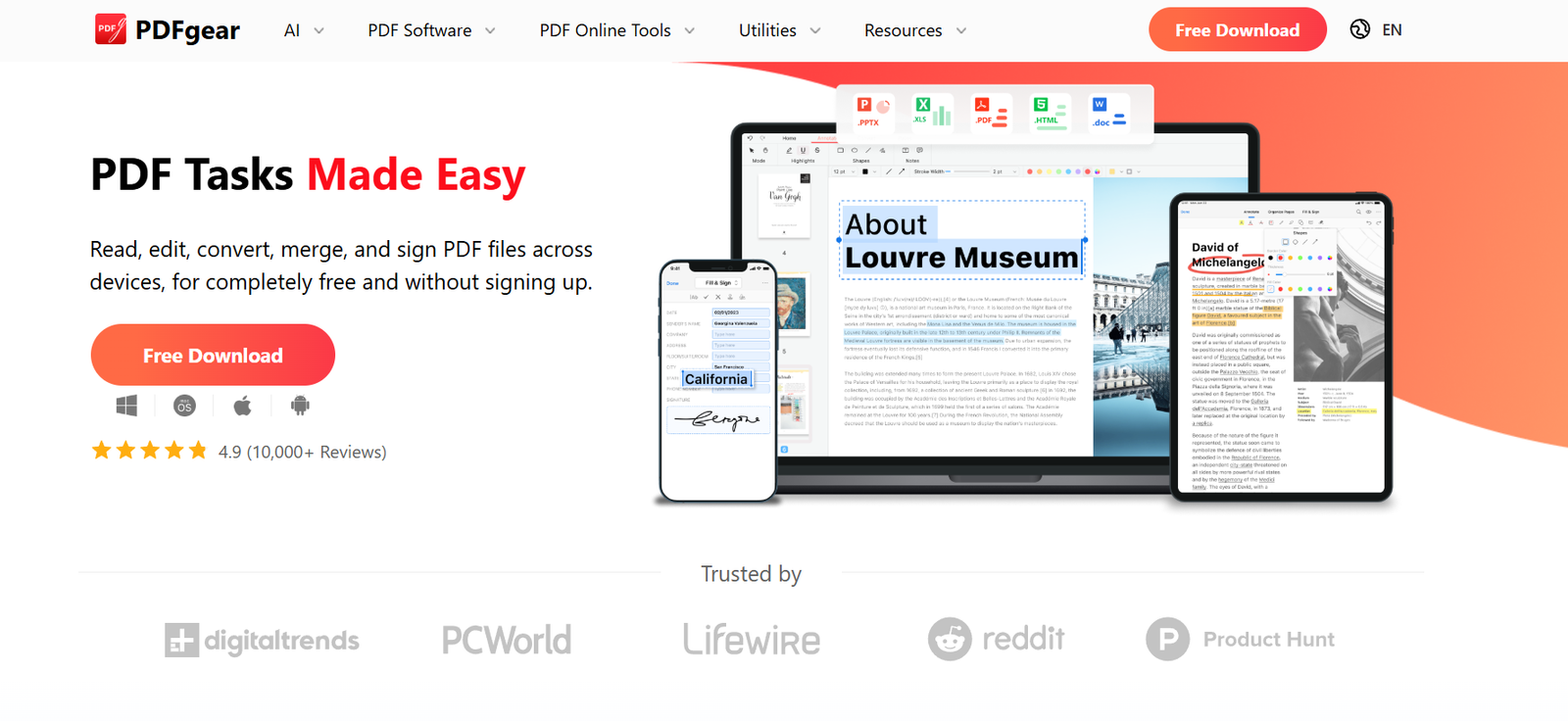
PDFgear is a free AI-powered PDF management platform that helps users edit, convert, organize, annotate, sign, and read PDF documents. It combines traditional PDF editing features with AI-powered capabilities, allowing users to chat with PDF files, summarize documents, extract key information, and perform PDF tasks using natural language commands.
The platform is available for Windows, macOS, Android, iOS, and web browsers, making it suitable for both personal and professional use. PDFgear is designed for students, businesses, educators, researchers, legal professionals, and office teams who need a comprehensive PDF solution without the complexity of traditional PDF software.
Features
AI PDF Assistant
PDFgear includes an AI assistant that allows users to chat with PDF documents, summarize content, answer questions, and locate important information without manually searching through pages.
PDF Editing
Users can edit text, images, hyperlinks, shapes, signatures, and form fields directly within PDF documents using an intuitive editor.
PDF Conversion
The platform supports conversion between PDF and popular file formats including Word, Excel, PowerPoint, JPG, PNG, TXT, and several others while preserving document formatting.
OCR Technology
PDFgear includes Optical Character Recognition (OCR) that converts scanned PDFs and image-based documents into searchable and editable text. The OCR feature supports multiple languages.
PDF Organization
Users can merge, split, reorder, rotate, extract, crop, delete, and insert PDF pages to better organize documents.
Annotation Tools
The software provides highlighting, comments, stamps, text boxes, drawing tools, and other markup features for reviewing and collaborating on documents.
PDF Forms and Signatures
Users can fill out forms, create fillable PDFs, add digital signatures, and securely sign documents.
Cross-Platform Availability
PDFgear is available for Windows, macOS, Android, iPhone, iPad, and web browsers, allowing users to work with PDFs across multiple devices.
Online PDF Tools
In addition to desktop applications, PDFgear offers numerous browser-based tools for quick PDF editing, conversion, compression, merging, signing, and other common tasks.
How It Works
- Visit the PDFgear website or download the desktop or mobile application.
- Upload or open your PDF document.
- Select the required feature such as editing, converting, compressing, OCR, or AI Chat.
- Make the desired changes or interact with the AI assistant using natural language.
- Save, export, or download the updated PDF in your preferred format.
- Share or sign the completed document if needed.
Use Cases
Students can summarize textbooks, research papers, and study materials using AI.
Business professionals can edit contracts, reports, invoices, and presentations.
Legal teams can review lengthy documents and quickly locate important clauses.
Researchers can extract information from academic papers and scanned documents.
Educators can annotate teaching materials and prepare classroom resources.
Office teams can organize, merge, convert, and securely share PDF files.
Freelancers can prepare proposals, invoices, and signed agreements.
Content creators can convert and edit documents for publishing and collaboration.
Pricing
PDFgear offers its core PDF editing software and many online tools for free. According to the official website, some advanced AI-powered features and future premium capabilities may become part of paid plans, but detailed pricing information is not clearly available on the official website.
Strengths
Completely free core PDF editing features.
Integrated AI assistant for chatting with PDFs.
Comprehensive PDF editing, conversion, and organization tools.
Supports OCR for scanned documents.
Available on Windows, macOS, Android, iOS, and web browsers.
Easy-to-use interface suitable for beginners and professionals.
Supports digital signatures and PDF forms.
Large collection of free online PDF utilities.
Drawbacks
Some advanced AI capabilities require an internet connection.
Future premium features may require payment.
AI responses may not always perfectly interpret highly technical or complex documents.
Processing very large PDF files may take additional time depending on the device or internet connection.
Comparison with Other Platforms
Compared with traditional PDF editors, PDFgear combines a comprehensive PDF toolkit with AI-powered document assistance in a single platform. While many PDF applications charge subscription fees for editing and OCR features, PDFgear provides many of these capabilities at no cost. Its AI chat functionality also distinguishes it from basic PDF readers by enabling users to interact directly with document content instead of simply viewing it.
Customer Reviews and Testimonials
The official website features positive feedback from technology reviewers and users who praise PDFgear for its ease of use, comprehensive free feature set, AI-powered PDF assistant, editing capabilities, and conversion tools. Many reviewers also describe it as a practical alternative to traditional PDF editing software.
Conclusion
PDFgear is an excellent choice for individuals and organizations looking for a free, feature-rich PDF solution with built-in AI capabilities. Its combination of document editing, OCR, conversion, organization, digital signatures, and AI-powered PDF chat makes it suitable for students, professionals, educators, businesses, and researchers. Users seeking an affordable yet powerful PDF management platform will find PDFgear to be a versatile and user-friendly option.