
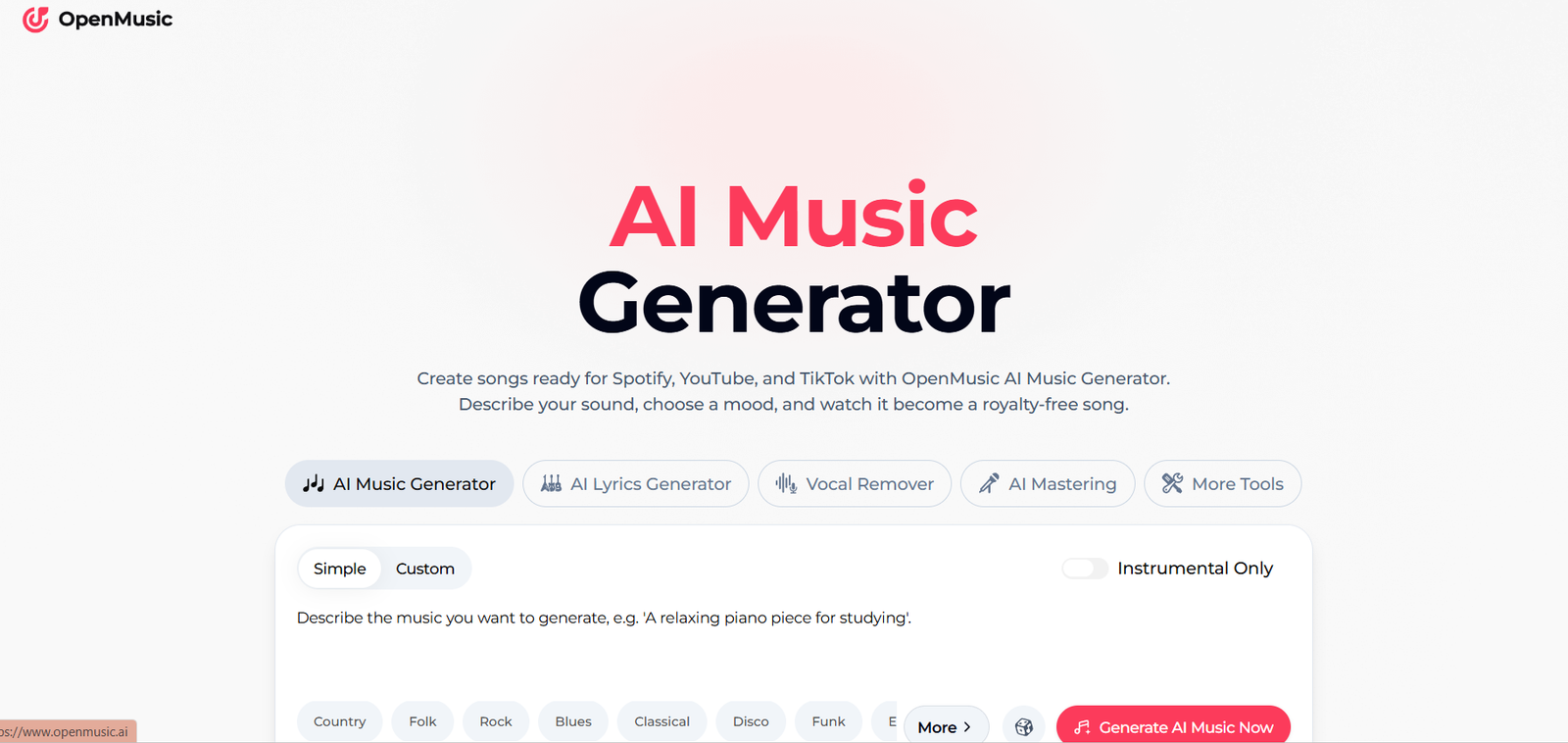
OpenMusic AI is an online AI music creation platform that helps users generate complete songs from text prompts, lyrics and creative ideas. It is designed for musicians, songwriters, content creators, podcasters, filmmakers, game developers and businesses that need original music without going through a traditional production process.
At the center of the platform is its AI Music Generator. Users can describe the genre, mood, instruments, atmosphere and vocal style they want, and OpenMusic creates a complete track with melody, rhythm, instrumentation and vocals.
Users can also provide their own lyrics and transform them into songs. For people who do not already have lyrics, the platform includes an AI Lyrics Generator to help develop verses, hooks and complete song ideas.
OpenMusic AI extends beyond basic song generation with tools for AI song covers, singing voices, music videos, vocal removal, stem splitting, mastering, MIDI editing and audio-to-MIDI conversion.
The platform runs in a web browser and is designed to make music creation accessible even to people without formal music theory or production experience.
Features
AI Music Generator
OpenMusic AI can turn a written idea into a complete musical track.
Users can specify genre, mood, instruments, atmosphere and vocal preferences. The AI then uses these instructions to create the music.
Text to Music
Users can describe the type of music they want using natural language.
For example, a creator could request relaxing piano music, energetic electronic music, cinematic background music or an emotional pop song.
Lyrics to Song
OpenMusic allows users to provide their own lyrics and transform them into a complete musical performance.
Users can still control characteristics such as genre, mood, instruments and vocal gender while using their own words.
AI Lyrics Generator
The AI Lyrics Generator helps users develop song lyrics from an idea or theme.
It can be used to create material for different musical styles, including pop songs, rap verses and emotional ballads.
AI Song Cover Generator
OpenMusic includes a dedicated AI Song Cover Generator for producing alternative AI-assisted song interpretations.
AI Singing Voice Generator
Users can experiment with AI-generated singing voices for music creation and vocal projects.
Instrumental Music
Creators who do not want vocals can select an instrumental-only option and generate background music, scores, beats and other non-vocal tracks.
Multiple Music Genres
OpenMusic supports a broad range of genres and styles, including pop, hip-hop, jazz, reggae, R&B, EDM, country, folk, rock, blues, classical, disco and funk.
Users can also define moods such as emotional, joyous, sad, romantic, soothing, nostalgic, aggressive and warm.
AI Vocal Remover
The Vocal Remover separates vocals from instrumental audio.
This can be useful for karaoke tracks, remixes, sampling, practice and other music editing projects.
AI Stem Splitter
The AI Stem Splitter separates different components of a music recording.
Creators can use separated stems when remixing, editing or reworking existing audio.
AI Music Mastering
OpenMusic includes an AI Mastering tool designed to improve the final sound of a track by balancing and refining the audio.
This can help creators prepare music for publishing and distribution.
AI MIDI Editor
The MIDI Editor provides additional options for users who want to work with musical information in an editable MIDI format.
Audio to MIDI
OpenMusic can convert audio into MIDI, helping musicians move audio-based musical ideas into a more editable production workflow.
AI Music Video Generator
The platform can also generate visual content for music.
Creators can use the AI Music Video Generator to produce video material that accompanies their songs.
Remix and Refinement
After generating a track, users can listen to it in their workspace and create refined or remixed versions.
This allows creators to experiment with an idea rather than being limited to the first generated result.
Music Library
Generated songs can be managed from the OpenMusic workspace, where users can listen to their tracks and organize their creations.
Commercial Licensing
OpenMusic provides commercial licensing with eligible plans, allowing creators to use qualifying generated music in commercial projects.
Licensing conditions depend on the selected subscription and billing option, so users planning to monetize their work should check the current terms carefully.
How It Works
Step 1: Open the AI Music Generator
Users begin with OpenMusic’s main song generation workspace.
Step 2: Choose a Generation Method
OpenMusic provides two main approaches: Prompt Mode and Own Lyrics Mode.
Step 3: Describe the Music
In Prompt Mode, users describe characteristics such as genre, mood, instruments, atmosphere and vocal preferences.
Step 4: Add Lyrics if Required
Users can paste their own lyrics or use the AI Lyrics Generator to create them.
Step 5: Select Instrumental or Vocal Music
Users can decide whether they want a song with vocals or an instrumental track.
Step 6: Generate the Song
OpenMusic processes the instructions and creates the music. According to its documentation, generation typically takes around one to two minutes.
Step 7: Preview the Result
Once generated, the track appears in the workspace where users can play the song and review its lyrics.
Step 8: Refine or Remix
Users can create alternative versions or refine the generated track if the initial result does not fully match their requirements.
Step 9: Use Additional Music Tools
The track can be processed further using vocal removal, stem splitting, mastering, MIDI and other available tools.
Step 10: Download and Use
Eligible users can download completed music and use it according to the licensing rights provided by their plan.
Use Cases
Musicians
Musicians can use OpenMusic to experiment with melodies, arrangements, instrument combinations and complete song ideas.
Songwriters
Writers can transform lyrics into songs or use AI to develop new lyrics when they need creative inspiration.
YouTube Creators
YouTubers can generate background music, intros, outros and original tracks for video projects.
Social Media Creators
Creators can produce music for TikTok, Instagram, short-form videos and other social media content.
Podcasters
Podcasters can create background tracks, intro music, transitions and outros that match the mood of their programs.
Filmmakers
Filmmakers can experiment with cinematic scores and mood-specific background music for short films, trailers and other video projects.
Game Developers
Game developers can generate music for different scenes, levels and environments.
Marketers
Marketing teams can create music for advertisements, product videos, social campaigns and promotional content.
Businesses
Businesses can use generated music for presentations, videos and other digital content, subject to the applicable commercial licensing terms.
DJs and Producers
DJs and music producers can use tools such as stem splitting, vocal removal, MIDI conversion and song covers when experimenting with remixes and new arrangements.
Beginners
People without music theory or production experience can turn ideas into songs through a simple prompt-based workflow.
Pricing
OpenMusic AI provides a Free plan along with Starter, Hobby, Professional and Studio subscriptions.
The following prices are based on the current yearly billing option.
Free
The Free plan costs $0.
It provides:
30 credits per year
15 music generations per year
Basic AI Music Generator
AI Lyrics Generator
AI Music Video
Music download
Email support
Starter
The Starter plan costs $10.49 per month when billed yearly, with $125.92 charged annually.
It includes:
2,400 credits per year
1,200 music generations per year
Pro AI Music Generator
AI Lyrics Generator
AI Music Video
AI music editing tools
Pro AI Song Cover Generator
Up to 1,000 downloads
Email support
Hobby
The Hobby plan costs $20.99 per month when billed yearly, with $251.92 charged annually.
It includes:
6,000 credits per year
3,000 music generations per year
Pro AI Music Generator
AI Lyrics Generator
AI Music Video
AI music editing tools
Pro AI Song Cover Generator
Unlimited downloads
24/7 email support
Professional
The Professional plan costs $34.99 per month when billed yearly, with $419.92 charged annually.
It provides:
14,400 credits per year
7,200 music generations per year
Pro AI Music Generator
AI Lyrics Generator
AI Music Video
AI music editing tools
Pro AI Song Cover Generator
Unlimited downloads
24/7 email support
Studio
The Studio plan costs $90.99 per month when billed yearly, with $1,091.92 charged annually.
It provides:
40,800 credits per year
20,400 music generations per year
Pro AI Music Generator
AI Lyrics Generator
AI Music Video
AI music editing tools
Pro AI Song Cover Generator
Unlimited downloads
24/7 email support
OpenMusic states that generating one song costs two credits, although other features can have different credit requirements.
Unused credits do not carry over after the renewal date.
Commercial rights are included with annual paid plans. According to the current pricing FAQ, monthly plans do not include commercial rights.
OpenMusic also offers a refund within three days of purchase when fewer than 20 credits have been used, subject to its current refund terms.
Users should check the latest pricing and licensing conditions before subscribing because plans and allowances may change.
Strengths
Complete song generation: OpenMusic can produce full songs rather than only short musical samples.
Prompt and lyrics modes: Users can either describe their desired music or provide their own lyrics.
Beginner friendly: No formal music production or music theory knowledge is required to begin creating songs.
Multiple genres: The platform supports a broad selection of musical genres, moods and styles.
Integrated music toolkit: Generation, lyrics, song covers, vocal separation, stems, mastering and MIDI tools are available within one platform.
Instrumental generation: Users can create music without vocals for background tracks and other projects.
AI music videos: Music can be combined with AI-generated visual content.
Free plan: Users can test the core platform before purchasing a subscription.
Commercial licensing: Annual paid plans include commercial rights under the platform’s current licensing structure.
Browser based: Users can create music without installing professional production software.
Drawbacks
The Free plan is limited to 30 credits and 15 music generations per year, so frequent users will need a paid subscription.
The platform uses credits, and different tools can require different amounts. Users who generate many variations may therefore consume their allowance relatively quickly.
Unused credits do not carry over after renewal.
Commercial rights depend on the subscription arrangement. The current pricing FAQ states that annual plans include commercial rights while monthly plans do not.
AI-generated music may also require several attempts before it accurately matches a creator’s intended melody, emotion, vocal performance or arrangement.
Professional musicians who require precise control over individual notes, instruments, mixing and production may still need traditional digital audio workstation software.
Comparison with Other Platforms
OpenMusic AI competes with other AI music generators that transform prompts and lyrics into complete songs.
Its main advantage is that it combines song generation with a wider collection of music production tools. Users can generate lyrics and songs, separate vocals and stems, master tracks, work with MIDI, create AI song covers and produce music videos from the same broader platform.
Compared with traditional music production software, OpenMusic is much easier for beginners because the AI handles much of the composition and production process automatically. Traditional software, however, provides significantly deeper manual control.
Compared with simple text-to-music services, OpenMusic may be more suitable for creators who want an all-in-one workflow covering generation, editing and final preparation.
Customer Reviews and Testimonials
The official OpenMusic AI website displays multiple customer testimonials from people presented as YouTube creators, indie artists, game developers, content creators, music producers, podcasters, DJs and filmmakers.
The feedback highlights features such as AI music generation, vocal removal, stem splitting, mastering, song covers and music video creation.
However, these testimonials are published directly on the OpenMusic website and should be considered company-presented customer feedback rather than independently verified reviews.
Conclusion
OpenMusic AI is a comprehensive music generation and production platform that makes it possible to create complete songs from simple prompts or lyrics.
Its combination of AI music generation, lyrics, singing voices, song covers, vocal removal, stem splitting, mastering, MIDI tools and music video creation gives users considerably more functionality than a basic text-to-music generator.
The platform may be particularly useful for musicians, songwriters, YouTubers, podcasters, filmmakers, game developers, marketers and social media creators who need original music without building every track manually.
Beginners can use OpenMusic to turn creative ideas into finished songs without learning complex production software, while experienced creators can use it for rapid experimentation, songwriting and production assistance.
For users who want an all-in-one AI platform covering several stages of the music creation process, OpenMusic AI provides a broad and accessible collection of tools.


