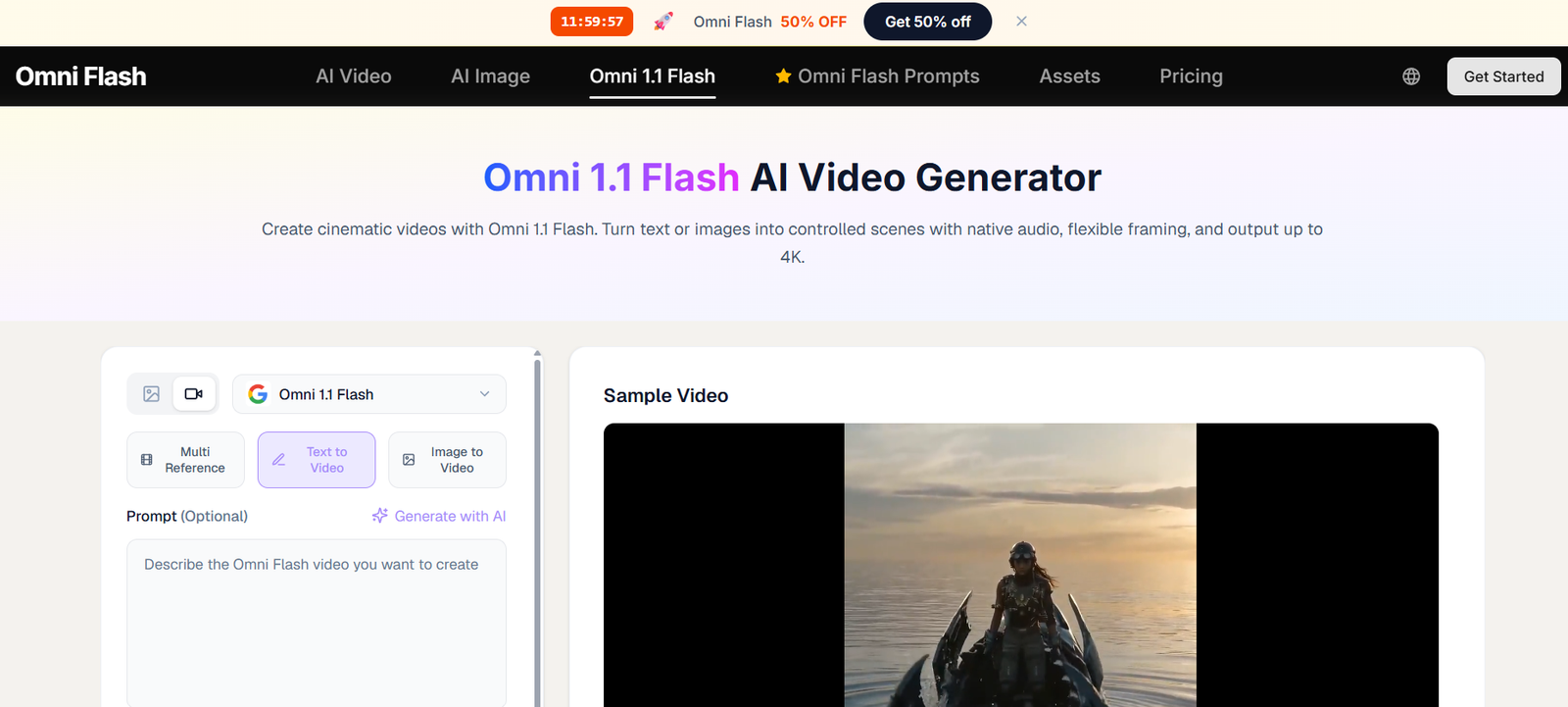
Omni Flash is an AI-powered video and image generation platform designed for creators, filmmakers, marketers, ecommerce businesses, agencies and creative teams.
Its main product is a multimodal AI video generator that can transform text descriptions, images and reference material into cinematic video clips.
Unlike basic text-to-video tools, Omni Flash focuses on generating multiple elements of a scene together. The platform can plan framing, movement, dialogue and audio while creating the video.
Users can start with a written prompt, upload an image, or provide reference material to guide the generation.
One of its most notable capabilities is native synchronized audio. Omni Flash can create visual content together with corresponding sound rather than requiring users to generate the video first and add audio separately.
The platform also emphasizes character consistency. Users can provide reference images and attempt to maintain the same character identity, wardrobe or visual assets across different shots.
Conversational editing provides another useful workflow. Instead of rebuilding a prompt from scratch, users can describe the change they want in natural language and refine the generated scene.
Omni Flash also includes an AI image generator. It supports text-to-image, image-to-image and chat-based image editing, making it possible to create still images and later use them as references for video generation.
The platform combines its own Omni 1.1 Flash workflow with access to additional AI video models, including advanced Seedance and MiniMax options.
Features
Text-to-Video
Users can describe a scene in natural language and generate an AI video from the description.
Prompts can include information about characters, locations, movement, lighting, camera direction and mood.
Image-to-Video
A still image can be used as the starting point for a video.
Omni Flash adds motion while attempting to preserve important visual details from the source image.
Multi-Reference Generation
Omni 1.1 Flash supports multiple references.
The current interface advertises support for as many as 30 image references in supported workflows.
References can help control characters, environments, products and visual direction.
Video References
Supported workflows can use source video material to guide generation.
This provides additional control over motion, composition and visual continuity.
Native Audio
Omni Flash can generate audio together with video.
This reduces the need to use separate tools for basic sound generation.
Synchronized Audio
Generated sound is designed to correspond with events occurring within the video.
Lip-Sync
The platform advertises synchronized speech and lip movement for supported generations.
Character Consistency
Users can provide character references to help preserve the same identity across scenes.
This can be useful for stories, advertisements and recurring social-media characters.
Wardrobe Consistency
Reference-guided workflows can help maintain clothing and other important character details.
Brand Asset Consistency
Businesses can use visual references to maintain products and other brand elements across generated content.
Cinematic Prompt Understanding
Omni Flash accepts filmmaking terminology.
Users can describe concepts such as:
Close-ups
Tracking shots
Dolly movements
Depth of field
Focal length
Lighting
Camera framing
Shot composition
Cinematic Frame Composer
The platform states that its model understands common principles of film composition and cinematography.
This helps users direct scenes using filmmaking language rather than relying only on generic prompts.
Conversational Video Editing
Users can refine generated content using natural-language instructions.
For example, they can request changes to shot timing or visual details without necessarily starting the entire creative process again.
Style Memory
Users can save a visual look as a preset.
Elements such as palette, grain and overall motion style can then be reused across future generations.
Fast Preview Generation
Omni Flash is designed for rapid iteration.
The company states that many previews can be generated in under a minute, although actual generation time will depend on the selected model and settings.
Multiple Video Durations
Supported workflows provide options such as:
4 seconds
6 seconds
8 seconds
10 seconds
Omni 1.1 Flash is also advertised with supported clips of up to 30 seconds in applicable configurations.
Multiple Aspect Ratios
Users can create landscape and vertical content.
Common options include:
16:9
9:16
This makes the platform useful for both conventional video and social-media content.
High-Resolution Video
Omni Flash advertises cinematic output up to 4K in supported workflows.
However, current subscription-plan descriptions list output of up to 1080p for Lite, Pro and Ultra.
Users specifically requiring native 4K output should therefore confirm which model and generation mode provides it before purchasing a plan.
Commercial Use
Paid subscription plans include a commercial-use license for generated content, subject to Omni Flash’s current terms and applicable third-party rights.
No Watermark
Paid plans provide watermark-free output.
Private Generation
Private generations are included with paid plans.
Provenance Metadata
Omni Flash states that generated masters include provenance metadata.
AI Image Generator
The platform also provides a dedicated AI image-generation workspace.
Text-to-Image
Users can generate original images from written prompts.
Image-to-Image
Existing images can be uploaded and transformed into new styles, compositions or visual treatments.
Chat-Based Image Editing
Users can request modifications to existing generated images through conversational instructions.
Style-Preserving Image Editing
The platform attempts to preserve important details such as faces, products, layouts and brand elements when making requested changes.
Multilingual Image Prompts
The image generator supports prompts in multiple languages.
GPT Image 2
The current image interface provides access to GPT Image 2 for text-to-image and image-to-image workflows.
Image-to-Video Workflow
Images created inside Omni Flash can be carried into the video-generation workflow.
This makes it possible to create a character or scene as a still image before animating it.
Multiple AI Video Models
Paid plans advertise access to leading AI video models in one platform.
The pricing page specifically mentions discounts for advanced Seedance and MiniMax model generations.
How It Works
- Create an Omni Flash account.
- Open the AI video generator.
- Choose the appropriate generation model.
- Start with a text prompt or upload an image.
- Add reference images or video material when greater visual control is needed.
- Describe the location, subject, action, lighting and overall mood.
- Add filmmaking instructions such as camera movement or shot type.
- Enable audio when supported.
- Select the desired aspect ratio.
- Choose the video duration and resolution.
- Generate the video.
- Review the initial preview.
- Use conversational editing or revise the prompt to change the result.
- Generate additional variations when necessary.
- Download the completed video.
For still images, users can open the AI image generator and choose text-to-image, image-to-image or conversational editing.
Use Cases
Social Media Videos
Creators can produce vertical short-form videos for social platforms without organizing a conventional shoot.
Advertising
Marketing teams can generate multiple creative concepts and test different visual directions.
Ecommerce
Businesses can turn static product photographs into animated promotional clips.
Product Marketing
Brands can use reference images to maintain product appearance while experimenting with new scenes and backgrounds.
Independent Filmmaking
Filmmakers can generate pre-visualizations, experimental sequences, B-roll and concept scenes.
Storyboarding
Directors can convert written scene descriptions into moving visual references before production begins.
Agencies
Creative agencies can produce campaign concepts, pitch material and social-media assets for clients.
Education
Teachers and course creators can generate visual sequences to illustrate historical events, scientific concepts or other topics.
Concept Art
Artists can generate still images and then animate those concepts using the same platform.
Game Development
Game creators can produce characters, environments, props and visual concepts.
Marketing Localization
Existing creative concepts can be adapted for different markets, languages and visual styles.
DTC Brands
Direct-to-consumer businesses can create product videos without arranging a new photoshoot for every creative variation.
Pricing
Omni Flash uses a credit-based subscription model.
Monthly and annual subscriptions are available, along with separate one-time credit packs.
The current website advertises a 50% discount on annual plans.
Lite
Regular monthly price displayed:
$29.90 per month
Current annual equivalent:
$14.90 per month
$178.80 billed yearly
Includes:
600 credits per month
30% discount on Omni Flash video-generation credits
50% discount on advanced Seedance and MiniMax model credits
Commercial license
Access to leading AI video models
AI image generation
Fast generation speed
No watermark
Private generation
1 concurrent generation
Up to 1080p output
Customer support
Pro
Regular monthly price displayed:
$49.90 per month
Current annual equivalent:
$24.90 per month
$298.80 billed yearly
Includes:
1,500 credits per month
30% discount on Omni Flash video-generation credits
50% discount on advanced Seedance and MiniMax model credits
Commercial license
Access to leading AI video models
AI image generation
Priority generation speed
No watermark
Private generation
4 concurrent generations
Up to 1080p output
Customer support
Ultra
Regular monthly price displayed:
$89.90 per month
Current annual equivalent:
$49.90 per month
$598.80 billed yearly
Includes:
4,400 credits per month
30% discount on Omni Flash video-generation credits
50% discount on advanced Seedance and MiniMax model credits
Commercial license
Access to leading AI video models
AI image generation
Fastest generation speed
No watermark
Private generation
10 concurrent generations
Up to 1080p output
Dedicated support
Credit Packs
One-time credit packs are also available.
According to Omni Flash’s terms, credits purchased through standalone credit packs do not expire while the user’s account remains in good standing.
The number of credits required for each generation depends on the selected model, resolution, duration and generation settings.
Strengths
Combines AI video and image generation.
Supports text-to-video.
Supports image-to-video.
Provides multi-reference generation.
Supports image and video references.
Native audio generation is available.
Provides synchronized audio.
Supports lip-sync in applicable workflows.
Strong focus on character consistency.
Can preserve recurring visual and brand elements.
Understands filmmaking terminology.
Provides conversational video editing.
Includes style-memory presets.
Supports landscape and vertical video.
Offers multiple video durations.
Advertises output up to 4K in supported workflows.
Provides AI image generation.
Supports text-to-image.
Supports image-to-image.
Provides conversational image editing.
Supports multilingual image prompts.
GPT Image 2 is available in the current image interface.
Provides multiple AI video models in one platform.
Paid plans include commercial-use licensing.
Paid plans remove watermarks.
Private generation is included.
Higher plans support multiple simultaneous generations.
Suitable for creators, businesses and agencies.
Drawbacks
AI video generation can consume credits quickly.
More advanced video models may require significantly more credits than image generation.
Subscription pricing is credit based, so actual output volume depends on the models and settings selected.
AI video can still produce inconsistencies in hands, objects, text, physics and fine details.
Character consistency is improved through references but cannot be assumed to be perfect across every generation.
Lip synchronization may vary depending on the scene and model.
Long-form filmmaking still requires external editing because most generated clips are relatively short.
The website prominently advertises 4K output, while current Lite, Pro and Ultra plan descriptions list up to 1080p. Users requiring 4K should verify the exact applicable workflow.
Commercial-use licensing does not override third-party copyrights, trademarks, personality rights or other legal restrictions.
Generating many variations can become expensive for professional production teams.
Human review remains necessary before using AI-generated media in professional campaigns.
Privacy and Data Handling
Omni Flash’s current Privacy Policy was last updated on May 12, 2026.
When users create an account, the platform collects an email address, password and optional profile information.
Passwords are stored as salted hashes.
Payments are processed through external payment partners such as Stripe and PayPal. Omni Flash states that it receives transaction information but does not store full payment-card details on its own servers.
When users create content, Omni Flash processes the prompts, reference images, uploaded clips and generated outputs required to provide the service.
The platform may also collect technical and usage information necessary to operate and improve the service.
Users working with confidential brand assets, unreleased products or identifiable individuals should review the current Privacy Policy and Terms before uploading sensitive material.
Content Rights and Commercial Use
Paid plans include a commercial-use license for generated content.
This can make Omni Flash suitable for advertisements, brand campaigns, client work and commercial creative projects.
However, users remain responsible for ensuring that their inputs and outputs do not infringe copyright, trademark, privacy, publicity or other third-party rights.
Uploading a photograph, video, logo, character or other protected material does not automatically give a user permission to exploit it commercially.
Users should therefore obtain appropriate rights and consent for reference material involving identifiable people, protected brands or copyrighted creative work.
Comparison with Other Platforms
Omni Flash competes with AI video platforms such as Runway, Kling AI, Pika, Luma, Veo-based services and other multimodal creative tools.
Its main differentiator is the attempt to combine the video-production workflow into one multimodal environment.
Instead of generating silent video and then using separate applications for sound, character consistency and revisions, Omni Flash focuses on generating synchronized visuals and audio together.
Reference-guided generation is another important advantage. Users can provide multiple images to maintain greater control over characters, products and visual direction.
Conversational editing also reduces the need to rewrite complicated prompts when only one aspect of a scene needs modification.
Compared with dedicated AI image generators, Omni Flash provides a direct path from still-image creation to animation. A character, environment or product visual generated in the image workspace can become reference material for a subsequent video.
The platform is therefore particularly interesting for users who want both still and moving generative media without managing several separate services.
Customer Reviews and Testimonials
Omni Flash displays creator and producer stories on its official website.
The company also reports platform statistics including more than 1 million creators, over 40 million videos rendered, usage across more than 180 countries, and an average rating of 4.9 out of 5.
These figures are published by Omni Flash itself and should therefore be considered company-reported statistics rather than independently audited adoption data.
A substantial collection of independently verified third-party customer reviews is not prominently presented on the official website.
Prospective users should evaluate the platform using their own typical prompts and reference material, particularly when character consistency, product accuracy, audio synchronization or production costs are important.
Conclusion
Omni Flash is a multimodal AI creative platform built primarily around cinematic video generation.
Users can create video from text, animate still images, provide multiple references, generate synchronized audio and refine results through conversational instructions. Its character-consistency tools are particularly relevant for creators who need recurring people, products or visual assets across multiple scenes.
The platform also includes AI image generation, image-to-image transformation and conversational image editing. This creates a connected workflow where users can develop a visual concept as a still image and then bring it into video generation.
Current paid plans start at $29.90 per month on monthly billing, while annual promotional pricing currently reduces the Lite plan to an equivalent $14.90 per month. Pro and Ultra provide larger credit allowances and more simultaneous generations.
One issue worth noting is resolution messaging. Omni Flash advertises cinematic 4K capabilities across its product pages, while the current subscription-plan details list up to 1080p. Users purchasing specifically for 4K production should confirm the model and workflow that provides the required resolution.
Overall, Omni Flash is best suited to content creators, filmmakers, marketers, agencies, ecommerce businesses and creative teams looking for a single AI workspace for generating images, cinematic short videos and synchronized audio.