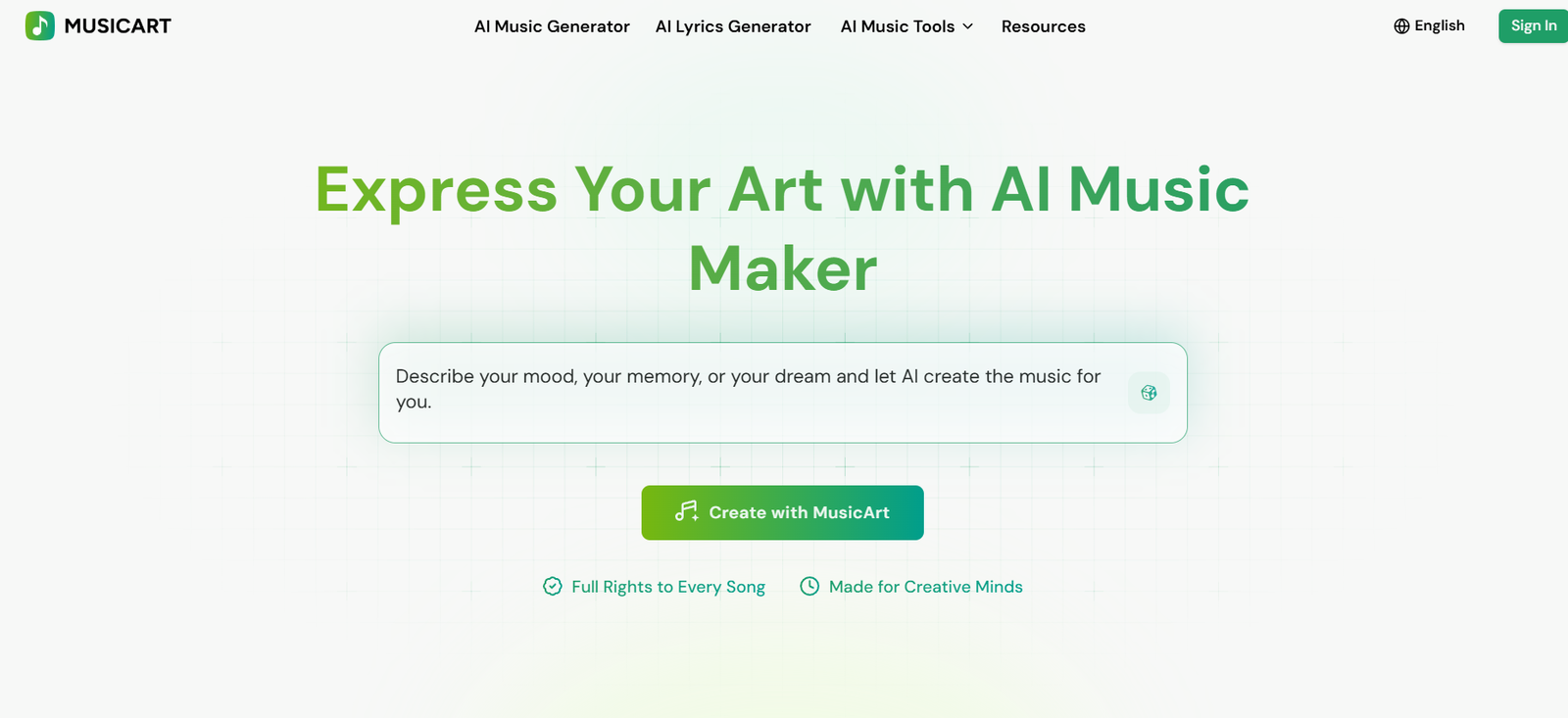
MusicArt AI is an online AI music creation platform that helps users turn ideas, text prompts and lyrics into complete songs. It is designed for musicians, content creators, filmmakers, podcasters, marketers and beginners who want to create music without relying on complicated production software.
Users can describe the type of music they want by specifying elements such as genre, mood, instruments, atmosphere and vocal style. MusicArt then generates a complete track based on those instructions. Users can also provide their own lyrics and let the platform create the melody, vocals and musical arrangement around them.
The platform goes beyond basic AI song generation. It includes tools for generating lyrics, creating song covers, producing singing voices and creating AI music videos. MusicArt also provides editing tools such as vocal removal, stem splitting, AI mastering, MIDI editing and audio-to-MIDI conversion.
MusicArt runs through a web browser, making it accessible to users who do not have professional music production software or extensive knowledge of music theory.
Features
AI Music Generator
MusicArt can generate complete songs from text prompts. Users can describe the genre, mood, instruments, atmosphere and preferred vocal characteristics before generating a track.
Text to Music
Users can turn written descriptions and creative ideas into music. This is useful when someone has a musical concept but does not know how to compose or produce it manually.
Lyrics to Music
Existing lyrics can be converted into complete songs. Users provide the words and select suitable musical characteristics, while AI generates the accompanying composition and vocals.
AI Lyrics Generator
MusicArt includes a dedicated lyrics generator for users who need help developing song lyrics before creating the final track.
AI Song Writer
The platform provides AI-assisted songwriting capabilities for developing musical ideas and complete songs.
AI Song Cover Generator
Users can create AI-assisted song covers through a dedicated cover generation tool.
AI Singing Voice Generator
MusicArt provides AI voice generation capabilities for creating sung vocals as part of music projects.
AI Music Video
The platform includes AI music video creation, allowing users to develop visual content around generated music.
AI Music Editor
Users can upload music and modify selected parts of a track. The editor is designed for targeted changes to elements such as lyrics and melodies.
AI Vocal Remover
MusicArt can separate or remove vocals from suitable tracks, helping users create instrumental versions or work with individual song elements.
AI Stem Splitter
The stem splitting tool separates a track into different components. This can help musicians, remixers and creators work with vocals and instrumental elements independently.
AI Music Mastering
MusicArt provides an AI mastering tool for improving the final sound of completed tracks.
AI MIDI Editor
Users can work with MIDI through the platform’s AI-assisted editing capabilities.
Audio to MIDI
MusicArt can convert suitable audio into MIDI data, which can then be used in compatible music production workflows.
Remix and Extend
After generating a track, users can remix or extend it directly from the MusicArt workspace.
Multiple Genres and Styles
The platform can generate music across styles such as pop, electronic, rock, hip-hop, jazz, classical, lo-fi and cinematic music.
Vocal and Instrumental Music
Users can create songs with vocals or focus on instrumental music depending on the project.
Browser-Based Creation
MusicArt works online, so users do not need to install a traditional digital audio workstation to begin generating music.
How It Works
Step 1: Open the AI Music Generator
Access MusicArt and open its main AI Music Generator workspace.
Step 2: Choose a Creation Mode
Users can start with a text prompt or provide their own lyrics.
Step 3: Describe the Music
Enter information about the desired genre, mood, instruments, atmosphere and vocal style.
Step 4: Add or Generate Lyrics
Users can paste their own lyrics or use the AI Lyrics Generator when they need help creating them.
Step 5: Generate the Song
Click the Generate button. According to MusicArt’s documentation, a song is generally generated within approximately one to two minutes.
Step 6: Preview the Result
The completed song appears in the workspace, where users can listen to the generated track and view its lyrics.
Step 7: Refine the Music
Users can remix or extend the track and use additional editing tools when further changes are needed.
Step 8: Download the Song
Eligible users can download generated music for use in suitable personal or commercial projects according to their plan and licensing terms.
Use Cases
Musicians
Artists can experiment with melodies, arrangements, lyrics and complete song concepts before developing them further.
Songwriters
Songwriters can turn written lyrics into musical arrangements or use AI to overcome creative blocks and explore alternative ideas.
YouTube Creators
Creators can generate original background music and songs for suitable YouTube videos rather than depending entirely on stock music libraries.
Filmmakers
Filmmakers can experiment with cinematic music and soundtracks tailored to the mood of a scene or story.
Podcasters
Podcast creators can develop customized intros, transitions, background music and other audio elements.
Social Media Creators
Creators can produce music for TikTok, Instagram Reels and other short-form content.
Brands
Businesses can experiment with original music for branding, promotional videos and other creative campaigns.
Advertisers
Marketing teams can create jingles and mood-specific tracks for suitable advertising projects.
Game Developers
Developers can generate background music and atmospheric tracks for prototypes and suitable game projects.
Beginners
People without formal music training can explore songwriting and music production using simple text instructions.
Pricing
MusicArt offers a Free plan along with several paid plans. Pricing varies depending on whether users select monthly or yearly billing.
Free: $0
The Free plan currently provides 30 credits per year and up to 15 music generations per year.
It includes the Basic AI Music Generator, AI Lyrics Generator, AI Music Video and email support.
Starter
With annual billing, Starter is currently displayed at $10.49 per month, billed as $125.92 per year.
It includes 1,800 credits per year and up to 900 music generations. Features include the Pro AI Music Generator, AI Lyrics Generator, AI Music Video, music editing tools and Pro AI Song Cover Generator.
The plan provides up to 1,000 downloads.
Hobby
With annual billing, Hobby is currently displayed at $20.99 per month, billed as $251.92 per year.
It provides 4,200 credits per year and up to 2,100 music generations.
The plan includes Pro music generation, lyrics, AI music video, editing tools, song covers, unlimited downloads and 24/7 email support.
Professional
With annual billing, Professional is currently displayed at $55.99 per month, billed as $671.92 per year.
It provides 14,400 credits per year and up to 7,200 music generations.
The plan includes the Pro AI Music Generator, lyrics generation, AI music video, editing tools, song cover generation, unlimited downloads and 24/7 email support.
A standard song generation currently costs 2 credits. Different features may consume different amounts.
Unused credits do not roll over after the applicable renewal date.
An important licensing point is that commercial rights are included with annual paid plans. According to the pricing FAQ, monthly subscriptions do not include commercial rights.
Users should therefore check the current plan and licensing conditions before publishing or monetizing generated music.
Strengths
MusicArt brings several music generation and editing capabilities into one platform. Users can move from an initial idea to lyrics, complete songs, covers and further audio editing without relying on several unrelated services.
Its prompt-based workflow makes music creation accessible to people who have little or no formal music production experience.
Users who already write lyrics can retain greater creative control by providing their own words while allowing AI to create the musical arrangement.
Additional tools such as stem splitting, vocal removal, mastering, MIDI editing and audio-to-MIDI conversion make the platform useful beyond initial song generation.
Support for different genres, moods, instruments and vocal options provides flexibility for a wide range of creative projects.
The free plan also gives new users an opportunity to test basic music generation before paying for a subscription.
Drawbacks
The Free plan provides only a limited number of annual generations, so users who create music regularly will likely need a paid plan.
MusicArt uses a credit system, and different features can consume different amounts. Heavy users need to monitor their available credits.
Unused credits do not carry over after renewal, which may be inconvenient for users whose music creation needs vary from month to month.
Commercial rights require an eligible annual plan. Users choosing monthly subscriptions should be aware that the licensing conditions are different.
AI-generated music can also require multiple attempts before the melody, vocals, structure and overall style match a user’s original idea.
Professional musicians and producers may still need a traditional digital audio workstation for detailed mixing, recording and precise manual production.
Comparison with Other Platforms
MusicArt competes with AI music generators that transform prompts and lyrics into complete tracks.
Compared with a basic text-to-music service, MusicArt provides a broader collection of related tools. In addition to generating songs, users can create lyrics, produce covers, work with singing voices, split stems, remove vocals, master audio and work with MIDI.
This makes MusicArt closer to an AI music creation toolkit than a single-purpose song generator.
Compared with traditional music production software, MusicArt is much easier for beginners because users can begin with ordinary text instead of manually composing, recording and arranging every musical element. Traditional digital audio workstations, however, still provide substantially greater manual control for professional production.
MusicArt may therefore be most useful for users who prioritize speed, experimentation and accessibility rather than detailed manual control over every aspect of music production.
Customer Reviews and Testimonials
Customer reviews and testimonials are not clearly available on the official website.
Conclusion
MusicArt AI is a versatile music creation platform for people who want to turn ideas and lyrics into complete songs without requiring extensive music production knowledge.
Its combination of text-to-music, lyrics-to-music, AI songwriting, song covers, singing voices and music editing tools makes it useful for musicians as well as creators who simply need original audio for another project.
YouTubers, filmmakers, podcasters, marketers and social media creators may find it particularly useful for producing customized music instead of repeatedly searching through stock music libraries.
The credit system, limited free allowance and commercial licensing differences between monthly and annual plans are important considerations before subscribing.
For users looking for an accessible AI platform that combines music generation with several supporting audio tools, MusicArt AI provides a broad creative toolkit for developing songs and sound from initial idea to finished track.