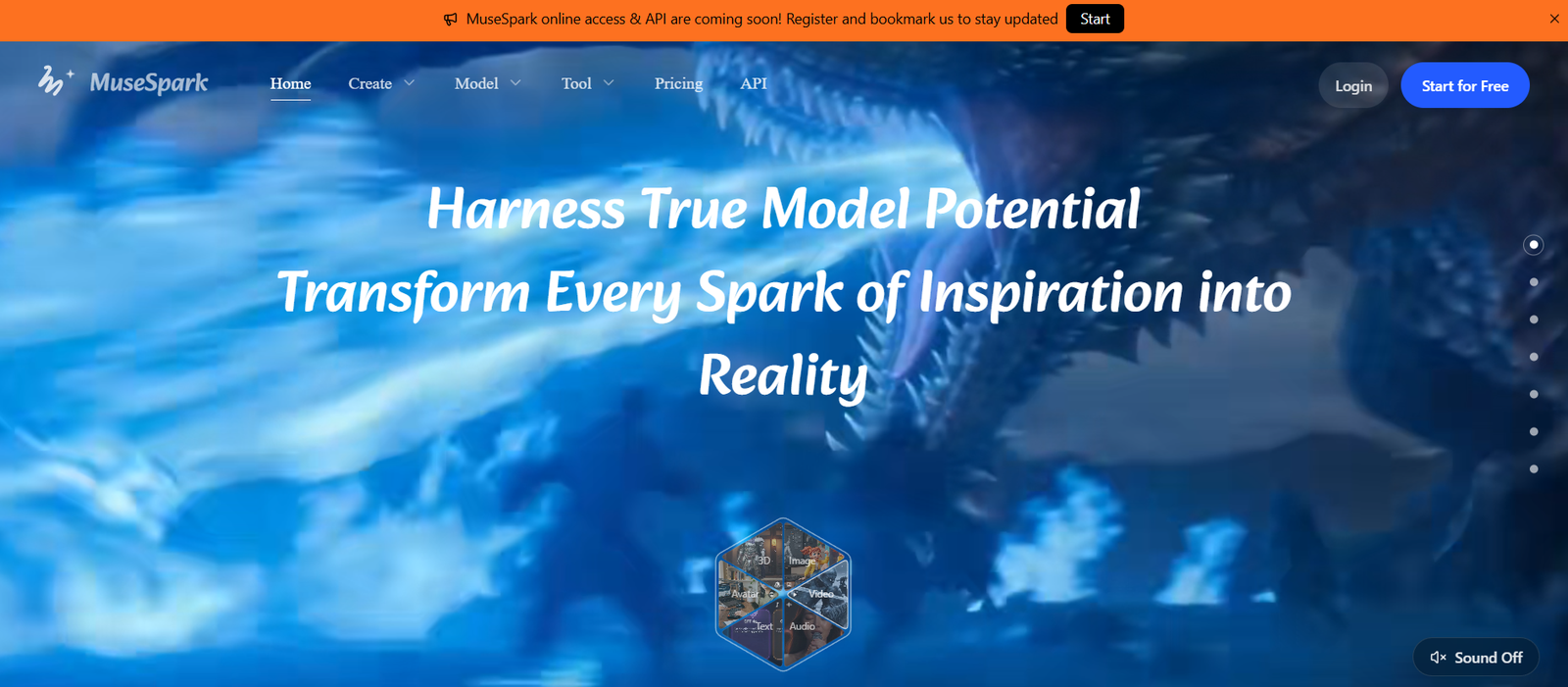
MuseSpark is an all-in-one generative AI platform that brings hundreds of AI models and creative tools into a single workspace.
Instead of requiring creators and developers to maintain separate accounts across many AI services, MuseSpark provides access to more than 400 models covering image generation, video creation, image editing, speech, music, 3D generation and other multimodal tasks.
The platform currently features models and model families such as Kling, Sora 2, Veo 3.1, Wan, Seedance, Seedream, FLUX, Nano Banana, Vidu and LTX, alongside specialized audio, speech and 3D models.
Users can browse models according to the type of content they want to create and run them directly through MuseSpark.
The platform also provides ready-made AI tools for common tasks such as image generation, video generation, text-to-speech, image upscaling, background removal, AI avatars and video translation.
For more technical users, MuseSpark provides unified API access. Developers can integrate supported models into websites, applications and automated production workflows without building separate integrations for every underlying model provider.
MuseSpark also offers Model Arena for comparing model outputs and Model Train for training custom models using a user’s own style or data.
Overall, MuseSpark functions as both a creative AI workspace and a unified model infrastructure platform.
Features
400+ AI Models
MuseSpark’s biggest feature is the size of its model library.
The platform currently advertises access to more than 400 AI models covering multiple content-generation categories.
AI Image Generation
Users can create images from written prompts using multiple image-generation models.
Different models can be selected according to desired style, quality, speed and cost.
AI Video Generation
MuseSpark provides access to numerous video-generation models.
Depending on the model, workflows can include text-to-video, image-to-video, video extension, character animation and motion control.
Kling Models
The platform provides multiple Kling models and workflows, including current Kling image, video and motion-control options.
This allows users to choose between different Kling capabilities without leaving MuseSpark.
Sora 2
Sora 2 is included among the major video-generation model families displayed in MuseSpark’s model space.
Veo Models
Google’s Veo family is represented through supported workflows such as Veo 3 and Veo 3.1.
Wan Models
MuseSpark provides a broad selection of Wan models.
Supported workflows include video generation, image generation, video extension, character animation, control and LoRA training.
Seedance
Seedance video models are available for AI video creation and extension workflows.
Seedream
Seedream models provide additional options for image generation and editing.
FLUX Models
MuseSpark includes models from the FLUX family for image-generation workflows.
Nano Banana
Nano Banana model options are available for image creation and editing.
Vidu
Vidu models provide another choice for AI video-generation tasks.
LTX
MuseSpark includes LTX models for video generation, control and model-training workflows.
AI Image Editing
Users can modify existing images using supported editing models.
Capabilities vary by model and can include prompt-based transformations, object changes, style modifications and other edits.
Image Upscaling
MuseSpark provides a ready-to-run AI Image Upscaler workflow.
This can be used to increase image resolution and improve the appearance of lower-resolution assets.
Background Removal
The platform includes a dedicated AI background-removal tool.
It can isolate subjects and produce transparent images for ecommerce, design and marketing workflows.
AI Avatars
Users can access models and workflows for creating or animating AI avatars.
Text-to-Speech
MuseSpark provides speech-generation models.
Its current audio catalog includes options such as Qwen3 TTS and ElevenLabs Turbo v2.5.
Voice Cloning
Supported models include voice-cloning functionality.
Users can provide reference audio to supported models and generate speech using the resulting voice characteristics.
Users should only clone voices for which they have the necessary rights and consent.
Voice Design
Voice-design models provide additional options for creating synthetic voices.
Music Generation
MuseSpark includes models for generating music and songs.
This expands the platform beyond visual content into audio production.
Video Translation
A dedicated Video Translate workflow can translate spoken video content into other languages with subtitle and dubbing support.
3D Generation
MuseSpark provides access to AI 3D-generation models.
Current options include models such as Meshy, Tripo3D and Hunyuan3D.
Image-to-3D
Supported models can convert 2D source images into three-dimensional assets.
This can be useful for games, product visualization and other 3D workflows.
Motion Control
Dedicated motion-control models give users greater control over movement in generated video.
Current options include models from Kling, Wan and LTX families.
Character Animation
Supported Wan workflows can animate or replace characters based on source material.
Video Extension
Some models can extend an existing video beyond its original duration.
This is useful when creators need to continue an AI-generated sequence.
Video Segmentation and Tracking
The platform includes models such as SAM 3 for video segmentation and tracking tasks.
Image Segmentation
Supported segmentation models can identify and isolate visual elements inside images.
LoRA Training
MuseSpark provides LoRA training options for supported models.
Creators can train models around particular styles, characters or datasets when the underlying workflow supports it.
Model Train
Model Train is designed for users who want to create custom models using their own style and data.
Model Arena
Model Arena allows users to compare model outputs side by side.
This is useful because different AI models can produce substantially different results from similar inputs.
Model Categories
MuseSpark groups models into practical categories such as:
Best Image Creation Models
Best Video Generation Models
Image Editing Models
Avatar Models
Audio Models
LoRA Trainers
Motion Control Models
First and Last Frame Models
Music Generation Models
3D Generation Models
Speech Generation Models
Unified API
Developers can access supported models through MuseSpark’s API infrastructure.
This reduces the need to integrate each underlying AI service independently.
Production Workflows
The same models can be used interactively in MuseSpark Studio or programmatically through supported APIs.
This makes it possible to test a model manually before integrating it into a production application.
Pay-As-You-Go Model Pricing
Many individual model pages display usage-based pricing.
Costs can be calculated per run, per image, per second, per character or through another model-specific unit.
How It Works
- Open MuseSpark and create an account.
- Browse the model library or AI Tools section.
- Choose the type of content you want to create.
- Select an image, video, audio, speech or 3D model.
- Enter a text prompt or upload the required source material.
- Adjust the model-specific parameters.
- Select quality, format, duration or other available controls.
- Run the generation.
- Review the result.
- Modify the prompt or settings when necessary.
- Compare alternative models if the first result is not suitable.
- Save or use the generated output according to the applicable terms.
Developers can instead open the API documentation, obtain the necessary credentials and integrate supported models into their own software.
Use Cases
AI Art
Artists can experiment with multiple image models from a single platform.
Social Media Content
Creators can produce images, short videos, avatars and other social-media assets.
Marketing
Marketing teams can generate campaign concepts, visuals and promotional videos.
Advertising
Agencies can compare models and rapidly generate different creative directions.
Ecommerce
Businesses can create product visuals, remove backgrounds, upscale photographs and generate promotional assets.
AI Filmmaking
Video models can help filmmakers create concept footage, visual experiments and short AI-generated sequences.
Character Animation
Creators can use supported models to animate characters and experiment with motion.
Content Localization
Video translation, speech and dubbing capabilities can help adapt content for different languages.
Voice Content
Text-to-speech models can create narration and synthetic voice content.
Music Creation
Music-generation models can help users experiment with AI-created songs and audio.
Game Development
Developers can generate concept art, characters, textures and 3D assets.
3D Design
Image-to-3D models can convert visual references into three-dimensional assets.
Prototyping
Product teams can quickly compare generative models before deciding which one to integrate.
AI Application Development
Developers can use MuseSpark APIs to add generative AI capabilities to their own applications.
Model Comparison
Model Arena can help teams compare outputs before committing to a particular AI model.
Custom Model Training
Creators and businesses can train supported models using their own style or data.
Pricing
MuseSpark uses model-dependent and usage-based pricing.
Unlike a simple AI application with one fixed generation price, the cost depends on the model and task selected.
The main pricing page was not reliably displaying complete account-level plan details at the time of review. Therefore, exact subscription tiers should be confirmed directly at checkout rather than inferred.
Individual model pages do provide current usage prices.
Examples include:
Qwen3 TTS
Currently starts from approximately:
$0.005 per run
Qwen3 Voice Clone
Currently starts from approximately:
$0.005 per run
ElevenLabs Turbo v2.5
MuseSpark currently lists discounted text-to-speech usage around:
$0.05 per run in its audio-model comparison, with actual metering depending on the model request.
Background Removal
Currently listed at approximately:
$0.004 per image
Kling V3 Motion Control
Current displayed price:
$0.378 per run
Kling V3
Current displayed price:
$0.714 per run
Kling Video O3
Current displayed price:
$0.475 per run
Kling Image V3
Current displayed price:
$0.028 per image
Wan 2.2 Video
Current displayed price:
$0.20 per run
Wan 2.2 Image
Current displayed price:
$0.025 per image
Wan 2.2 Video LoRA Trainer
Current displayed price:
$5.00 per run
Meshy 6
Current displayed price:
$0.80 per image
Tripo3D
Current displayed price:
$0.30 per image
Hunyuan3D V3.1
Current displayed price starts around:
$0.0225 per image
MuseSpark currently advertises official discounts on various model APIs, with several displayed examples around 20% below their listed standard prices.
Actual prices vary considerably according to the model, resolution, video duration, input size and other parameters.
Users should check the individual model page before generation because model availability and usage rates can change.
Strengths
More than 400 AI models in one platform.
Combines image, video, audio, speech and 3D generation.
Access to multiple major AI model families.
Includes Kling models.
Includes Sora 2.
Includes Veo models.
Includes Wan models.
Includes Seedance and Seedream.
Includes FLUX models.
Includes Nano Banana.
Includes Vidu models.
Includes LTX models.
Provides AI image editing.
Provides video generation and extension.
Supports motion-control workflows.
Supports character animation.
Provides text-to-speech.
Supports voice cloning through applicable models.
Provides music-generation models.
Offers 3D-generation models.
Supports image-to-3D workflows.
Provides image upscaling.
Includes background removal.
Supports AI avatars.
Provides video translation.
Supports segmentation and tracking.
Provides LoRA training.
Model Arena allows side-by-side comparison.
Model Train supports custom-model workflows.
Unified API simplifies developer integration.
Many models use transparent usage-based pricing.
Users can experiment with different models without maintaining separate workflows for every provider.
Useful for both non-technical creators and developers.
Drawbacks
More than 400 models can make the platform overwhelming for beginners.
Different models use different parameters and pricing units.
Output quality can vary significantly between models.
Users may need to test several models to determine which works best for a particular task.
Video-generation costs can become substantial with repeated experimentation.
Advanced models can cost considerably more than simple image-processing tools.
Model availability can change as providers update or discontinue services.
The main pricing page does not currently expose complete pricing information reliably, making account-level cost comparison less straightforward.
Some model descriptions and interface elements can be technical for casual users.
AI-generated content may contain visual, factual or structural errors.
Voice cloning requires careful attention to consent and rights.
Commercial users must ensure they have rights to uploaded source material.
The platform does not guarantee that AI-generated outputs will be unique.
Users should verify licensing requirements for their intended commercial workflow.
Privacy
MuseSpark’s Privacy Policy was last updated on March 23, 2026.
The platform can collect account information such as email address, username and account credentials.
Billing information is handled through third-party payment providers such as Stripe.
MuseSpark also processes content submitted to its AI services, including prompts, uploaded files and generated outputs.
Technical and usage information can include IP address, browser and device information, operating system, pages viewed and interactions with the service.
The company states that submitted inputs and generated outputs are processed to provide and improve AI features.
Its policy states that it does not use content to train models in a way that personally identifies the user.
Data may be shared with service providers for purposes such as hosting, analytics and payment processing.
Users may have rights to access, correct or delete personal information depending on their location.
Businesses processing confidential files should review the latest privacy terms and the policies of relevant underlying AI models before uploading sensitive material.
Content Ownership
MuseSpark’s terms state that users retain ownership of the content they submit.
By submitting content, users grant MuseSpark a non-exclusive license to process and use that content for operating and improving the service.
AI-generated outputs can be used for lawful purposes under the platform’s applicable terms.
However, MuseSpark explicitly notes that AI outputs may not be unique.
Another user could potentially receive similar output.
Users are responsible for ensuring that their prompts, uploads and generated content do not violate applicable laws or third-party rights.
Comparison with Other Platforms
MuseSpark competes with multi-model AI platforms and model API marketplaces rather than only with a single image or video generator.
Its strongest differentiator is breadth.
A creator who needs an image generator, video model, voice model and 3D generator would normally need to use several different services. MuseSpark attempts to make those capabilities available through one environment.
Compared with a dedicated service such as Runway or Kling’s own platform, MuseSpark provides greater model choice. The trade-off is that dedicated applications may provide more specialized interfaces and workflows for their own models.
For developers, the unified API is particularly useful. Teams can evaluate different models and access supported endpoints without maintaining completely separate integrations for each provider.
Model Arena adds another advantage by allowing users to compare outputs before deciding which model is best suited to a project.
MuseSpark is therefore most valuable to users who prioritize model variety and experimentation rather than committing to a single AI ecosystem.
Customer Reviews and Testimonials
A substantial collection of independently verified customer reviews or testimonials is not prominently presented on MuseSpark’s official website.
The platform instead emphasizes its model catalog, model performance information, pricing and technical capabilities.
Individual model pages can display operational information such as availability and SLA indicators, but these should not be interpreted as customer-satisfaction ratings.
Because output quality varies greatly between AI models and use cases, users should test several models with their own prompts before committing substantial spending.
For developers, comparing output quality, latency, reliability and actual per-generation cost will provide a more useful evaluation than relying solely on promotional claims.
Conclusion
MuseSpark is an ambitious all-in-one AI model hub designed to give creators and developers access to a large collection of generative AI technologies from one platform.
Its catalog currently advertises more than 400 models covering image generation, video creation, image editing, speech, voice cloning, music, 3D generation, motion control, segmentation and model training.
Major model families available through the platform include Kling, Sora 2, Veo, Wan, Seedance, Seedream, FLUX, Nano Banana, Vidu and LTX.
MuseSpark also provides practical ready-made tools such as image upscaling, background removal, AI avatars and video translation. More advanced users can compare models in Model Arena, train supported custom models and integrate generation into applications through unified APIs.
Pricing varies by model and usage. Some simple image-processing operations cost only fractions of a cent, while advanced video and training workflows cost substantially more. This pay-as-you-go structure can be useful because users can select a model according to both quality requirements and budget.
The main drawback is complexity. With hundreds of models and different pricing structures, beginners may need time to understand which option is best for a particular task.
Overall, MuseSpark is best suited to AI creators, marketers, developers, agencies and production teams that regularly work across several generative media formats and want to explore many leading AI models from one centralized platform.