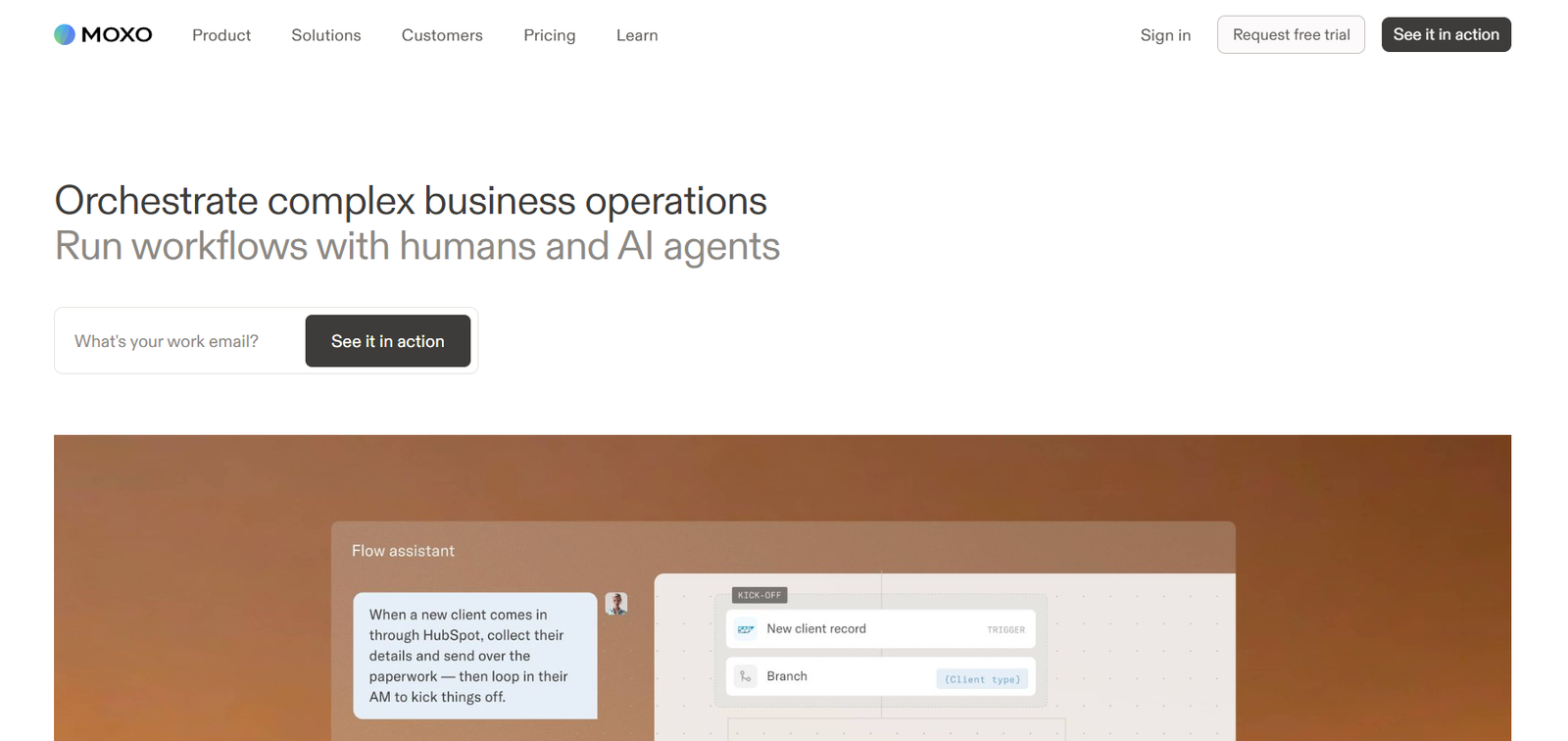
Moxo is an AI-powered workflow orchestration platform designed to help businesses automate and manage complex operational processes involving employees, customers, vendors, partners and AI agents.
Rather than automating isolated tasks, Moxo focuses on complete business workflows. Organizations can build processes that combine human decisions, AI-powered actions, system integrations, approvals, forms, documents, eSignatures, payments and other activities within a structured flow.
A central idea behind Moxo is keeping people responsible for important decisions while allowing AI agents to handle repetitive preparation and coordination. AI can prepare information, validate submissions, route work, monitor progress and identify delays, while designated employees remain responsible for critical approvals and decisions.
Moxo includes a workflow builder, AI Copilot and Agent Foundry for creating AI agents. Businesses can also provide portals where clients, vendors and other participants interact with workflows without navigating complicated internal systems.
The platform is suitable for operations teams, professional services firms, financial services organizations, technology companies, healthcare businesses, legal firms, manufacturers, logistics companies, real estate businesses and other organizations managing repeatable multi-party processes.
Features
AI Workflow Builder
Moxo provides tools for creating structured business workflows involving people, AI agents and connected systems.
Users can build workflows with triggers, branching logic, loops, milestones, approvals and other process controls.
AI Copilot
AI Copilot assists users while building and managing workflows. This can reduce the amount of manual configuration required when turning an existing business process into an automated flow.
Plain-Language Process Creation
Users can describe a business process in natural language and use Moxo to turn that description into a working flow.
This makes workflow creation more accessible to operations teams that may not have extensive programming experience.
Agent Foundry
Moxo’s Agent Foundry allows organizations to build AI agents for specific operational responsibilities.
Agents can be given instructions, knowledge and skills according to the role they are expected to perform.
AI Review Agent
The Review Agent examines submitted information or files against predefined criteria.
It can help identify missing information, errors or other issues before work moves to the next stage.
AI Prepare Agent
The Prepare Agent helps get work ready for human participants.
It can refine task information, attach relevant documents, prepare forms and organize required information so employees receive more complete tasks.
AI Advice and Assistance
AI agents can provide contextual guidance during workflows, helping participants understand requirements and move through individual steps.
Human-in-the-Loop Workflows
Moxo is designed around human accountability for important decisions.
AI agents can prepare, validate and route work, while designated employees handle approvals, exceptions and other judgment-based decisions.
Approvals
Organizations can include formal approval stages within workflows.
This is useful for processes involving financial authorization, compliance reviews, contracts and management decisions.
Forms and Questionnaires
Moxo allows organizations to collect structured information through forms and questionnaires directly within a workflow.
eSignatures
Electronic signature actions can be incorporated into business processes, helping organizations manage agreements and approvals without moving participants into separate communication chains.
File Requests
Businesses can request documents and files from clients, vendors or other participants as part of a structured process.
To-Dos and Checklists
Tasks and checklists can be incorporated into workflows to ensure that required actions are completed before a process progresses.
Branching and Business Rules
Workflows can follow different paths depending on conditions, responses or business rules.
This is useful when a process contains exceptions or requires different actions for different types of customers or requests.
Subflows
Advanced plans support subflows, allowing organizations to divide complicated processes into smaller reusable workflow components.
Triggers and Scheduled Flows
Processes can begin automatically when defined events occur. Advanced plans also provide scheduled workflow functionality.
AI Extraction
AI utilities can extract relevant information from documents and other submitted content.
This can reduce manual data entry in document-heavy processes.
AI Writing
Moxo includes AI writing functionality that can help create or prepare content within workflows.
AI Summarization
Advanced plans can summarize information, documents or process content to help employees review important material more quickly.
AI Translation
Translation capabilities are available in higher-level plans, supporting workflows involving participants who communicate in different languages.
AI Transcription
Moxo provides transcription capabilities, with more advanced transcription options available on higher plans.
Client and Stakeholder Portals
Organizations can provide dedicated portals for customers, vendors and other external stakeholders.
Portals can include resources, messages, announcements, quick links and available workflows.
Magic Links
Participants can receive secure links allowing them to complete actions without creating a traditional user account.
This can simplify processes involving external customers and partners.
Workflow Monitoring
Operations teams can monitor running workflows and identify which processes are progressing normally and which may be at risk.
AI Reporting Agent
Moxo includes an AI Reporting Agent that helps users understand operational information and reporting data.
Users can ask questions about operations in natural language rather than relying entirely on manually prepared reports.
Integrations
Moxo supports third-party integrations for connecting workflows with existing business applications.
Higher plans add webhooks, REST APIs and MCP connectivity.
Audit Logs
Advanced plans provide audit logs for tracking workflow activity and decisions.
This can be particularly useful for organizations with governance, compliance and accountability requirements.
Enterprise Security
Moxo provides enterprise-oriented security capabilities including data encryption, role-based access, audit trails and SAML SSO. The company also states that its platform supports SOC 2 Type II and GDPR requirements.
How It Works
First, an organization identifies a repeatable business process it wants to automate or improve.
Users create a Moxo account and open the workflow environment.
They can start with an existing workflow template or create a process from scratch.
The business defines the stages of the workflow, including participants, responsibilities, approvals and required information.
Triggers determine how the process begins.
Users then add actions such as forms, document requests, approvals, eSignatures, payments, questionnaires and tasks.
AI agents can be placed at appropriate points in the workflow to prepare information, validate submissions, provide guidance or monitor progress.
Business rules and branching can determine which path the workflow follows depending on information received during the process.
External participants can interact through magic links or dedicated portals without needing access to internal business systems.
Moxo coordinates each step between humans, AI agents and connected software.
Operations teams can monitor running processes, identify delays and examine workflow information.
When important decisions are required, the appropriate human participant remains responsible for reviewing and approving the action.
Completed workflows provide a traceable record of activities and decisions.
Use Cases
Customer Onboarding
Businesses can automate customer onboarding by collecting information, requesting documents, obtaining signatures, assigning internal tasks and tracking progress.
Vendor Onboarding
Organizations can manage vendor applications, documentation, compliance checks, approvals and ongoing communication within a structured workflow.
Professional Services
Consulting, accounting and other professional service firms can coordinate client engagements, document collection, approvals and service delivery.
Financial Services
Financial organizations can use Moxo for client onboarding, wealth management workflows, document collection and other controlled customer processes.
Healthcare
Healthcare organizations can use structured workflows for patient engagement, documentation and administrative processes while maintaining appropriate human oversight.
Legal Services
Law firms and legal teams can coordinate client intake, document collection, approvals and other multi-step legal workflows.
Real Estate
Real estate organizations can manage property transactions, customer interactions, documents and approval processes.
Technology Companies
Technology businesses can use Moxo for customer onboarding, implementation and ongoing account management.
Order Fulfillment
Businesses can coordinate orders that require actions from customers, internal employees, vendors and other systems.
Account Management
Customer success and account teams can create repeatable processes for reviews, renewals and ongoing service activities.
Training
Organizations can manage structured training programs involving content, tasks, acknowledgements and completion milestones.
Compliance Workflows
Companies can build processes where AI prepares and validates information while human reviewers retain responsibility for compliance-related decisions.
Pricing
Moxo currently offers Free, Business, Pro and Enterprise plans.
Free: $0 per Month
The Free plan includes 2 flows per month and 500 AI credits per month.
It provides the workflow builder, AI Copilot, branching, loops, triggers, milestones and access to workflow templates.
Human actions include approvals, forms, acknowledgements, decisions, questionnaires, to-dos, eSignatures and file requests.
The plan also provides basic Agent Foundry capabilities, Review, Prepare and Advice agents, AI extraction, writing, custom prompts, basic transcription, magic links and third-party integrations.
Business: $99 per Month
The Business plan costs $99 per month and provides 10 flows per month and 1,000 AI credits per month.
It includes the Free features plus a reporting dashboard and AI Reporting Agent.
Annual billing is listed at $960 per year, providing 120 flows and 12,000 AI credits annually.
Pro: $499 per Month
The Pro plan is listed at $499 per month with an annual commitment.
It includes 500 flows per year and 50,000 AI credits per year.
Additional features include subflows, business rules, scheduled workflows, payments, checklists, advanced agent capabilities, Supervisor Agents, AI summarization, translation, advanced transcription, portals, SMS notifications, custom domains, webhooks, REST APIs, MCP connectivity, SAML SSO and audit logs.
Annual pricing is listed at $4,800 per year.
Enterprise: Custom Pricing
Enterprise pricing is customized according to organizational requirements.
The Enterprise plan supports custom flows and AI credit allowances along with features such as data tables, custom actions, bringing your own AI model or agent, custom portal pages, data cards, embedded applications, custom code and specialized engineering support.
Organizations should verify current pricing and feature allocation directly before subscribing because Moxo may update its plans.
Strengths
Moxo combines human actions, AI agents and system automation rather than attempting to automate every business decision.
Its human-in-the-loop approach is useful for organizations where accountability and professional judgment remain important.
The workflow builder can handle complex processes involving branching, approvals, exceptions and multiple participants.
Agent Foundry allows organizations to create AI workers aligned with particular processes and responsibilities.
Client and stakeholder portals can reduce reliance on fragmented email conversations.
Magic links simplify participation for external users because they can take action without traditional account setup.
Built-in forms, eSignatures, payments, file requests and approvals allow businesses to manage several operational activities within the same workflow.
The Free plan gives organizations an opportunity to experiment with workflow automation and AI agents before making a larger investment.
Enterprise security and audit capabilities make the platform relevant to organizations operating more controlled business processes.
Drawbacks
Moxo may be more complex than necessary for businesses that only need simple task automation.
Designing effective multi-stage workflows still requires organizations to understand and document their existing business processes.
The Business plan increases from the free tier to $99 per month, while the Pro plan is significantly more expensive at $499 per month with an annual commitment.
AI credits and workflow limits vary between plans, so organizations need to understand their expected usage before selecting a subscription.
Some important capabilities such as advanced APIs, SAML SSO, portals, audit logs and advanced AI utilities require higher-tier plans.
AI-generated preparation, validation and recommendations should still be reviewed when processes involve legal, financial, healthcare or other high-impact decisions.
Comparison with Other Platforms
Moxo competes broadly with workflow automation, business process management and AI orchestration platforms.
Traditional automation tools often focus on connecting applications through simple trigger-and-action sequences. Moxo is more focused on longer, multi-party processes where employees, customers, vendors, AI agents and business systems must work together.
Its human-in-the-loop design is particularly relevant for processes where automation can handle preparation and coordination but a person must remain accountable for important decisions.
Moxo also combines workflow automation with stakeholder portals, document requests, eSignatures, payments and other human actions. This can reduce the need to combine several separate applications for complex operational processes.
Simpler automation platforms may be easier and less expensive for straightforward integrations. Moxo becomes more relevant when workflows involve multiple participants, approvals, exceptions, governance and ongoing process monitoring.
Customer Reviews and Testimonials
Moxo publishes customer stories and testimonials on its official website.
Organizations featured in its customer examples include Savills, Palmetto, Emirates NBD, Webware, ChenMed, Scotiabank, Zeta Global, CD Baby, Procore and FIS, among others.
The official website also features a testimonial from Peninsula Visa describing a significant reduction in processing time and improved ability to scale different services.
These examples indicate that Moxo is being used across areas such as financial services, real estate, healthcare, technology, customer onboarding and professional services.
These testimonials and case studies are published by Moxo itself and should therefore be considered company-presented customer experiences rather than independent reviews.
Conclusion
Moxo is a comprehensive AI workflow automation platform for organizations that need to coordinate complex business processes involving people, AI agents and multiple software systems.
Its strongest capability is not simply automating individual tasks. It provides an environment where an entire process can be structured from initial request through documents, forms, validation, approvals, decisions and final completion.
AI agents handle repetitive preparation, checking, routing and monitoring while humans remain responsible for critical decisions. This balance can make Moxo particularly useful for professional services, financial services, healthcare, technology, legal, real estate and operations teams.
The Free plan provides a practical starting point for experimenting with AI-powered workflows, while Business, Pro and Enterprise plans address progressively larger and more sophisticated operational requirements.
For organizations looking to move beyond simple task automation toward structured workflows where AI and people work together with clear accountability, Moxo is a strong platform to consider.