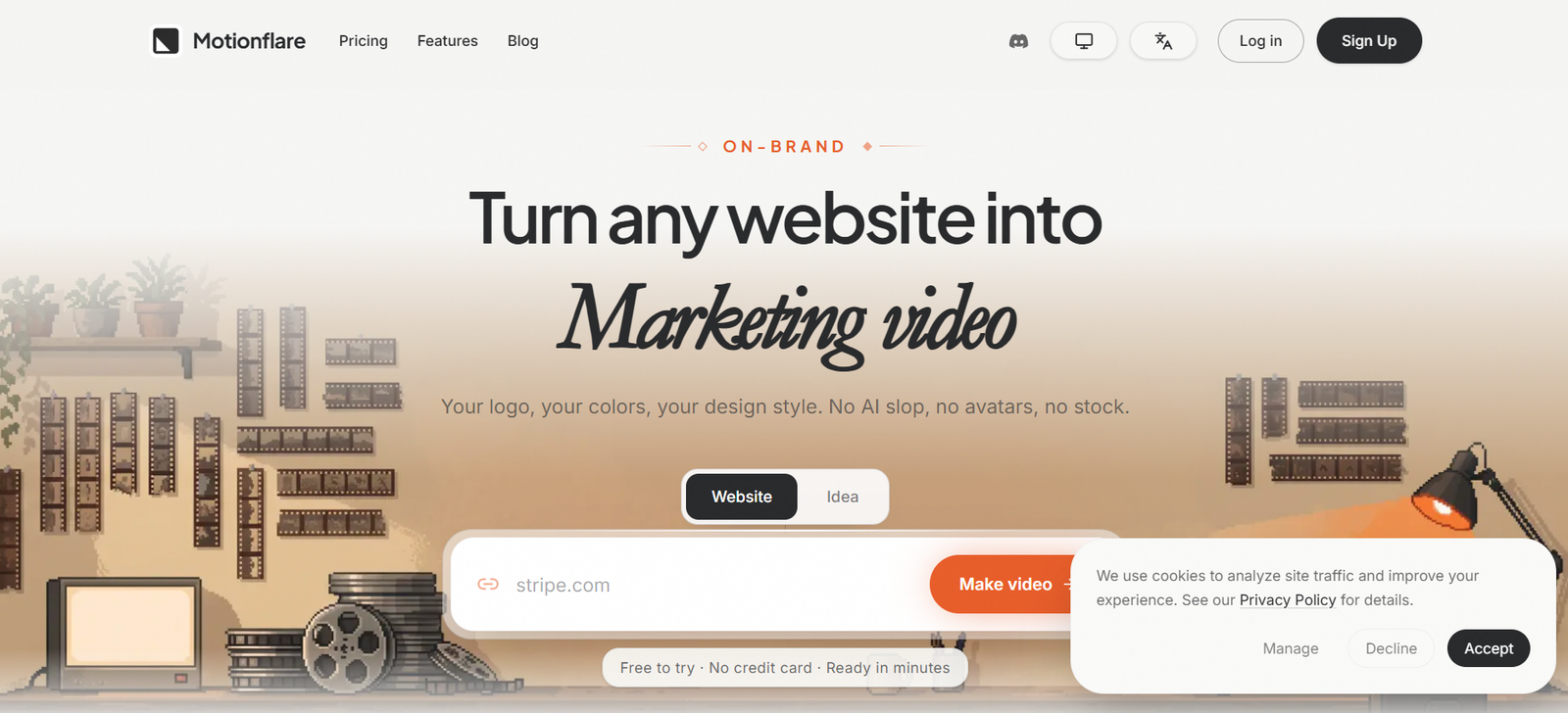
Motionflare is an AI-powered marketing video and motion graphics generator designed to turn websites, products, and ideas into polished promotional videos.
Its most distinctive feature is URL-to-video generation. Users can paste a public website URL, and Motionflare reads the page, captures screenshots of the real interface, identifies branding elements such as logos and colors, creates a script, generates voiceover, and builds animated scenes around the actual product.
This approach is different from many AI video generators that rely heavily on stock footage, avatars, or completely AI-generated visuals. Motionflare focuses on using the user’s real product interface and brand identity.
Users who do not have a website can also start with a simple description. Motionflare can develop the idea into a video story and create the individual scenes.
The platform is particularly useful for SaaS companies, startup founders, marketers, product teams, agencies, and creators who need product demos, launch videos, social media content, explainers, feature announcements, or promotional videos without manually working with complex motion-design software.
Features
URL-to-Video Generation
Users can paste a public website URL and allow Motionflare to turn the website into a marketing video.
Real Website Screenshots
Motionflare captures screenshots from the submitted website and incorporates the actual product interface into the video.
This makes it useful for SaaS and software companies that want customers to see their real product.
Automatic Brand Detection
The platform detects branding information such as logos, colors, and visual style from the website.
AI Script Generation
Motionflare creates a video script based on the submitted website or product description.
Video from an Idea
A website is not mandatory. Users can describe the video they want in a sentence and allow Motionflare to develop the concept.
AI Motion Graphics
The platform creates animated scenes rather than simply arranging static screenshots into a slideshow.
Its motion system uses Remotion-based compositions rendered frame by frame.
Motion Engine 2.0
Motionflare’s updated Motion Engine includes more than 160 motion recipes designed to create different animation styles and scene movements.
Visual Style Packs
Users can apply different visual styles to influence the appearance and movement of generated videos.
Image Uploads
Users can upload their own images for inclusion in generated videos.
Voiceovers
Motionflare can automatically add narration to marketing and product videos.
Subtitles
Videos can include subtitles, making them more suitable for social media and viewers watching without sound.
Background Music
Music can be incorporated into the video workflow.
Paid users can also upload their own background music.
Multiple Languages
Paid plans currently support video generation in 13 languages.
This can help companies adapt product and marketing videos for different audiences.
Multiple AI Models
Motionflare provides several generation models, allowing users to balance quality and credit usage.
Visual Text Editing
Users can edit visible text in generated videos without regenerating the entire project.
Chat-Based Refinement
Individual moments or scenes can be refined or regenerated through the editing workflow.
Browser Preview
Generated videos can be watched directly inside the browser.
Users can scrub through the timeline, replay scenes, and review the result before paying for an export.
30 and 60-Second Videos
Paid plans support common short-form marketing lengths of 30 and 60 seconds.
Vertical Video
Motionflare supports 9:16 vertical videos for platforms such as TikTok, Instagram Reels, and YouTube Shorts.
1080p Export
Paid or one-time exports can produce full-HD 1080p video.
4K Export
Users can also export finished projects at 4K resolution.
Watermark-Free Export
Paid subscriptions and one-time export purchases remove the Motionflare watermark.
MP4 Download
Finished videos can be downloaded in MP4 format.
Public Share Links
Users can create public links for finished videos.
Clients or teammates can watch the video directly in their browser without creating an account.
How It Works
Step 1: Enter a Website or Idea
Paste a public product URL or describe the video you want to create.
Step 2: Analyze the Website
When a URL is provided, Motionflare reads the page and identifies useful content, branding, screenshots, and visual elements.
Step 3: Generate the Story
AI develops a script and organizes the product information into a short marketing narrative.
Step 4: Build the Scenes
Motionflare creates animated scenes using the real product interface, branding, text, and other visual elements.
Step 5: Add Audio
Voiceover, subtitles, and background music can be incorporated into the video.
Step 6: Preview in the Browser
The completed video can be played directly inside the workspace.
Step 7: Review Individual Scenes
Users can inspect the timeline and identify any scenes that need improvement.
Step 8: Refine the Video
Text, visual elements, and selected scenes can be adjusted or regenerated.
Step 9: Select an Export Resolution
Choose 1080p or 4K depending on the intended use.
Step 10: Export or Share
Download the finished MP4 or create a public link for clients, colleagues, or customers.
Use Cases
SaaS Product Videos
Software companies can turn product pages into short videos that demonstrate their actual interface.
Product Demo Videos
Businesses can create product demonstrations without manually recording and editing their screens.
Startup Launch Videos
Founders can quickly prepare a promotional video when launching a new product.
Feature Announcements
Product teams can create short videos introducing newly released features.
AI Video Ads
Marketing teams can create branded promotional videos for digital advertising campaigns.
Social Media Videos
Vertical 9:16 output can be used for Reels, Shorts, TikTok, and other mobile-first platforms.
Explainer Videos
Companies can convert product information into short narrated explainers.
Landing Page Videos
Businesses can create videos for hero sections, product pages, and landing pages.
Article-to-Video
Written information can be transformed into a more visual video format.
Marketing Agencies
Agencies can create product and promotional videos for clients without manually building every animation.
Kinetic Typography
Motionflare can create text-focused animated marketing content.
Brand Videos
Companies can use their own colors, logo, screenshots, and design identity instead of relying on generic stock visuals.
Pricing
Motionflare currently offers Free, Pro, and Max options along with one-time exports and additional credit packs.
Free: $0
The Free plan includes 15 one-time credits.
Users can create one project and generate and preview the video in the browser.
The Free plan supports 15-second videos with English voiceover.
Free videos include a watermark unless users purchase a one-time export.
Pro: $29 per month
Pro includes 100 credits each month.
Users can create unlimited projects and export, download, and share videos.
It supports 1080p and 4K output without a watermark.
Users can create 30 and 60-second videos, access premium AI models, generate videos in 13 languages, and upload their own background music.
Max: $99 per month
Max includes 500 credits each month.
It provides the same core premium capabilities as Pro but with substantially more monthly credits for heavier video production.
Users receive unlimited projects, 30 and 60-second videos, 13-language support, premium AI models, custom background music, and watermark-free 1080p or 4K exports.
One-Time Export: $15
Free users who only need one completed video can purchase a one-time export for $15.
This provides one successful 1080p or 4K export without a watermark and does not require a subscription.
Credit Pack: $15
Pro and Max subscribers can purchase an additional 50 credits for $15.
These additional credits do not expire.
Credit Usage
Generating a scene with script and voiceover currently costs approximately 1 to 5 credits depending on the model selected.
Refining or regenerating a scene also costs approximately 1 to 5 credits.
A 1080p export costs 2 credits.
A 4K export costs 3 credits.
Pricing and credit requirements may change, so users should check current information before purchasing.
Strengths
Uses the Real Product Interface
Motionflare’s URL workflow can incorporate actual website screenshots instead of replacing the product with generic AI visuals.
Strong Brand Consistency
Logo, colors, screenshots, and other website information help generated videos remain closer to the company’s existing identity.
No Screen Recording Required
Users can create product demos from a public product page without manually recording the interface.
Browser-Based Preview
Users can see the complete generated video before deciding whether to pay for an export.
Free to Try
The Free plan does not require a credit card and provides 15 one-time credits.
One-Time Export Option
Users who only need a single video do not have to purchase a recurring subscription.
4K Support
High-resolution export makes the platform suitable for professional marketing applications.
Vertical Video
9:16 support makes generated content more useful for short-form social platforms.
Multiple Languages
Support for 13 languages on paid plans helps companies create localized marketing content.
Motion Graphics Focus
The platform is designed around animated marketing graphics rather than avatars and generic stock footage.
Drawbacks
The Free plan provides only 15 one-time credits and is limited to one project and 15-second videos.
Longer 30 and 60-second videos require a paid subscription.
Motionflare’s credit system means repeated scene generation and experimentation can consume additional credits.
The platform is particularly optimized for marketing and product videos. Users looking for cinematic filmmaking, realistic AI actors, complex character animation, or long-form video production may need other tools.
Website-based generation works best when Motionflare can access a public page with useful product information and visual assets.
Motionflare currently does not provide a public API or MCP server. The supported workflow is through its web application.
Privacy
Motionflare processes the product URLs users submit along with page information and screenshots required to generate videos.
Project information can include detected branding, scripts, scene configurations, voiceover audio, rendered videos, and conversations with the platform’s assistant.
Motionflare states that it does not record prompts, keystrokes, mouse trails, device fingerprints, or session replays as part of its product analytics.
Temporary rendering files are deleted from working storage on a rolling basis after rendering is completed.
Users can delete individual projects or their full account.
Public share links should be used carefully because videos intentionally shared publicly can be accessed through their public pages.
Comparison with Other Platforms
Motionflare competes with AI video generators, screen-recording tools, product-demo platforms, motion-graphics software, and traditional video editors.
Many AI video generators focus on avatars, stock media, or fully generated scenes. Motionflare instead emphasizes actual product screenshots, logos, colors, and website content.
Compared with screen-recording tools, it removes the need to manually navigate through a product while recording and then spend additional time editing the footage.
Compared with professional motion-design software such as After Effects, Motionflare provides considerably less manual control but requires far less specialist animation knowledge.
Its strongest position is therefore between simple AI video generation and professional motion design.
For startup founders and marketing teams that already have a website but do not have the time or skills to create animated product videos manually, this URL-to-video workflow can be particularly useful.
Customer Reviews and Testimonials
Motionflare displays a large collection of company and product websites whose teams have used or chosen the platform.
However, detailed written customer testimonials and independently verified review scores are not clearly presented on the official website.
The displayed customer examples should therefore be considered company-presented social proof rather than independent customer-review data.
Users can evaluate the product themselves through the Free plan because video creation and browser preview are available without a credit card.
Conclusion
Motionflare is an AI motion graphics and marketing video generator designed to make product video creation considerably easier for founders and marketing teams.
Its most useful feature is the ability to start with a website URL. Motionflare can read the page, capture the real product interface, detect branding, write a script, generate narration, animate individual scenes, and produce a finished marketing video.
This makes it particularly attractive for SaaS businesses, startups, product teams, agencies, and marketers that already have a product or landing page but do not have dedicated motion-design resources.
Features such as 9:16 vertical video, subtitles, multilingual generation, visual editing, custom music, 1080p and 4K export, and public sharing extend its usefulness across product launches, advertisements, demos, and social media.
The Free plan is limited, but the $15 one-time export is useful for people who need only a single finished video without committing to a subscription.
For businesses that want branded motion graphics based on their actual product rather than stock footage or AI avatars, Motionflare provides a focused and accessible approach to AI video creation.