
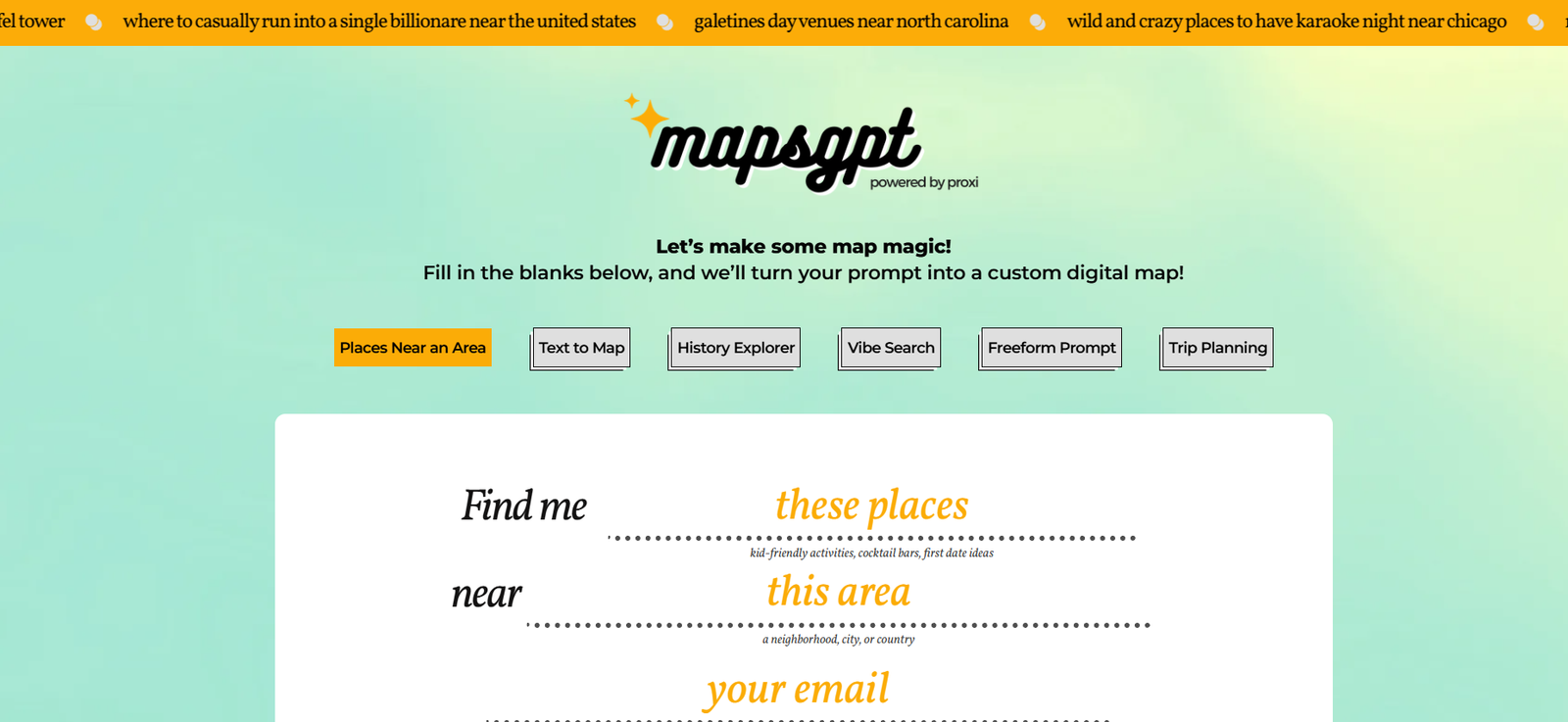
MapsGPT is an AI-driven mapping tool that allows users to create interactive, shareable maps simply by typing a prompt. Instead of manually dropping pins or researching points of interest, users can enter natural language commands like “Best coffee shops in Brooklyn” or “Tech meetups in San Francisco,” and the platform instantly generates a personalized map with relevant locations.
Designed for both casual and professional use, MapsGPT combines AI prompt engineering with mapping APIs to offer a new way to visualize places. It’s particularly useful for travel planning, real estate exploration, event coordination, marketing campaigns, and logistics—saving time and streamlining collaboration.
Features
MapsGPT delivers a range of practical features that make it a powerful and easy-to-use tool:
Prompt-Based Map Creation: Generate maps by typing natural language prompts, no coding or manual pinning required.
AI-Powered Recommendations: Suggestions are intelligently selected based on the user’s query and location data.
Interactive Pins and Cards: Each point on the map includes details, directions, and customization options.
Searchable and Editable Maps: Users can add, remove, or move pins to refine their results.
Custom Sharing Options: Share maps via a link or embed them on a website with a single click.
Export Capabilities: Download maps or lists for offline use or integration with other tools.
Built with Proxi: Leverages Proxi’s infrastructure to enable real-time editing and collaboration on the map.
No Account Required: Create and share maps without needing to sign up or log in.
Mobile-Friendly: Fully responsive design for map creation and viewing on phones or tablets.
Use Anywhere: Worldwide location support lets you generate maps for any city or region.
How It Works
Using MapsGPT is simple. Users go to mapsgpt.com and enter a short, descriptive prompt in plain language. Examples might include:
“Top 10 vegan restaurants in Austin”
“Best parks near London for dog walking”
“Art galleries in Berlin with weekend openings”
The platform uses a combination of AI language models and location APIs to understand the intent behind the prompt. It then fetches relevant places, plots them on a map, and attaches detailed information to each location. Users can click on pins to learn more or drag them to new spots if needed.
Maps can be shared via a public link, embedded into a blog or website, or exported for planning or presentations. Because there’s no need to manually search for addresses or configure map settings, the entire process takes less than a minute.
Use Cases
MapsGPT is designed for a wide variety of personal and professional applications:
Travel Planning: Build custom travel itineraries with restaurants, attractions, and activities by city or interest.
Real Estate: Create neighborhood maps showing schools, grocery stores, parks, and amenities for prospective buyers.
Local Marketing: Identify and promote store locations, partner businesses, or events in a geographic area.
Event Planning: Map out venues, parking, hotels, and nearby restaurants for conferences or weddings.
Remote Team Building: Highlight coworking spaces, meetups, or favorite cafes in cities with distributed teams.
Education and Field Research: Teachers and students can build maps for historical tours, geology fieldwork, or community studies.
Content Creators and Bloggers: Embed curated maps in travel blogs or lifestyle sites to enhance engagement.
Nonprofits and Community Organizers: Share public resource maps like food banks, shelters, or community centers.
Pricing
MapsGPT is currently free to use with no account required, making it highly accessible for both individuals and teams. The tool is supported by Proxi, which offers additional premium mapping solutions and team collaboration features for businesses and enterprises.
For users who want more advanced features, custom branding, or large-scale map deployment, Proxi offers paid plans. These include integrations, analytics, white labeling, and dedicated support, but MapsGPT itself remains free as an entry-level tool.
Strengths
MapsGPT provides several distinct advantages:
Speed and Simplicity: Generate a fully interactive map in under a minute.
No Learning Curve: Completely beginner-friendly, with no technical skills required.
Instant Sharing: Easily distribute maps across social platforms, email, or websites.
AI Personalization: Maps are tailored to your specific query and location context.
Flexible for Multiple Use Cases: Suitable for travel, events, real estate, education, and more.
Free and Open Access: No login or payment barriers for general use.
Powered by Proxi: Offers a trusted backend with options to scale as your needs grow.
Drawbacks
While MapsGPT is an excellent lightweight tool, there are some limitations to consider:
Limited Customization: Fewer styling and branding options compared to full-featured GIS tools.
Basic Data Layers: Lacks deeper layers such as demographic data, traffic, or zoning overlays.
Not Ideal for Technical Use Cases: Unsuitable for advanced mapping needs like route optimization or geospatial analysis.
Prompt-Driven Limitations: Results may vary based on the clarity or specificity of the input prompt.
Editing Options Are Minimal: While you can rearrange pins, full design customization may require Proxi’s premium offerings.
Comparison with Other Tools
MapsGPT vs. Google Maps: Google Maps requires manual pinning or list creation. MapsGPT builds a customized map from a prompt automatically.
MapsGPT vs. My Maps: Google My Maps offers more control over layers and appearance but requires manual input and more setup time.
MapsGPT vs. Proxi (full version): Proxi offers enterprise-level features such as analytics, map templates, and white-labeling. MapsGPT is a simplified, free version for quick use.
MapsGPT vs. Notion + Map Integration: While Notion can embed maps, MapsGPT does the generation step automatically, saving time for users.
MapsGPT vs. Scribble Maps or Mapbox: Those tools are more technical and require user configuration. MapsGPT prioritizes speed and simplicity.
Customer Reviews and Testimonials
MapsGPT is receiving praise for its ease of use and instant value, especially among travel planners and small teams.
One user commented:
“MapsGPT is a game-changer. I planned a two-day trip to Chicago and had a shareable map ready in less than a minute.”
A real estate agent shared:
“This tool helps me send personalized neighborhood overviews to clients without wasting time on manual maps.”
Many creators and educators appreciate the ability to embed or share custom maps with little to no effort.
Conclusion
MapsGPT offers a refreshing, AI-first approach to map creation that eliminates the friction of traditional mapping tools. By using natural language prompts, users can generate tailored, interactive maps that are easy to share and customize.
Whether you’re planning a vacation, hosting an event, showcasing neighborhood highlights, or simply exploring new places, MapsGPT helps you visualize it—fast. And with no account required, it’s one of the most accessible tools available for anyone who needs a map, now.


