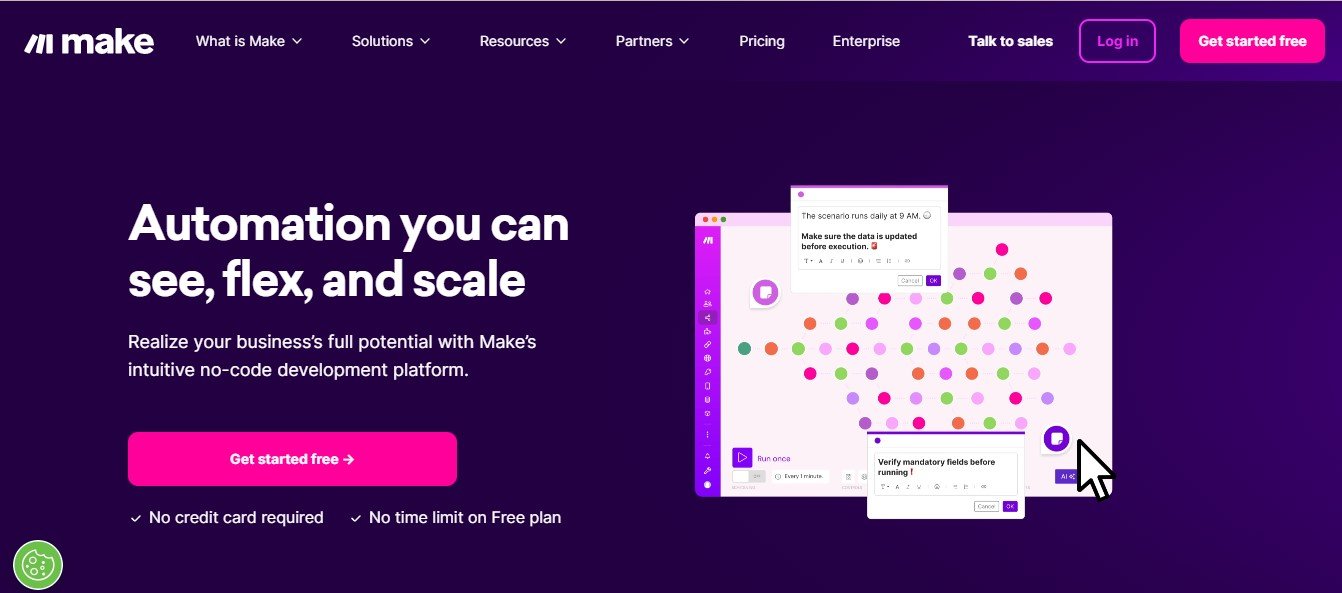
Make.com is a powerful no-code automation platform that enables individuals, businesses, and enterprises to connect apps, automate workflows, and enhance productivity without writing a single line of code. Whether you are looking to automate repetitive tasks, integrate multiple tools, or optimize business processes, Make.com simplifies workflow automation with a visual drag-and-drop interface.
With pre-built integrations, custom API connections, and advanced automation capabilities, Make.com is ideal for marketers, developers, business owners, and IT professionals who want to enhance efficiency and collaboration across various applications.
Features
No-Code Workflow Automation
- Build complex automations visually without programming skills
Drag-and-Drop Interface
- Easily design workflows with a simple and intuitive interface
1000 Plus App Integrations
- Connect popular apps like Google Sheets, Slack, Notion, Shopify, HubSpot, Zapier, and more
Custom API and Webhooks
- Integrate any software with API support for advanced automation
Real-Time Data Processing
- Automate data syncing, reporting, and processing in real time
Conditional Logic and Filtering
- Set rules, conditions, and triggers for precise workflow automation
Scheduled and Event-Based Triggers
- Automate tasks based on specific events, schedules, or user actions
Enterprise-Grade Security
- Ensure secure automation with encrypted connections and compliance
Cloud-Based and Scalable
- Access workflows from anywhere with fully cloud-based automation
How It Works
Step One Select Your Apps
- Choose the apps or tools you want to integrate
Step Two Design Your Workflow
- Use the drag-and-drop builder to set up automation steps
Step Three Configure Triggers and Actions
- Define conditions and workflows for seamless automation
Step Four Test and Optimize
- Run tests and refine workflows for efficiency
Step Five Automate and Monitor
- Activate the workflow and track automation in real time
Use Cases
For Businesses and Startups
- Automate CRM, email marketing, and customer support workflows
For Developers and IT Teams
- Connect APIs, manage databases, and streamline software development
For Marketers and Agencies
- Automate lead generation, social media, and campaign tracking
For E-commerce and Retail
- Sync product inventory, process orders, and manage payments
For Finance and Accounting
- Automate invoicing, expense tracking, and financial reporting
Pricing
Free Plan
- Basic automation with limited integrations and execution time
Core Plan Nine Dollars per Month
- More integrations, increased task limits, and premium features
Pro Plan Sixteen Dollars per Month
- Advanced automation, priority support, and multi-step workflows
Teams Plan Twenty-Nine Dollars per User per Month
- Collaboration tools, team accounts, and enterprise-grade security
Enterprise Plan Custom Pricing
- Tailored automation for large businesses and enterprises
Visit the Make.com Pricing Page for more details
Strengths
- No-Code and Easy to Use Build automations without technical skills
- Wide App Compatibility Integrates with 1000 Plus applications
- Flexible and Scalable Ideal for individuals, businesses, and enterprises
- Secure and Reliable Ensures data privacy and compliance
- Cost-Effective Affordable plans with robust automation features
Drawbacks
- Learning Curve Advanced workflows require time to master
- Limited Free Plan Some essential integrations are only available in paid plans
- Internet Dependency Requires a stable connection for cloud-based automation
Comparison with Other Automation Tools
Make.com vs Zapier
- Zapier is simpler but Make.com offers more flexibility and customization
Make.com vs Integromat
- Integromat previous name of Make.com now provides an improved user interface and advanced automation features
Make.com vs Pabbly Connect
- Pabbly Connect has a one-time pricing model but Make.com provides more integrations and scalability
Customer Reviews and Testimonials
- com has completely automated our marketing and sales workflows saving us hours every week Anna R Digital Marketer
- The best alternative to Zapier with more flexibility and advanced features James K IT Specialist
- The platform is powerful but takes some time to learn for complex workflows Mark T Business Owner
Conclusion
Make.com is a versatile no-code automation platform that helps businesses developers and marketers connect apps automate workflows and increase productivity effortlessly. With its visual interface powerful integrations and scalable automation capabilities Make.com is an essential tool for modern businesses.
Ready to automate your workflows
Visit Make.com and start building powerful automations today