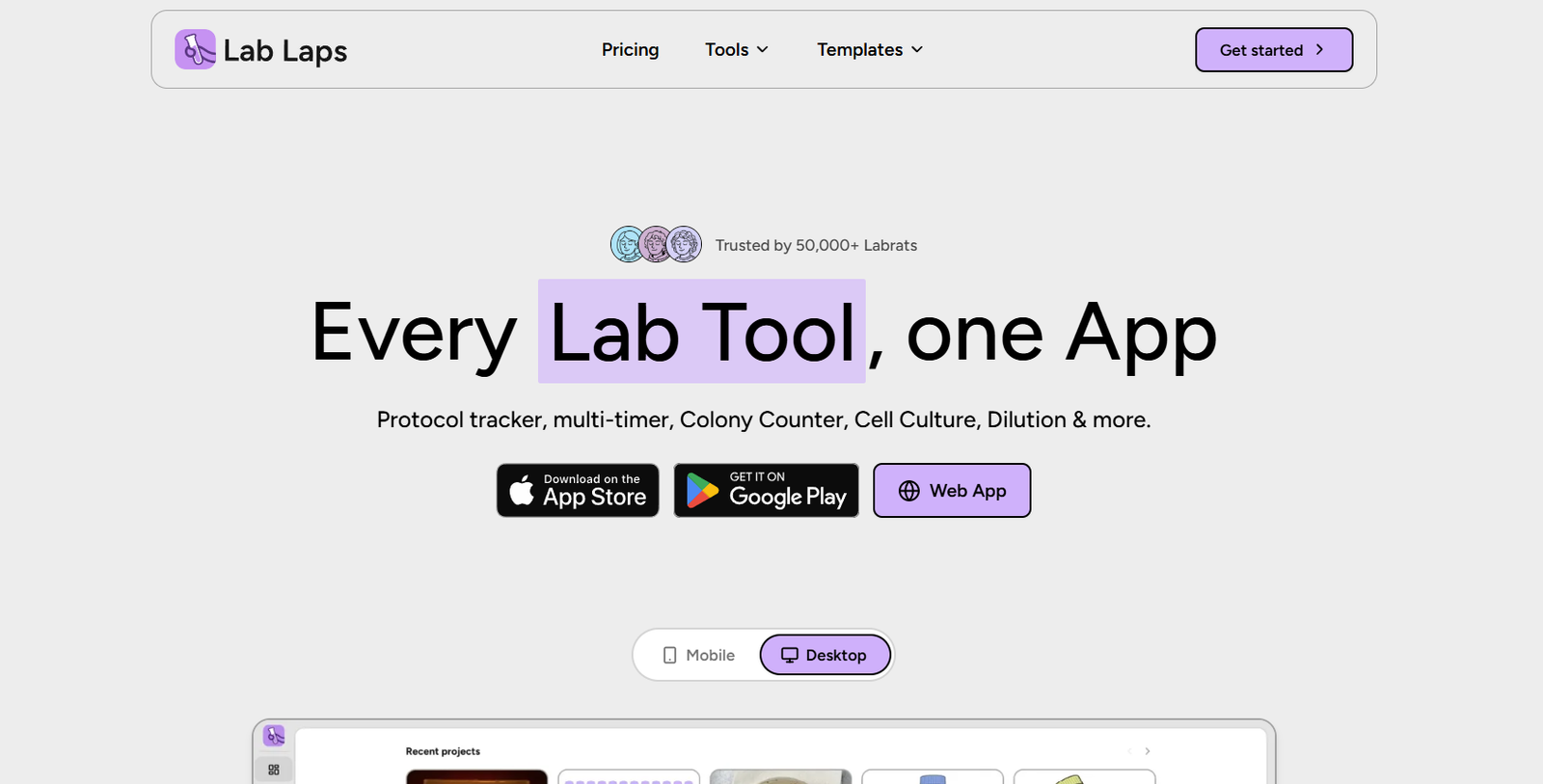
Lab Laps is a laboratory productivity application designed specifically for scientists, researchers and students working at the bench. Instead of using separate apps for experiment protocols, timers, calculations, colony counting and notes, Lab Laps brings these everyday laboratory functions into one workspace.
The platform includes an AI assisted colony counter that analyzes images of agar plates and detects bacterial colonies. It also provides AI assisted blood cell counting for identifying red blood cells, white blood cells and platelets from stained smear images. Users can review and correct the AI generated detections before recording the final count.
Beyond AI image analysis, Lab Laps provides a wide collection of scientific tools, including protocol tracking, multiple timers, dilution calculations, molarity calculations, buffer preparation, master mix calculations, cell culture tools, plate labelling, unit conversion, calibration curves, notes and other laboratory utilities.
Lab Laps can be used through its mobile application and browser based desktop workspace. Users who sign in can synchronize information between devices, while users who prefer local storage can disable cloud synchronization.
The platform is particularly suited to biology, microbiology, molecular biology and other laboratory environments where researchers frequently move between protocols, timers and scientific calculations.
Features
AI Colony Counter
Lab Laps provides an AI assisted colony counter for bacterial culture plates.
Users upload or capture an image of an agar plate or Petri dish and allow the system to detect visible colonies. Detection boxes can then be reviewed and adjusted manually before the user confirms the final CFU style count.
The online colony counter can be tried without creating an account.
AI Blood Cell Counter
Lab Laps also provides AI assisted blood cell detection from stained smear images.
The tool is designed to detect red blood cells, white blood cells and platelets. Users can inspect the detected cells and correct the results before recording the count.
The blood cell counter is intended for research and educational purposes rather than clinical diagnosis.
Protocol Tracker
Researchers can create and follow structured laboratory protocols directly within the application.
Individual experimental steps can be checked off as they are completed, making it easier to follow complex procedures without repeatedly switching between printed instructions and separate timer applications.
Multi-Timer
Lab Laps provides multiple simultaneous timers with labels and alerts.
Researchers running experiments with several incubation periods or overlapping steps can name each timer so they know exactly which experiment or procedure requires attention when an alert sounds.
Dilution Calculator
The dilution tool supports common laboratory calculations including C1V1 = C2V2, serial dilution, reverse dilution and solution preparation.
Users can enter the required values and calculate appropriate stock and solvent volumes without manually rearranging formulas.
Molarity Calculator
The molarity calculator helps researchers determine values such as the mass required for a particular concentration and solution volume.
It can also solve for moles, volume and mass concentration, with molecular weights available within the tool.
Buffer and Medium Calculator
Researchers can prepare buffer or medium recipes by adding individual components as powders or stock solutions.
Lab Laps calculates the amount to weigh or pipette and the quantity of solvent required to reach the final volume.
Master Mix Calculator
The master mix calculator is designed for PCR and other reaction workflows.
Users can enter the number of reactions, reaction volume and desired overage. The application then calculates the total quantity of each reagent required.
Plate Labelling
Lab Laps provides a digital plate labelling tool for organizing experimental wells.
Users can choose common formats such as 6, 12, 24 and 96 well plates or create a custom layout. Wells can be assigned titles, descriptions and visual labels.
Signed in users can export plate layouts as PNG or PDF files.
Cell Culture Tools
The platform includes dedicated cell culture functionality, allowing researchers to keep relevant calculations and experimental information within the same laboratory workspace.
Cell Counter
Lab Laps provides general cell counting functionality alongside its specialized AI assisted blood cell and colony counting tools.
Image Measurement
An image measuring tool is included for workflows where researchers need to evaluate dimensions or measurements from laboratory images.
Unit Converter
Researchers can convert scientific units without leaving the application to search for another calculator.
This can be useful during solution preparation and other quantitative laboratory work.
Custom Equations
Lab Laps allows users to work with custom equations, making the application useful beyond its predefined scientific calculators.
Calibration Curves
The platform includes functionality for working with calibration curves, providing another practical tool for quantitative laboratory workflows.
Notes and Calendar
Notes and calendar functionality allow researchers to keep experimental information and schedules closer to their other laboratory tools.
Scientific Reference Tools
Lab Laps also provides reference utilities such as amino acid information, codon wheels and tables, and molecular biology ladder resources.
Cross Device Synchronization
Signed in users can synchronize information through the cloud and access their projects on different devices.
Users who prefer not to use cloud synchronization can turn it off and keep information stored locally.
Project Sharing
Researchers can generate a link to share a project with colleagues.
Recipients can view the project and import it into their own Lab Laps workspace. Shared project links currently expire after 30 days.
How It Works
Step 1: Open Lab Laps
Users can access Lab Laps through its web workspace or supported mobile application.
Step 2: Choose a laboratory tool
Select the required function, such as protocols, colony counting, dilution calculations, timers, plate labelling or molarity calculations.
Step 3: Create a project
For ongoing laboratory work, create a project and organize the relevant experimental information.
Step 4: Build or follow a protocol
Add experimental steps and timers so the procedure can be followed systematically at the bench.
Step 5: Use calculations when needed
Open dilution, molarity, buffer, master mix or unit conversion tools without leaving the Lab Laps environment.
Step 6: Use AI image counting
For colony counting, upload an image of the agar plate and run AI detection. For supported blood cell workflows, upload a stained smear image.
Step 7: Verify the AI result
Review detected colonies or cells and manually correct detection boxes when necessary. AI results should not be accepted without checking them.
Step 8: Save or synchronize
Signed in users can save projects and synchronize information across devices.
Step 9: Share when required
Generate a project sharing link when another researcher needs to view or import the workflow.
Use Cases
Microbiology Researchers
Researchers can use AI colony counting to analyze bacterial plates while keeping experimental protocols, calculations and timers within the same application.
Molecular Biology Laboratories
Molecular biology researchers can use master mix calculations, dilution tools, plate labelling, timers, protocols and reference resources during everyday experiments.
Cell Biology Researchers
Cell culture tools, cell counting, dilution calculations and protocol tracking can support common cell biology workflows.
Laboratory Students
Students can use Lab Laps to follow structured experimental protocols, calculate solutions and learn common laboratory workflows without depending on multiple unrelated applications.
Research Assistants
Research assistants handling several experiments simultaneously can use labelled timers and structured protocols to keep different procedures organized.
Lab Managers
Managers can share standardized projects and protocols with laboratory members, helping teams work from a more consistent experimental structure.
PCR Workflows
Researchers preparing PCR or similar reactions can use the master mix calculator to determine reagent quantities according to reaction count and overage.
Agar Plate Analysis
Microbiology users can photograph an agar plate, allow AI to detect colonies and then manually review the results before recording the final count.
Educational Laboratories
Universities and teaching laboratories can use the platform to help students manage experiments, calculations, timing and basic image based counting.
Pricing
Lab Laps offers both Free and Pro access.
Free Plan
The Free option includes web based laboratory tools with up to 5 projects.
Users also receive limited AI colony counting.
The mobile application provides up to 2 protocol projects under the free offering.
Several online tools, including colony counting, blood cell counting, dilution calculations, buffer calculations, molarity calculations, master mix calculations and plate labelling, can be accessed without logging in for basic use.
Pro Plan
Lab Laps states that Pro unlocks:
Unlimited projects
Unlimited AI colony counting
Premium laboratory tools
Full Pro functionality within its iOS and Android applications
The official pricing page dynamically loads current subscription prices, and a reliable exact monetary price was not clearly displayed in the publicly accessible website information reviewed.
Therefore, exact Pro pricing details are not clearly available from the accessible official website information.
Users should check the current pricing page or application before subscribing.
Strengths
Lab Laps is purpose built for scientific laboratory work rather than being a generic productivity application.
Its biggest advantage is the combination of many small but frequently needed laboratory tools in one place.
The AI colony counter can reduce some of the repetitive work involved in manually identifying colonies on agar plates while still allowing researchers to review and correct the detections.
AI assisted blood cell detection adds another useful image analysis capability for research and educational workflows.
Protocol tracking and multiple labelled timers can be especially helpful when researchers are running experiments containing several timed steps.
Built in dilution, molarity, buffer and master mix calculators reduce the need to move between spreadsheets, websites and separate calculator applications.
Free access to several online tools also makes Lab Laps easy for students and researchers to try before considering Pro.
Drawbacks
Lab Laps is a specialized scientific application, so it offers limited value for users outside laboratory research and education.
The Free plan places limits on projects and AI colony counting.
Exact Pro pricing is not clearly visible through the publicly accessible pricing information reviewed, making it harder to compare its cost directly with competing laboratory software.
AI based colony and blood cell detection should always be reviewed by a knowledgeable user because image quality, lighting, overlapping objects and unusual samples may affect detection.
The blood cell counter is specifically described for research and education, so it should not be treated as a clinical diagnostic tool.
Lab Laps also does not appear to position itself as a full laboratory information management system or comprehensive electronic laboratory notebook. Organizations requiring advanced inventory, compliance, sample tracking or enterprise data management may need additional software.
Comparison with Other Platforms
Lab Laps sits between simple laboratory calculators and larger laboratory management platforms.
Compared with using individual online calculators, phone timers and handwritten protocols, Lab Laps brings these functions together in one scientific workspace. This can reduce the need to move constantly between unrelated tools during an experiment.
Compared with full Electronic Lab Notebook or Laboratory Information Management System platforms, Lab Laps is more focused on practical bench work. Its strengths are protocols, timers, calculations, plate tools and AI assisted image counting rather than large scale laboratory administration.
Generic productivity tools can manage tasks and notes, but they usually do not include specialized scientific functions such as dilution calculations, molarity calculations, master mixes, colony counting and plate labelling.
Lab Laps may therefore be particularly useful as a day to day bench companion that works alongside an existing ELN or laboratory management system.
Customer Reviews and Testimonials
Lab Laps displays customer testimonials on its official website and currently shows an overall rating of 4.9 out of 5.
The website also states that Lab Laps is trusted by more than 50,000 laboratory users.
Published feedback comes from users including a cell biology student, postdoctoral researcher and laboratory manager.
The testimonials highlight the convenience of keeping protocols and timers together, having laboratory calculations readily available and using workflows designed specifically around scientific bench work rather than generic task management.
These testimonials and usage figures are presented by Lab Laps itself and should therefore be considered company published information rather than independent third party verification.
Conclusion
Lab Laps is a specialized productivity platform for scientists who want frequently used laboratory tools in one accessible workspace.
Its combination of AI colony counting, AI assisted blood cell counting, protocols, multiple timers, dilution calculations, molarity calculations, master mix preparation, plate labelling, cell culture tools and scientific reference utilities makes it particularly useful for wet lab environments.
Microbiology, molecular biology and cell biology researchers may find the platform especially relevant. Students can also benefit from having common calculations and experimental tools available without constantly switching between separate apps and websites.
The AI features are useful additions, but they should be treated as assistants rather than replacements for scientific review. Researchers should verify colony and cell detection results before relying on them.
Overall, Lab Laps is worth considering for researchers, students and laboratory teams that want a practical digital companion for everyday bench work without immediately adopting a large and complex laboratory management system.