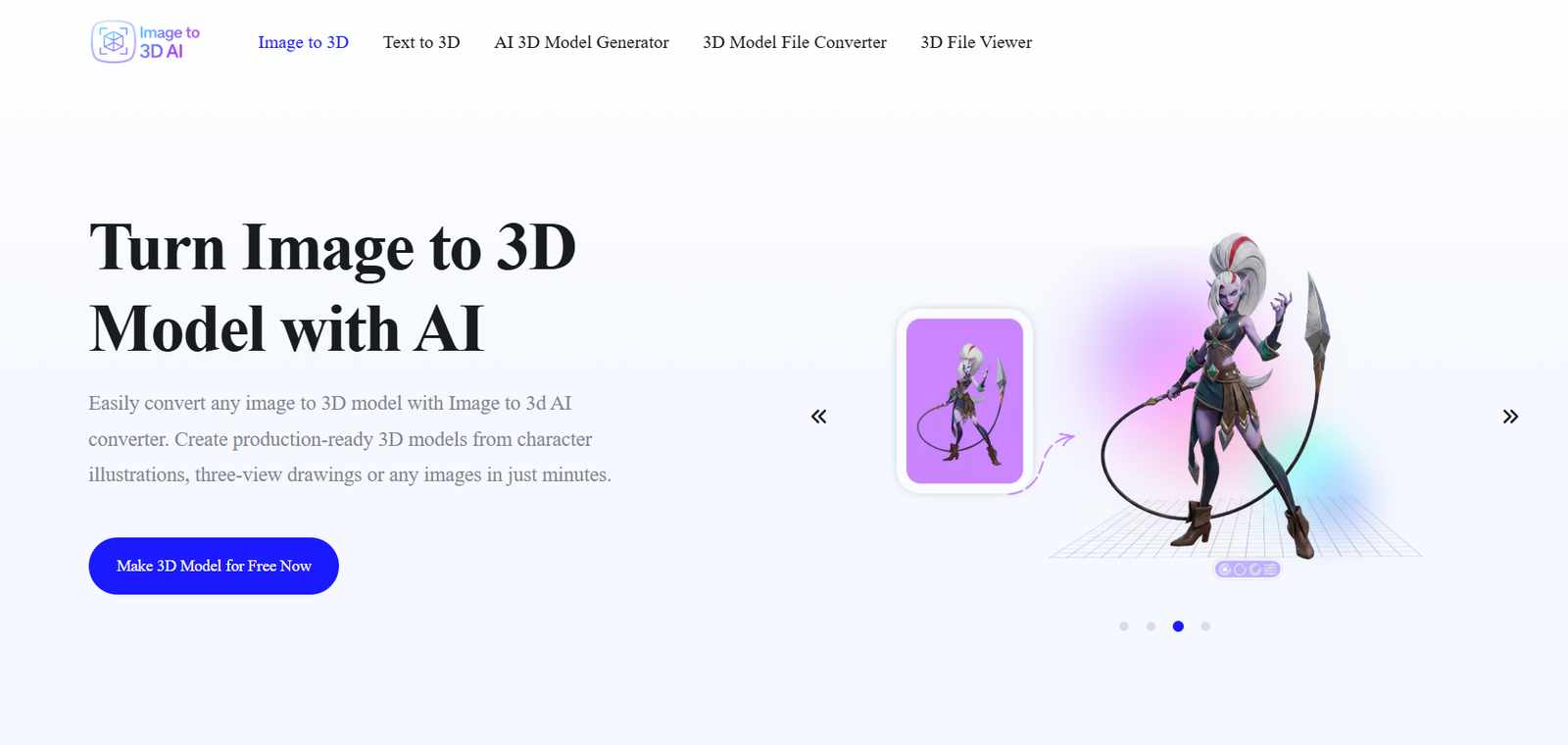
Image to 3D AI is an AI-powered 3D model generation platform that converts 2D images into detailed, textured 3D models in just a few clicks. Designed for game developers, 3D artists, product designers, architects, educators, and hobbyists, the platform removes the complexity of traditional 3D modeling by allowing users to upload an image and generate a ready-to-use 3D asset automatically.
The platform supports photographs, sketches, illustrations, concept art, logos, and product images. Using advanced AI, it reconstructs depth, geometry, and textures to create realistic 3D meshes that can be exported in popular formats for use in game engines, animation software, CAD applications, AR/VR projects, and 3D printing.
Its browser-based interface makes 3D creation accessible to both beginners and professionals without requiring specialized software or prior modeling experience.
Official Website: https://image-to-3d.ai/
Features
AI Image to 3D Conversion
Convert a single 2D image into a fully textured 3D model using AI in less than a minute.
Multiple Generation Modes
Choose from Turbo, Pro, and Ultra generation modes depending on the level of quality and detail required.
High-Quality Textured Models
Generate realistic 3D meshes with detailed textures suitable for games, product visualization, animation, and digital art.
Adjustable Polygon Count
Select different face counts and model complexity to optimize assets for various applications.
Browser-Based Platform
Generate 3D models directly from your browser without downloading or installing software.
Multiple Export Formats
Download models in OBJ, GLB, and STL formats for compatibility with popular 3D software and game engines.
Fast AI Processing
Most models are generated within 30–50 seconds, significantly reducing traditional modeling time.
Commercial Usage Rights
Paid plans provide full copyright ownership, allowing creators to use generated models commercially.
Interactive 3D Preview
Preview generated models before downloading to ensure they meet your project requirements.
Community Gallery
Browse AI-generated examples and explore creative projects shared by other users for inspiration.
How It Works
1. Upload an Image
Upload a JPG or PNG file containing a photograph, sketch, artwork, or illustration.
2. Choose Quality Settings
Select your preferred generator and polygon count based on the level of detail you need.
3. Generate the Model
The AI analyzes the image and reconstructs it into a textured 3D model.
4. Preview the Result
Inspect the generated model using the built-in interactive viewer.
5. Export Your Model
Download the finished model in OBJ, GLB, or STL format for editing, rendering, gaming, or 3D printing.
Use Cases
Game Development
Create characters, props, weapons, and environment assets for Unity, Unreal Engine, and other game engines.
Product Design
Generate 3D prototypes from product images for presentations and visualization.
3D Printing
Convert sketches and photos into printable 3D models.
Architecture
Create conceptual objects and decorative elements for architectural visualization.
AR & VR Development
Build optimized 3D assets for immersive applications and virtual environments.
Education
Help students learn 3D modeling concepts through AI-assisted model generation.
Digital Art
Transform concept art and illustrations into three-dimensional assets for animation and creative projects.
Pricing
Image to 3D AI offers both free and paid plans for creators with different production needs.
Pricing Highlights
- Free version available
- Starter plan from approximately $7/month (annual billing)
- Advanced plan from approximately $14/month (annual billing)
- Supports OBJ, GLB, and STL exports
- Full commercial usage rights on paid plans
- No daily generation limits on premium plans
- Access to Turbo, Pro, and Ultra AI generators
Strengths
- Fast AI-powered image-to-3D conversion
- Beginner-friendly interface
- No software installation required
- Browser-based workflow
- Multiple export formats
- Adjustable model quality
- Commercial usage support
- Interactive model preview
- Affordable pricing
- Suitable for gaming, design, animation, and 3D printing
Drawbacks
- Higher-quality generations require a paid subscription
- Complex objects may require manual refinement
- Internet connection is required
- Advanced editing features are limited compared to professional 3D software
- Results depend on the quality of the uploaded image
Comparison with Other Platforms
Compared with platforms such as Meshy, Tripo AI, and 3D AI Studio, Image to 3D AI focuses on providing a fast and beginner-friendly workflow for converting single images into textured 3D models. While many competitors offer broader AI creation suites, Image to 3D AI emphasizes simplicity, speed, and accessibility.
Its browser-based interface, multiple AI generation modes, adjustable polygon counts, and support for standard export formats make it an excellent choice for creators who want high-quality 3D assets without mastering complex modeling software.
Customer Reviews and Testimonials
“Creating 3D assets from concept art now takes minutes instead of hours.”
— Game Developer
“The generated models are surprisingly detailed and perfect for rapid prototyping.”
— Product Designer
“I was able to create printable 3D models without any prior experience.”
— 3D Printing Enthusiast
“The browser-based workflow makes 3D model generation incredibly convenient.”
— Digital Artist
Note: Testimonials are representative summaries based on publicly available user feedback and the platform’s capabilities.
Conclusion
Image to 3D AI simplifies the process of creating high-quality 3D models by transforming ordinary images into detailed, textured assets using artificial intelligence. Its intuitive interface, fast processing, multiple export options, and commercial licensing make it suitable for game developers, designers, architects, educators, and creators of all skill levels.
Whether you’re building game assets, developing AR/VR experiences, designing products, or preparing models for 3D printing, Image to 3D AI offers a fast and efficient way to bring your ideas into three dimensions.