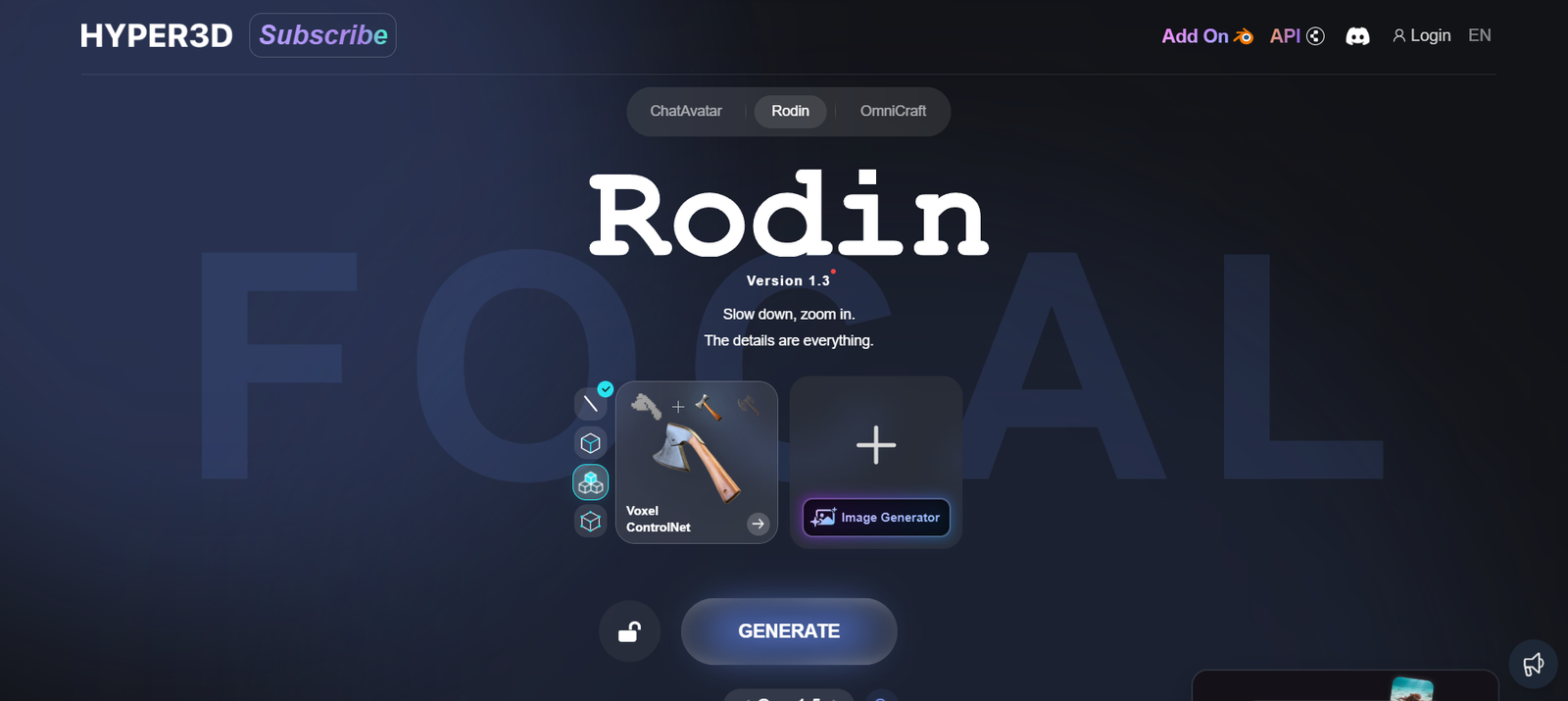
Hyper3D is an AI-powered platform that enables users to generate interactive 3D models from standard video footage. Built on cutting-edge neural radiance field (NeRF) technology, Hyper3D transforms smartphone-captured videos into detailed, spatially-accurate 3D renderings. The tool is designed for industries like e-commerce, real estate, gaming, and digital content creation where 3D visualization enhances user experience, improves engagement, and accelerates production workflows.
Unlike traditional photogrammetry or manual 3D modeling, Hyper3D offers a streamlined, automated process that eliminates the need for advanced equipment or technical expertise. With just a few simple steps, users can generate immersive 3D models directly from video clips, making high-quality 3D content creation more accessible than ever.
Features
Video-to-3D Conversion
Upload a smartphone video and get a high-resolution 3D model using advanced AI algorithms.
NeRF Technology
Hyper3D is built on neural radiance field (NeRF) technology, which reconstructs a scene in 3D with fine visual and spatial accuracy.
Interactive Viewer
Users can view and interact with generated 3D models directly on the platform. These models can also be embedded into websites and shared via links.
One-Click Model Sharing
Each model comes with a unique shareable link, making it easy to distribute and showcase on web pages or social media.
Optimized for Web
Generated 3D models are lightweight and optimized for web and mobile performance, ensuring fast load times and responsiveness.
Privacy Options
Control whether a model is private or public, giving creators flexibility over content visibility.
Simple Workflow
No need for 3D scanning hardware or complex software—just shoot a video and upload it.
How It Works
Capture a Video
Use a smartphone to film a 360-degree video of the object or space you want to convert into a 3D model.Upload to Hyper3D
Log in to your Hyper3D account and upload the video through the web interface.AI Processing
The platform uses NeRF-based machine learning to process the video and reconstruct a 3D scene, automatically detecting depth, geometry, and texture.View and Share
Once processed, users can interact with the 3D model in Hyper3D’s viewer, download it in various formats, or share it online.
Use Cases
E-Commerce
Display products in 3D to improve customer interaction and increase online sales.
Real Estate
Showcase interior spaces through immersive 3D walkthroughs, giving potential buyers or renters a realistic experience.
Gaming and AR/VR
Convert real-world objects into assets for video games, augmented reality (AR), and virtual reality (VR) environments.
3D Printing
Capture and convert physical models or prototypes for 3D printing.
Education and Research
Use 3D reconstructions in classrooms, museums, or scientific research to create interactive learning tools.
Marketing and Branding
Generate engaging 3D visual content for digital campaigns, social media, and websites.
Pricing
Hyper3D currently offers a free plan that allows users to test the platform’s core capabilities. While exact pricing tiers for premium features are not fully detailed on the website, the platform indicates that it provides:
Free basic model generation for casual or experimental users.
Premium processing for high-resolution, faster turnaround, and commercial-grade output (available upon request).
Enterprise solutions for businesses needing high-volume or customized integrations.
For up-to-date pricing, users are encouraged to visit the official pricing page or contact the sales team for tailored plans.
Strengths
No Special Hardware Required: Only a smartphone is needed to create high-quality 3D models.
NeRF-Powered Accuracy: Produces visually and geometrically accurate models using state-of-the-art AI.
User-Friendly Interface: The web-based platform is intuitive, with minimal learning curve.
Fast Processing: Models are rendered quickly, especially with premium options.
Web-Embeddable: Easy sharing and website embedding without heavy file sizes.
Flexible Licensing: Suitable for both casual and enterprise users.
Drawbacks
Limited Editing Tools: No built-in tools for post-editing the 3D model directly on the platform.
Processing Limits on Free Plan: Larger or more complex models may require a paid upgrade.
Model Quality Dependent on Input: Poor video quality may lead to suboptimal 3D reconstruction.
No Mobile App: Currently, Hyper3D is only available via a web interface.
Comparison with Other Tools
Versus Luma AI
While both use NeRF technology, Luma AI offers more advanced model editing and export options. However, Hyper3D stands out for its ease of use and fast web-based experience without requiring any downloads.
Versus Polycam
Polycam supports LiDAR-based scanning for iOS, offering more manual control. Hyper3D requires only video input and is accessible to users without LiDAR devices.
Versus RealityCapture
RealityCapture is suited for professionals and requires multiple photos and GPU-heavy processing. Hyper3D offers a simpler, faster pipeline suitable for casual users and teams without technical backgrounds.
Customer Reviews and Testimonials
As of now, detailed customer testimonials are limited on the Hyper3D website. However, early adopters and beta users have provided positive feedback on platforms like Product Hunt:
“I was impressed with how easy it was to get started—just upload a video and wait a few minutes.”
“This is a game-changer for indie developers needing 3D assets without expensive scanning gear.”
“Great for online shops—our conversion rates went up after using Hyper3D for our product listings.”
Users particularly praise the intuitive interface and the model quality delivered with minimal input.
Conclusion
Hyper3D is revolutionizing the way we create 3D content by making it as easy as shooting a video. Its NeRF-powered platform eliminates the traditional barriers of 3D modeling—no complex software, no special cameras, and no technical skill required. From online stores to real estate tours and game development, Hyper3D offers an accessible solution for generating realistic, interactive 3D models from simple videos.
For creators and businesses looking for an efficient, AI-driven 3D solution, Hyper3D presents a compelling tool with powerful potential.