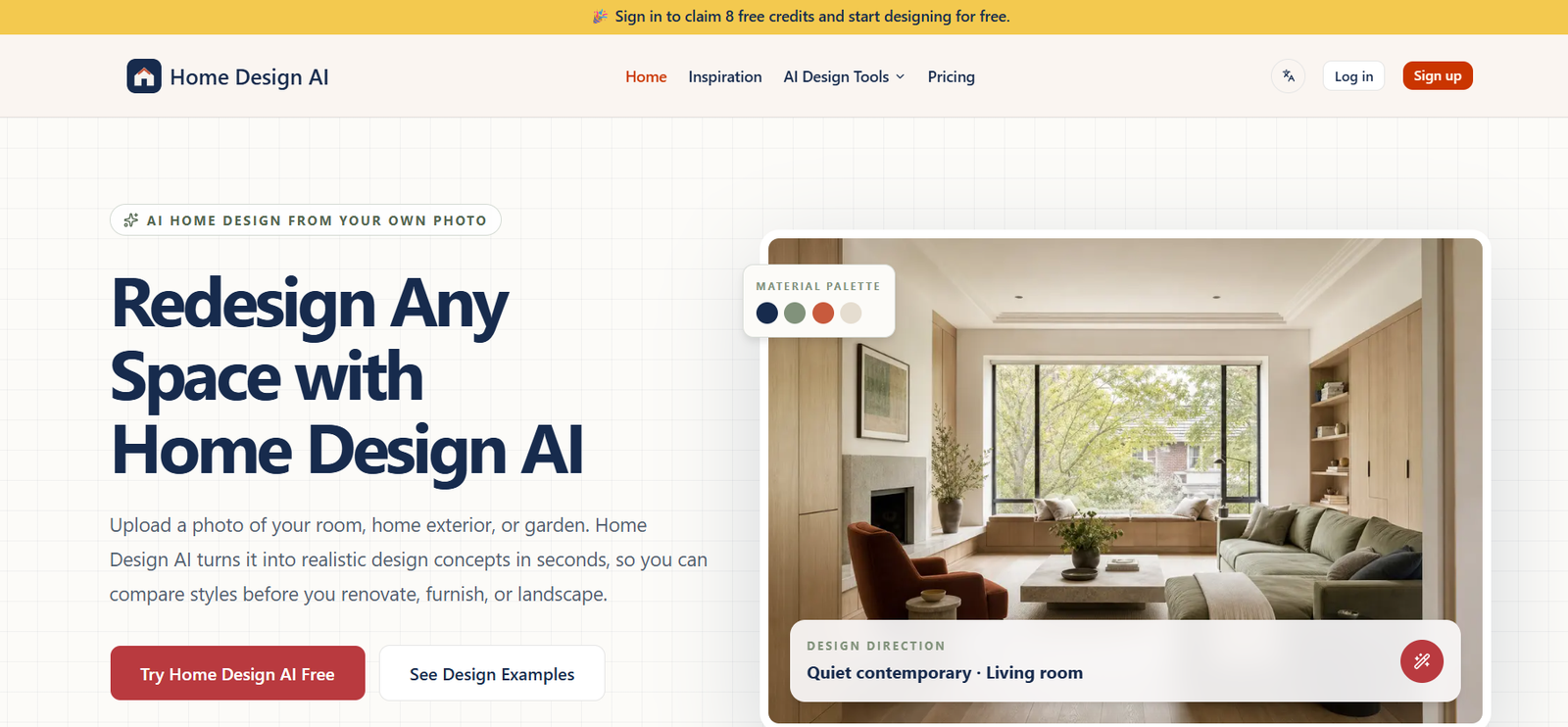
HomeDesign AI is an AI-powered home design platform that helps homeowners, interior designers, architects, real estate professionals, and renovation enthusiasts visualize home improvements quickly. By uploading a photo of a room or exterior, users can generate realistic redesigns in different styles without requiring professional design software or advanced technical skills.
The platform supports a wide range of design tasks, including interior redesign, exterior renovation, landscaping, virtual staging, furniture replacement, floor plan creation, and AI-assisted remodeling. It is designed to simplify the design process while helping users explore multiple concepts before making renovation or purchasing decisions.
Features
AI Interior Design
Upload a photo of any room and instantly generate redesigned interiors using different themes, color palettes, furniture layouts, and décor styles while preserving the room’s original structure.
Exterior Design
Visualize changes to house exteriors, including paint colors, roofing, facades, windows, and landscaping before starting renovation work.
AI Landscaping
Create new garden layouts, outdoor living spaces, patios, pathways, and landscape concepts using AI-generated designs.
Virtual Staging
Furnish empty rooms digitally for real estate listings or renovation planning without physically adding furniture.
Furniture Editing
Replace, remove, or add furniture and decorative objects while keeping the room layout intact. AI automatically identifies furniture for easier editing.
Inspiration Matching
Upload an inspiration image and let the AI redesign your own room with a similar style while preserving the original architecture.
Floor Plan Generation
Generate 2D and 3D floor plans to better visualize layouts and renovation ideas. Advanced plans include enhanced planning tools for professionals.
Budget Estimation
Estimate approximate renovation costs based on the generated design, including suggested furniture and materials.
AI Video Walkthroughs
Create AI-generated walkthrough videos of redesigned spaces to better understand the final appearance before renovation.
High-Resolution Downloads
Export completed designs in high resolution for presentations, renovation planning, or client proposals.
How It Works
Step 1
Create a HomeDesign AI account.
Step 2
Upload a photo of your room, house exterior, or outdoor area.
Step 3
Select the room type, preferred design style, and customization options.
Step 4
Allow the AI to generate one or more redesign concepts.
Step 5
Review the generated designs and refine them using additional editing tools if needed.
Step 6
Download the completed designs, floor plans, or videos for renovation planning, client presentations, or marketing.
Use Cases
Homeowners can experiment with renovation ideas before investing in remodeling projects.
Interior designers can create concept designs for clients in a fraction of the usual time.
Architects can visualize renovation possibilities during the planning stage.
Real estate agents can virtually stage empty properties to improve listing presentations.
Construction companies can present renovation concepts to clients.
Furniture retailers can demonstrate how products fit into real living spaces.
Landscape designers can showcase outdoor renovation ideas.
Property developers can create visual presentations for residential projects.
Pricing
HomeDesign AI offers several subscription options:
Starter – $9.99/month, including 200 monthly credits, 4K exports, limited floor planners, commercial usage rights, and watermark-free downloads.
Professional – $24.99/month, offering 600 monthly credits, additional floor planners, priority processing, and commercial usage.
Enterprise – $49.99/month, including 1,500 monthly credits, unlimited floor planners, priority processing, and enterprise-level usage.
Annual billing is available with discounted pricing, and one-time credit purchases are also offered.
Strengths
Supports both interior and exterior home design.
Offers numerous AI-powered renovation and visualization tools within a single platform.
Creates realistic designs while preserving the original room structure.
Includes virtual staging, landscaping, floor plans, and AI walkthrough videos.
Suitable for homeowners as well as design professionals.
Provides commercial usage rights on paid plans.
High-resolution exports improve professional presentations.
Drawbacks
Advanced features require a paid subscription.
AI-generated designs may still require manual refinement for real construction projects.
Large commercial projects may need additional professional architectural planning.
Generation limits depend on the selected subscription plan.
Comparison with Other Platforms
Compared with general AI image generators, HomeDesign AI focuses specifically on residential and commercial property visualization. It combines room redesign, landscaping, virtual staging, floor planning, furniture editing, and renovation visualization in one platform. Unlike basic interior design generators, it also provides AI video walkthroughs, cost estimation, and commercial licensing, making it suitable for both personal and professional use.
Customer Reviews and Testimonials
The official website highlights that the platform is trusted by millions of users and thousands of design professionals. It also showcases customer success stories and reports a high user satisfaction rating. However, detailed independently verified customer reviews and testimonials are not clearly available on the official website.
Conclusion
HomeDesign AI is a comprehensive AI home visualization platform that enables users to redesign interiors, exteriors, gardens, and floor plans with minimal effort. Its combination of realistic AI rendering, virtual staging, furniture editing, floor planning, and renovation tools makes it valuable for homeowners, architects, interior designers, real estate professionals, and construction companies. Whether planning a home makeover or preparing professional design presentations, HomeDesign AI offers an efficient way to visualize ideas before committing to real-world changes.