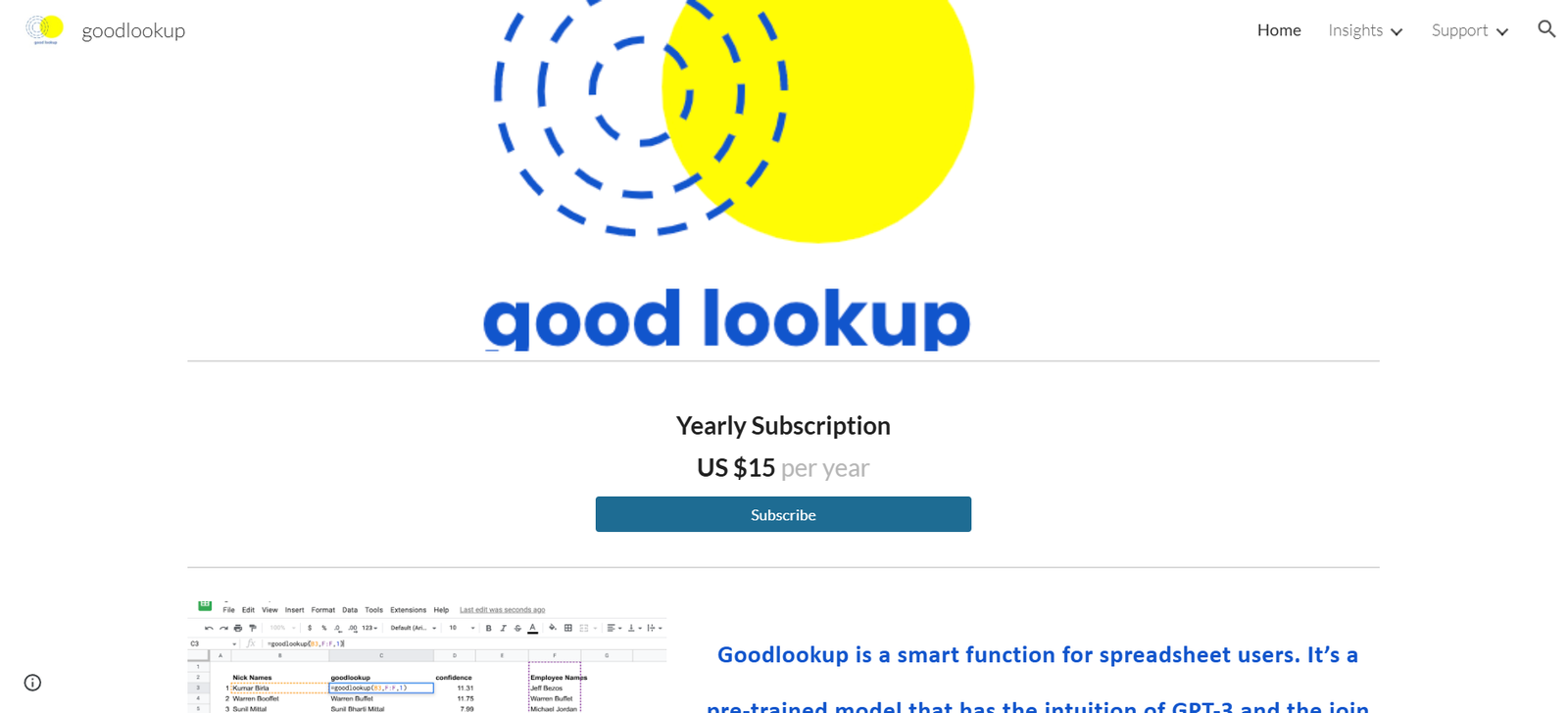
Goodlookup AI is a powerful Google Sheets add-on designed to solve one of the most common and frustrating problems in spreadsheet workflows—matching imperfect or messy data. Traditional spreadsheet functions like VLOOKUP or INDEX/MATCH often fail when there’s no exact match between the datasets. Goodlookup leverages AI, specifically language models, to enable fuzzy matching between columns based on meaning rather than strict text equivalency. This makes it ideal for users dealing with human-generated data that can often be inconsistent or unstructured. Built in collaboration with OpenAI, Goodlookup brings smart matching to spreadsheets by using semantic understanding rather than relying solely on syntax.
Features
Goodlookup uses AI language intelligence to find approximate matches between two text columns, solving data join problems that typical spreadsheet functions struggle with.
It integrates seamlessly with Google Sheets, appearing as an add-on that users can install from the Google Workspace Marketplace.
The tool offers a familiar formula structure, similar to VLOOKUP or XLOOKUP, making it accessible to users with spreadsheet experience.
Users can adjust match sensitivity by setting threshold levels for matching confidence, helping balance between accuracy and flexibility.
The AI engine behind Goodlookup can handle a wide range of use cases, including typos, formatting differences, synonyms, or even different ways of referring to the same thing.
It respects privacy and never uses personal data to train its AI models. All data stays secure and is only processed during the function’s execution.
There is also a preview mode that allows users to test matches before fully applying them to their spreadsheet, reducing error risk.
How It Works
Goodlookup is powered by a language model developed in collaboration with OpenAI. Once installed as a Google Sheets add-on, users can invoke Goodlookup as a function similar to traditional lookup formulas. Instead of requiring exact matches, the function analyzes the semantic content of the entries and suggests the most likely corresponding values. Users input two columns: one with the search values and one with the target values. Goodlookup then uses AI to return the best match based on meaning, not just text similarity.
The syntax of the function is simple: =GOODLOOKUP(search_value, search_column, result_column, [match_threshold]).
The optional match threshold lets users define how close the AI match needs to be to return a result, giving more control over the accuracy of the outcome.
Use Cases
Goodlookup is especially useful for data analysts, marketers, sales teams, operations professionals, and researchers working with large, messy datasets.
A common use case includes merging customer data from multiple sources where names, emails, or company titles may be entered inconsistently.
It’s also helpful for reconciling survey data where participants may have used varying language to describe the same items.
Marketing teams can use it to clean up campaign reports where campaign names or sources may differ slightly in naming conventions.
In HR or education, Goodlookup helps match records from different databases where formatting or entry errors would normally break traditional lookups.
It supports academic research by matching bibliography entries or publication data from multiple sources with minor text variations.
Pricing
Goodlookup offers both a free and paid version, with pricing tailored to individual and team needs.
The Free Plan allows users to try Goodlookup with limited usage, suitable for light or occasional use cases. It includes:
100 AI matches per month
Access to the full formula and Sheets integration
Preview mode
The Pro Plan is priced at $10 per month and is designed for professionals and teams with higher data processing needs. It includes:
Unlimited AI matches
Full access to the Sheets add-on
Priority support
Pricing is clearly outlined on the official Goodlookup website, and users can upgrade or downgrade their plan at any time. The tool can be installed directly from the Google Workspace Marketplace.
Strengths
Goodlookup’s core strength lies in its ability to understand language and context, which traditional spreadsheet functions cannot do.
It integrates natively with Google Sheets, making it accessible to a large number of users without the need for external tools or coding.
Its familiar function format reduces the learning curve, especially for users accustomed to formulas like VLOOKUP or XLOOKUP.
The match threshold feature gives users control over how precise or fuzzy matches should be.
It enhances productivity by dramatically reducing manual cleanup work in spreadsheets.
It maintains a strong emphasis on data privacy and does not use submitted data to train models.
Drawbacks
Goodlookup currently only supports Google Sheets, which limits its use for Excel users unless they switch platforms.
Although the AI is powerful, it may not always produce perfect results, especially when working with highly ambiguous or non-contextual data.
The free plan is somewhat limited, offering only 100 matches per month, which may not be sufficient for more demanding use cases.
Users relying on highly structured or numeric data might find traditional lookup functions to be faster and more efficient in some scenarios.
Comparison with Other Tools
Compared to traditional spreadsheet functions like VLOOKUP or XLOOKUP, Goodlookup stands out for its ability to handle messy, inconsistent text using AI rather than exact matching. While VLOOKUP requires a perfect match, Goodlookup applies semantic logic to find the most likely match, similar to how a human would.
Compared to other fuzzy matching add-ons or scripts, Goodlookup is significantly easier to use and doesn’t require coding knowledge.
While tools like OpenRefine offer data cleaning capabilities, they are standalone applications and not directly integrated with Google Sheets. Goodlookup offers the advantage of working natively within a spreadsheet workflow.
Other AI-enhanced tools such as ChatGPT or Python scripts using fuzzywuzzy can perform similar tasks, but they require technical setup and do not work inside Google Sheets. Goodlookup simplifies this process for non-technical users.
Customer Reviews and Testimonials
Goodlookup has received positive feedback from users, especially on platforms like Product Hunt, where it has been praised for solving real-world spreadsheet problems in a practical way.
Users appreciate how it reduces hours of manual data cleanup into seconds and how it integrates effortlessly with existing workflows in Google Sheets.
Testimonials highlight its ability to match data from multiple systems with different naming conventions and its reliability in returning accurate matches.
Professionals in data analytics and operations have endorsed Goodlookup as a game-changer for working with real-world, messy data.
Many have commented that it is “the missing piece” for Google Sheets and that it brings the intelligence of AI directly into the daily tools they already use.
Conclusion
Goodlookup AI fills a critical gap in spreadsheet data management by using artificial intelligence to enable semantic matching between imperfect datasets. It is an ideal tool for users who frequently work with unstructured or inconsistent data in Google Sheets and are looking for a smarter alternative to VLOOKUP. With its intuitive formula structure, privacy-conscious design, and accurate language-based matching, it brings the power of AI directly into everyday spreadsheet workflows. While it has some limitations, particularly for Excel users or those with numeric-only datasets, it remains a strong choice for professionals in data-heavy roles. For anyone dealing with real-world data that rarely comes clean or standardized, Goodlookup is a valuable and time-saving addition to Google Sheets.