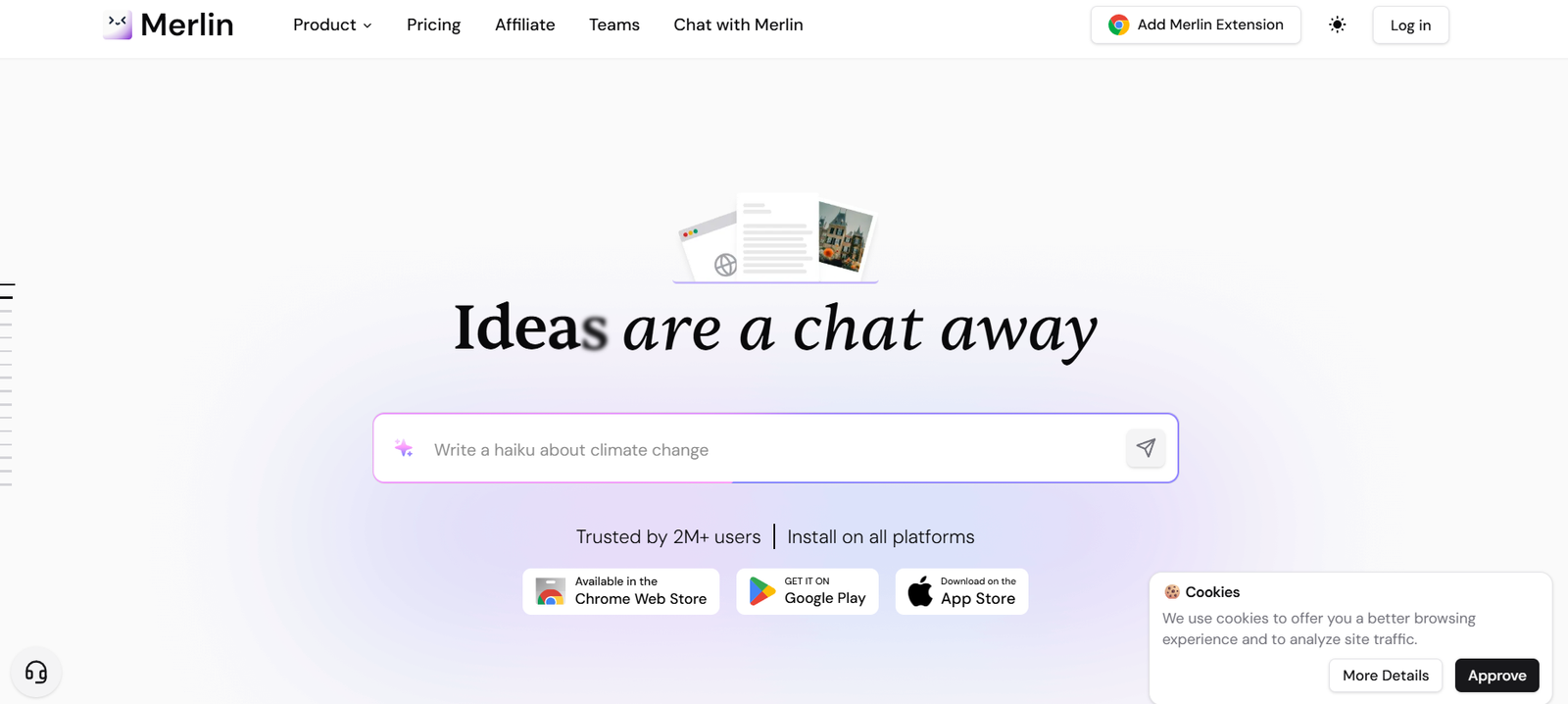
GetMerlin.in is a powerful AI assistant designed to streamline your web browsing, content creation, and online productivity tasks. Built as a Chrome extension, Merlin uses ChatGPT to bring intelligent features directly to your browser, allowing users to summarize articles, generate emails, compose content, and interact with web pages—all with minimal effort.
Whether you’re a student, professional, content creator, or casual web user, Merlin acts as your AI copilot, helping you get more done faster.
Features
GetMerlin.in includes a robust suite of AI-powered features that integrate seamlessly with your daily workflow:
ChatGPT in Any Tab: Access ChatGPT instantly across any webpage without switching tabs.
Text Summarizer: Summarize long articles, PDFs, or YouTube videos with one click.
Email Assistant: Write, reply, or summarize emails within Gmail using AI.
AI Writer: Generate blog posts, LinkedIn content, tweets, and professional messages.
AI Search Enhancer: Augment Google search results with AI-generated answers.
LinkedIn Reply Generator: Craft personalized comments and replies for networking and engagement.
YouTube Summary Tool: Instantly extract key takeaways from long video content.
Custom Prompts: Use or create prompt templates for repeated tasks (e.g., cold emails, summaries, rephrasing).
Keyboard Shortcuts: Access Merlin with quick shortcuts for faster task execution.
These features are designed to help users stay productive and creative while browsing.
How It Works
Merlin is easy to set up and use:
Install the Chrome Extension: Visit https://www.getmerlin.in and install the extension on your browser.
Sign In: Create an account or sign in using Google.
Use Anywhere on the Web: Highlight text on any webpage or open Merlin with a keyboard shortcut (
Cmd/Ctrl + M) to launch the assistant.Input Your Task: Ask questions, summarize content, write emails, or generate posts using the integrated AI chat interface.
Execute and Copy: Get results instantly and copy or apply them wherever needed.
Merlin makes ChatGPT’s capabilities context-aware and embedded directly in your workflow.
Use Cases
Merlin supports a wide range of professional and academic use cases:
Students: Summarize articles, generate notes, rephrase text, and enhance study productivity.
Professionals: Draft emails, respond to messages, and summarize meetings or documents.
Content Creators: Generate ideas, blog drafts, social media content, and scripts.
Marketers: Write LinkedIn posts, ad copy, cold emails, and SEO content.
Researchers: Extract key points from whitepapers, news articles, and long-form content.
Recruiters and HR: Create outreach messages, review profiles, and write feedback.
Its versatility makes Merlin a must-have productivity extension for a broad user base.
Pricing
As of May 2025, GetMerlin.in offers multiple pricing tiers:
Free Plan:
Limited daily uses (approx. 15–20 queries)
Access to core features like summarization, email assistance, and writing
Pro Plan (₹999/month or ~$12/month):
Unlimited usage across all tools
Access to premium AI models and advanced writing templates
Priority support and updates
Ideal for power users, professionals, and creators
Enterprise/Custom Plans (On request):
Scalable usage
Team management features
Custom integrations and deployment
The free version is generous enough for casual use, while the Pro plan adds serious productivity capabilities.
Strengths
GetMerlin.in offers several distinct advantages:
All-in-One Tool: Combines summarization, writing, replying, and idea generation in one browser extension.
Contextual Use: Works on top of the websites and tools you already use (e.g., Gmail, LinkedIn, Google Docs).
Quick and Intuitive: No steep learning curve—open Merlin, type, and go.
Time Saver: Reduces time spent writing, reading, and drafting responses across platforms.
Language Support: Works in multiple languages for global users.
Its lightweight footprint and strong integration make it a favorite for multitaskers.
Drawbacks
While powerful, GetMerlin.in has some current limitations:
Chrome-Only (for now): Requires Google Chrome or Chromium-based browsers (no Firefox or Safari support).
Online-Only: Needs an internet connection to function, as it runs on cloud-based AI.
Learning Curve for Prompting: To get best results, users must learn to craft effective prompts.
Limited Offline Functionality: No standalone app or offline mode.
These are relatively minor and common among AI browser tools.
Comparison with Other Tools
Here’s how GetMerlin.in compares to similar productivity extensions:
Versus ChatGPT (OpenAI): While ChatGPT requires switching tabs, Merlin brings AI to any page in-context.
Versus GrammarlyGO: Grammarly focuses on grammar and tone; Merlin offers broader AI writing and summarization.
Versus Jasper or Copy.ai: Jasper is focused on long-form marketing content, while Merlin is more versatile and integrated into everyday tools.
Versus Compose AI: Compose AI provides text suggestions; Merlin enables broader interaction like summarization, search enhancement, and replies.
GetMerlin.in stands out as a browser-native copilot that supports a wider variety of tasks.
Customer Reviews and Testimonials
While GetMerlin.in does not yet feature formal testimonials on its homepage, user feedback across platforms is overwhelmingly positive:
“This is the AI sidekick I never knew I needed—super efficient!”
“Love how I can use ChatGPT without leaving Gmail or LinkedIn.”
“A lifesaver for long emails and research articles.”
Professionals appreciate the in-context performance and time saved through the extension.
Conclusion
GetMerlin.in is an incredibly useful AI-powered browser assistant that makes everyday tasks like writing, summarizing, emailing, and researching faster and easier. With its seamless Chrome integration, intelligent tools, and user-friendly design, it empowers users to be more productive and creative without ever leaving their current workflow.
If you’re looking to supercharge your browser with AI, GetMerlin.in is one of the most practical, lightweight, and powerful tools available today.