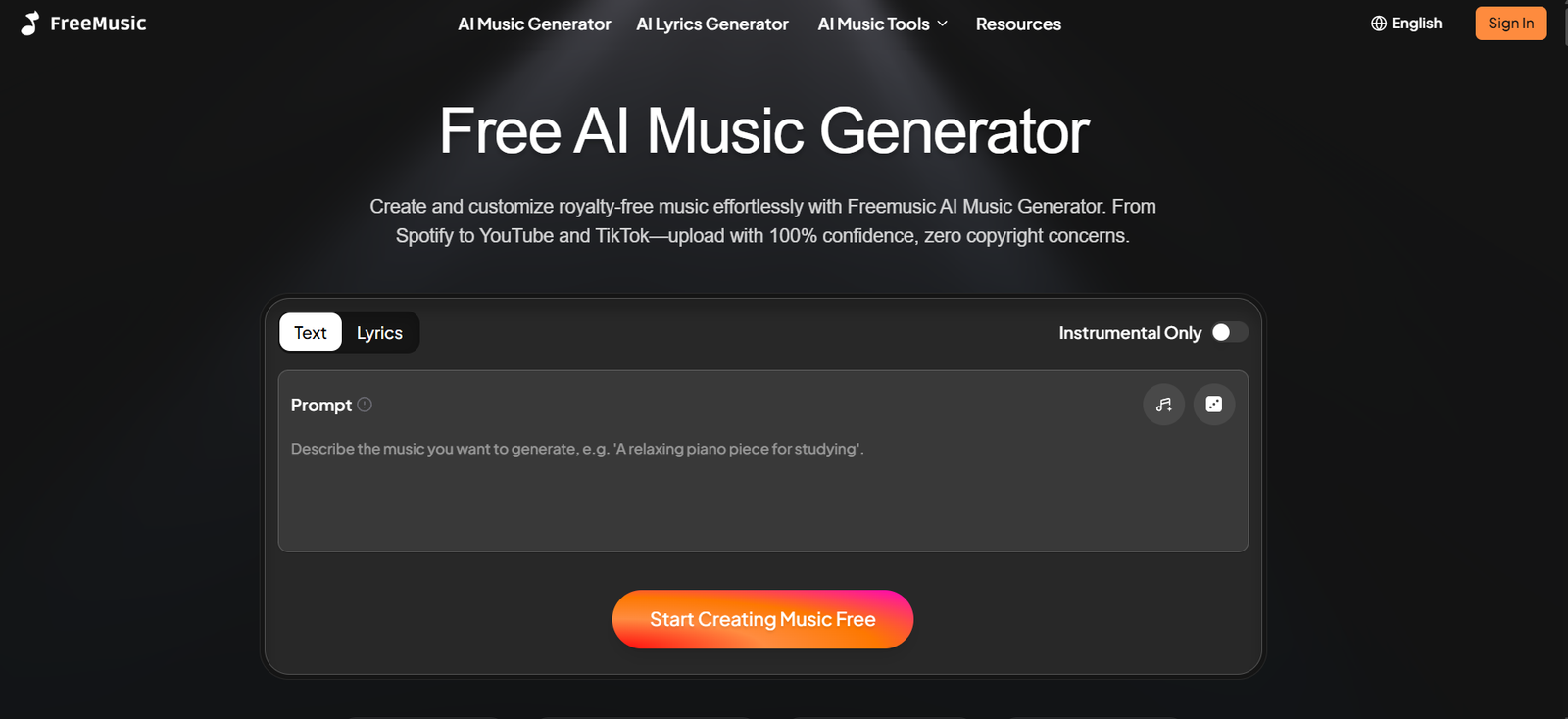
FreeMusic AI is an online AI-powered music creation platform that helps users generate complete songs from text prompts, ideas or lyrics. It is designed for people who want to create original music without needing advanced music production knowledge or traditional studio equipment.
Users can describe the type of music they want by providing information such as genre, mood, instruments and overall style. FreeMusic AI then uses artificial intelligence to create a complete track. Users can also provide their own lyrics or use the built-in AI Lyrics Generator.
Beyond music generation, the platform includes several audio creation and editing tools. These include an AI Song Cover Generator, AI Singing Voice Generator, Vocal Remover, Stem Splitter, AI Music Mastering, MIDI tools and music video features.
FreeMusic AI can be useful for musicians, YouTubers, podcasters, filmmakers, social media creators, businesses, game developers and anyone who needs customized music for digital projects.
Features
AI Music Generator
The core tool converts text descriptions into complete music tracks. Users can describe a genre, mood, style or musical idea and let the AI create a song based on those instructions.
Text to Music
Users can enter a simple text prompt to create music. This makes the platform accessible to people who may have creative ideas but lack experience with music composition software.
Lyrics to Music
Users can provide their own lyrics and transform them into songs. They can further adjust elements such as genre, mood, instruments, atmosphere and vocal preferences.
AI Lyrics Generator
FreeMusic AI includes a lyrics generation tool for creating song lyrics from themes, ideas or phrases. It can help users develop hooks, verses and complete lyrical concepts.
AI Song Cover Generator
The platform provides an AI-powered song cover tool for experimenting with different vocal and musical interpretations.
AI Singing Voice Generator
Users can explore AI-generated singing voices as part of their music creation process.
AI Vocal Remover
The Vocal Remover separates vocals from instrumental audio. It can be useful for karaoke tracks, remixes, sampling and other music production purposes.
AI Stem Splitter
FreeMusic AI can separate a track into individual components such as vocals, drums, bass and instruments. This provides greater flexibility for remixing and editing music.
AI Music Mastering
The mastering tool is designed to improve elements such as loudness, balance, clarity and depth. Users can also provide a reference track to guide the mastering process.
AI Music Editor
FreeMusic AI provides editing capabilities for refining generated music. Users can modify lyrics, replace sections and experiment with alternative melodies or variations.
Music Video Tools
The platform also offers AI music video capabilities, extending the workflow from audio generation into visual music content.
Additional Music Utilities
FreeMusic AI includes supporting tools such as Audio to MIDI, MIDI editing, BPM detection and other music utilities for creators who want greater control over their audio.
How It Works
Step 1: Open the Music Generator
Users begin by opening the AI Music Generator in their browser.
Step 2: Select a Generation Mode
Users can choose between creating music from a text prompt or creating a song using their own lyrics.
Step 3: Describe the Music
Enter information about the desired song, such as genre, mood, instruments, atmosphere or vocal preferences.
Step 4: Add or Generate Lyrics
Users can paste their own lyrics or use the AI Lyrics Generator to create lyrics automatically.
Step 5: Generate the Track
After selecting the desired options, users click Generate. The AI processes the instructions and creates the music.
Step 6: Preview the Result
Generated tracks appear in the workspace where users can listen to the music and review the lyrics.
Step 7: Refine the Music
Depending on the feature and plan being used, creators can remix, edit or further process their generated music.
Step 8: Download the Track
Users can download eligible generated audio for use in videos, podcasts, social media, personal projects and other applications according to the applicable plan and licensing conditions.
Use Cases
YouTube and Social Media Creators
Creators can generate background music for YouTube videos, TikTok content, short videos, livestreams and other social media projects.
Musicians and Songwriters
Musicians can use the platform for songwriting ideas, lyrics, melodies, experimental compositions and early song concepts.
Podcasters
Podcasters can create customized intros, outros, background tracks and other audio elements for their shows.
Filmmakers
Video creators and filmmakers can generate music for short films, promotional videos, documentaries and other visual projects.
Game and App Developers
Developers can experiment with ambient tracks, background music and soundscapes for games, apps and interactive experiences.
Businesses and Marketers
Businesses can create music for advertisements, product videos, presentations and branded digital content.
DJs and Music Producers
Stem splitting, vocal removal and other editing tools can help producers isolate audio components for remixing and creative experimentation.
Students and Educators
Students and teachers can experiment with AI-generated music for lessons, workshops, music projects and creative learning activities.
Pricing
FreeMusic AI provides a free plan as well as several paid options. Pricing varies depending on whether users choose monthly, yearly or other available billing arrangements.
The Free plan provides 30 credits per year and up to 15 music generations. It includes access to the basic AI Music Generator, AI Lyrics Generator, AI Music Video and other basic functionality.
The Starter plan is listed at $10.49 per month when billed yearly, with $125.92 charged annually. It provides 1,800 credits per year and up to 900 music generations, along with the Pro AI Music Generator, lyrics generation, music video tools, music editing features and other benefits.
The Hobby plan is listed at $20.99 per month when billed yearly, or $251.92 billed annually. It provides 4,200 credits per year and up to 2,100 music generations, along with unlimited downloads and additional support.
The Professional plan is listed at $55.99 per month when billed yearly, or $671.92 billed annually. It provides 14,400 credits per year and up to 7,200 music generations, along with the platform’s advanced music generation and editing features.
FreeMusic AI states that commercial rights are included with annual plans. Monthly plans do not include commercial rights according to the pricing FAQ. Users planning commercial projects should therefore review the current licensing terms carefully before publishing generated music.
Strengths
Easy music creation: Users can create music by describing what they want instead of working with complicated music production software.
Multiple input methods: Music can be generated from prompts or existing lyrics.
Broad creative toolkit: FreeMusic AI combines music generation with lyrics, vocals, stem separation, mastering, covers and editing tools.
Suitable for beginners: Users do not need advanced music theory or production experience to begin experimenting with the platform.
Multiple genres: The platform supports different musical styles, making it useful for a variety of creative projects.
Audio editing capabilities: Stem splitting, vocal removal and mastering extend its usefulness beyond basic AI song generation.
Free plan available: New users can experiment with basic functionality before purchasing a paid plan.
Drawbacks
The free plan has relatively limited generation credits, so frequent creators may need a paid subscription.
The platform uses a credit system, meaning users need to understand how different actions consume their available credits.
Unused credits do not carry over after the applicable renewal date according to the official pricing information.
Commercial licensing depends on the selected subscription arrangement. In particular, the website states that annual plans include commercial rights while monthly plans do not, so users should check licensing carefully.
AI-generated music may also require experimentation with prompts and settings before users obtain the exact sound, vocals or composition they want.
Comparison with Other Platforms
FreeMusic AI competes in the broader category of AI music generators that allow users to turn prompts and lyrics into complete tracks.
Its main advantage is the combination of generation and post-production tools within one platform. Instead of focusing only on text-to-music creation, FreeMusic AI also provides lyrics generation, vocal removal, stem splitting, mastering, song covers, music editing and additional audio utilities.
Some competing platforms may provide different generation models, workflows, pricing structures or more specialized professional music production capabilities. The best option therefore depends on whether a user mainly needs quick song generation or a broader collection of AI-powered music tools.
FreeMusic AI may be particularly useful for users who prefer having several music creation and editing functions available in one browser-based platform.
Customer Reviews and Testimonials
FreeMusic AI displays customer testimonials on its official website from people identified as music producers, podcasters, filmmakers, content creators, marketers and app developers.
The testimonials describe uses such as generating podcast music, creating music videos, producing soundtracks, preparing music for advertising and creating background tracks for apps.
These testimonials are published directly on the FreeMusic AI website and should therefore be treated as company-presented customer feedback rather than independent third-party reviews.
Conclusion
FreeMusic AI is a versatile AI music creation platform for people who want to generate and edit music without relying entirely on traditional production software. It combines text-to-music and lyrics-to-music generation with tools for lyrics, vocals, stem separation, mastering, music editing and video creation.
The platform may be particularly useful for YouTubers, podcasters, musicians, filmmakers, marketers, game developers and social media creators who regularly need original audio content. The free plan provides an accessible way to test the service, while paid plans offer substantially higher generation limits and additional capabilities.
For users looking for an AI music platform that covers both music generation and several stages of audio editing, FreeMusic AI offers a broad set of creative tools in one place.