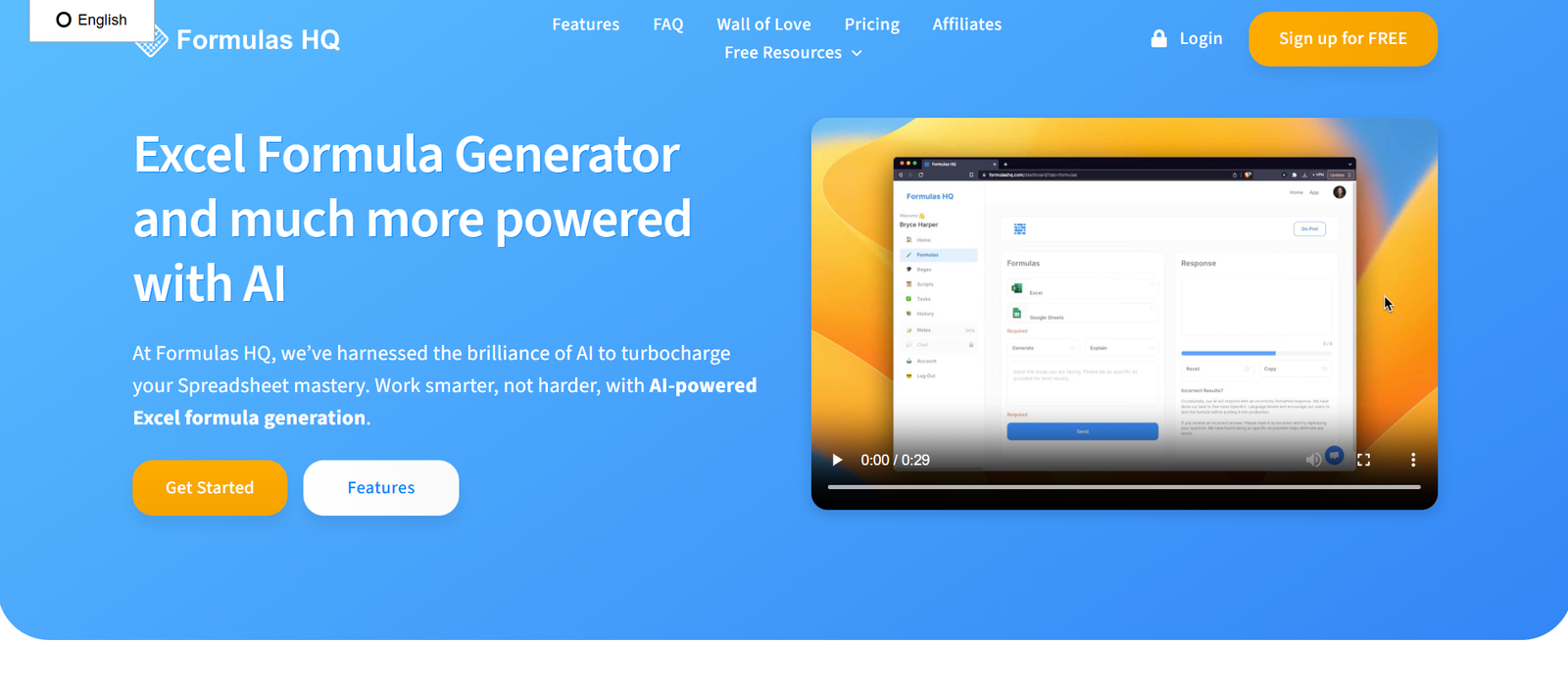
FormulasHQ is an AI-powered assistant that helps users write, explain, and debug Excel and Google Sheets formulas instantly. Tailored for spreadsheet users of all skill levels—from beginners to data analysts—FormulasHQ reduces time spent on complex syntax and enhances spreadsheet productivity.
With a clean interface and powerful language model behind the scenes, FormulasHQ lets users describe what they need in plain English and generates the corresponding spreadsheet formula automatically. Whether you’re dealing with nested IF statements, VLOOKUPs, ARRAYFORMULAs, or advanced financial models, this tool helps eliminate the guesswork.
Designed to save hours of trial and error, FormulasHQ empowers individuals, teams, and businesses to streamline their workflows in Excel and Google Sheets using natural language.
Features
Formula Generator
Convert natural language prompts into accurate Excel or Google Sheets formulas.
Formula Explainer
Paste any spreadsheet formula and get a plain-English explanation of what it does.
Formula Debugger
Identify errors or inefficiencies in existing formulas and receive suggestions for improvement.
Excel & Google Sheets Support
Switch between Excel and Google Sheets environments to ensure formula compatibility.
Macros and VBA Generator (Coming Soon)
Generate Excel macros or VBA scripts using AI based on plain language instructions.
Dark Mode
Switch to a user-friendly dark theme for late-night spreadsheet work.
Code-Free Usage
No need to learn formulas or scripting—just describe what you want.
Chrome Extension (Planned)
A browser extension to bring FormulasHQ directly into your Sheets and Excel Web environment.
How It Works
Visit the Platform
Go to https://formulashq.com and choose whether to generate, explain, or debug a formula.Enter Your Prompt
Type in a request like “Get the sum of column A if column B is greater than 100,” or paste an existing formula.AI Processes Your Input
FormulasHQ’s AI understands your intent and instantly provides a matching formula, explanation, or error fix.Copy and Paste
Copy the AI-generated formula and paste it directly into Excel or Google Sheets.Refine or Repeat
If needed, tweak your prompt or ask for an alternative formula version with one click.
Use Cases
Students and Beginners
Learn spreadsheet formulas in context with easy-to-understand explanations and examples.
Accountants and Financial Analysts
Quickly create financial models or clean data using AI-generated formulas.
Marketers and Sales Teams
Analyze campaign performance or customer data without needing Excel expertise.
Operations and HR Teams
Automate reports, schedules, and attendance sheets with minimal manual formula building.
Freelancers and Consultants
Speed up client work by solving spreadsheet problems with a simple prompt.
Educators and Tutors
Use the Formula Explainer to teach spreadsheet logic and help students understand complex formulas.
Pricing
As of August 2025, FormulasHQ offers three pricing tiers:
Free Plan
5 formula generations per day
Basic support for Excel and Google Sheets
Limited access to explanation and debugging features
Pro Plan – $9/month
Unlimited formula generation
Full access to all features (generation, explanation, debugging)
Priority feature access
Email support
Team Plan – Custom Pricing
Multiple user seats
Centralized billing and admin controls
Shared workspace for team collaboration
API access (coming soon)
Priority support
You can view the current plans or upgrade at https://formulashq.com.
Strengths
Instant Results: Save time by generating formulas in seconds.
User-Friendly Interface: Clean design for technical and non-technical users.
Educational: Formula explanations are ideal for learning and training.
Cross-Platform Support: Works for both Excel and Google Sheets.
Affordable: Competitive pricing compared to hiring a spreadsheet consultant.
No Login Required for Basic Use: Users can test functionality before signing up.
Drawbacks
Limited Advanced Features on Free Plan: Frequent users may need to upgrade.
No Native App or Add-In Yet: Direct integration with Excel/Sheets is still in development.
Lacks AI Data Cleanup or Charting Tools: Currently focused on formulas only.
Requires Internet Connection: Fully web-based, no offline functionality.
Comparison with Other Tools
Versus ChatGPT
While ChatGPT can generate formulas, FormulasHQ is specialized for spreadsheet tasks, ensuring greater accuracy and context awareness for Excel/Sheets functions.
Versus Ablebits
Ablebits is a plugin with many spreadsheet tools, but it lacks AI-driven formula generation or explanation.
Versus Excel Formula Bot
Both offer AI formula generation, but FormulasHQ stands out with a cleaner interface, free plan, and added debugging functionality.
Versus SheetAI (for Google Sheets)
SheetAI focuses on AI integration within Google Sheets itself. FormulasHQ provides broader use across both Excel and Sheets, with more transparency in outputs.
Customer Reviews and Testimonials
FormulasHQ has received positive reviews from solo professionals, startup teams, and online educators. While there is no official testimonial page yet, user feedback from product forums and social media includes:
“This tool saved me hours trying to figure out a nested IF with AND logic.”
“The formula explainer is fantastic for teaching my Excel students.”
“Finally, a tool that understands Google Sheets quirks.”
“Perfect for quick fixes without going down the rabbit hole of Excel forums.”
“Highly recommend for non-technical team members who work in spreadsheets.”
FormulasHQ has also gained traction on platforms like Product Hunt and spreadsheet-focused Reddit communities.
Conclusion
FormulasHQ is a practical, AI-powered assistant for anyone who works with Excel or Google Sheets. From writing complex formulas to breaking down confusing syntax and catching errors, the platform turns time-consuming spreadsheet tasks into quick, efficient actions powered by natural language.
With its cross-platform support, user-friendly design, and competitive pricing, FormulasHQ is ideal for students, teams, freelancers, and anyone looking to boost productivity in spreadsheets without learning every function.