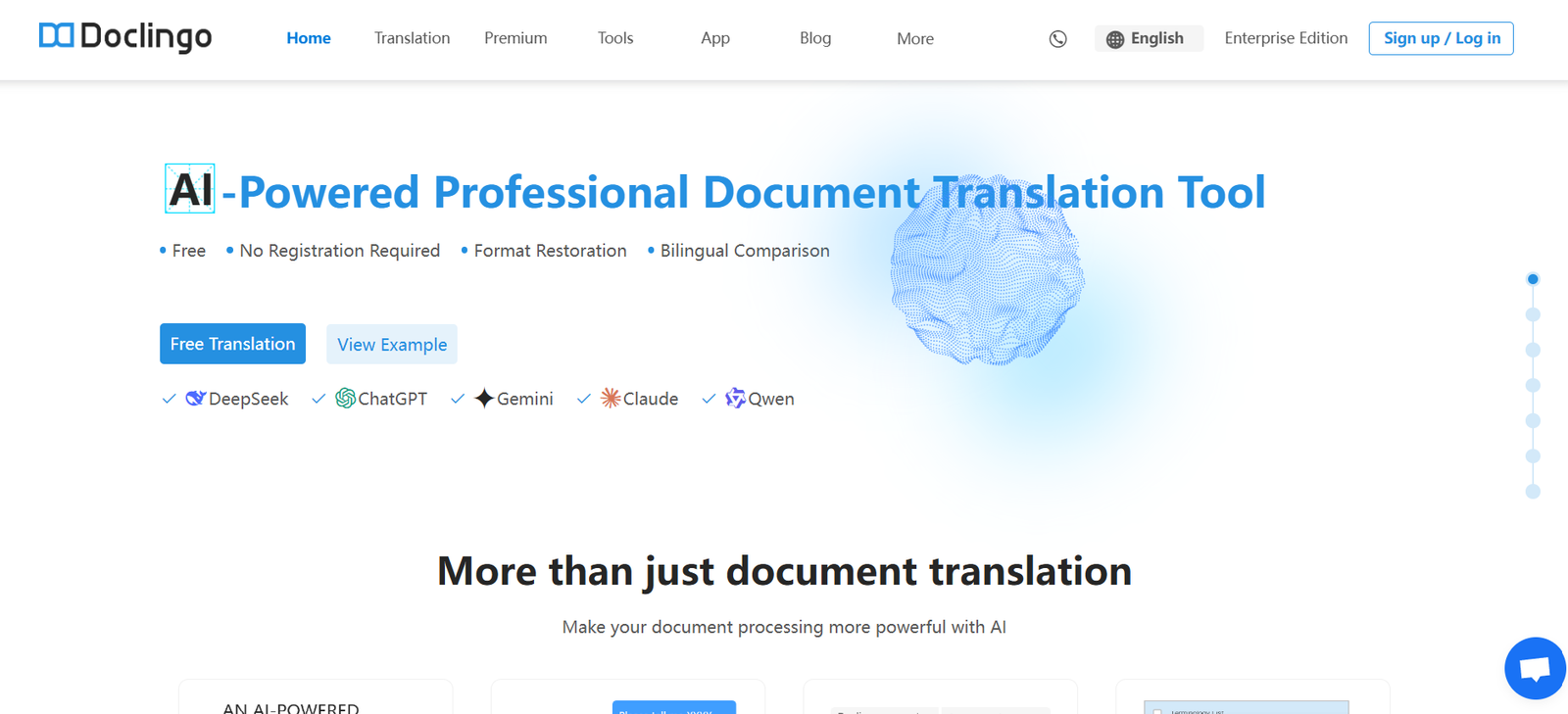
DocLingo is an AI document assistant built to help teams create, edit, translate, and manage written content with speed, precision, and security. Designed for modern enterprises, DocLingo leverages generative AI to streamline document workflows while maintaining strict control over data privacy, brand tone, and collaboration standards.
Unlike generic AI writing tools, DocLingo is built specifically for organizations that require scalable, role-based document assistance. Whether drafting a client email, rewriting internal documentation, or translating content into multiple languages, DocLingo ensures your writing is accurate, brand-aligned, and compliant with organizational guidelines.
With built-in collaboration, content governance, and enterprise security, DocLingo enables smarter, faster writing across departments—without compromising on control or quality.
Features
DocLingo offers an enterprise-grade feature set tailored for professional content creation and collaboration:
AI-assisted writing: Generate, summarize, rewrite, and enhance text using advanced language models trained for business use.
Role-based templates: Pre-configured prompts and workflows for different teams—sales, marketing, legal, support, and more.
Real-time collaboration: Multiple users can collaborate in a shared document environment with AI assistance embedded directly into the workflow.
Multilingual translation: Translate documents into multiple languages while preserving tone, context, and technical accuracy.
Content governance: Maintain consistency with predefined tones, styles, and vocabulary across teams and documents.
Knowledge grounding: Connect internal knowledge bases to provide AI with company-specific context and data during generation.
Version history and audit trails: Track document changes over time with full visibility into AI and human edits.
Data security and privacy: Designed for enterprise use with encryption, access controls, and compliance with industry standards.
Workflow automation: Create reusable templates and AI prompts to speed up common documentation tasks.
Custom integrations: API access and integrations with internal tools or CRMs to streamline content delivery.
How It Works
DocLingo integrates seamlessly into enterprise workflows with a guided, user-friendly process:
Users log in to the secure platform and create or upload a document they want to work on.
They select a predefined prompt, tone, or use case, such as “Rewrite this sales email for enterprise clients” or “Translate this policy to German.”
DocLingo’s AI processes the input, accessing any connected internal knowledge if available, and returns a draft based on the chosen parameters.
Users can refine the content with additional prompts or edit manually using the built-in editor with AI suggestions.
Documents can be shared with team members for feedback, further edits, or approvals—preserving all changes in the version history.
Completed content is exported, shared, or synced with other tools through available integrations.
Use Cases
DocLingo supports a variety of use cases across business departments and industries:
Sales teams: Draft outreach emails, proposals, and follow-ups tailored to different segments and clients.
Marketing teams: Create multilingual marketing copy, blogs, and campaign messages with brand consistency.
Customer support: Standardize responses, translate support materials, and rewrite internal knowledge base articles.
Legal departments: Draft and review policy documents or agreements with AI-powered language refinement and compliance checks.
Human resources: Create clear, inclusive HR policies, onboarding materials, and internal communications.
Product teams: Document release notes, product guides, and technical documentation with AI assistance and cross-team collaboration.
Global teams: Translate internal and external documents into multiple languages to support international operations.
Pricing
As of the latest update, DocLingo does not display fixed public pricing on its website. The platform follows a custom pricing model based on organizational needs, number of users, and deployment size.
To receive detailed pricing, organizations are encouraged to book a demo or contact the DocLingo team directly via the website. This approach ensures tailored recommendations for use cases and compliance requirements.
There is no mention of a free tier or self-service trial at this time. DocLingo is primarily focused on enterprise deployments and secure, team-based document management.
Strengths
DocLingo provides several advantages for businesses seeking secure and intelligent document workflows:
Enterprise-grade privacy: Designed with security and compliance in mind, ideal for sensitive or regulated industries.
Team-specific workflows: Tailored AI assistance for different roles ensures content relevance and usability.
Knowledge integration: AI can generate content based on your organization’s internal data, improving accuracy.
Controlled output: Built-in governance tools allow teams to enforce tone, style, and language standards.
Multilingual capabilities: Supports global operations with accurate and context-aware translations.
Versioning and collaboration: Ensures transparency, traceability, and teamwork across content development stages.
Scalable deployment: Suitable for startups, mid-size companies, and large enterprises needing content at scale.
Drawbacks
While DocLingo offers robust capabilities, there are some limitations to consider:
No public pricing: Lack of transparent pricing may slow evaluation for smaller teams.
Enterprise focus: The platform is built for teams and organizations; it may not suit individual freelancers or casual users.
Requires onboarding: Effective use may require team training, especially to set up knowledge grounding and workflows.
Limited public reviews: As of now, few third-party reviews are available on marketplaces like G2 or Capterra.
No free trial: Access is gated through demo requests, limiting instant exploration.
Comparison with Other Tools
Compared to other AI writing tools, DocLingo focuses heavily on enterprise collaboration, governance, and privacy:
Versus Grammarly Business: Grammarly focuses on grammar and tone, while DocLingo enables multi-role document creation and AI-driven collaboration.
Versus Jasper: Jasper is marketing-centric; DocLingo is designed for cross-functional enterprise teams including legal, HR, and operations.
Versus Notion AI: Notion AI enhances content in an internal knowledge space, but lacks DocLingo’s governance, multilingual translation, and external document collaboration.
Versus ChatGPT: While ChatGPT is powerful for general writing, DocLingo adds document management, role-specific prompts, and internal knowledge context.
Versus Wordtune or Copy.ai: These tools focus on individual productivity; DocLingo is built for team workflows, branding control, and document lifecycle management.
DocLingo distinguishes itself with its focus on secure, role-aware, and governance-controlled document workflows.
Customer Reviews and Testimonials
As of now, DocLingo does not feature public customer reviews on platforms like G2, Capterra, or Product Hunt. However, the company’s website and communication channels suggest that early adopters include teams focused on compliance, enterprise communications, and multilingual operations.
Users highlight the platform’s ability to maintain brand tone, handle secure content, and reduce time spent on repetitive writing tasks. The feedback emphasizes that DocLingo helps eliminate bottlenecks in team content creation by centralizing and automating workflows with AI assistance.
Organizations are encouraged to book a personalized demo to explore relevant case studies and deployment success stories.
Conclusion
DocLingo is a powerful AI document assistant tailored for organizations that require speed, control, and precision in content creation. With secure collaboration, role-based prompts, multilingual support, and governance tools, it transforms how teams write and manage documents across departments.
Whether you’re in sales, marketing, legal, or HR, DocLingo helps your team move faster—without compromising on tone, consistency, or data security. It’s not just an AI writing tool; it’s a complete document intelligence platform built for the modern enterprise.