
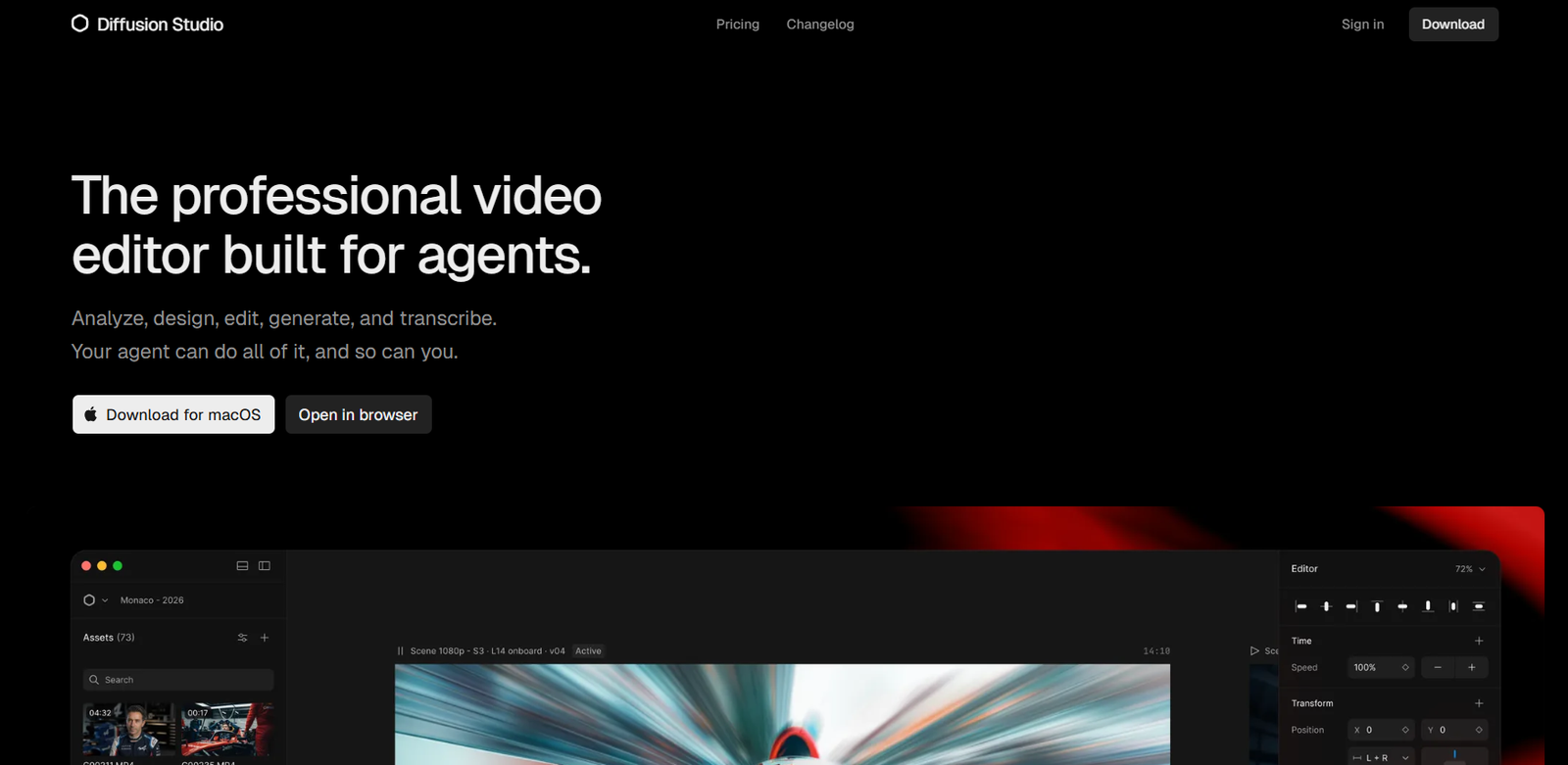
Diffusion Studio is an open-source, AI-powered professional video editor designed for both human creators and AI agents. It combines traditional video editing, motion graphics, media generation, transcription and agent-driven editing within one creative environment.
Instead of relying only on a conventional timeline, Diffusion Studio provides an infinite canvas where users can visually organize scenes, assets and compositions. They can then move to the timeline when they need precise control over sequencing and timing.
A major difference is its support for AI coding agents. Compatible agents can analyze footage, edit clips, create scenes, build motion graphics, generate images, video, audio and sound effects, add captions, transcribe content and export finished projects. Everything created by an agent remains editable by the user.
Creators can also work completely manually. The editor includes controls for timing, positioning, scale, layout, visual effects, audio processing, animation and other production tasks.
Diffusion Studio runs directly in a web browser on Windows, macOS and Linux. A macOS desktop application is also available for agent-driven workflows.
The editor itself is free and open source. AI-powered actions consume credits, with paid plans available for users who need more AI generation and advanced models.
Features
AI Agent Video Editing
Diffusion Studio allows compatible AI coding agents to work directly with video projects.
An agent can analyze footage, make edits, arrange clips, create scenes, generate media and perform other production tasks based on natural-language instructions.
Human and AI Collaboration
AI does not lock users into its decisions. Everything created by an agent remains editable.
Users can modify the agent’s work manually and then ask the agent to continue from those changes.
Infinite Canvas
Projects begin on an infinite visual canvas rather than being restricted entirely to a traditional editing timeline.
Creators can arrange scenes, media and ideas spatially, helping them understand the overall structure of larger projects.
Timeline Editing
When precise sequencing is required, users can work through the timeline.
This combines the flexibility of a design-oriented canvas with the accuracy expected from non-linear video editing software.
AI Video Generation
AI video models can be accessed within the editing workflow. The Pro plan includes access to available AI models, including Veo 3.1.
Generated media can be incorporated directly into the current project.
AI Image Generation
Creators and agents can generate images without leaving the video production environment.
This can help with concept development, backgrounds, visual assets and creative experimentation.
AI Audio and Sound Effects
Diffusion Studio supports AI-generated audio and sound effects as part of its broader media-generation workflow.
AI Speech Generation
AI-powered speech generation can be used when a project requires synthetic spoken audio.
Automatic Transcription
Diffusion Studio can transcribe spoken content, helping users work with dialogue and create text-based elements from existing footage.
Automatic Captions
AI can generate captions from spoken audio.
The Free plan provides a basic local caption model, while Pro includes a more advanced caption model.
Video Localization
AI agents can assist with localization, making it possible to adapt video projects for different audiences and languages.
Motion Graphics
Diffusion Studio includes motion graphics capabilities rather than focusing only on cutting and combining video clips.
Users can create and animate visual elements inside their projects.
Animation Controls
Creators can use Bezier curves, spring easing and motion presets to control how objects and visual elements move.
Visual Effects
Visual effects can be stacked and adjusted directly inside the editor.
The platform provides effects and filters without requiring users to move the project into separate effects software for every adjustment.
Audio Editing
Audio mixing and processing are built into the editor.
Controls include volume adjustment and effects such as equalization and denoising.
Precise Property Controls
Users can control timing, position, scale and layout from the editor’s inspector.
This provides more detailed control than a fully automated prompt-to-video system.
4K Playback and Export
Diffusion Studio supports 4K playback and exports.
The Free plan also includes unlimited 4K exports.
No Watermark
Videos exported using the Free plan do not contain a Diffusion Studio watermark.
Unlimited Projects
Free users can create unlimited projects rather than being restricted to a small project allowance.
Commercial Use
Diffusion Studio allows commercial use on all plans, including the Free plan.
Browser-Based Editing
The editor can run entirely inside a modern web browser.
Users on Windows, macOS and Linux can therefore access the web version without installing conventional desktop editing software.
macOS Desktop App
A dedicated macOS application is available.
The desktop version is particularly important for coding-agent workflows and currently requires macOS 12 or later with an Apple Silicon M1 chip or newer.
Coding Agent Support
Diffusion Studio works with coding agents such as Claude Code, Codex, Cursor, Copilot and Gemini CLI.
Other compatible coding agents can also interact with the editor.
DAPI
The desktop application provides DAPI functionality that allows coding agents to work with Diffusion Studio projects.
Users can activate it and add the Diffusion Studio Skill to their preferred agent.
Open Source
Diffusion Studio is open source under the MPL 2.0 license.
The web editor, desktop application, DAPI CLI and Skills are available as open-source components.
Diffusion Studio Core
Developers can use Diffusion Studio Core, a TypeScript video engine designed for browser-based media composition.
It uses technologies such as WebCodecs and Canvas2D to provide hardware-accelerated video processing.
Developer Video Automation
Core can also be used for programmatic video editing.
Developers can create compositions, add media clips, control properties and render final videos through code.
Team Production
The infinite canvas can contain large numbers of scenes, formats, languages and video versions within a project.
This can help teams organize campaigns and produce variations from shared compositions.
How It Works
Users first open Diffusion Studio in their browser or install the macOS desktop application.
They create a new project and import their video, image and audio assets.
The assets and scenes can be arranged visually on the infinite canvas.
Users can then open individual compositions and refine them using timeline controls.
They can adjust timing, scale, positioning, layout, audio, effects and animation.
AI features can be used to generate additional images, videos, audio or speech.
Existing footage can also be transcribed and converted into captions.
On the macOS version, users can connect a compatible coding agent.
They can then describe an editing task or provide a complete production brief in natural language.
The agent can analyze the available footage and perform editing or generation tasks.
Users remain able to manually modify anything created by the agent.
The agent can then continue working from the user’s changes.
Once the project is complete, the final video can be exported in resolutions up to 4K.
Use Cases
YouTube Creators
YouTubers can organize footage, edit videos, add captions, generate additional media and export finished content from one environment.
Social Media Creators
Creators can produce videos and variations for different social media platforms while using AI to speed up repetitive editing tasks.
Video Editors
Professional and independent editors can combine traditional timeline editing with AI agents for faster production.
Marketing Teams
Marketing teams can create campaign videos and generate multiple versions, formats and localized variations within a shared project.
Content Agencies
Agencies managing large numbers of video assets can use AI agents to help automate repetitive production work.
Developers
Developers can use Diffusion Studio Core to build browser-based video editors or automate video composition through TypeScript.
Motion Designers
Animation controls, visual effects and programmable compositions can support motion graphics workflows.
AI Agent Developers
Developers experimenting with coding agents can connect agents to real creative production workflows instead of limiting them to software development tasks.
Educational Content
Educators can edit lessons, generate captions, transcribe recordings and create visual content for online learning.
Video Localization
Teams producing international content can use AI-assisted transcription and localization to prepare multiple versions of a video.
Large Content Campaigns
Organizations can keep numerous scenes, video formats, languages and campaign variations within the same canvas and reuse components across different outputs.
Pricing
Diffusion Studio currently offers Free, Pro and upcoming Enterprise options.
Free: $0
The Free plan includes:
50 one-time AI trial credits
Basic local caption model
Unlimited projects
Unlimited 4K exports
No watermark
Commercial use
Users can continue using the editor and non-AI features after their trial AI credits are exhausted.
Pro: $19 per Month with Annual Billing
The Pro plan starts at $19 per month when billed annually.
The displayed configuration provides 2,500 AI credits per month.
It includes:
Advanced AI models
Advanced caption model
Access to available AI models, including Veo 3.1
More capable AI agents
Up to 100 GB file imports
Credit top-ups
Priority support
Annual billing provides additional savings compared with monthly billing.
Unused monthly Pro credits do not roll over to the following month.
Enterprise: Custom Pricing
The Enterprise plan is currently listed as coming soon.
Planned Enterprise features include:
Everything in Pro
Custom AI credit volume
Team workspace
Cloud backup for projects and media
SSO and advanced security
Dedicated support
Organizations can contact Diffusion Studio to discuss Enterprise requirements.
Strengths
Diffusion Studio provides a substantial free video editor rather than restricting basic editing behind a subscription.
Unlimited projects, unlimited 4K exports, no watermark and commercial use are available on the Free plan.
The combination of an infinite canvas and timeline provides both visual organization and precise editing control.
AI features are integrated directly into the creative workflow instead of existing as separate tools.
Coding agents can work directly with footage and editable compositions.
Everything generated or modified by an AI agent remains editable by the user.
The platform combines video editing, motion graphics, AI generation, transcription, captions and audio processing.
Open-source availability gives developers greater flexibility and transparency.
Browser support makes the editor accessible across Windows, macOS and Linux.
Its TypeScript Core also gives developers a foundation for building their own programmatic video applications.
Drawbacks
Diffusion Studio’s current product is relatively new and has undergone significant redevelopment, so users may encounter changes as the platform evolves.
Agent-based editing currently requires the macOS desktop application rather than working fully through the browser.
There is no Windows desktop application yet, although Windows users can access the browser editor.
The macOS desktop version requires an M1 or later Apple Silicon Mac.
AI features consume credits even though conventional editing and exports are free.
The 50 AI credits included with the Free plan are a one-time allowance and do not renew.
Pro subscription credits also do not roll over from month to month.
Users who need only basic video cutting may find some of the agent, developer and infinite-canvas concepts more advanced than necessary.
Comparison with Other Platforms
Traditional professional video editors generally revolve around timelines, media bins and manual editing. Diffusion Studio introduces a different approach by combining an infinite design canvas with conventional timeline precision.
It also differs from simple AI video generators. Those platforms often produce a finished clip from a prompt with relatively limited manual control afterward. Diffusion Studio allows AI agents to work inside an editable professional video project.
This means creators can ask an agent to perform work and then manually change every part of the result.
Compared with browser-based video editors aimed primarily at beginners, Diffusion Studio also has a stronger developer focus. Its open-source TypeScript engine and agent integrations make it suitable for programmable and automated video workflows.
Established professional editors may still provide deeper mature ecosystems, plugin support and specialized production features. Diffusion Studio’s distinctive advantage is its combination of manual editing, open-source technology and AI-agent-driven production.
Customer Reviews and Testimonials
Customer reviews and detailed testimonials are not clearly available on the official website.
The website states that more than 75,000 creators are using or have joined the platform and displays organizations associated with onboarded users, but these references should not be treated as formal customer testimonials.
Conclusion
Diffusion Studio is an ambitious AI-powered video editing platform that combines professional editing controls with a new agent-driven approach to creative production.
Creators can manually design, edit and animate videos or ask an AI coding agent to analyze footage and perform production tasks on their behalf. Importantly, the resulting project remains fully editable, allowing humans and agents to work together rather than forcing users to accept a fixed AI-generated result.
The platform is particularly attractive for video creators, developers, marketing teams, content agencies and technically minded editors interested in AI-assisted production.
Its Free plan is also unusually capable, offering unlimited projects, unlimited 4K exports, no watermark and commercial use while charging credits primarily for AI-powered operations.
For users interested in combining conventional video editing with AI agents, media generation, motion graphics and programmatic workflows, Diffusion Studio is a noteworthy open-source platform to explore.


