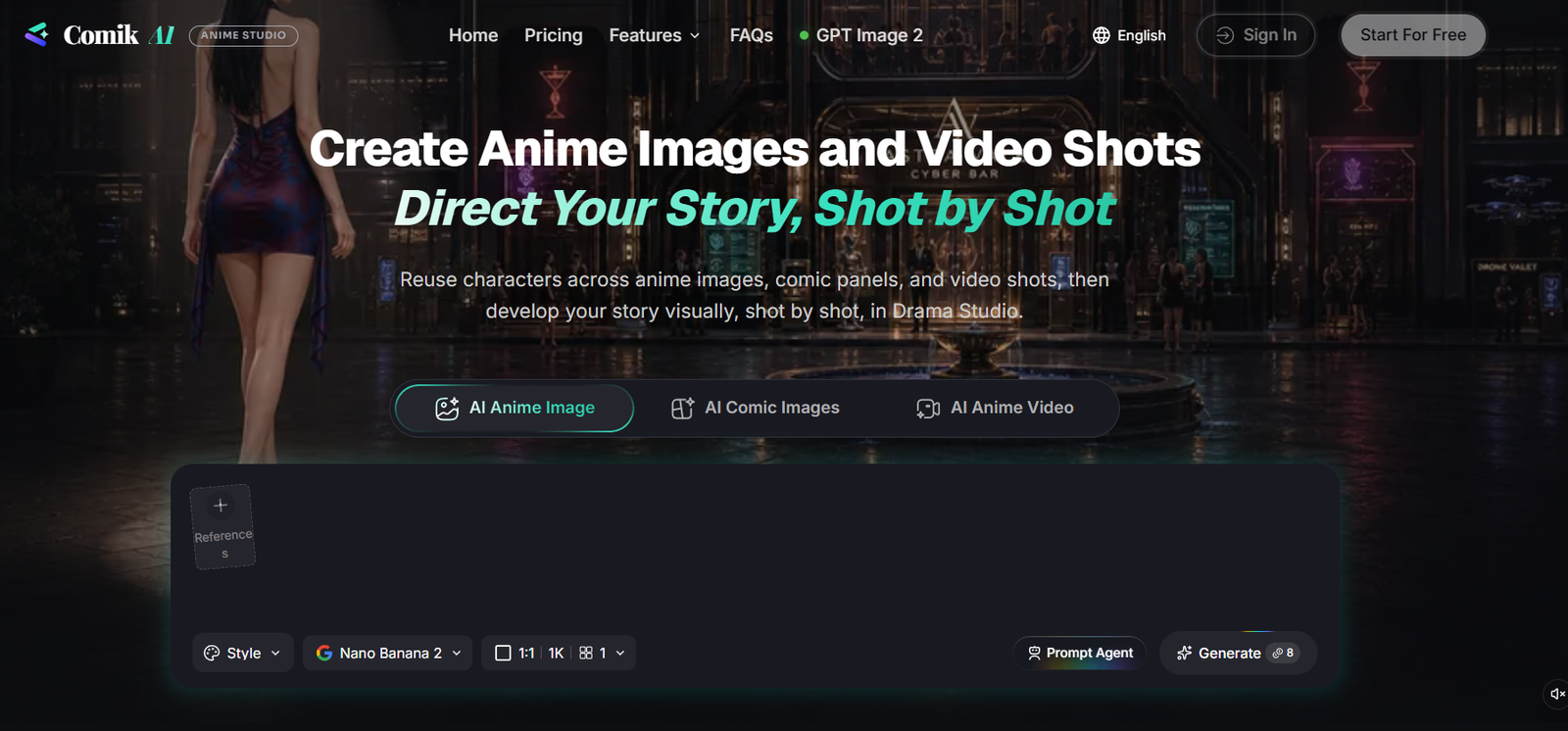
Comik AI is an AI-powered creative platform for producing anime images, manga artwork, comics, characters, video shots, motion comics and animated shorts.
The platform is designed around visual storytelling rather than generating isolated AI images. Users can start with a simple idea, prompt, script or novel excerpt and gradually develop it into characters, comic panels, storyboard frames and animated scenes.
One of Comik AI’s most useful capabilities is reusable characters. Creators can develop a character once and use that character across different images, comic panels, storyboard shots and videos. This helps maintain a more recognizable appearance as the story moves between scenes.
Reference images can also guide character appearance, poses, visual style, composition and other scene details.
For larger projects, Drama Studio provides a connected workflow covering outlines, scripts, characters, storyboards, generated video shots and final video cuts.
Comik AI currently provides access to multiple image and video models, including GPT Image 2, Nano Banana 2, Nano Banana Pro, Seedance 2.5, Seedance 2.0 and VEO 3.1.
The platform is operated by Quorlight LLC.
Features
AI Anime Image Generator
Users can create anime-style images from text prompts, story ideas, existing characters or reference images.
The tool is suitable for individual illustrations as well as images intended to become part of a larger visual story.
AI Comic Generator
Comik AI can generate complete multi-panel comics from a story or prompt.
Users can select from six comic styles:
Manga
Anime
Webtoon
American Comic
Cartoon
Noir
Creators can specify between 1 and 9 panels or let the platform determine the panel count automatically.
Character Creator
Users can design original anime characters from text descriptions or reference images.
Character sheets can include a bust portrait and full-body front, side and back views.
Reusable Characters
Saved characters can be reused across images, comics, storyboards and videos.
This helps maintain character identity throughout a longer project.
Reference Images
Users can upload reference images to guide generation.
References can influence character appearance, visual style, pose, composition and scene details.
Anime Image Templates
Comik AI provides ready-made anime image templates.
These offer prepared visual directions, prompts, poses and scene concepts that can be adapted instead of beginning from a blank prompt.
AI Anime Video Generator
Creators can generate anime-style video shots from text prompts, images, saved characters, references or storyboard scenes.
Prompts can specify action, pacing, camera movement and other cinematic instructions.
Motion Comic Generator
Static comic, manga, webtoon and anime images can be transformed into animated video shots.
Users can describe how characters, objects, backgrounds and cameras should move.
Camera Movement
Creators can direct camera behavior when animating a scene.
This can help turn a static illustration into a more cinematic shot.
Sound Effects and Music
Motion comic scenes can include sound effects and background music to create additional atmosphere and emotion.
Dialogue Voice
Comik AI’s motion-comic workflow includes options for bringing dialogue into animated scenes.
Available audio capabilities may vary by the particular generation workflow and model selected.
AI Prompt Agent
Users do not need to write highly technical prompts themselves.
Prompt Agent can turn rough ideas into clearer prompts, scripts, scene descriptions and shot directions.
Drama Studio
Drama Studio is Comik AI’s connected story-production workspace.
It brings together:
Outline
Script
Characters
Storyboard frames
Video shots
Video cuts
Final project
This allows creators to develop a story progressively rather than generating unrelated assets.
Outline and Script Workflow
Users can begin Drama Studio with an idea, outline, script or novel excerpt.
The generated outline and script remain editable.
Storyboard Creation
Creators can build a story shot by shot.
Each storyboard shot can contain a shot prompt, assigned characters, a generated frame and optional scene or prop references.
Video Cuts
Generated video shots can be arranged and edited into a final sequence.
Creators can refine their order and timing before export.
Multiple AI Models
Comik AI combines several leading image and video generation models in one creative environment.
Current models highlighted by the platform include:
GPT Image 2
Nano Banana 2
Nano Banana Pro
Seedance 2.5
Seedance 2.0
VEO 3.1
Model availability can change as the platform updates its integrations.
Character Consistency
Characters and reference images can be reused between scenes to improve visual continuity.
Results can still vary depending on the selected model, references, scene complexity and prompt.
Style Presets
Comik AI provides visual directions such as cinematic anime, manga, modern anime and other preset styles.
How It Works
Step 1: Create an Account
Sign up for Comik AI.
New users currently receive 10 welcome credits.
Step 2: Choose What You Want to Create
Select anime images, comics, characters, anime videos, motion comics or Drama Studio.
Step 3: Enter Your Idea
Describe a character, scene, comic or story.
You can also begin with an outline, script or novel excerpt in Drama Studio.
Step 4: Use Prompt Agent
If your initial idea is simple, Prompt Agent can expand it into more detailed generation instructions.
Step 5: Add References
Upload reference images when you need more control over character appearance, style, pose or composition.
Step 6: Create Characters
Design the characters needed for the story and save them for reuse.
Step 7: Generate Images or Comic Panels
Create anime images, manga artwork or multi-panel comics.
Step 8: Build a Storyboard
For larger projects, organize the story into individual shots inside Drama Studio.
Step 9: Generate Video Shots
Turn storyboard frames, prompts or existing images into animated scenes.
Step 10: Add Motion
Describe character movement, background movement and camera behavior.
Step 11: Add Audio
Where supported, add dialogue-related audio, sound effects or background music.
Step 12: Assemble the Video
Arrange generated shots in Drama Studio’s Video Cuts stage.
Step 13: Refine the Project
Change prompts, characters, frames, shot order and timing until the sequence works as intended.
Step 14: Export
Complete the project and export the resulting visual content according to the available plan and generation settings.
Use Cases
Anime Creation
Creators can develop anime-style images and short animated sequences.
Manga Creation
Writers and artists can turn story concepts into manga-style panels.
Webtoons
The Webtoon preset can help creators experiment with webcomic concepts and visual storytelling.
Motion Comics
Existing comic panels can be animated with character movement, camera motion, music and sound effects.
Animated Shorts
Drama Studio can be used to develop short animated stories from scripts.
Storyboarding
Filmmakers and creators can visualize scenes before committing to a larger production.
Character Design
Users can create original characters and reusable character sheets.
Novel Visualization
Authors can turn scenes or excerpts from original stories into visual concepts.
YouTube Content
Motion comics and animated stories can be developed for YouTube.
Short-Form Video
Animated shots can be adapted for TikTok, Instagram Reels and YouTube Shorts.
Comic Trailers
Comic creators can animate selected panels to create promotional trailers.
Concept Development
Creators can rapidly test different characters, settings, compositions and visual directions before developing a final project.
Pricing
Comik AI currently uses a credit-based pricing system with Free, Lite, Pro and Team plans.
Free – $0
The Free plan currently includes:
10 one-time welcome credits
Approximately 1 AI image based on the current pricing estimate
Prompt Agent
Access to models marked Free Access
No credit card required
The 10 welcome credits are issued once and do not automatically renew every month.
Lite – $11.90 per month
The current monthly Lite plan provides:
300 credits per month
Up to approximately 60 AI images per month
Up to approximately 12 AI videos per month
Prompt Agent
Access to all image models
Access to all video models
Email support
The annual Lite plan currently costs $119 per year, equivalent to approximately $9.92 per month.
Pro – $29.90 per month
Pro currently provides:
1,000 credits per month
Up to approximately 200 AI images per month
Up to approximately 40 AI videos per month
Prompt Agent
Access to all image models
Access to all video models
Email support
The annual Pro plan currently costs $299 per year, equivalent to approximately $24.92 per month.
Team – $109.90 per month
Team currently provides:
4,000 credits per month
Up to approximately 800 AI images per month
Up to approximately 160 AI videos per month
Prompt Agent
Access to all image models
Access to all video models
Email support
The annual Team plan currently costs $1,099 per year, equivalent to approximately $91.58 per month.
The pricing page currently advertises a new-user discount on selected higher plans.
Generation costs vary according to the AI model, generation type, video duration and selected settings.
How Credits Work
AI credits are consumed when users generate or refine content.
Credit usage can apply to activities such as:
Comic panels
Anime images
Anime-style videos
Character sheets
Character cards
Prompt Agent outputs
The exact cost depends on the model and generation settings.
According to the current pricing policy, unused credits from paid subscriptions and one-time purchases do not expire.
Promotional or special-offer credits may have separate expiration conditions.
Credits cannot be exchanged for cash.
Billing and Cancellation
Subscriptions can be cancelled through account settings.
After cancellation, the paid plan remains active until the end of the current billing period and is not renewed afterward.
Payments are processed through Stripe.
Major credit and debit cards are accepted according to the current pricing FAQ.
Strengths
Complete Story Workflow
Comik AI goes beyond individual image generation by connecting scripts, characters, storyboards and video shots.
Reusable Characters
Saved characters can appear across different scenes and formats.
Comic and Video Creation Together
Users can create both static comics and animated content within the same ecosystem.
Drama Studio
The structured story-production workflow is particularly useful for longer projects.
Multiple Leading AI Models
Users can access several image and video generation technologies without moving between separate platforms.
Reference Image Support
References provide additional control over character appearance, composition and visual direction.
Six Comic Styles
Users can quickly switch between manga, anime, webtoon, American comic, cartoon and noir approaches.
Prompt Assistance
Prompt Agent can help beginners turn rough ideas into more detailed creative instructions.
Motion Comic Creation
Existing panels can be transformed into animated scenes.
Free Trial Credits
New users can test the platform with 10 welcome credits without providing a credit card.
Drawbacks
The Free plan provides only 10 one-time credits, which currently represents a very small amount of generation.
Video generation can consume credits relatively quickly.
Generation costs vary depending on the selected AI model, duration and settings, making the exact number of outputs difficult to predict.
AI-generated character consistency is improved through reusable characters and references but cannot be guaranteed perfectly across every scene.
Complex action sequences may require several attempts before producing the desired result.
Longer animated productions still require significant creative direction, editing and credit usage.
The platform relies on third-party AI models, so model availability, capabilities and generation costs can change.
AI-generated artwork may require manual correction for details such as hands, text, clothing, props or continuity.
Creators should also ensure they have appropriate rights to uploaded reference images and avoid using copyrighted characters or artwork in ways that violate applicable rights.
Comparison with Other Platforms
Comik AI differs from general AI image generators because it is organized around storytelling.
A conventional image generator may produce an attractive anime image, but creators often have difficulty maintaining the same character across multiple scenes or turning those images into a coherent story.
Comik AI addresses this through reusable characters, reference images, comic generation, storyboards and Drama Studio.
Compared with basic AI comic generators, it provides a broader production workflow because comic panels can become animated video shots.
Compared with general AI video generators, Comik AI provides story-oriented tools before the video-generation stage, including character creation, script development and storyboarding.
Its multi-model approach is another advantage. Creators can select from different image and video models according to the requirements of a particular scene.
The platform is therefore particularly suitable for creators whose goal is not simply to generate one anime image but to develop a recurring character, comic, motion comic or animated story.
Customer Reviews and Testimonials
A substantial collection of independently verified customer reviews is not clearly available on the official Comik AI website.
The official website primarily demonstrates generated examples, templates, styles and production workflows rather than presenting a large collection of verified customer testimonials.
Because new users receive 10 free credits without requiring a credit card, prospective users can test the platform’s generation workflow before purchasing a subscription.
Creators should particularly test character consistency, their preferred visual style and video-generation quality because results can vary by model and prompt.
Conclusion
Comik AI is an AI-powered anime and comic creation platform built around visual storytelling.
Users can generate anime artwork, manga and multi-panel comics, create reusable characters, work with reference images and turn static scenes into animated video shots.
Its most substantial feature is Drama Studio, which connects an idea or script with character creation, storyboarding, individual video shots and final video cuts.
The platform currently integrates leading image and video models including GPT Image 2, Nano Banana 2, Nano Banana Pro, Seedance 2.5, Seedance 2.0 and VEO 3.1.
Comik AI is particularly suitable for anime creators, manga and webtoon artists, storytellers, authors, YouTube creators and anyone experimenting with motion comics or AI-generated animated shorts.
Its main limitations are credit-based generation costs, limited free credits and the inherent difficulty of maintaining perfect visual consistency across complex AI-generated scenes.
For creators who want to move beyond isolated AI artwork and build complete visual stories with recurring characters, storyboards and animation, Comik AI provides a comprehensive story-focused workflow.