
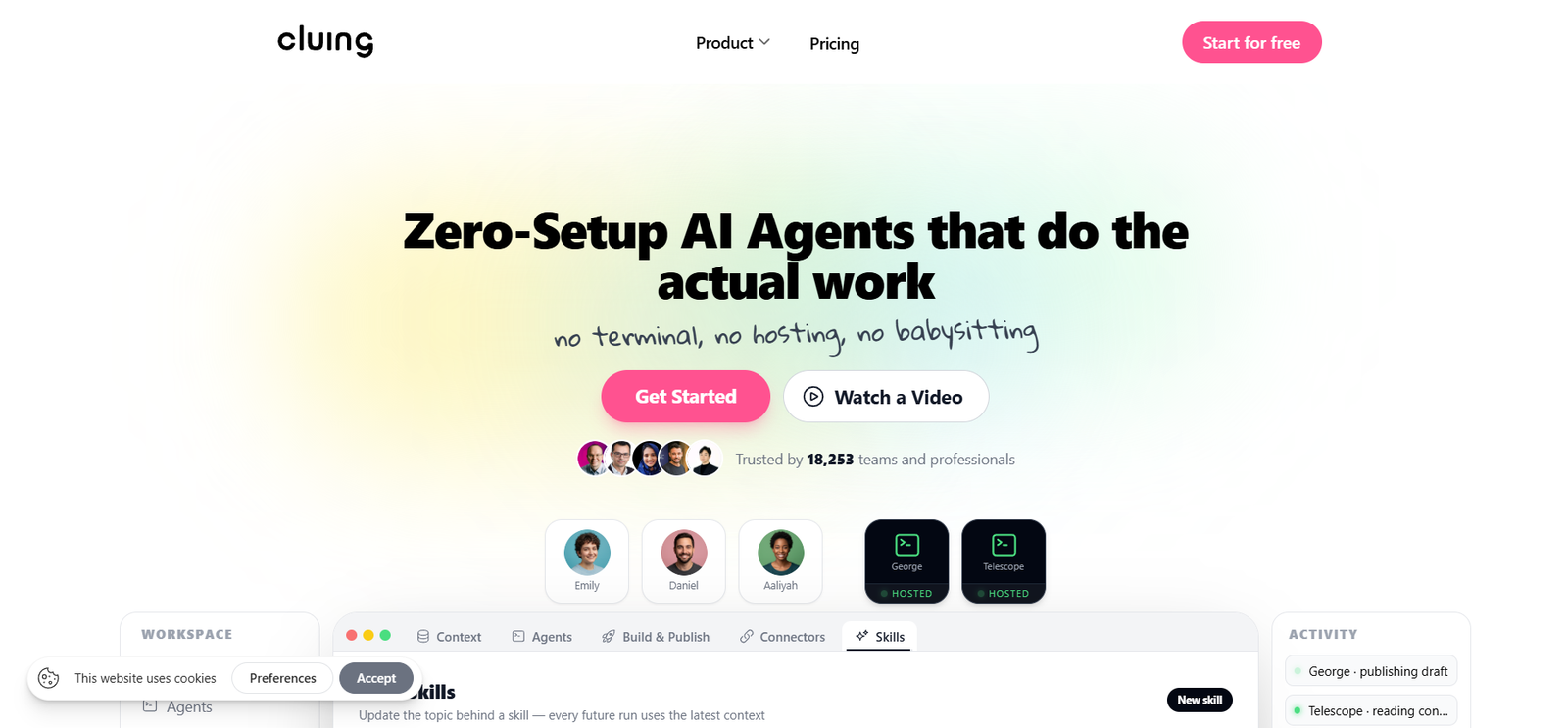
Cluing is an AI powered knowledge and work platform designed to help individuals and teams collect information, organize context, research topics, collaborate, and delegate tasks to AI agents.
The platform combines knowledge capture, AI chat, research tools, shared workspaces, multiple AI models, and hosted agents in one environment. Users can save useful information while browsing sources such as websites, YouTube, Reddit, PDFs, LinkedIn, X, Quora, newsletters, emails, and Kindle highlights. This saved information can then become context for future research and AI tasks.
A major focus of Cluing is giving AI useful context. Instead of repeatedly copying background information into different AI tools, users can build an organized knowledge base and allow supported AI models and agents to work with that information.
Cluing also offers hosted AI agents that can carry out practical tasks such as preparing content, researching topics, monitoring competitors, creating reports, and building or publishing web based projects. This makes the platform useful for researchers, marketers, creators, professionals, students, and teams that regularly work with large amounts of information.
Features
AI Agents
Cluing provides hosted AI agents that can perform tasks using the information stored in a user’s workspace. The platform is designed so users can assign work without setting up terminals, hosting environments, or API keys.
Multiple AI Models
Users can work with AI models from major providers within the Cluing environment. The platform supports models associated with providers such as OpenAI, Anthropic, Google, xAI, DeepSeek, and Meta, although model availability can depend on the selected plan.
Knowledge Capture
Cluing allows users to capture useful information while browsing. Highlights, sources, notes, and personal comments can be stored together so important context is easier to retrieve later.
AI Chat
The built in AI Chat lets users ask questions, conduct research, create summaries, and work with information from both the web and their Cluing workspace. Users can select different models or specialized agents depending on the task.
Context Based AI
Saved research, documents, snippets, topics, and other workspace information can be supplied as context to AI conversations. This can make it easier to receive responses that reflect the user’s existing research rather than starting every conversation from scratch.
Research Tools
Cluing supports research workflows by combining saved information, web research, summaries, source based answers, and specialized research agents. This can be particularly useful when information is spread across many websites and documents.
Shared Knowledge Workspace
Teams can share research, context, skills, connectors, tasks, and other resources. This gives team members and AI agents access to a common working context.
Browser and Mobile Access
Cluing provides browser extensions and mobile options for capturing information across different sources. This makes it possible to save useful material when users encounter it during everyday browsing.
Build and Publish
Cluing agents can also assist with building web based outputs such as websites, dashboards, and applications. The platform supports hosted execution and publishing, including custom domains and secure HTTPS.
Connectors and Skills
Cluing includes connectors and reusable skills that can help agents work with external information and repeat specific workflows. Team environments can share these resources while keeping supported secrets encrypted.
How It Works
Step 1: Create an Account
Users sign up for Cluing and choose a free or paid plan depending on the features and capacity they need.
Step 2: Build a Knowledge Base
Users can save highlights, snippets, documents, research material, and other useful information into their workspace.
Step 3: Organize the Information
Saved material can be arranged into topics and clusters, helping users create structured context around projects or areas of interest.
Step 4: Use AI Chat
Users can open Cluing Chat, select an available AI model or specialized agent, enter a prompt, and receive an AI generated response.
Step 5: Add Personal Context
Relevant topics, saved research, files, and workspace information can be included in conversations so the AI has more background about the task.
Step 6: Assign Tasks to Agents
For more advanced work, users can assign tasks to hosted AI agents. The agents can use available context and tools to perform work and report results.
Step 7: Collaborate or Publish
Teams can share knowledge and tasks, while supported outputs such as websites or dashboards can be published directly through the platform.
Use Cases
Researchers
Researchers can collect information from multiple online sources, organize findings, summarize material, and use AI to explore connections between saved information.
Content Creators
Creators can save ideas and reference material while browsing and later use that context to develop articles, outlines, reports, and other content.
Marketers
Marketing professionals can use Cluing for competitor research, content planning, campaign research, knowledge organization, and recurring reporting.
Businesses
Businesses can create shared knowledge environments where employees and AI agents work from common information. This may help reduce repeated searching and fragmented research.
Students
Students can collect information for assignments and research papers, organize useful sources, summarize material, and use AI to understand their saved research.
Developers
Developers can save technical information and code related research while also using AI agents for certain building and publishing workflows.
Professional Teams
Teams working in research, strategy, marketing, product development, or knowledge intensive roles can use shared context to keep information and AI assisted work in one place.
Pricing
Cluing currently provides several pricing options on its official website.
Free: $0 per month. It includes capture integrations, unlimited snippets and topics, up to 5 clusters and 5 guests, document uploads up to 2MB, and access to selected AI models.
Pro: Listed at $12 per month when billed yearly, or $144 per year. The plan includes access to frontier AI models, unlimited clusters, deep research and shared memory. The current pricing page also shows 2,500 credits per month.
Team: The official website currently lists a Team configuration at $140 per month when billed yearly, or $1,680 per year. The displayed configuration includes three people, one agent seat, and 8,000 credits per month, along with team focused controls and shared resources.
Pricing and plan configurations may change depending on billing frequency, selected tier, number of users, agent seats, and credits. Users should check the current pricing page before subscribing.
Strengths
Combines Knowledge and AI
Cluing does more than provide an AI chat interface. It connects stored research and personal or team knowledge with AI models and agents.
Multiple AI Models
Access to models from several major AI providers gives users flexibility without requiring them to constantly move between separate AI applications.
Strong Research Workflow
Capturing information directly from online sources and later using it as AI context can make the platform valuable for people who regularly conduct research.
Hosted AI Agents
Users can assign work to agents without managing terminals, hosting infrastructure, or individual API configurations.
Useful for Teams
Shared context, tasks, connectors, roles, and knowledge resources can make Cluing useful for collaborative research and knowledge intensive work.
Free Entry Plan
The free plan allows users to explore the core knowledge capture system before deciding whether more advanced AI functionality is worth paying for.
Drawbacks
Cluing combines several functions, including knowledge management, research, AI chat, agents, connectors, and publishing. New users who only need a simple AI chatbot may find the broader workspace requires some learning.
Some advanced functionality is tied to paid plans, credits, or agent seats. Users with substantial AI agent workloads should therefore understand how credits and additional seats affect their overall cost.
The value of its context based approach also depends on users consistently capturing and organizing useful information. People who do not maintain a knowledge base may not benefit as much from this aspect of the platform.
Plan names, configurations, credits, and pricing shown across Cluing’s official pages may also vary as the service develops, so users should verify the latest subscription details before purchasing.
Comparison with Other Platforms
Cluing sits between several categories of software rather than fitting neatly into only one. Traditional note taking and knowledge management platforms focus mainly on storing and organizing information, while standalone AI chat platforms primarily focus on conversations and content generation.
Cluing attempts to connect these activities. Users can capture information from different sources, organize it into reusable context, access multiple AI models, conduct research, and assign tasks to hosted AI agents from the same workspace.
Compared with using separate tools for web highlighting, knowledge management, AI chat, research, and AI agents, Cluing may provide a more connected workflow. However, users who need only one specialized function may prefer a simpler dedicated application.
Its strongest difference is the emphasis on making accumulated knowledge usable by AI. This can be particularly relevant for professionals and teams that repeatedly work on related topics and do not want to provide the same background information every time they use AI.
Customer Reviews and Testimonials
Cluing displays customer testimonials on its official website from professionals working in areas such as cybersecurity, marketing, design, research, and business.
Users particularly mention the usefulness of Cluing for organizing online information, simplifying research, providing better context for collaboration, and reducing the time spent managing information across different documents and browser tabs.
The website also displays feedback attributed to users from sources including the Chrome Web Store, Product Hunt, and LinkedIn. These testimonials are presented by Cluing on its own website and should therefore be viewed as company selected customer feedback rather than independent review data.
Conclusion
Cluing is a useful option for people who want AI to work with more than an isolated prompt. It brings knowledge capture, research, multiple AI models, collaboration, and hosted AI agents into a connected workspace.
It may be particularly suitable for researchers, marketers, creators, students, developers, consultants, and teams that regularly collect information and want to turn that knowledge into useful AI assisted work.
The free plan provides an accessible way to explore its core knowledge features, while the paid plans are designed for users who need deeper research, broader AI model access, shared knowledge, and agent based workflows. For users whose work involves continuous research and repeated use of context, Cluing offers an interesting alternative to managing separate research, knowledge, and AI applications.


