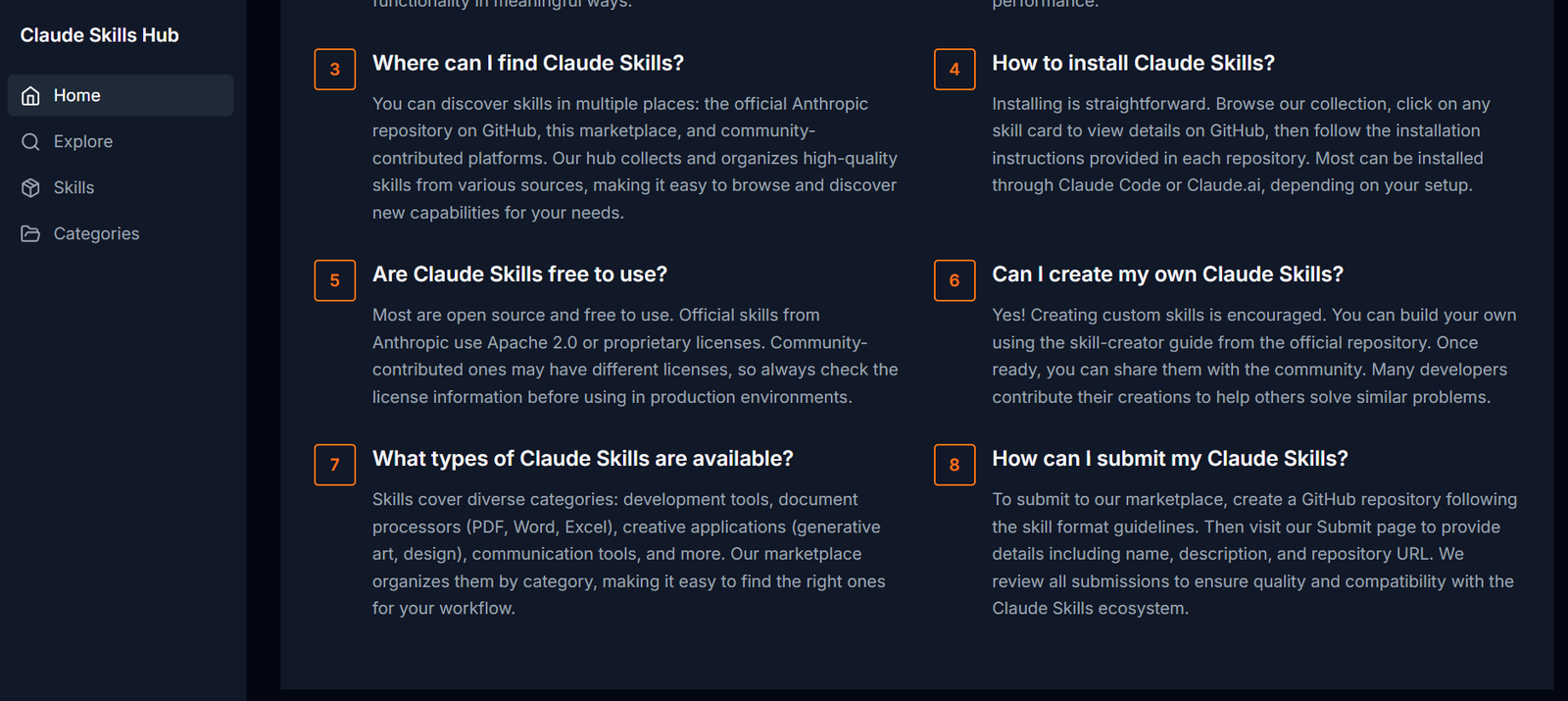
Claude Skills is an AI enhancement tool that allows users to create custom skills—modular, task-specific instructions or behaviors—for Claude, the conversational AI developed by Anthropic. These skills can be as simple as a predefined prompt or as complex as a domain-specific workflow guide.
By creating skills, users can teach Claude how to handle repetitive tasks, follow custom workflows, or adopt specialized tones, formats, or functions. This gives users more control over how Claude responds in certain contexts without needing to manually input the same instructions every time.
Claude Skills is especially valuable for professionals and teams that want to extend the utility of Claude beyond general-purpose chat. It turns Claude into a smart assistant tailored to your business, industry, or personal workflow.
Features
Claude Skills allows users to define reusable AI behaviors, known as “skills.” Each skill contains a clear description of what Claude should do, how it should behave, and what rules it should follow during the interaction.
Skills can be set up using natural language. There is no coding required to build or deploy a skill. Users describe what they want Claude to do, and the platform applies those rules consistently whenever the skill is triggered.
Each skill can include examples and formats, helping Claude understand the expected output more clearly. This ensures better accuracy and reduces the need to rewrite or clarify instructions.
Users can create domain-specific skills, such as legal document drafting, email summarization, technical QA support, or tone-adapted customer replies. The skills can be finely tuned to perform these actions consistently.
Claude Skills supports dynamic task switching. Once a skill is created, users can ask Claude to apply it on-demand, allowing for faster multi-step workflows without retyping or reexplaining the process.
All created skills are stored in a centralized dashboard where users can view, edit, or delete them. This gives full control over what Claude can do and how it responds to different prompts.
The platform is built with privacy and security in mind. User data is managed according to industry best practices, and custom skills are not publicly shared unless explicitly published by the user.
Claude Skills also allows for sharing and collaboration, where skills can be exported or documented for use within teams or by other Claude users.
How It Works
Using Claude Skills begins by accessing the main website and signing into your Claude account. Once inside, users can create a new skill by writing a simple instruction or behavior pattern for Claude to follow.
Each skill requires a title and a description. The title identifies the skill (such as “Summarize Legal Contracts”) while the description provides Claude with guidance on how to perform the task.
Users can include specific examples or formatting expectations. For instance, if creating a skill for generating executive summaries, users might include a prompt like “Use bullet points and limit to 150 words.”
Once the skill is saved, it becomes available for reuse. During any Claude conversation, users can activate the skill to guide Claude’s responses accordingly.
Skills can be refined over time. If a skill is not performing as expected, users can edit the instructions, update the examples, or add more context to improve results.
All of this happens within an intuitive, browser-based interface that makes managing and deploying skills fast and simple.
Use Cases
Professionals in legal, finance, and consulting roles can create skills for drafting documents, generating reports, or reviewing content based on strict criteria. This saves time and ensures consistency.
Customer support teams can set up Claude to follow specific tone guidelines, troubleshoot product issues, or summarize tickets using reusable instructions aligned with their brand.
Writers and marketers can use skills to generate content in a preferred tone or structure, such as social media posts, newsletters, or SEO-friendly blog outlines.
Educators and students can build study aids or tutoring modules, where Claude follows a teaching style or quiz format defined by the user.
Researchers can design Claude Skills for summarizing long papers, organizing findings, or generating citations in the required academic format.
Founders and entrepreneurs can create workflows for Claude that handle tasks like cold email drafting, business idea refinement, or pitch deck feedback—all using consistent criteria.
Developers can test prompt engineering strategies by building and refining Claude Skills that simulate APIs, interfaces, or chatbot behaviors for internal testing.
Pricing
As of October 2025, Claude Skills is available as a free feature within the Claude AI platform. There is no additional cost to create, use, or manage skills.
Users must have access to Claude, which is available via Anthropic’s platform or through integrations in products that support Claude.
There is no indication of premium plans specifically tied to Claude Skills. However, usage limits may apply based on the user’s Claude subscription tier or API plan.
For the latest access or feature availability, users are encouraged to visit the Claude Skills website and sign in through their official Claude account.
Strengths
Claude Skills enables users to create consistent, reusable instructions that save time and improve accuracy across conversations.
The no-code approach makes it accessible to anyone, regardless of technical background. All instructions are written in plain language.
It improves Claude’s usefulness in professional and repetitive tasks, turning it from a general chatbot into a domain-specific assistant.
The centralized dashboard offers easy management of all skills, with editing and refinement options available anytime.
It enhances productivity by reducing repetitive prompt writing. Once a skill is built, it can be reused as often as needed.
It supports a wide variety of use cases, from drafting content and analyzing data to summarizing text and handling customer queries.
Drawbacks
Claude Skills is still dependent on the quality of Claude’s model responses. If the underlying AI misinterprets a vague instruction, the skill may need manual refinement.
The platform does not currently support complex logic, variables, or data input. It’s focused on written instructions, not programmable workflows.
There is no integration yet with APIs or external data sources, which limits use cases for advanced automation.
Sharing of skills is manual. There is no public marketplace or built-in collaboration network as of now.
The system is most effective for users who already understand prompt engineering or have a clear idea of what output they want.
While powerful, Claude Skills may not be as robust as full automation platforms like Zapier or Notion AI when it comes to dynamic workflows.
Comparison with Other Tools
Compared to general prompt templates in tools like ChatGPT, Claude Skills offers a more organized and reusable system for managing these instructions. It’s not just a saved prompt—it’s a functional tool that can be called on demand.
Unlike tools like Zapier or Make.com that focus on data automation, Claude Skills focuses on text generation behavior, making it more suitable for writing, analysis, and content workflows.
While Notion AI or GrammarlyGO provide writing assistance, Claude Skills allows much deeper customization for users who want control over how Claude behaves in different contexts.
Unlike hardcoded chatbots or scripted flows, Claude Skills gives users the flexibility of natural language paired with repeatable behavior, without requiring scripting.
It fills a middle ground between simple AI chat and full programming—perfect for users who want tailored AI functionality without building full apps or bots.
Customer Reviews and Testimonials
As of now, the official Claude Skills website does not feature customer testimonials. However, user feedback from early adopters on platforms like X (formerly Twitter) and Hacker News indicates strong interest in the tool’s potential.
Users praise the ability to define reusable instructions for Claude and appreciate the simple interface for managing tasks that would otherwise require repeated prompting.
Many also point out that Claude Skills makes Claude more powerful in daily workflows, particularly in fields like writing, research, and customer communication.
As usage grows, more detailed reviews and case studies are expected to appear across the AI and productivity community.
Conclusion
Claude Skills is a powerful, easy-to-use platform that helps users create custom behaviors for Claude, turning the AI from a generic assistant into a task-specific tool tailored to individual needs.
Whether you’re writing, researching, teaching, supporting customers, or building internal workflows, Claude Skills lets you save time and reduce friction by defining reusable, consistent AI instructions.
Its no-code design, professional use case support, and seamless integration with Claude make it one of the most practical tools for AI customization today.