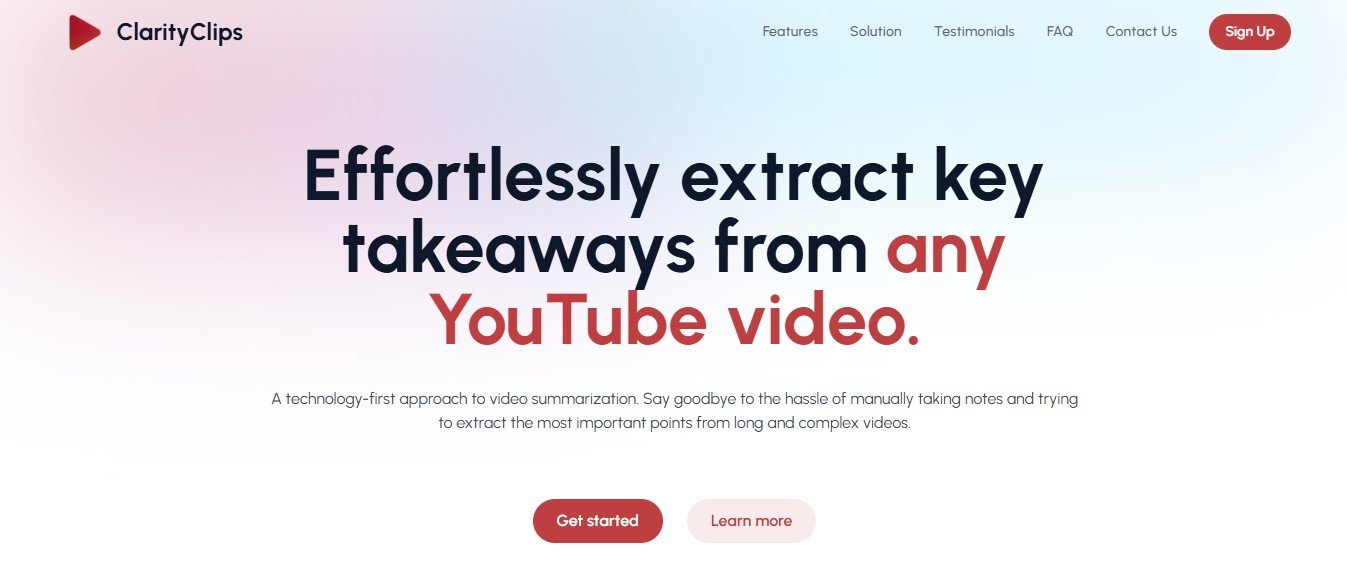
ClarityClips is an AI-powered platform designed to analyze, summarize, and extract actionable insights from video content. It simplifies video consumption by creating text-based summaries, highlighting key moments, and organizing content into easy-to-navigate sections. With its user-friendly interface, ClarityClips makes it easy to understand long-form video content in a fraction of the time.
Whether you’re working with webinars, lectures, meetings, or online courses, ClarityClips ensures you never miss critical information while saving time and boosting productivity.
Key Features of ClarityClips
ClarityClips offers a robust set of features tailored to simplify video analysis and consumption:
1. AI-Powered Video Summarization
Automatically generate concise text summaries of long-form video content, saving time and effort.
2. Key Highlight Detection
Identify and extract the most important moments in a video, such as key discussions, action points, or transitions.
3. Topic Segmentation
Organize video content into sections or chapters based on topics, making navigation easier.
4. Searchable Transcripts
Generate accurate transcripts of videos, with a built-in search feature to quickly locate specific terms or discussions.
5. Content Tags
Automatically generate tags for each video based on its content, making it easier to categorize and retrieve videos.
6. Multilingual Support
Summarize and transcribe videos in multiple languages, making it ideal for global teams and audiences.
7. Exportable Summaries and Transcripts
Export summaries, transcripts, and key highlights in various formats like TXT, PDF, or Word for easy sharing.
8. Customizable Summaries
Adjust the level of detail in the summaries, from concise bullet points to more detailed explanations.
9. Integration with Video Platforms
Integrate with platforms like YouTube, Zoom, and Vimeo to directly import video content.
10. Cloud-Based Access
Access your projects anywhere, anytime, with ClarityClips’ secure cloud-based platform.
How Does ClarityClips Work?
Using ClarityClips is intuitive and straightforward. Here’s how it works:
Step 1: Upload Your Video
Log in to ClarityClips and upload your video file, or connect your video platform (e.g., YouTube, Zoom) to import the video.
Step 2: AI Processing
The AI processes the video, generating a transcript, summary, and identifying key highlights.
Step 3: Customize Output
Adjust the level of detail in the summary, add or refine key points, and organize the content based on your needs.
Step 4: Review and Share
Export the summary, transcript, or highlights in your preferred format and share it with your team or audience.
Step 5: Analyze Insights
Use the actionable insights provided by ClarityClips to make informed decisions, repurpose content, or enhance workflows.
Use Cases of ClarityClips
ClarityClips is versatile and serves a wide range of industries and professionals. Here are some common use cases:
1. Content Creators and Marketers
- Summarize webinars or video interviews into short, actionable insights for blogs, emails, or social media posts.
- Extract highlights from videos to create promotional snippets for marketing campaigns.
2. Educators and E-Learning Platforms
- Summarize lectures or online courses into concise study notes for students.
- Organize course content into topics or chapters for better learning experiences.
3. Businesses and Remote Teams
- Analyze meeting recordings to extract action points and key discussions.
- Share summaries and transcripts with team members who missed the meeting.
4. Researchers and Analysts
- Transcribe and summarize research interviews or focus group discussions.
- Extract critical points from long video recordings for faster analysis.
5. Event Planners and Hosts
- Summarize live events, panel discussions, or keynote speeches for post-event reports or promotional materials.
Pricing
ClarityClips offers flexible pricing plans to cater to different users:
Free Plan
- Process up to 3 videos per month.
- Generate basic summaries and transcripts.
- Limited to videos under 30 minutes.
Pro Plan
- Cost: $14.99/month or $149/year.
- Unlimited video uploads and processing.
- Access advanced features like topic segmentation, custom summaries, and multilingual support.
- Export summaries and transcripts in multiple formats.
Enterprise Plan
- Custom pricing for large teams and organizations.
- Includes advanced analytics, API access, and team collaboration tools.
- Dedicated account manager and priority support.
For the latest pricing details, visit the official ClarityClips pricing page.
Strengths of ClarityClips
- Time-Saving: Quickly processes long-form videos into summaries, saving hours of manual work.
- Accurate AI: Delivers high-quality transcripts and summaries, even for complex or technical content.
- User-Friendly Interface: Intuitive design makes it accessible for beginners and professionals alike.
- Customizable Outputs: Tailor summaries and transcripts to your specific needs, whether concise or detailed.
- Multilingual Support: Expands accessibility for global teams and audiences.
Drawbacks of ClarityClips
- Free Plan Limitations: The free plan restricts video length and the number of processed videos, which may not meet the needs of frequent users.
- AI Limitations: While accurate, the AI may occasionally miss nuanced or highly specific details, requiring manual review.
- No Mobile App Yet: A dedicated mobile app would improve accessibility for users on the go.
ClarityClips vs. Competitors
ClarityClips vs. Otter.ai
Otter.ai specializes in live transcription and meeting notes, while ClarityClips focuses on summarizing and analyzing recorded video content with additional features like highlight detection and topic segmentation.
ClarityClips vs. Descript
Descript offers advanced video editing tools alongside transcription, whereas ClarityClips emphasizes AI-driven summarization and insights, making it more suitable for video analysis.
ClarityClips vs. VEED.io
VEED.io focuses on video editing and subtitling, while ClarityClips excels in generating summaries, highlights, and transcripts to extract value from video content.
Customer Reviews and Testimonials
Here’s what users are saying about ClarityClips:
- “ClarityClips saves me hours of time by summarizing long webinars into actionable highlights. I can focus on the key points without watching the entire video.” – Sarah M., Content Marketer
- “The transcripts and summaries are incredibly accurate, even for technical presentations. It’s a must-have tool for any researcher.” – John T., Research Analyst
- “ClarityClips helps me repurpose video content for social media effortlessly. I love how it extracts highlights I can use as clips.” – Emily R., Social Media Manager
Conclusion
ClarityClips is an innovative AI tool that transforms how we consume and analyze video content. By providing accurate summaries, transcripts, and highlights, it saves time and boosts productivity for marketers, educators, researchers, and professionals across industries.
While the free plan is ideal for testing, the Pro Plan unlocks advanced features like topic segmentation and multilingual support, making it an excellent investment for frequent users. If you’re looking for an efficient way to extract value from video content, ClarityClips is the perfect solution.
To explore its features or get started, visit the official website: www.clarityclips.com.