
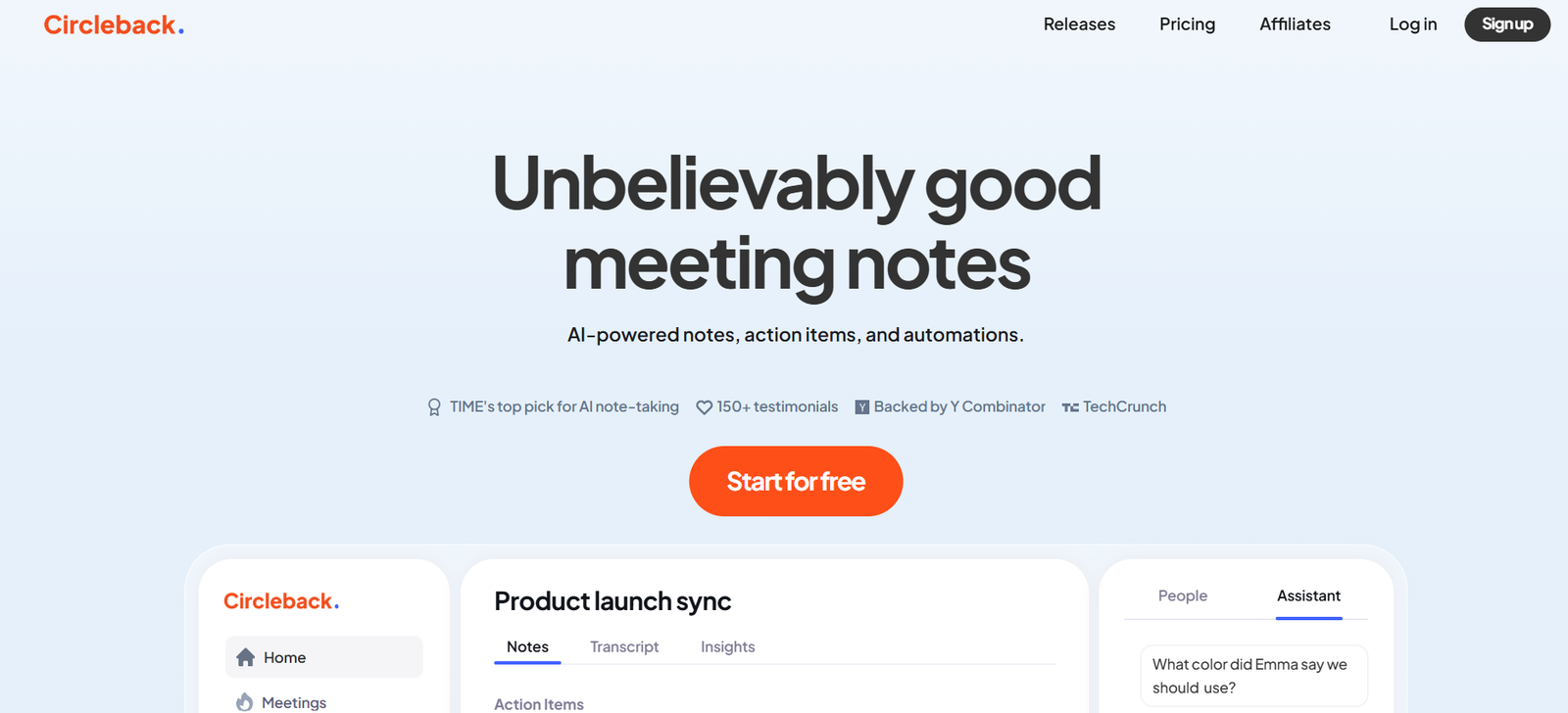
Circleback.ai is a productivity tool that uses artificial intelligence to transform meetings into automated summaries, action items, and follow-ups. By integrating with popular video conferencing platforms, Circleback.ai listens to conversations and extracts the most important insights—so you don’t have to take notes or worry about missing anything.
Ideal for busy professionals, managers, and distributed teams, Circleback.ai ensures that every meeting ends with a clear set of takeaways. Whether you’re running daily standups, client calls, or strategic planning sessions, Circleback automates the documentation process and helps improve alignment and accountability.
Features of Circleback.ai
AI-Powered Summarization
Automatically generate concise summaries of any meeting, including key topics discussed, decisions made, and main insights.
Action Item Detection
Circleback identifies and extracts actionable next steps from the conversation, assigning ownership when possible.
Meeting Insights Dashboard
View all past meeting summaries, actions, and highlights in one central dashboard. Helps track project progress and meeting outcomes over time.
Searchable Meeting History
Quickly search through past meetings using keywords to find specific discussions, decisions, or tasks.
Cross-Platform Support
Works with major video conferencing platforms including Zoom, Google Meet, and Microsoft Teams.
Email and Slack Integration
Get meeting summaries and action items delivered to your inbox or Slack channel automatically.
Private and Secure Transcription
All meeting recordings and transcripts are processed securely, with privacy and compliance in mind.
Speaker Attribution
Summaries can indicate who said what during a meeting, making it easier to track accountability and follow-up.
How Circleback.ai Works
Sign Up and Connect Your Calendar
Create an account on https://circleback.ai and connect your calendar (Google or Microsoft) to automatically detect scheduled meetings.Join or Record a Meeting
Circleback can automatically join meetings as a silent participant or receive uploaded recordings for processing.AI Processes the Conversation
After the meeting ends, Circleback’s AI transcribes the call, analyzes the conversation, and identifies key insights and action items.Receive a Summary and Action Items
You’ll receive a detailed summary and list of follow-ups via email, Slack, or directly in the dashboard.Review and Share
Edit or approve the summaries, and easily share them with your team or add them to your task management system.
Use Cases for Circleback.ai
Project Management
Ensure every task discussed in a project meeting is captured, assigned, and followed through—no more forgotten action items.
Sales Teams
Summarize client calls automatically, track follow-up tasks, and maintain a history of each customer conversation.
Product and Engineering Teams
Capture feature discussions, sprint planning notes, and technical decisions from engineering standups and syncs.
Remote Teams
Support asynchronous collaboration by providing summaries for team members in different time zones.
Executives and Managers
Stay informed about meetings without attending every one. Circleback provides high-level summaries and key takeaways.
Recruitment and Hiring
Document interview conversations and align hiring teams with consistent summaries and candidate insights.
Pricing of Circleback.ai
As of June 2025, Circleback.ai offers the following pricing plans:
Free Plan
5 meeting summaries per month
Limited summary length
Email delivery only
Basic dashboard access
Pro Plan – $15/month
Unlimited meetings
Full-length summaries and action items
Slack integration
Speaker attribution
Advanced dashboard features
Team Plan – $49/month (up to 5 users)
Everything in Pro
Centralized admin dashboard
Team analytics
Enhanced permissions and controls
Enterprise Plan
Custom pricing
Priority support
API access
Custom compliance and security
SSO and advanced integrations
All plans come with a free trial and the ability to upgrade or cancel at any time.
(Source: https://circleback.ai)
Strengths of Circleback.ai
Removes the need for manual note-taking
Clear and actionable summaries after every meeting
Easy to implement with minimal onboarding
Saves time and improves meeting productivity
Cross-platform compatibility with leading video tools
Useful for both individuals and entire teams
Affordable pricing with scalable options
Drawbacks of Circleback.ai
Requires consent from meeting participants in some regions due to recording laws
May misattribute speakers in noisy or overlapping conversations
AI-generated summaries may occasionally need manual editing
Heavily reliant on integration with supported platforms
No mobile app currently available (as of June 2025)
Comparison with Other Tools
Circleback.ai vs. Otter.ai
Otter focuses more on transcription, while Circleback specializes in meeting summaries and task extraction.
Circleback.ai vs. Fireflies.ai
Fireflies offers more collaboration tools and CRM integrations, but Circleback provides cleaner summaries with a user-friendly interface.
Circleback.ai vs. Fathom
Fathom is strong in sales and call recording features. Circleback is more versatile for general team productivity and project meetings.
Circleback.ai vs. tl;dv
tl;dv is focused on timestamped highlights in videos. Circleback emphasizes concise written summaries and structured action items.
Customer Reviews and Testimonials
Circleback.ai has received positive feedback from professionals across industries who want to make meetings more efficient:
“Circleback saves us hours every week. We never miss an action item after a team sync.” – Product Manager, SaaS Startup
“I love how clean and accurate the summaries are. We use them to stay aligned across teams without extra follow-up emails.” – COO, Marketing Agency
“I manage a remote team across 4 time zones. Circleback helps keep everyone in the loop with zero effort.” – Engineering Lead
The tool has also been well-received on platforms like Product Hunt for its user experience and focus on real productivity gains.
Conclusion
Circleback.ai transforms how teams manage meetings by offering AI-powered summaries, action items, and follow-ups, all without manual effort. It fits seamlessly into existing workflows and helps individuals and organizations save time, improve accountability, and make every meeting count.
If your team struggles with meeting fatigue or forgotten tasks, Circleback.ai offers a smart, scalable, and affordable solution to stay organized and aligned.












