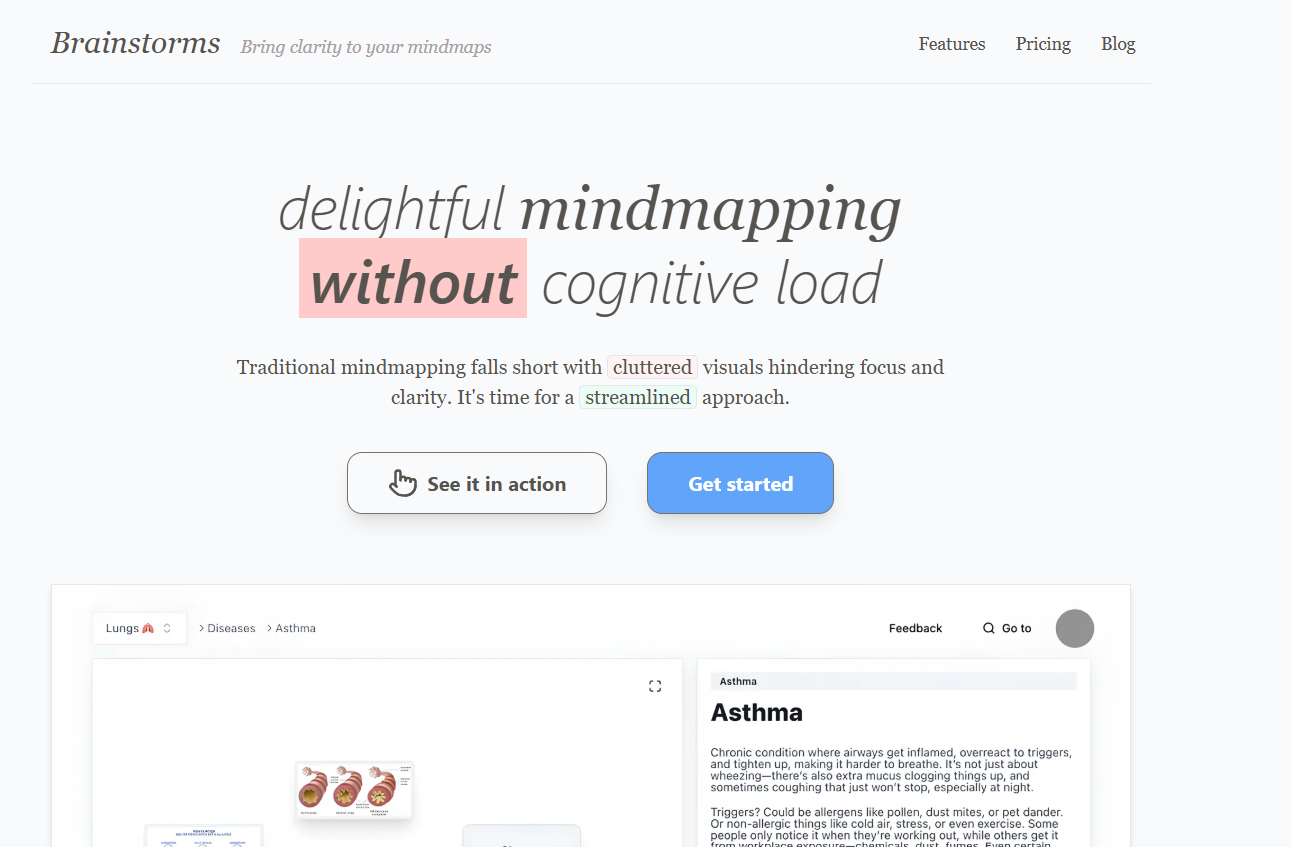
Brainstorms is an AI-powered tool designed to help individuals and teams generate fresh, creative ideas quickly and efficiently. Whether you’re tackling a blank page, planning a new business, naming a product, or solving a complex problem, Brainstorms provides intelligent, real-time suggestions to kickstart your thinking process.
The platform transforms traditional brainstorming into a guided, AI-supported experience. Rather than starting from scratch, users are prompted with ideas, suggestions, and thought starters that evolve based on their input. Brainstorms is designed to simulate collaborative ideation — even if you’re working solo.
Created for entrepreneurs, creatives, marketers, writers, and students, Brainstorms blends the power of generative AI with the psychology of ideation to make creativity more accessible and structured.
Features
Brainstorms includes several AI features tailored to enhance creativity, streamline brainstorming sessions, and make ideation more productive.
Interactive Brainstorming Sessions: Start with a broad challenge or idea and let the AI prompt you with refined thoughts, analogies, or directions to explore.
Customizable Thought Starters: Users can generate new prompts based on categories such as naming, problem-solving, business ideas, marketing angles, and more.
Infinite Idea Expansion: Continue building on previous ideas with follow-up prompts, sub-questions, or twists that encourage deeper exploration.
Clean User Interface: A minimal and intuitive interface keeps users focused on the brainstorming process without distractions.
Fast Idea Generation: Suggestions appear in real-time, allowing users to maintain momentum in their creative process.
Idea Management: Organize, edit, and group your favorite ideas into clusters or themes for future use.
No Account Required: Users can try the tool instantly without signing up, which reduces friction and encourages experimentation.
Privacy-Friendly: The tool does not collect unnecessary data during brainstorming sessions, making it suitable for early-stage or sensitive ideas.
How It Works
Using Brainstorms is simple, intuitive, and accessible to anyone with a creative challenge or ideation need.
Step 1: Visit brainstorms.app and enter a brief description of the idea, problem, or topic you want to explore. This could be a business idea, a product name, a marketing strategy, or a story concept.
Step 2: Click “Start Brainstorming.” The AI will begin generating a stream of creative prompts and ideas related to your input.
Step 3: Interact with the AI by clicking “More ideas,” “Refine,” or typing clarifying instructions. The session evolves based on your selections and feedback.
Step 4: Review, copy, or organize ideas that stand out. You can return to earlier threads or start new sessions anytime.
The entire process is designed to simulate creative collaboration, with the AI acting like a thought partner offering helpful nudges and lateral suggestions.
Use Cases
Brainstorms is a versatile tool that serves a wide range of users across industries. Common use cases include:
Startup Idea Generation: Entrepreneurs can use the tool to develop new business ideas, validate concepts, or explore potential markets.
Product Naming: Creators and marketers can brainstorm catchy, relevant, and brand-aligned names for new products or services.
Creative Writing: Writers can use Brainstorms to break through writer’s block, develop plot lines, or create character arcs.
Marketing Campaigns: Marketing teams can generate angles, slogans, taglines, and content ideas for advertising or brand storytelling.
Problem Solving: Individuals and teams can approach challenges from multiple perspectives using AI-assisted brainstorming paths.
Workshop Planning: Facilitators can use Brainstorms to prepare exercises, discussion topics, and ideation frameworks for events or innovation sessions.
Academic Projects: Students can use the tool to generate research topics, project ideas, or thesis themes.
Pricing
As of October 2025, Brainstorms offers a straightforward and transparent pricing model with both free access and premium features.
Free Plan:
Unlimited brainstorming sessions
Access to general categories and idea generation
No account required
Limited history and customization
Pro Plan – $6/month or $48/year:
Unlimited access to all brainstorming categories
Save and organize ideas across sessions
Export sessions as text or PDF
Priority access to new features
Enhanced AI models for deeper idea refinement
Brainstorms offers a 7-day free trial of the Pro Plan for new users, allowing them to explore the full functionality before subscribing.
Strengths
Brainstorms excels at simplifying and accelerating the creative process. It helps users break through mental blocks by offering constant ideation momentum, which is often the hardest part of starting a project.
Its minimalist interface and focus on immediate value (no signup required) make it approachable for anyone, regardless of their creative experience or industry.
The tool is also flexible, allowing users to pivot quickly between different directions or ideas without starting over. This supports exploratory thinking — a key part of innovation.
Its affordability, especially compared to more complex idea management platforms, makes Brainstorms accessible for freelancers, students, and solo entrepreneurs.
Drawbacks
While Brainstorms is a useful creative tool, it does have some limitations depending on the user’s needs.
No Collaboration Tools: Currently, Brainstorms is designed for solo use. There’s no feature for real-time collaboration or team-based brainstorming.
Limited Export Options on Free Tier: Without the Pro Plan, users cannot save or organize ideas across sessions, which may limit long-term utility.
Not Integrated with Other Tools: Brainstorms does not yet support integrations with platforms like Notion, Google Docs, or Slack.
Surface-Level Exploration: The AI provides breadth of ideas but may lack deep contextual knowledge for complex or niche subjects.
No Mobile App: While the site is mobile responsive, there is no standalone iOS or Android app available yet.
Comparison with Other Tools
Brainstorms stands out in the growing landscape of AI ideation tools by focusing solely on brainstorming, rather than general productivity or content generation.
Compared to ChatGPT or Claude, which are more general-purpose AI chatbots, Brainstorms is designed around focused ideation flows and creative nudges, offering a more curated brainstorming experience.
Compared to tools like Miro or Mural, which offer collaborative whiteboarding, Brainstorms is far simpler, with no visual mapping but faster idea output.
When compared to naming tools like Namelix, Brainstorms is more versatile — capable of generating names, strategies, and entire concepts, rather than just domain names or brand titles.
It occupies a unique space between AI creativity tools and productivity platforms, catering to users looking for fast inspiration without complexity.
Customer Reviews and Testimonials
While Brainstorms is relatively new, it has started gaining traction among creators, marketers, and indie makers online.
Early user feedback highlights its ease of use, immediate value, and the way it helps break mental blocks. Creators on platforms like X (Twitter) and Reddit have described it as a “hidden gem for idea generation” and “like having a co-founder who’s never tired.”
Students and solo entrepreneurs mention using it for naming products, building business pitches, and coming up with startup ideas.
The simplicity and lack of account requirement also make it popular with users who just want quick inspiration without commitment.
Some users suggest adding collaborative tools, richer export options, and integrations to improve its long-term value for teams and businesses.
Conclusion
Brainstorms is a lightweight yet powerful AI tool that brings speed and structure to creative thinking. By simulating a collaborative ideation process, it helps users go from blank page to breakthrough ideas — whether for business, content, or personal projects.
Its ease of use, affordable pricing, and focus on brainstorming make it an ideal companion for creators, founders, marketers, and students. While it lacks advanced integrations and team features, it delivers exactly what most users need: quick, relevant, and inspiring ideas on demand.
If you’re stuck on a problem, need a fresh angle, or just want a spark of creativity, Brainstorms is one of the most useful AI tools available today.