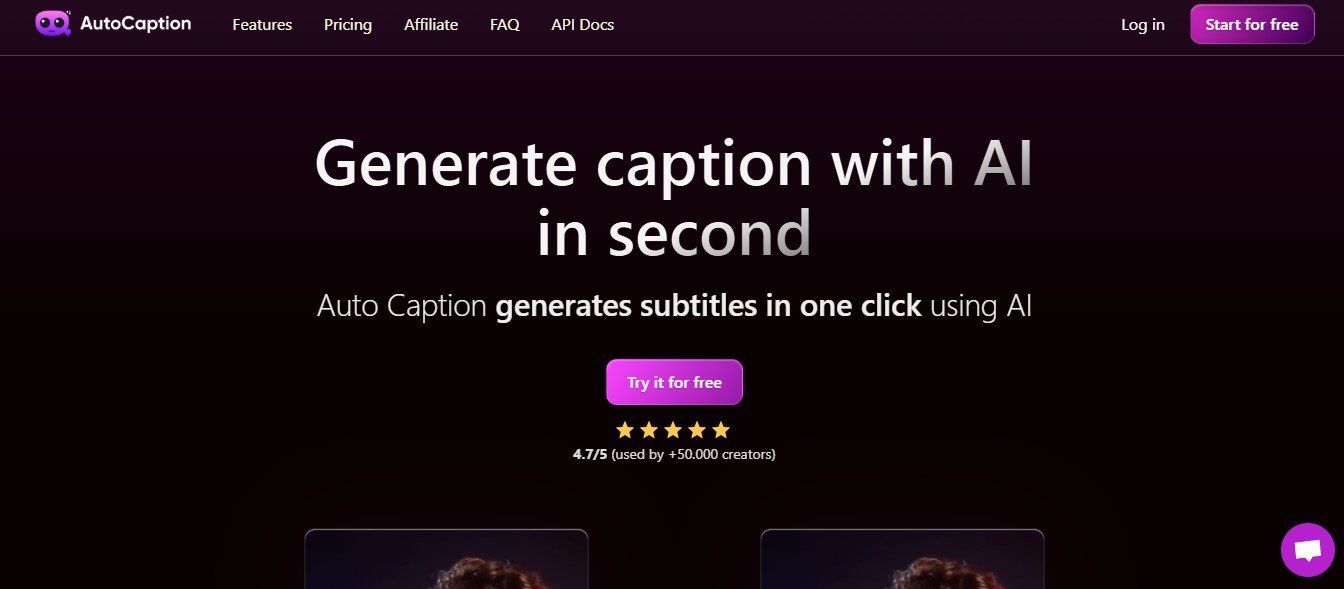
AutoCaption.io is an AI-powered platform for creating captions and subtitles for videos. It uses speech recognition and machine learning to transcribe audio, automatically generate captions, and synchronize them with your video. The platform supports multiple languages and provides customization options to ensure captions align with your brand style and content requirements.
AutoCaption.io is perfect for content creators, marketers, educators, and businesses looking to make their videos more accessible and engaging.
Key Features of AutoCaption.io
AutoCaption.io offers a robust set of features to simplify the process of adding captions and subtitles to videos:
1. AI-Powered Automatic Captioning
AutoCaption.io automatically transcribes audio from your video and generates captions with high accuracy.
2. Multi-Language Support
The platform supports multiple languages, making it ideal for creating multilingual captions or subtitles for global audiences.
3. Customizable Subtitles
Edit fonts, colors, and sizes to ensure captions match your branding or visual preferences.
4. Speaker Identification
The tool recognizes and labels multiple speakers in a video, ensuring clarity in conversations and interviews.
5. Real-Time Syncing
Captions are synced perfectly with video timestamps, ensuring smooth playback without delays or mismatched text.
6. Export Options
Download captions as SRT, VTT, or hardcoded subtitles (burned into the video) for various platforms like YouTube, TikTok, and Instagram.
7. Batch Processing
Upload multiple videos at once for batch captioning, saving time for large projects.
8. Accuracy and Editing Tools
Review and edit captions easily within the platform using a built-in text editor. AI suggestions help improve accuracy and formatting.
9. SEO-Friendly Metadata
Generate SEO-ready captions to improve video discoverability on search engines.
10. Cloud Integration
Integrate with cloud storage platforms like Google Drive and Dropbox for seamless video uploads and downloads.
How Does AutoCaption.io Work?
Using AutoCaption.io is simple and efficient. Here’s how it works:
Step 1: Upload Your Video
Log in to the platform and upload your video file. You can also import videos directly from cloud storage or video-sharing platforms.
Step 2: Select Language and Preferences
Choose the language of your video and specify any customization preferences for captions, such as font style or color.
Step 3: Generate Captions
Click “Generate,” and AutoCaption.io will transcribe the audio and create captions automatically.
Step 4: Review and Edit
Review the captions in the platform’s built-in editor to ensure accuracy. Make edits if needed, and preview how the captions will appear on your video.
Step 5: Export or Publish
Download the captions as SRT/VTT files or export the video with hardcoded subtitles. Publish your captioned video on your desired platform.
Use Cases of AutoCaption.io
AutoCaption.io is versatile and serves a variety of industries and user needs. Here are some popular use cases:
1. Social Media Content
- Add captions to Instagram Reels, TikTok videos, and Facebook posts to engage viewers, even with the sound off.
- Use branded subtitles to improve video aesthetics and brand recognition.
2. Marketing Campaigns
- Enhance video ads with captions to increase accessibility and reach a broader audience.
- Add multilingual subtitles to target global customers.
3. Educational Content
- Generate captions for online courses, training videos, and lectures to improve learning experiences.
- Ensure accessibility for hearing-impaired students.
4. YouTube Creators
- Add SEO-friendly captions to YouTube videos to improve discoverability and engagement.
- Use speaker labeling for interviews, podcasts, or panel discussions.
5. Corporate Training and Internal Communication
- Caption internal training videos and webinars for better comprehension and accessibility.
- Provide multilingual subtitles for global teams.
6. Accessibility Compliance
- Ensure your videos meet accessibility standards such as WCAG (Web Content Accessibility Guidelines) by including accurate captions and subtitles.
Pricing
AutoCaption.io offers flexible pricing plans to cater to different user needs:
Free Plan
- Caption up to 10 minutes of video per month.
- Basic caption generation and editing tools.
- Limited export options (SRT files only).
Pro Plan
- Cost: $15.99/month or $149/year.
- Caption up to 10 hours of video per month.
- Full access to customization options and multi-language support.
- Export captions in SRT, VTT, or hardcoded formats.
Enterprise Plan
- Custom pricing for businesses and organizations.
- Unlimited video uploads and captions.
- Includes API access, team collaboration features, and priority support.
For more details, visit the official AutoCaption.io pricing page.
Strengths of AutoCaption.io
- Automation and Accuracy: AI-powered transcription ensures fast and accurate caption generation.
- Customization: Offers flexible options for branding and editing captions to match specific needs.
- SEO-Friendly: Generates captions that boost search engine rankings for video content.
- Batch Processing: Saves time by allowing users to caption multiple videos at once.
- Accessibility: Ensures compliance with accessibility standards, making videos inclusive to a wider audience.
Drawbacks of AutoCaption.io
- Limited Free Plan: The free plan is restricted to 10 minutes of video per month, which may not suffice for frequent users.
- Manual Review Needed: While the AI is accurate, some manual editing may be required for videos with complex audio or heavy accents.
- No Mobile App Yet: Although the platform is mobile-friendly, a dedicated app would improve on-the-go usability.
AutoCaption.io vs. Competitors
AutoCaption.io vs. Rev
Rev offers professional human transcription services, while AutoCaption.io focuses on AI-powered automation, making it faster and more affordable for everyday use.
AutoCaption.io vs. Kapwing
Kapwing is a versatile video editor that includes captioning but lacks the advanced AI-powered automation and accuracy provided by AutoCaption.io.
AutoCaption.io vs. VEED.io
VEED.io offers video editing and subtitling, but AutoCaption.io excels in batch processing, speaker identification, and SEO-focused features.
Customer Reviews and Testimonials
Here’s what users are saying about AutoCaption.io:
- “AutoCaption.io has streamlined my video workflow. Adding captions is now so easy and quick!” – Sarah L., Content Creator
- “I love how accurate the AI is. Even with multiple speakers, the captions came out great!” – John T., Educator
- “This tool has helped me make my social media videos more engaging. The hashtag recommendations are a bonus!” – Emily R., Social Media Manager
Conclusion
AutoCaption.io is a powerful AI-driven tool that simplifies the process of captioning and subtitling videos. With features like automatic transcription, multi-language support, and customization options, it’s ideal for content creators, businesses, educators, and marketers looking to save time while improving video accessibility and engagement.
While the free plan is great for trying out the platform, the Pro Plan provides excellent value with unlimited customization and export options. Whether you’re managing a social media campaign, creating educational content, or ensuring accessibility compliance, AutoCaption.io makes video captioning fast, accurate, and hassle-free.
To explore its features or get started, visit the official website: www.autocaption.io.