
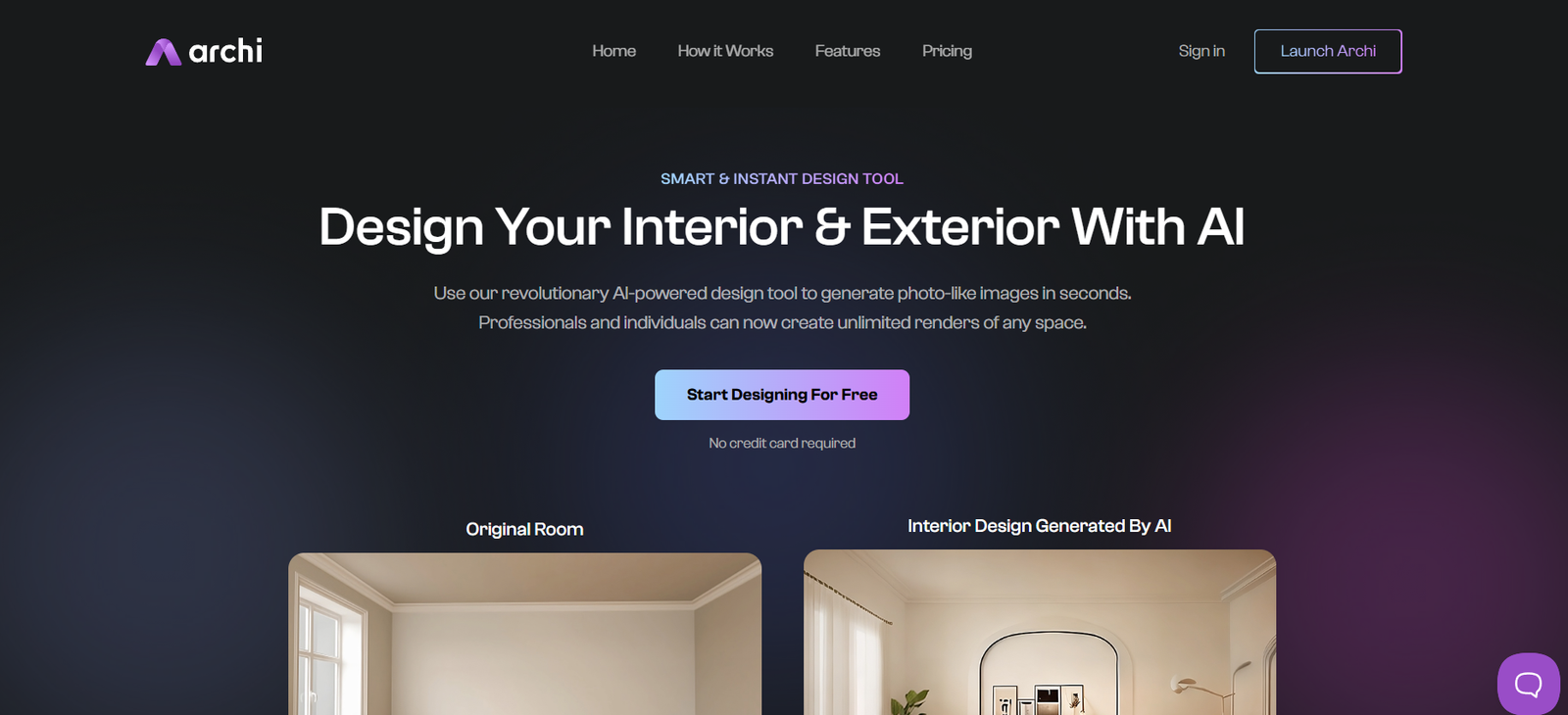
Archi AI is an AI-powered platform designed to generate architectural floor plans and interior layouts from simple user prompts or uploaded sketches. It uses advanced machine learning to produce detailed visual representations of building layouts, giving users a rapid way to explore design possibilities.
Unlike traditional CAD or architectural tools that require manual drawing or modeling, Archi AI automates much of the design process. Users can specify their design preferences—such as number of rooms, floors, style, and size—and receive ready-to-use 2D or 3D renderings in seconds.
This tool is ideal for architects testing multiple configurations, builders working on early client proposals, and homeowners exploring layout ideas before meeting with professionals.
Features
Archi AI allows users to generate realistic architectural designs based on either written prompts or uploaded sketches. The platform supports both 2D floor plans and AI-generated 3D visualizations, making it easy to conceptualize spatial arrangements.
Users can select from a variety of design styles, including modern, traditional, minimalist, industrial, and more. You can define room types, sizes, and layout constraints to ensure that the output matches specific requirements.
One of the core features is the sketch-to-plan functionality, which lets users upload rough sketches or blueprints and receive AI-enhanced, polished versions. These outputs can be downloaded, shared, or used as references in architectural or construction workflows.
Archi AI also allows customization of room labels, dimensions, and orientations. It offers a flexible, web-based interface accessible from desktop or mobile browsers.
How It Works
To use Archi AI, users visit the official website and choose whether they want to generate a new design from a text prompt or upload an existing sketch for refinement.
If using a text prompt, users simply enter key details such as building type, number of rooms, room sizes, preferred design style, and any additional features like balconies, garages, or open spaces. The AI processes this input and generates one or more design variations.
If using the sketch-to-plan tool, users upload a drawing or image of an existing layout. The AI interprets and enhances the sketch into a cleaner, professional-looking plan.
The generated plans are displayed within the interface, where users can view, download, or refine them further. The platform is intuitive and does not require design or architectural software experience.
Use Cases
Archi AI is useful for a wide range of users and scenarios. Architects use it to explore alternative layout ideas during the early design phase or to present clients with rapid concept iterations.
Builders and developers benefit from the tool when visualizing project layouts during the proposal stage or when communicating options to clients or investors.
Homeowners and renovators use Archi AI to experiment with floor plan ideas before hiring an architect or contractor. It provides a clearer understanding of what’s possible within a given space or lot.
Interior designers use the platform to align interior layouts with architectural constraints, especially when working with new construction or remodeling projects.
Students and educators in architecture programs use Archi AI to generate practice designs and explore layout logic in a visual and engaging way.
Pricing
Archi AI offers a combination of free and paid access based on usage volume and feature requirements:
Free Plan
Includes limited daily floor plan generations, suitable for casual users exploring the platform or working on a single design.
Pay-Per-Use Credits
Users can purchase rendering credits starting at around $15, which allows for the generation of additional floor plans or higher-resolution outputs.
Pro Plan – Custom Pricing
Designed for professionals and businesses who require frequent design generation, project management tools, and premium output formats. Pricing is available upon request and may include bulk credit discounts.
The platform does not require long-term subscriptions, making it flexible for one-off use or short-term projects.
Strengths
Archi AI offers exceptional speed and convenience for anyone needing instant architectural design mockups. Its AI-generated results are visually coherent and stylistically flexible, allowing for quick iterations and exploration.
The tool removes barriers for non-technical users by eliminating the need for traditional drafting software. It’s ideal for quick prototyping, idea validation, and pre-construction discussions.
The sketch-to-plan feature is particularly powerful, offering a practical bridge between manual drafts and polished outputs. Its browser-based interface and flexible credit-based pricing make it highly accessible.
Design professionals appreciate the ability to test layout logic quickly, while homeowners benefit from seeing their vision come to life visually—often for the first time.
Drawbacks
Archi AI, while powerful, is best suited for conceptual and early-stage design. It does not generate engineering specifications, structural details, or code-compliant construction documents.
The tool is not a replacement for full architectural software like AutoCAD, Revit, or SketchUp when it comes to detailed documentation or technical design.
Because it’s AI-generated, some layouts may require adjustments for functional accuracy, feasibility, or local building code compliance.
Users seeking detailed control over every element may find the customization options somewhat limited compared to traditional CAD software.
Comparison with Other Tools
Archi AI differs from traditional architectural software by offering instant, AI-generated designs based on minimal input. Unlike AutoCAD or Revit, which require manual drafting, Archi AI focuses on automation and speed for early-stage ideation.
Compared to other AI tools like Planner 5D or Roomstyler, Archi AI focuses more on architectural layout rather than interior decoration or furniture placement.
Its sketch-to-plan feature also sets it apart from many visual tools, allowing users to digitize hand-drawn floor plans with AI refinement.
For quick visualizations, Archi AI offers a faster and more user-friendly experience than most full-scale architectural design platforms.
Customer Reviews and Testimonials
User feedback for Archi AI has been largely positive, especially among early adopters, designers, and builders. Many users highlight the platform’s speed, intuitive interface, and value in creating quick design concepts.
Architects mention that it helps them present layout options faster, especially during client discovery sessions. Builders and contractors note that the AI-generated visuals help facilitate better communication with clients.
Homeowners appreciate the ability to visualize layout ideas without hiring a designer or using complex tools. The sketch upload feature has also received praise for helping translate paper ideas into usable formats.
Some users suggest more advanced editing tools and integrations would make the platform even more valuable, but overall satisfaction is high for its intended purpose.
Conclusion
Archi AI is a powerful and accessible tool that brings architectural design into the hands of more people through the power of artificial intelligence. Whether you’re an architect looking to test ideas, a homeowner exploring renovation plans, or a builder pitching a concept, Archi AI offers a fast and effective way to visualize spatial layouts without complexity.
By transforming prompts and sketches into professional-quality floor plans and design visuals, it accelerates the design process and enhances communication across teams and stakeholders.


