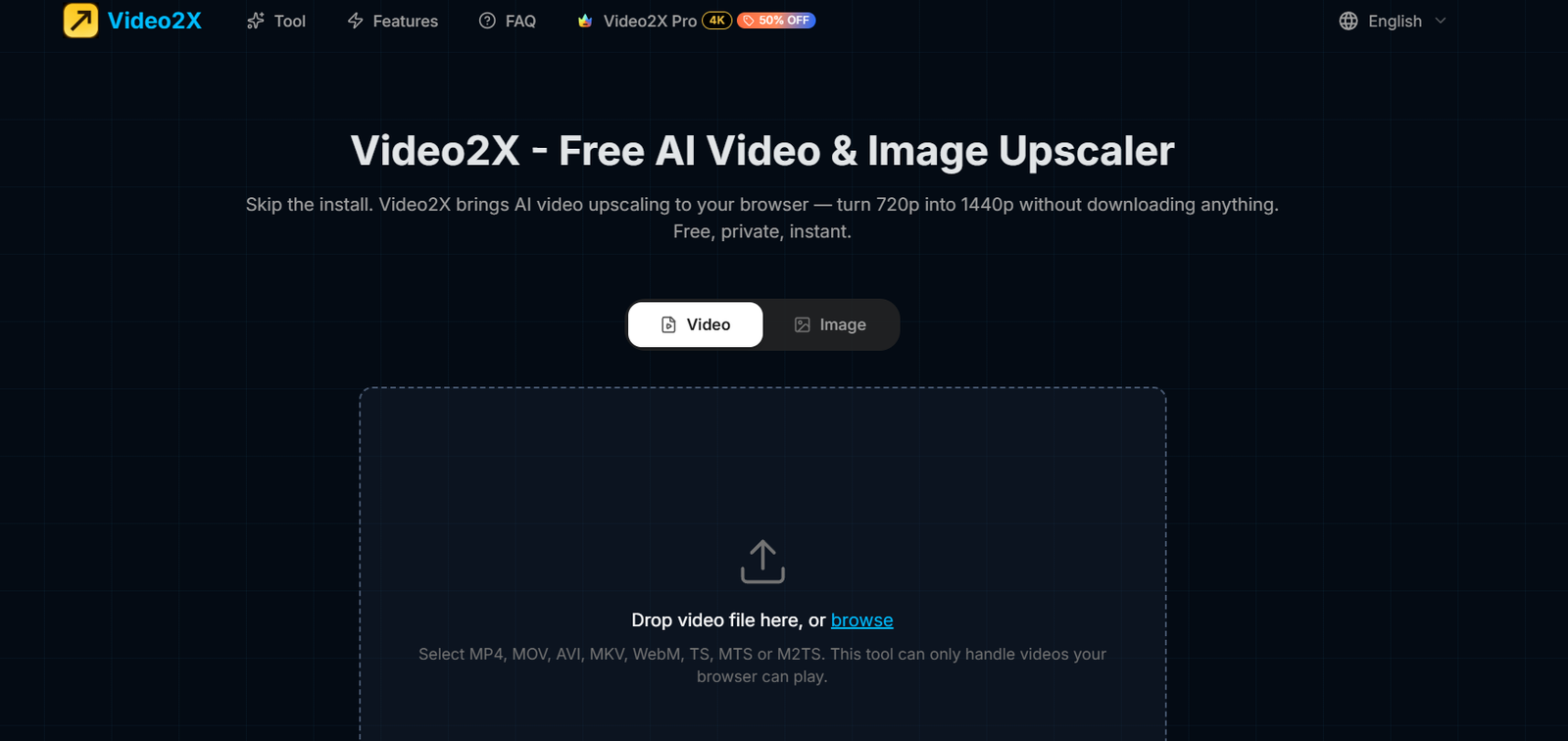
Video2X is a free browser-based AI video and image upscaler designed to improve the resolution and visual quality of low-resolution media.
The online tool uses AI super-resolution technology to analyze individual video frames and reconstruct them at twice their original resolution. For example, a 1280 × 720 video can be converted into a 2560 × 1440 output.
Unlike many online video enhancement services, Video2X performs its AI processing locally on the user’s device. The video does not need to be uploaded to a remote server.
The browser version uses WebGPU to run neural networks directly on compatible graphics hardware. This provides a more private workflow while eliminating the need to install Python, FFmpeg, CUDA, Vulkan drivers, AI models, or desktop software.
Users simply open the website, select a video, choose an AI upscaling network, process the file, and download the enhanced result.
Video2X currently works across Windows, macOS, and Linux through supported browsers. Mobile browsers can also process shorter videos through compatible processing modes.
The service is particularly useful for creators, editors, social-media users, educators, archivists, and everyday users who want a simple way to improve video or image resolution without installing specialized AI software.
Features
AI Video Upscaling
Video2X uses neural-network-based super-resolution to increase video resolution.
Rather than simply stretching existing pixels, the AI attempts to reconstruct additional visual detail.
2x Super-Resolution
The current online version provides a 2x resolution multiplier.
A 720p source can therefore be transformed into approximately 1440p output.
AI Image Upscaling
In addition to video, the website provides an image-processing mode for improving still images.
Local Browser Processing
One of Video2X’s most important features is its local processing architecture.
The AI model runs through the browser using the user’s own hardware rather than sending the entire video to a cloud server.
Privacy-Focused Workflow
According to Video2X, files do not leave the user’s device during the browser-based upscaling process.
This can be particularly useful for private videos or users who prefer not to upload media to third-party processing servers.
WebGPU Acceleration
Video2X uses WebGPU to run AI neural networks directly on compatible graphics hardware.
This brings GPU-accelerated AI processing into the browser.
Three AI Network Sizes
Users can choose between three AI upscaling network sizes.
Small prioritizes processing speed.
Medium provides a balance between speed and quality.
Large takes longer but aims to reconstruct finer textures and edges.
First-Frame Preview
Video2X can preview the first frame before processing the entire video.
This allows users to evaluate the selected AI network before committing to a potentially lengthy upscale.
Hardware Video Encoding
The platform uses supported browser hardware encoding to create the final video.
This helps streamline the workflow between AI frame processing and final file creation.
Original Audio Preservation
Video2X processes the visual track while preserving the original audio.
Dialogue, music, and sound effects are carried into the output without being processed by the AI upscaler.
Stream-Based Processing
The system processes video frame by frame.
This reduces memory requirements compared with loading an entire long video into memory at once.
No Software Installation
Users do not need to download a desktop application.
Everything required for the online version runs through a compatible browser.
No Python Required
The online version removes the Python setup associated with some desktop AI workflows.
No FFmpeg Installation
Users do not need to manually install or configure FFmpeg for the browser version.
No CUDA Installation
The browser tool does not require users to install CUDA.
Cross-Platform Support
Because processing happens through the browser, Video2X can work on multiple operating systems.
These include:
Windows
macOS
Linux
Android
iOS and iPadOS for shorter compatible videos
Multiple Video Formats
The website currently accepts formats including:
MP4
MOV
AVI
MKV
WebM
TS
MTS
M2TS
Actual processing depends on whether the user’s browser can decode the particular video file.
Modern Browser Support
Video2X currently lists support for browsers including:
Google Chrome 94+
Microsoft Edge 94+
Opera 80+
Safari 16+ through Compatibility Mode
Firefox 130+ through Compatibility Mode
Android Chrome
iPhone and iPad Safari for shorter videos through Compatibility Mode
No Account Required
Users do not need to register before using the browser-based upscaler.
No Watermark
Enhanced videos are currently exported without a Video2X watermark.
How It Works
Step 1: Open Video2X
Open the online Video2X upscaler in a supported modern browser.
Step 2: Select Video or Image
Choose whether you want to process a video or an image.
Step 3: Add the File
Select or drag the media file into the tool.
For video, make sure the browser can decode the selected file.
Step 4: Choose the AI Network
Select Small, Medium, or Large.
Small is designed for faster processing.
Medium balances speed and quality.
Large prioritizes finer reconstruction and sharper details.
Step 5: Check the Preview
Use the first-frame preview to inspect how the selected network affects the image.
Step 6: Start Upscaling
Begin processing.
The AI analyzes and reconstructs the video frame by frame locally on the device.
Step 7: Wait for Processing
Processing time depends on the video length, resolution, selected AI network, browser, and available hardware.
Step 8: Download the Result
Once processing is complete, download the enhanced video.
The original audio remains included in the finished file.
Use Cases
Old Videos
Users can improve the resolution of older low-resolution recordings.
YouTube Videos
Creators can upscale source footage before incorporating it into YouTube projects.
Social Media Content
Videos intended for Instagram, TikTok, Facebook, and other platforms can be enhanced before publishing.
Family Videos
Personal recordings can be improved without uploading the original video to a remote processing server.
Private Videos
Local processing makes Video2X particularly relevant when privacy is important.
Anime and Animation
AI super-resolution can help improve edges and visual details in compatible animated content.
Archived Footage
Older digital recordings can be upscaled for modern displays.
Low-Resolution Downloads
Users can improve the resolution of legitimately owned low-resolution media.
Video Editing
Editors can upscale source clips before using them in a larger editing project.
Image Enhancement
The image mode can improve the resolution of low-resolution photographs and other still visuals.
Pricing
Video2X is currently free.
The official website states that the browser-based AI video upscaler costs nothing to use.
There is currently:
No subscription fee
No paid plan required
No account requirement
No signup requirement
No watermark
No credit system advertised for the browser upscaler
Users can open the website and begin processing compatible files.
Because the AI computation is performed locally on the user’s own hardware rather than through paid cloud GPU infrastructure, Video2X can provide this workflow without the credit-based pricing commonly used by cloud AI video enhancers.
Pricing and service conditions may change in the future, so users should check the current website before relying on the service for ongoing production workflows.
Privacy
Privacy is one of Video2X’s strongest characteristics.
The official website states that the video does not leave the user’s device.
AI processing takes place locally through WebGPU using the user’s hardware.
This differs from cloud-based video enhancement services that require the entire video to be uploaded to their servers before processing.
Local processing can reduce privacy concerns when working with personal, confidential, or unpublished media.
Users should still follow normal browser and device security practices when handling sensitive files.
Strengths
Completely Free
The current online upscaler does not require payment.
No Signup
Users can start processing without creating an account.
No Watermark
Finished videos are not branded with a Video2X watermark.
Local Processing
Videos remain on the user’s device during AI processing.
Strong Privacy Approach
Users do not need to upload their complete video to a remote AI-processing server.
2x AI Super-Resolution
The system reconstructs video frames at twice the source resolution.
Simple Workflow
Users can upscale video without learning command-line tools.
No Complex Installation
Python, FFmpeg, CUDA, Vulkan drivers, and separate AI model downloads are not required for the online version.
Cross-Platform
The browser approach makes the tool accessible on Windows, macOS, and Linux.
Three AI Networks
Users can choose between speed-focused and detail-focused processing.
Preview Before Processing
The first-frame preview helps users evaluate results before processing an entire video.
Audio Preservation
The original audio is maintained while the visual track is enhanced.
Drawbacks
Video2X currently focuses primarily on 2x upscaling rather than providing a large collection of AI video editing features.
It is not an all-in-one video editor.
The tool depends heavily on the user’s own hardware because AI processing occurs locally.
Processing can therefore be slower on older or less powerful devices.
Large AI network settings can take considerably longer than smaller models.
Browser compatibility matters. A device or browser without the required WebGPU, WebGL, decoding, or encoding capabilities may need a slower compatibility route or may not work correctly.
Although several video container formats are listed, the browser must still be able to decode the particular video’s codec.
Mobile devices are more suitable for shorter videos because of hardware and browser limitations.
A 2x resolution increase does not mean the AI can perfectly recover every detail that was absent from the original recording.
Severely blurred, compressed, noisy, or damaged source footage may still contain visible quality problems after upscaling.
Comparison with Other Platforms
Video2X differs significantly from many commercial AI video enhancement platforms.
Most cloud-based AI video enhancers require users to upload a video to remote servers, where GPU infrastructure performs the processing. These services commonly use subscriptions, credits, processing-minute limits, or export restrictions.
Video2X takes a different approach.
Its browser version runs the AI model locally through WebGPU. This means the user’s own device performs the computational work.
The result is a service that currently requires no account, no subscription, no credits, and no video upload to a remote processing server.
Compared with advanced commercial video enhancers, Video2X has a narrower feature set. Dedicated professional platforms may provide capabilities such as frame interpolation, sophisticated denoising, face restoration, stabilization, color enhancement, multiple upscale factors, and cloud-based high-resolution rendering.
Video2X instead prioritizes simplicity, privacy, accessibility, and free 2x AI super-resolution.
It is therefore particularly attractive to users who need straightforward video upscaling without paying for a subscription or uploading private footage.
Customer Reviews and Testimonials
Customer reviews and testimonials are not clearly available on the official Video2X website.
The website primarily explains the technology, workflow, privacy benefits, browser requirements, and supported functionality rather than presenting customer testimonials.
Because the online tool is currently free and requires no account, users can test it directly with their own non-sensitive sample video to evaluate processing speed and output quality on their hardware.
Conclusion
Video2X is a free AI-powered video and image upscaler that brings super-resolution processing directly into a web browser.
Its most important advantage is local processing. Instead of uploading a video to a remote AI server, Video2X uses WebGPU to run its neural network on the user’s own device.
The current browser version provides 2x super-resolution, allowing a 1280 × 720 source to become a 2560 × 1440 output. Users can choose between Small, Medium, and Large AI networks depending on whether they prioritize processing speed or finer visual detail.
Video2X also preserves the original audio, supports several common video formats, works across major desktop operating systems, and requires no Python, FFmpeg, CUDA, or command-line setup.
Most importantly, the current service is free, requires no signup, uses no credit system, and adds no watermark to the finished video.
Its main limitations are dependence on local hardware and browser capabilities, a relatively focused feature set, and the fact that AI upscaling cannot perfectly restore information that was never captured in severely degraded footage.
For users who want a simple, private, and free way to increase video resolution without uploading their media to a cloud service, Video2X offers a particularly accessible approach to AI video upscaling.