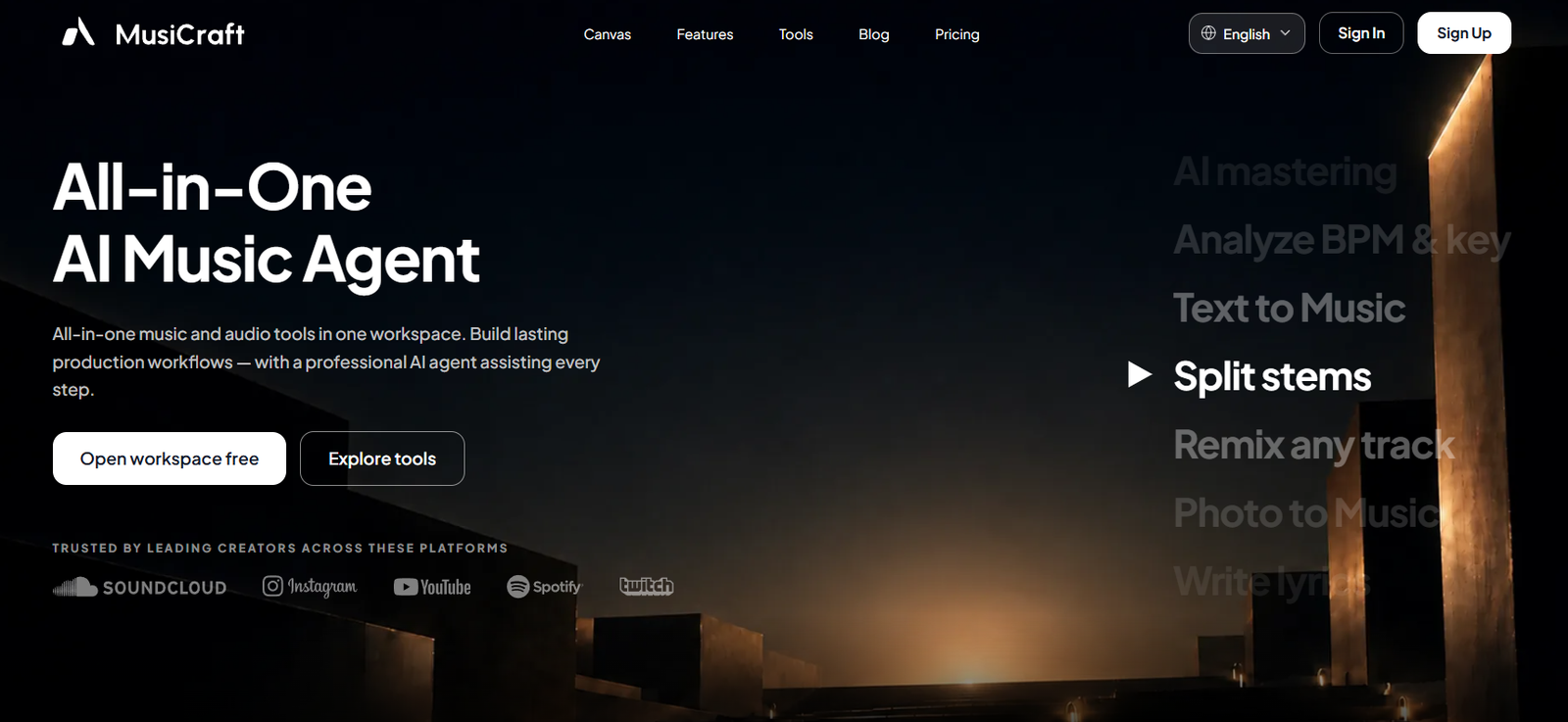
MusiCraft AI is an all-in-one AI music and audio creation platform designed for musicians, producers, songwriters, content creators, marketers, podcasters, and other users who want to create or process music with artificial intelligence.
Instead of providing only a basic text-to-song generator, MusiCraft combines music generation with a broader collection of production tools in one workspace.
Users can generate complete tracks from text prompts, turn hummed melodies into songs, remix existing music, separate songs into stems, generate lyrics, clone vocals, master audio, analyze BPM and musical key, create album covers, and design artist logos.
The platform supports more than 100 musical genres for AI music generation. Users can describe the mood, genre, instrumentation, energy, and overall sound they want and allow the AI to build a complete composition containing elements such as melodies, harmonies, drums, and bass.
MusiCraft is particularly useful for creators who want to move from an initial musical idea toward a more complete production workflow without switching constantly between separate AI services.
Features
Text to Music
Users can turn a natural-language description into a complete musical track.
Prompts can describe genre, mood, instrumentation, tempo, atmosphere, and other musical characteristics.
100+ Music Genres
MusiCraft supports a broad selection of musical styles.
Users can experiment with genres such as indie pop, hip-hop, electronic music, jazz, garage, cinematic music, and many others.
Hum to Song
Users can record or upload a hummed melody and turn it into a more complete song.
The system attempts to preserve the melodic contour of the original humming while creating an arrangement around it.
Hum, Whistle or Voice Memo Input
Hum to Song accepts a short hummed melody, whistle, sung idea, or voice memo.
Supported input formats include MP3, WAV, and M4A.
Browser Recording
Users can record a melody directly through the browser instead of preparing an audio file separately.
A clear 10–30 second melody is recommended for the Hum to Song workflow.
Automatic Lyrics
When converting humming into a song, users can allow MusiCraft to generate lyrics automatically.
Users can also provide their own lyrics.
Instrumental Generation
Vocals are optional.
Creators who only need background music or an instrumental arrangement can generate music without a sung vocal.
Two Takes per Hum Generation
The Hum to Song workflow currently generates two versions per run.
Users can compare both interpretations and select the one that follows their original melody more effectively.
Music Remix
MusiCraft can reinterpret an existing track in another musical style.
The platform attempts to rebuild its arrangement and instrumentation while preserving important characteristics such as BPM and melodic identity.
Music Extend
Users can extend an existing composition instead of generating an entirely new song.
This can help creators develop short ideas into longer arrangements.
AI Stem Splitter
MusiCraft can separate an uploaded song into individual musical components.
66 Stem-Separation Modes
The platform currently provides 66 AI-powered separation modes.
Depending on the selected mode, users can isolate vocals, drums, bass, guitar, piano, strings, brass, woodwinds, percussion, choir voices, dialogue, effects, and other elements.
Vocal and Instrumental Separation
Users can split a song into a vocal track and its instrumental backing.
This can be useful for karaoke, remixing, practice, transcription, and production work where users have the necessary rights.
4-Stem Separation
Songs can be separated into vocals, drums, bass, and other instrumentation.
6-Stem Separation
A more detailed mode can isolate vocals, drums, bass, guitar, piano, and remaining musical content.
Full-Band Separation
More advanced separation modes provide additional control over individual instruments and vocal components.
MP3 and WAV Stem Export
Eligible users can download separated stems for further work in a DAW or other production software.
AI Vocal Cloning
MusiCraft provides AI vocal-cloning capabilities.
The official site states that a custom voice model can be created from approximately 30 seconds of audio.
Users should only clone their own voice or a voice for which they have appropriate permission.
AI Mastering
Users can upload a mix and use AI to create a more polished master.
The system aims to improve loudness, clarity, tonal balance, and overall presentation for modern playback environments.
AI Audio Enhancer
MusiCraft includes an audio-enhancement tool designed particularly for compressed and low-bitrate recordings.
It attempts to restore detail lost through lossy compression.
Low-Bitrate Audio Restoration
The enhancer is designed particularly for audio compressed at roughly 32–128 kbps.
It attempts to improve missing high-frequency detail, brittle edges, and hollow sound.
Vocal Enhancement
Users can choose to focus enhancement on vocals rather than the complete mix.
Denoise
MusiCraft includes tools for reducing hiss, hum, and unwanted background noise.
Dereverb
Users can reduce unwanted room echo and reverberation from recordings.
Music Analysis
Uploaded music can be analyzed to identify technical and musical information.
The platform can detect:
BPM
Musical key
Chord progressions
Song structure
Spectral characteristics
Photo to Music
Users can generate music from an image.
MusiCraft analyzes visual characteristics such as colors, lighting, and composition to derive a musical mood, key, and tempo.
AI Lyrics Generator
The platform can generate lyrics for songs and musical concepts.
Album Cover Maker
MusiCraft can create AI-generated cover artwork based on the style and energy of a track.
The official site currently describes its album-cover output as 3000 × 3000 pixels.
Artist Logo Generator
Artists can create AI-generated wordmarks, emblems, and other visual branding concepts related to their musical identity.
Copyright Checks
The pricing structure includes copyright-check allowances, with paid plans currently providing unlimited checks.
These tools can assist creators, but they should not be treated as a legal guarantee that generated material cannot raise copyright issues.
AI Music Agent
MusiCraft presents its broader workspace as an AI music agent.
The goal is to connect generation, editing, analysis, and production tasks into a continuous workflow rather than offering isolated utilities.
Developer API
The official website also provides access to developer-oriented API functionality for integrating MusiCraft capabilities into other products and workflows.
How It Works
Step 1: Open the Workspace
Start with MusiCraft’s online AI music workspace.
Step 2: Choose a Workflow
Select Text to Music, Hum to Song, Remix, Stem Splitter, Mastering, Music Analysis, Photo to Music, or another available tool.
Step 3: Provide the Input
For new music, describe the sound you want.
For Hum to Song, record or upload a short melody.
For editing and analysis, upload the appropriate audio file.
Step 4: Define the Style
Specify genre, mood, instrumentation, energy, vocals, or other musical characteristics.
Step 5: Generate
Allow MusiCraft to create or process the track.
Step 6: Review
Listen carefully to the generated output.
Step 7: Edit
Use Remix, Extend, stem separation, or other available editing tools to continue developing the track.
Step 8: Master
Use AI Mastering when a more polished final mix is required.
Step 9: Create Visual Assets
Generate an album cover or artist logo if needed.
Step 10: Download
Eligible paid users can download MP3 files, stems, and images, while higher plans provide additional WAV stem options.
Use Cases
Songwriting
Songwriters can turn written ideas or hummed melodies into musical demos.
Music Production
Producers can generate ideas, split stems, remix arrangements, analyze songs, and master audio.
Demo Creation
Musicians can quickly turn rough concepts and voice memos into more complete musical demonstrations.
YouTube Music
Creators can produce music for videos where their plan and licensing terms permit commercial use.
Reels and Shorts
Short original tracks can be created for social-media videos.
Podcast Music
Podcasters can generate intros, outros, transitions, and background music.
Advertising Jingles
Businesses and agencies can create custom musical concepts for advertisements and promotional campaigns.
Karaoke Creation
Vocal separation can create instrumental versions of songs where users have the necessary rights.
Remixing
Producers can isolate stems and experiment with alternative arrangements.
Audio Restoration
Older or heavily compressed recordings can be enhanced before additional production work.
Music Education
Musicians can isolate instruments and analyze BPM, key, chords, and song structure.
Artist Branding
Musicians can generate album covers and logo concepts alongside their audio.
Pricing
MusiCraft currently provides Free, Basic, Pro, Studio, and Business plans.
Annual billing currently offers savings of up to 25%.
Free: $0
The Free plan currently includes:
50 credits per month
Approximately 2 songs per month
2 editing uses per month
Remix
Extend
Stem separation
AI Mastering
Access to generation tools for testing
Preview playback only
No downloads
1 copyright check per month
The Free plan is useful for testing MusiCraft before purchasing a subscription.
Basic: $7.49 per month with annual billing
Basic is currently billed at $89.88 per year.
It includes:
9,600 credits per year
Approximately 480 songs per year
Credits issued upfront
Credits valid for 12 months
20 editing uses per month
Remix
Extend
Stem separation
AI Mastering
All generation tools
MP3 downloads
Stem downloads
Image downloads
Unlimited copyright checks
Pro: $14.99 per month with annual billing
Pro is currently billed at $179.88 per year.
It includes:
24,000 credits per year
Approximately 1,200 songs per year
Credits issued upfront
Credits valid for 12 months
Unlimited editing
Remix
Extend
Stem separation
AI Mastering
All generation tools
MP3 downloads
Stem downloads
Image downloads
Unlimited copyright checks
Pro is intended for users producing music regularly and performing frequent revisions.
Studio: $29.99 per month with annual billing
Studio is currently billed at $359.88 per year.
It includes:
72,000 credits per year
Approximately 3,600 songs per year
Credits issued upfront
Credits valid for 12 months
Unlimited editing
All generation tools
Remix
Extend
Stem separation
AI Mastering
MP3 downloads
Stem downloads
Image downloads
WAV stem mode
Commercial licence
Unlimited copyright checks
Studio is designed for professional releases and client work.
Business: $79.99 per month with annual billing
Business is currently billed at $959.88 per year.
It includes:
240,000 credits per year
Approximately 12,000 songs per year
Credits issued upfront
Credits valid for 12 months
Unlimited editing
All generation tools
Remix
Extend
Stem separation
AI Mastering
MP3 downloads
Stem downloads
Image downloads
WAV stem mode
Commercial licence
Priority generation queue
Unlimited copyright checks
Business is designed for studios, labels, agencies, and teams producing content at higher volume.
How Credits Work
Credits are primarily used for generation and AI processing.
Under annual subscriptions, paid-plan credits are provided upfront and remain valid for 12 months.
Editing tools such as Remix, Extend, stem separation, and mastering can consume credits and also count toward editing allowances on plans that have monthly editing limits.
The number of songs shown in pricing is an estimate rather than a guarantee because actual usage depends on the generation and editing workflow.
Commercial Use
Commercial licensing is explicitly included with the current Studio and Business plans.
Creators who plan to monetize or commercially distribute generated music should review the licence applicable to their exact plan and output before publishing.
Commercial rights should not be assumed for lower tiers simply because files can be downloaded.
Strengths
All-in-One Music Workspace
Generation, remixing, separation, analysis, mastering, lyrics, and visual branding are available in one platform.
Text and Melody-Based Creation
Users can start with either a written idea or an existing hummed melody.
Hum to Song
This is useful for songwriters who think in melodies rather than prompts.
Advanced Stem Separation
The availability of 66 separation modes provides considerably more flexibility than a simple vocal remover.
AI Mastering and Enhancement
MusiCraft supports later production stages rather than stopping at initial song generation.
Music Analysis
BPM, key, chord, and structural analysis can help producers and musicians understand existing tracks.
Visual Creation
Album covers and artist logos can be generated alongside the music.
Free Plan
Users receive 50 monthly credits to test the tools before subscribing.
Professional Export Options
Higher plans provide downloadable stems and WAV-oriented workflows.
Commercial Plans
Studio and Business explicitly include commercial licensing.
Drawbacks
The Free plan allows preview playback but does not include downloads.
Basic has a limit of 20 editing uses per month.
Commercial licensing is explicitly included only on the higher Studio and Business plans in the current pricing table.
The credit system can make total usage difficult to estimate for users who repeatedly generate, remix, extend, separate, and master tracks.
AI-generated music can contain inconsistent vocals, lyrics, structure, pronunciation, or production artifacts.
Stem separation is not always perfect. Complex mixes may contain bleed or artifacts between isolated instruments.
Vocal cloning should only be performed with the speaker’s permission.
Copyright-checking tools can help identify potential issues but cannot guarantee that a track is legally risk-free.
Comparison with Other Platforms
MusiCraft competes with AI music-generation platforms such as Suno and Udio, but its scope extends beyond initial song creation.
Its main distinction is the combination of generation and production utilities.
A user can begin with text or humming, generate a song, remix it, extend it, separate individual instruments, analyze its musical structure, master the audio, and create visual branding within the same ecosystem.
The 66-mode Stem Splitter is also more production-oriented than the basic vocal-removal functionality included with many general AI music generators.
MusiCraft may therefore be more attractive to creators who want an integrated AI music workflow rather than only a prompt-to-song generator.
Customer Reviews and Testimonials
MusiCraft displays user testimonials across its official tool pages.
These include feedback from songwriters, musicians, producers, agencies, and other creative users describing their experiences with features such as Hum to Song, audio enhancement, and stem separation.
These testimonials are selected and published by MusiCraft itself and should therefore be treated as company-presented customer feedback rather than a comprehensive independent review sample.
A substantial body of independently verified reviews from major third-party software-review platforms is not clearly established on the official website.
The Free plan provides a practical way to test the platform’s music generation and editing capabilities before purchasing a subscription.
Conclusion
MusiCraft AI is an all-in-one AI music and audio platform that covers considerably more than basic song generation.
Users can create complete music from text prompts, turn humming and voice memos into songs, generate lyrics, remix and extend tracks, separate instruments, clone authorized voices, analyze musical structure, enhance compressed recordings, master audio, and generate album covers and artist logos.
Its Hum to Song feature is particularly useful for musicians who already have a melody in mind but do not yet have a complete arrangement.
For more production-oriented users, the 66-mode stem separation system, AI mastering, audio enhancement, BPM and key analysis, and downloadable stems extend the workflow beyond initial AI generation.
MusiCraft currently provides a Free plan with 50 monthly credits. Paid annual plans start at an equivalent $7.49 per month for Basic, followed by Pro at $14.99, Studio at $29.99, and Business at $79.99 per month.
The main limitations are credit-based usage, download restrictions on the Free plan, editing limits on Basic, and the need for Studio or Business when explicit commercial licensing is required.
For songwriters, musicians, producers, YouTubers, podcasters, agencies, and other creators who want music generation and production tools in one AI workspace, MusiCraft provides a broad and practical toolkit.