
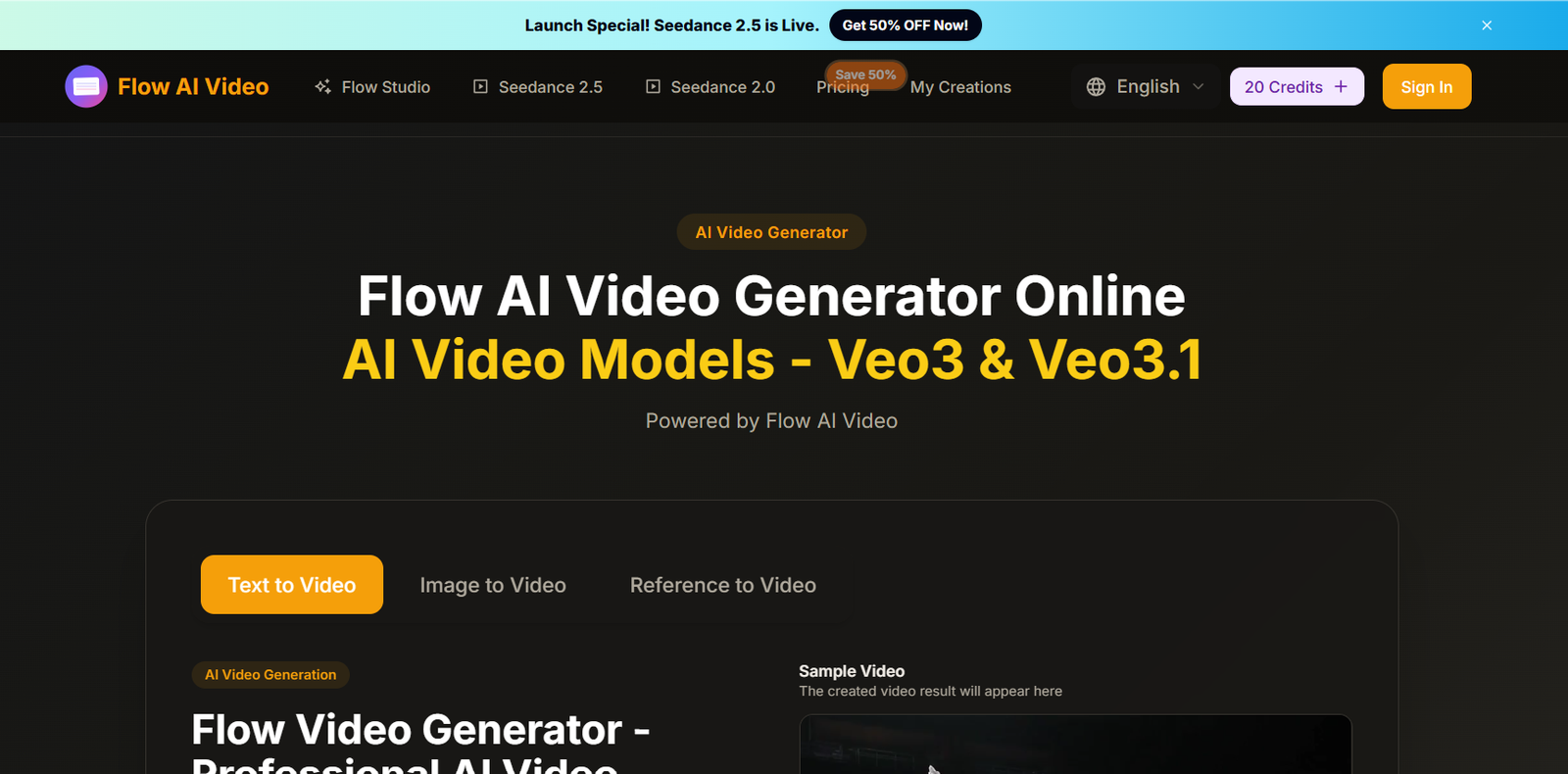
Flow AI Video is an online AI video and image creation platform that brings multiple generative models and creative tools into one workspace.
Users can generate videos from text prompts, animate existing images, create videos from visual references, generate AI images, edit photos, upscale images, remove backgrounds, create product advertisements, generate TikTok-style videos, and use AI lip-sync tools.
Rather than relying on a single generation model, Flow AI Video provides access to multiple AI video model families. Its current website lists models including Veo 3, Sora 2, Seedance, MiniMax H3, Wan, Kling, and Grok Imagine.
For image generation, the platform lists models including Nano Banana, GPT Image, Seedream, and Muse Image AI.
This multi-model approach allows creators to experiment with different generation technologies without moving between numerous separate websites.
Flow AI Video is suitable for content creators, marketers, ecommerce businesses, social-media managers, filmmakers, designers, agencies, and other users who need AI-generated visual content.
The service is owned and operated by PixelForge LLC. Despite the use of the word “Flow” and access to models such as Veo, the website explicitly states that it operates independently and is not affiliated with Google.
Features
Text-to-Video Generation
Users can describe a scene in natural language and turn the description into an AI-generated video.
Prompts can specify the subject, action, setting, atmosphere, visual style, and camera movement.
Image-to-Video Generation
Existing photographs, illustrations, product images, or designs can be animated.
Users upload an image and describe how the subject or camera should move.
Reference-to-Video
The reference-based workflow allows users to provide visual material that defines the desired character, product, setting, or visual direction.
Users can then describe the action and camera movement they want in the generated video.
Multi-Model AI Video Generation
Flow AI Video provides access to multiple video model families through the same platform.
Models currently listed on the website include:
Veo 3
Sora 2
Seedance 2.5
Seedance 2.0
Seedance AI
MiniMax H3
Wan 3.0
Wan 2.5
Kling 3.0
Grok Imagine
Model availability and capabilities can change as the platform updates its catalogue.
AI Image Generation
Flow AI Video also provides text-to-image generation.
Users can describe the image they want and generate visual concepts directly from a prompt.
Multiple Image Models
The website currently lists image models including:
Nano Banana
GPT Image 2
Seedream 4.0
Muse Image AI
AI Photo Editor
Users can modify existing photographs and visual assets with AI-assisted editing tools.
AI Image Upscaler
Low-resolution images can be enhanced to improve clarity and resolution.
Background Remover
The platform can automatically separate a subject from its background.
This can be useful for ecommerce images, profile photographs, advertising graphics, and other creative assets.
AI Lip Sync
Flow AI Video includes an AI lip-sync workflow for synchronizing facial movement with audio or dialogue.
AI TikTok Video
The platform provides tools designed specifically for creating short-form social video content.
Product Ad Generator
Businesses can create AI-generated product advertising videos from prompts and visual assets.
Flow Video Studio
The platform provides a broader creative environment for building and refining AI-generated video content.
Multi-Shot Storytelling
Flow AI Video promotes multi-shot video creation for users who want more than a single isolated generated scene.
High-Resolution Video
The platform advertises support for high-quality video creation, including workflows targeting resolutions up to 4K where the selected model and generation settings support it.
Unlimited Downloads on Paid Plans
The current paid plans include unlimited downloads of generated Flow AI Video content.
Permanent Generation History
Paid plans currently include permanent Flow AI Video history, allowing users to return to previous creations.
No Watermark on Paid Plans
Current Basic, Pro, and Enterprise plans list watermark-free output.
Priority Generation Queue
Paid subscriptions include priority generation processing.
How It Works
Step 1: Choose a Generation Mode
Select Text to Video, Image to Video, Reference to Video, Text to Image, Product Ad Generator, Lip Sync, or another available workflow.
Step 2: Select an AI Model
Choose from the available video or image models.
Different models may provide different visual styles, motion quality, resolution, generation speeds, and credit requirements.
Step 3: Enter a Prompt
Describe the scene you want to create.
For video generation, specify useful details such as subject, action, environment, camera movement, lighting, and visual style.
Step 4: Upload an Image if Required
For image-to-video or reference-based workflows, upload the appropriate source image.
Step 5: Configure the Generation
Choose the available aspect ratio, duration, quality, or other model-specific settings.
Step 6: Generate
Submit the request and allow the selected AI model to process it.
Step 7: Review
Check the generated result for visual quality, motion consistency, characters, product details, text, and other important elements.
Step 8: Refine
Modify the prompt or try another model if the first result does not match the intended direction.
Step 9: Download
Save the completed video or image according to the capabilities of the selected plan.
Use Cases
Social Media Videos
Creators can generate visual content for TikTok, Instagram Reels, YouTube Shorts, and other social platforms.
Marketing Videos
Businesses can create short promotional concepts without organizing a traditional video shoot for every asset.
Product Advertising
Ecommerce sellers can animate product images and experiment with AI-generated advertisements.
YouTube Content
Creators can generate scenes, supporting visuals, intros, and other video assets.
Concept Visualization
Filmmakers and creative teams can quickly visualize ideas before committing to conventional production.
Storytelling
Multiple generated scenes can be used to explore short narratives and visual sequences.
Image Animation
Static illustrations, artwork, photographs, and designs can be transformed into moving scenes.
Reference-Based Content
Users can provide reference images when maintaining the appearance of a character, product, or visual style is important.
AI Image Creation
Designers and marketers can generate visual assets alongside video content.
Social Advertising
Brands and agencies can create experimental advertising creatives for different campaigns.
Content Prototyping
Creative teams can test several concepts before selecting one for further production.
Pricing
Flow AI Video currently offers monthly, annual, and one-time credit options.
The current monthly subscription plans are Basic, Pro, and Enterprise.
Basic: $19.90 per month
Basic currently includes:
800 credits per month
Up to approximately 40 videos per month
Flow Video Generator
Unlimited downloads
Permanent generation history
Nano Banana
Seedream
AI Image Enhancer
AI Background Remover
AI video generation
Veo 3
Sora 2
Seedance
Wan 2.5
Priority generation queue
No watermark
Priority customer support
The website currently calculates the Basic cost at approximately $2.49 per 100 credits.
Pro: $39.90 per month
Pro currently includes:
2,000 credits per month
Up to approximately 200 videos per month
Everything in Basic
Flow Video Maker
Unlimited downloads
Permanent generation history
Supported image and video models
Priority generation queue
No watermark
Priority customer support
The website currently calculates the cost at approximately $2.00 per 100 credits.
Enterprise: $99.90 per month
Enterprise currently includes:
6,000 credits per month
Up to approximately 600 videos per month
Everything in Basic
Flow Video
Unlimited downloads
Permanent generation history
Commercial-use licence
Supported image and video models
Priority generation queue
No watermark
Priority customer support
The website currently calculates the Enterprise cost at approximately $1.67 per 100 credits.
Annual Plans
Flow AI Video also provides annual billing.
The pricing page currently promotes significant savings for users choosing yearly billing.
However, the page contains inconsistent discount language, mentioning both savings of 50% and “up to 20%” in different areas.
Users should therefore check the actual annual amount shown at checkout rather than relying only on the promotional percentage.
One-Time Credits
Users who do not need a recurring subscription can purchase one-time credit packs.
One-time credits do not expire.
This can be useful for occasional users who want additional generations without maintaining a monthly subscription.
How Credits Work
Flow AI Video uses credits for AI generation.
The exact credit requirement can depend on the selected tool, model, and generation settings.
The official pricing FAQ currently states that 10 credits generate one high-quality image.
Monthly credits are refreshed at the beginning of each billing cycle.
Unused monthly credits do not roll over.
Annual-plan credits remain valid throughout the annual subscription period.
One-time purchased credits do not expire.
If subscription credits run out, users can wait for the next billing cycle, upgrade their plan, or purchase additional one-time credits.
Commercial Use
The pricing page states that paid plans allow commercial use of AI-generated images.
The Enterprise plan also explicitly lists a Commercial Use License among its features.
Because the pricing page uses slightly different wording between its general FAQ and individual plan descriptions, businesses should review the current licence terms for their specific plan and content type before using generated videos or images commercially.
Free-trial content may have additional usage restrictions.
Refund Policy
The current pricing page advertises a 30-day money-back policy.
Users considering a purchase should review the full current refund terms to understand eligibility, usage conditions, and any exclusions.
Strengths
Multiple AI Models
Users can experiment with several leading video and image model families from one platform.
Text and Image Workflows
The platform supports both prompt-based creation and animation of existing visual assets.
Reference-Based Generation
Reference images can provide additional visual direction when creating video.
Video and Image Generation
Users do not need separate platforms for basic AI image and video creation.
Supporting AI Tools
Image enhancement, background removal, lip sync, product ads, and other tools extend the workflow beyond basic generation.
Flexible Pricing
Monthly, annual, and one-time credit options are available.
One-Time Credits Do Not Expire
This can be useful for occasional creators.
No Watermark on Paid Plans
Current subscriptions include watermark-free output.
Permanent History
Paid users can retain access to their previous generations.
Priority Processing
Paid subscriptions include priority generation queues.
Drawbacks
Flow AI Video is a third-party multi-model platform rather than the developer of most of the AI models available through its interface.
The platform is independently operated and explicitly states that it is not affiliated with Google.
Model availability can change as external AI technologies and integrations evolve.
AI video generation is credit based. Repeated experimentation with prompts and different models can therefore increase usage.
Monthly credits do not roll over.
The advertised number of videos per plan should be treated as an approximate maximum because actual credit consumption can vary by generation model and settings.
The pricing page currently contains inconsistent annual-discount wording, so users should verify the final amount at checkout.
Commercial-use wording also differs somewhat between the plan descriptions and general pricing FAQ. Businesses should check the licence applicable to their exact subscription.
AI-generated videos can contain inconsistent faces, hands, text, products, objects, or physical movements. Important commercial content should be reviewed carefully before publication.
Comparison with Other Platforms
Flow AI Video differs from a single-model AI video generator because it acts as a broader multi-model creative platform.
Instead of requiring users to maintain separate workflows for different video technologies, it brings model families such as Veo, Sora, Seedance, Wan, Kling, and others into one environment.
This can be convenient for creators who want to compare different generation approaches without constantly changing platforms.
It also combines video generation with image creation, image enhancement, background removal, lip sync, product advertising, and reference-based workflows.
However, users who primarily depend on one specific AI model may prefer accessing that model through its original provider when direct access is available. Direct platforms may offer newly released features, model-specific controls, or pricing structures that differ from third-party aggregators.
Flow AI Video is therefore most attractive to users who value model choice and an integrated creative toolkit.
Customer Reviews and Testimonials
Flow AI Video displays customer testimonials and promotional rating information on its official website.
The pricing page currently advertises more than 10,000 active users, more than one million videos created, and a 4.9/5 user rating.
These figures are claims presented by Flow AI Video itself and should not be treated as independently audited usage statistics.
Individual customer testimonials are also displayed on product pages, including feedback about text-to-video generation, image-to-video quality, and visual consistency.
These are company-selected testimonials rather than a comprehensive body of independently verified customer reviews.
Prospective users should therefore test the available generation workflow with their own prompts and source images when possible.
Conclusion
Flow AI Video is a multi-model AI creative platform for generating videos and images from text, photographs, and visual references.
Its main advantage is model choice. Instead of relying on a single generation engine, the platform currently lists access to video model families including Veo, Sora, Seedance, MiniMax, Wan, Kling, and Grok Imagine, alongside image models such as Nano Banana, GPT Image, Seedream, and Muse Image AI.
The platform also expands beyond basic generation with reference-to-video, AI lip sync, product-ad creation, image enhancement, background removal, and other creative tools.
Current monthly plans start at $19.90 for 800 credits, followed by Pro at $39.90 for 2,000 credits and Enterprise at $99.90 for 6,000 credits. One-time non-expiring credit options are also available.
The main limitations are its credit-based usage model, dependence on third-party AI models, some inconsistencies in pricing-page wording, and the need to verify AI-generated visual details before commercial publication.
It is also important to understand that Flow AI Video is an independently operated platform owned by PixelForge LLC and is not affiliated with Google.
For creators, marketers, ecommerce businesses, agencies, and social-media teams that want access to multiple AI video and image models from one workspace, Flow AI Video provides a broad range of generation and supporting creative tools.


