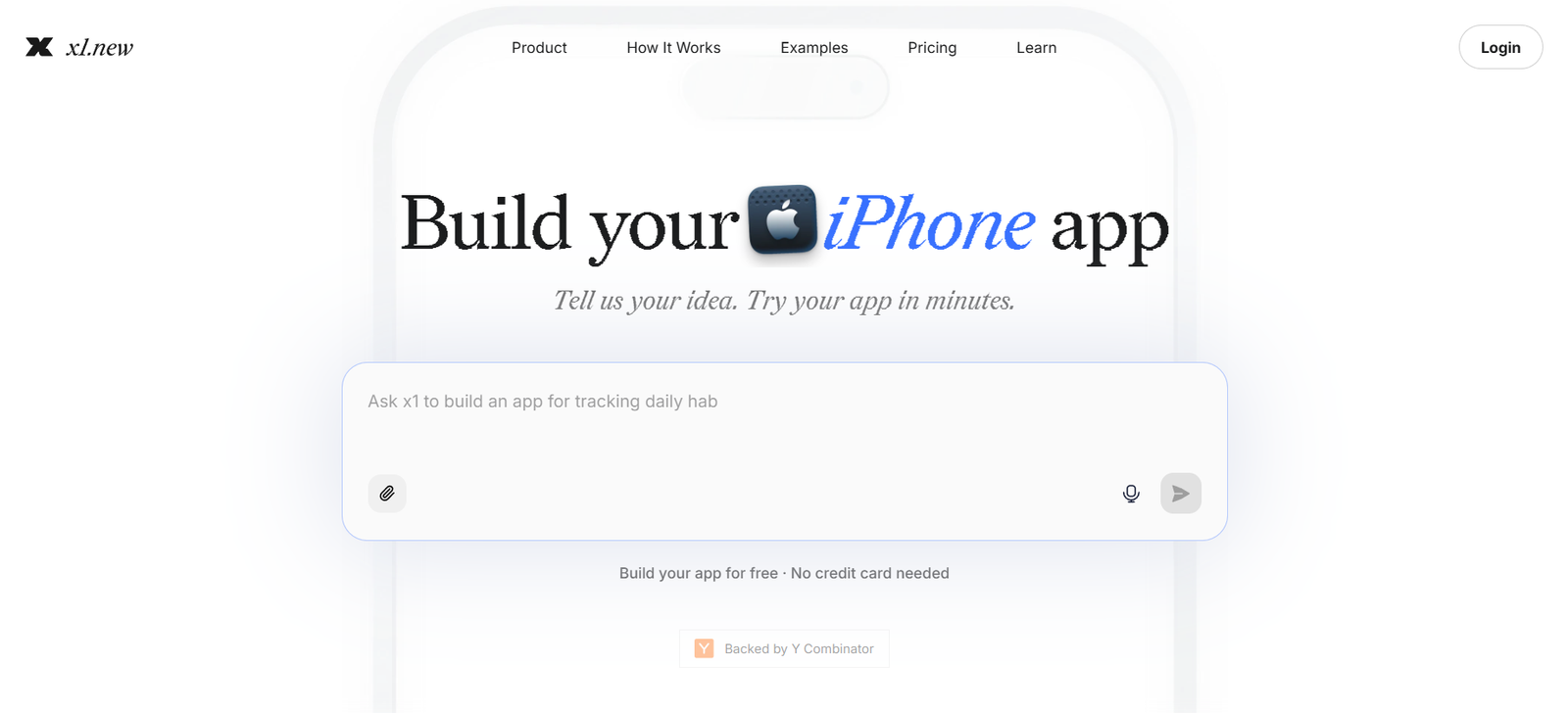
x1 is a guided AI app studio designed to help founders, creators, students, designers, product managers, and non-technical users turn app ideas into working iPhone applications.
Instead of asking users to describe an entire application in one large prompt, x1 follows a structured workflow. It helps users clarify an idea, determine what should be built, map screens and features, design the interface, build functionality in stages, test the application, and prepare it for launch.
Users can describe their app idea in plain language. x1 then helps organize the concept into screens, user flows, features, and development milestones before generating the application.
The platform builds apps using React Native. Paid users can export the complete React Native source code as a ZIP file, allowing them to keep, modify, extend, and monetize what they create.
x1 also supports the later stages of mobile development. Apps can be previewed on an iPhone using Expo Go, distributed privately through TestFlight, and prepared for submission to Apple’s App Store.
The platform includes dedicated studios for different parts of app creation, including Idea, Brand, Design, Build, Publish, and Revenue workflows.
x1 is backed by Y Combinator and is particularly focused on people who want to create a real mobile product rather than only generate a quick web prototype.
Features
AI App Builder
x1 uses AI to help users transform an idea into a working mobile application.
Users describe what they want to build, and the platform guides them through planning, design, development, testing, and publishing.
Guided App-Building Workflow
Rather than relying entirely on an open-ended prompt box, x1 divides development into structured stages.
This can make complex app projects easier to manage.
Idea Validation
Users can begin by describing an app idea.
x1 helps evaluate whether the concept is practical to build before significant credits and time are spent developing it.
Buildability Check
The platform examines the proposed functionality and helps users understand whether the planned application is realistic within the available technology and scope.
Revenue Potential
x1 can help users explore possible monetization approaches and revenue scenarios during the planning stage.
These estimates should be treated as planning guidance rather than guaranteed financial outcomes.
App Planning
The platform converts a rough concept into a more structured product plan.
This can include screens, features, user journeys, milestones, and launch scope.
Screen Mapping
x1 identifies the screens an application may require, from onboarding and sign-up to its main functionality.
User Flow Planning
Users can define what people can tap, save, purchase, skip, revisit, and complete inside the application.
Idea Studio
Idea Studio helps transform an early concept into a structured app plan.
It is designed to clarify the product before development begins.
Brand Studio
Brand Studio helps users establish the visual and verbal identity of their application.
Users can work on elements such as the app name, icon, colors, fonts, imagery, and brand voice.
Design Studio
x1 provides a visual canvas for designing app screens.
Users can adjust layouts, buttons, spacing, copy, visual hierarchy, and navigation.
Visual Editing
Users can refine the interface visually rather than relying only on text prompts.
This gives them more direct control over how the application looks.
Build Studio
Build Studio turns the approved plan and designs into working application functionality.
Milestone-Based Development
Instead of attempting to generate the complete app in a single pass, x1 builds it through structured milestones.
This can make problems easier to identify and correct.
QA After Milestones
Quality checks are incorporated into the milestone-based workflow.
Users should still perform their own testing before releasing an AI-generated application publicly.
React Native Apps
x1 currently builds its apps using React Native.
This provides a widely used mobile development foundation rather than locking the final project entirely inside a proprietary no-code format.
Source Code Export
Paid users can export the complete React Native source code as a ZIP file.
The exported project can then be extended independently using conventional development tools.
Code Ownership
x1 states that users own what they build.
Paid customers can keep, refine, extend, and monetize their exported application code.
Expo Go Preview
Users can preview and test their application quickly on a real iPhone using Expo Go.
TestFlight Publishing
Paid plans support publishing applications to TestFlight.
This allows founders to distribute private beta versions to testers before a public App Store launch.
App Store Submission
x1 provides an App Store submission workflow.
Users need their own Apple Developer account, and Apple retains final authority over whether an application is approved.
Publish Studio
Publish Studio helps users prepare the materials required to launch their application.
App Store Screenshots
x1 can turn application screens into polished screenshots suitable for an App Store listing.
App Store Listing Generation
The platform can help draft information such as:
App description
Subtitle
Keywords
Listing details
Other launch metadata
Launch Preparation
x1 helps organize testing, store assets, metadata, and submission preparation in one workflow.
Analytics and Monetization
The platform includes tools and workflows related to analytics, scaling, and revenue.
Revenue Studio
Revenue-focused functionality helps users think about how their application can generate income.
Project Memory
Because development follows a structured project rather than isolated prompts, x1 can maintain greater continuity across planning, design, and development stages.
Priority Generation
Higher paid plans provide faster generation queues for users who need to iterate more frequently.
How It Works
Step 1: Describe Your App Idea
Explain the application you want to create in plain language.
You do not need to provide source code.
Step 2: Validate the Idea
x1 helps evaluate the concept, its buildability, and possible monetization approaches.
Step 3: Answer Planning Questions
Provide additional information about users, functionality, screens, and goals.
Step 4: Generate the Product Plan
x1 converts the idea into a structured plan containing screens, flows, features, and milestones.
Step 5: Map the Screens
Review the screens the application will require.
Step 6: Define User Actions
Specify what users should be able to tap, save, purchase, skip, or revisit.
Step 7: Create the Brand
Develop the app’s icon, colors, typography, and overall visual direction.
Step 8: Design the Screens
Use the visual canvas to review and refine individual screens.
Step 9: Build in Milestones
x1 generates the application feature by feature rather than attempting to build everything at once.
Step 10: Perform QA
Review and test each completed milestone.
Step 11: Preview on an iPhone
Use Expo Go to test the application on a real device.
Step 12: Run a Private Beta
Publish to TestFlight when the application is ready for external testing.
Step 13: Prepare App Store Assets
Generate screenshots, listing copy, keywords, and other required launch materials.
Step 14: Submit to the App Store
Submit the application using your Apple Developer account.
Apple reviews the application and determines whether it can be published.
Use Cases
Non-Technical Founders
Entrepreneurs can turn mobile app ideas into working products without beginning with a development team.
Startup MVPs
Founders can create and test an initial mobile product before investing in larger-scale development.
Indie App Development
Independent creators can develop and launch their own iPhone applications.
Creator Apps
Content creators can experiment with dedicated mobile experiences for their audiences.
Student Projects
Students can turn software ideas into working mobile projects while learning about product planning and app development.
Product Managers
Product managers can use x1 to prototype and develop mobile concepts without manually writing the entire codebase.
Designers
Designers can move from interface concepts toward functioning applications.
Business App Ideas
Small businesses can explore consumer-facing mobile applications without immediately hiring an engineering team.
App Prototyping
Teams can quickly validate whether a proposed mobile experience is worth developing further.
App Store Launches
Creators who specifically want an application available through Apple’s App Store can use x1’s testing and publishing workflow.
Pricing
x1 currently provides 100 free starting credits and three main paid plans.
Free: 100 Credits
New users receive 100 credits.
No credit card is required.
The free credits do not expire.
The allowance can typically be used for:
Idea validation
Buildability analysis
Revenue-potential exploration
Generating an app plan
Exploring design directions
Building an initial milestone
The 100 free credits are generally not intended to build and launch an entire application.
Starter: $20 per month
Starter currently includes:
1,000 monthly credits
1 active app project
Full x1 app-building workflow
TestFlight publishing
App Store publishing workflow
React Native source export
Community support
Starter is designed for users building their first application.
Builder: $50 per month
Builder currently includes:
2,500 monthly credits
Up to 3 active app projects
Everything in Starter
Priority generation queue
Faster iteration
Builder is intended for creators working more seriously on one or several applications.
Pro: $100 per month
Pro currently includes:
5,000 monthly credits
Unlimited active app projects
Everything in Builder
Highest-priority generation queue
Premium support
Pro is intended for users performing heavier development and frequent iteration.
Annual Pricing
x1 currently provides significant discounts for annual billing.
Starter: $8 per month equivalent
$96 is billed annually.
Builder: $20 per month equivalent
$240 is billed annually.
Pro: $40 per month equivalent
$480 is billed annually.
The entire annual amount is charged upfront.
Users should check the live pricing page before subscribing because promotional and billing rates can change.
How Credits Work
AI actions inside x1 consume credits.
Credit-consuming activities can include:
Idea validation
Revenue-potential analysis
Generating plans
Design exploration
Building milestones
Quality-assurance work
App modifications and iterations
Credit usage varies according to the complexity of the application and the amount of generation required.
When credits run out, users can still view their project but cannot continue generating or building until additional credits become available.
Users can upgrade their plan or purchase additional credits when offered.
Additional Costs
An Apple Developer account is required to submit an application to Apple’s App Store.
This cost is separate from the x1 subscription.
Other external services used by an application may also have their own fees.
Strengths
Designed for Real iPhone Apps
x1 focuses specifically on moving users from an idea toward a launchable iPhone application.
Structured Workflow
Planning before coding can reduce the problems associated with repeatedly changing a one-shot AI-generated application.
No Coding Required to Start
Non-technical users can use the core workflow without writing code themselves.
Free Starting Credits
The 100-credit allowance lets users evaluate an idea and begin building before subscribing.
No Credit Card for Free Access
Users can test the platform without entering payment details.
Non-Expiring Free Credits
The initial 100 credits currently do not expire.
Visual Design Control
Users can refine screens, layouts, buttons, spacing, copy, colors, and other interface details.
Milestone-Based Development
Breaking development into stages can make complex applications easier to manage.
Real Device Testing
Expo Go support allows users to test their application on an iPhone.
TestFlight Support
Creators can distribute private beta versions before public release.
App Store Workflow
x1 helps prepare screenshots, metadata, listing information, and submission materials.
Source Code Export
Paid users can export the complete React Native source code.
Code Ownership
Users can continue developing their exported application independently.
Drawbacks
x1 is currently focused primarily on iPhone app creation. Users specifically seeking an Android-first app builder should consider other options.
The free 100 credits are generally not sufficient to build and launch a complete application.
All AI actions consume credits, so extensive experimentation and repeated revisions can increase usage.
The platform simplifies software development but does not eliminate the need for testing.
AI-generated code can contain bugs, security problems, poor edge-case handling, or unexpected behavior.
Complex applications involving specialized infrastructure, unusual integrations, advanced security requirements, regulated data, or highly customized backend systems may still require experienced developers.
Publishing support does not guarantee App Store acceptance. Apple independently reviews submitted applications.
An Apple Developer account is required separately.
Comparison with Other Platforms
x1 competes broadly with AI app builders, no-code development platforms, AI coding environments, and mobile application generators.
Tools such as Lovable, Bolt, and v0 are commonly used for quickly generating web interfaces and applications.
Developer-oriented environments such as Cursor provide considerably more direct control over code but generally assume greater technical knowledge.
Visual no-code platforms can be easier for certain applications but may introduce platform-specific limitations.
x1 takes a different approach by focusing on a guided iPhone-development process.
Instead of beginning immediately with code generation, it emphasizes validation, planning, screen mapping, visual design, milestone-based building, QA, testing, and App Store preparation.
Another important distinction is source ownership. Paid users can export their React Native project rather than being permanently dependent on the hosted builder.
The best choice therefore depends on whether a user needs a web application, Android support, maximum developer control, visual no-code development, or a guided path specifically toward an iPhone App Store launch.
Customer Reviews and Testimonials
x1 provides early builder feedback and customer experiences through its own website.
However, a substantial body of independently verified customer reviews from major third-party review platforms is not clearly available at this time.
x1 is a relatively young company and is part of Y Combinator’s Fall 2024 batch.
Prospective customers should therefore evaluate the product directly rather than relying only on company-selected feedback.
The availability of 100 free, non-expiring credits makes it possible to test idea validation, planning, design exploration, and an initial build milestone before purchasing a paid plan.
Conclusion
x1 is a guided AI app studio designed to take an iPhone application from an early idea toward a working product and App Store submission.
Its workflow begins before code generation. Users can validate an idea, examine buildability and revenue potential, create a product plan, map screens and user flows, develop the visual identity, and refine interfaces before moving into development.
The application is then built through milestones, with QA incorporated into the process.
Once an app is functional, users can test it with Expo Go, distribute a private beta through TestFlight, create App Store screenshots and listing information, and submit it to Apple using their own developer account.
Paid users can also export the complete React Native source code, giving them greater ownership and flexibility if they later want to continue development outside x1.
Its main limitations are its current iPhone focus, credit-based generation system, and the need for careful human testing of AI-generated software.
For non-technical founders, creators, product managers, students, designers, and indie builders who have an iPhone app idea but do not want to begin with a blank codebase, x1 provides a structured path from concept to launch.