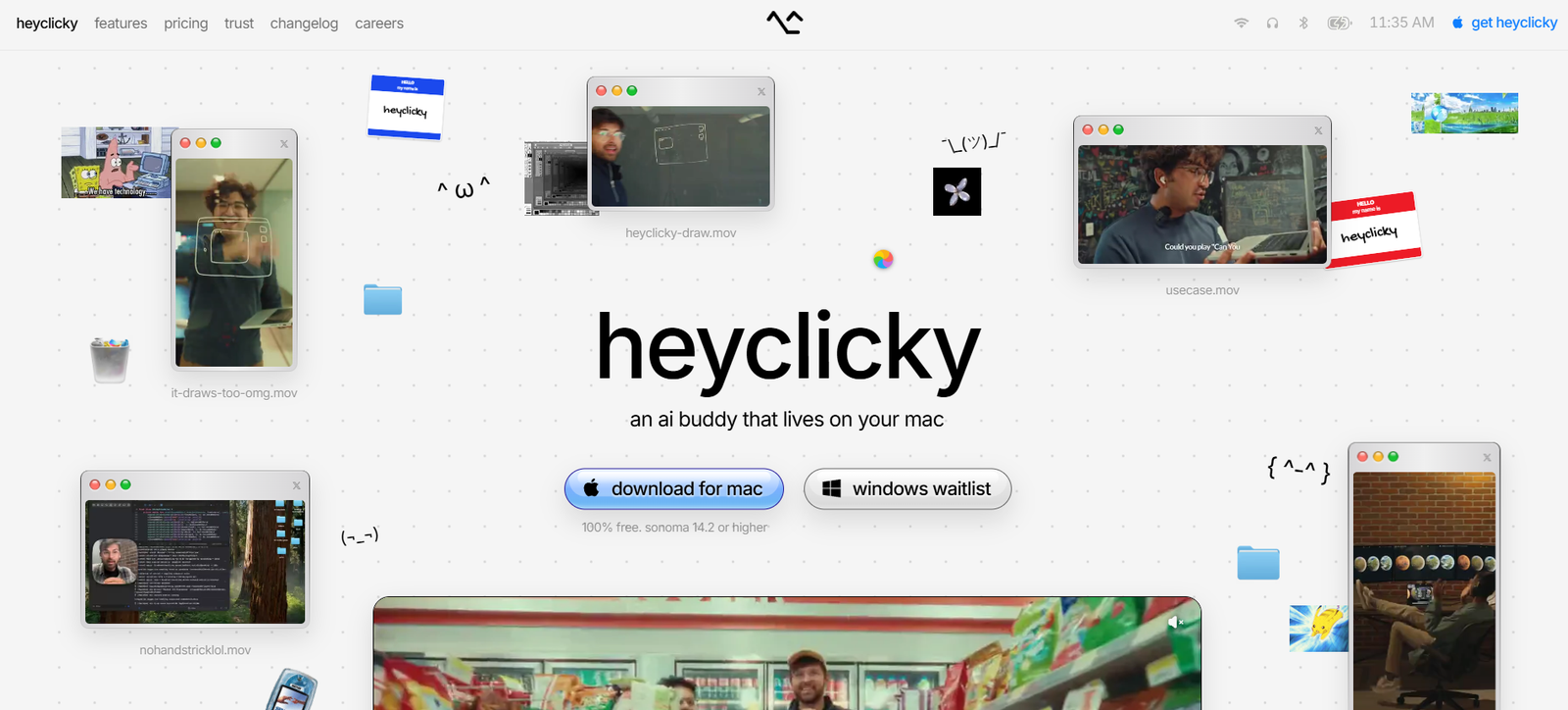
HeyClicky is a screen-aware AI assistant for Mac designed to help users understand software, complete tasks, dictate text, and interact with their computer using natural voice commands.
Instead of operating inside a conventional chatbot window, HeyClicky lives close to the user’s cursor and works with what is currently visible on the screen. When users activate it with a keyboard shortcut, it can examine the screen, listen to a question, and provide spoken guidance based on the current context.
One of its distinctive features is visual guidance. HeyClicky can draw directly over the screen, using arrows, circles, highlights, and other annotations to show users exactly where to click or what to look at. This makes it particularly useful when learning unfamiliar software.
HeyClicky also provides AI agents that can perform tasks on the user’s behalf. Users can launch agents using voice commands instead of working through terminals or complex agent interfaces.
The platform also includes fast AI dictation. Users can speak naturally and have polished text inserted into applications such as email, Slack, Claude, and other Mac software.
HeyClicky is currently available for macOS Sonoma 14.2 or later. A Windows version is planned and users can join a waitlist.
Features
Screen-Aware AI Assistance
HeyClicky can understand what is visible on the user’s screen when activated. This allows users to ask questions without manually taking screenshots, copying text, or explaining every detail.
Voice Conversations
Users can speak to HeyClicky and receive spoken AI responses, creating a more conversational way to interact with their computer.
On-Screen Drawing
HeyClicky can draw arrows, circles, highlights, and other visual annotations directly over the screen.
This can make instructions easier to follow than text-only explanations.
Step-by-Step Software Guidance
The assistant can walk users through software tasks while pointing to the relevant controls on screen.
HeyClicky has developed app-specific teaching skills for dozens of applications to improve the quality of its guidance.
AI Agents
Users can ask HeyClicky agents to carry out tasks instead of only explaining what to do.
This moves the product beyond a conventional AI assistant into computer-use and task automation.
Voice-Activated Agents
Agents can be launched using natural voice instructions, reducing the need for technical agent configuration or terminal commands.
AI Dictation
HeyClicky provides speech-to-text dictation that works across Mac applications.
Users can dictate emails, messages, documents, prompts, and other text.
Fast Streaming Dictation
The platform states that dictated text can begin streaming into applications at around 450 milliseconds.
50+ Dictation Languages
HeyClicky supports automatic language detection across more than 50 languages.
Users can also set a preferred default language.
Personal Dictionary
The dictation system learns vocabulary from user corrections. If a transcription mistake is corrected shortly afterward, the word can be added automatically to the user’s dictionary.
The dictionary can also be edited manually.
Grammar and Spelling Cleanup
HeyClicky can clean up grammar and spelling while converting speech into text, producing more polished writing than basic verbatim transcription.
Hands-Free Dictation
Users can activate a hands-free mode when they want to speak for longer periods without continuously holding the keyboard shortcut.
Screen-Aware Writing
HeyClicky can use the visible screen as context when helping users write.
For example, a user can open an email and ask HeyClicky to draft a reply based on the message currently visible.
Personal Memory
HeyClicky maintains text-based context that can help it respond in a more personalized and consistent way over time.
Custom Skills
Skills can help HeyClicky perform specialized tasks or follow particular styles and workflows.
App Skills
HeyClicky has developed specialized guidance skills for numerous applications, allowing it to provide more relevant help inside supported software.
Google Calendar Support
HeyClicky can work with Google Calendar to read events and create new calendar entries.
Native Mac App Interaction
Agents can interact with applications such as Apple Notes, Calendar, and Reminders for supported workflows.
Agent History
Users can search previous agent activity to find earlier tasks and interactions.
Adjustable Voice Speed
The speaking speed can be adjusted between 0.5x and 1.5x according to user preference.
Team Features
HeyClicky has introduced an early team version with centralized subscriptions and private team-shared skills.
How It Works
Step 1: Download HeyClicky
Install HeyClicky on a Mac running macOS Sonoma 14.2 or later.
Step 2: Complete the Tutorial
The onboarding experience introduces voice interaction, screen drawing, contextual questions, email drafting, and dictation.
Step 3: Open Any Application
Users can work normally in the software they want help with.
Step 4: Activate HeyClicky
Press the configured hotkey when assistance is needed.
HeyClicky does not continuously watch the screen. Screen access occurs when the user intentionally activates the assistant.
Step 5: Ask a Question
Speak naturally about what is currently visible or what you want to accomplish.
Step 6: Receive Guidance
HeyClicky can respond verbally and, when useful, draw directly on the screen to indicate buttons, menus, controls, or other interface elements.
Step 7: Use Dictation
Users can activate the dictation shortcut, speak naturally, and have the resulting text inserted into the current application.
Step 8: Launch an Agent
For tasks that require action rather than explanation, users can ask a HeyClicky agent to perform the work.
Step 9: Connect Services When Required
Certain workflows can use connected services such as Gmail, Notion, or Google Calendar.
Step 10: Review the Result
Users should review important actions and generated content, particularly when agents are working with external applications or sensitive information.
Use Cases
Learning New Software
Users can ask questions about unfamiliar applications and receive visual, step-by-step guidance directly on the screen.
Creative Software
HeyClicky can help users understand complex tools such as video editors, music production software, and other creative applications.
AI Coding Tools
Users working with Claude Code and other AI development environments can ask contextual questions while learning unfamiliar workflows.
Users can dictate emails or ask HeyClicky to draft replies based on messages visible on the screen.
AI Dictation
People who prefer speaking to typing can dictate into many Mac applications.
AI Agents
Users can launch agents to perform multi-step tasks rather than completing everything manually.
Research
Agents can assist with online research and information-gathering tasks.
Calendar Management
Supported workflows can read calendar information and create new events.
Productivity
HeyClicky can assist with Notes, Reminders, communication tools, and other everyday Mac workflows.
Beginners
People who find complex software intimidating can use HeyClicky as an interactive AI tutor that can visually point to what they should do next.
Professionals
Professionals can use voice interaction and dictation to reduce repetitive typing and speed up everyday computer work.
Pricing
HeyClicky currently offers Free, Pro, and Max plans.
Users can pay monthly or choose yearly billing for a 20% discount.
Free: $0
The Free plan is available without a credit card.
It currently includes:
25 Talk messages per month.
A limited but generous amount of dictation.
25 Agent messages per month.
The Free plan is intended for users who want to experiment with HeyClicky before subscribing.
Pro: $20 per month
Pro is designed for regular everyday use.
It currently includes:
Unlimited Talk.
Unlimited dictation.
150 Agent messages per month.
Users can cancel at any time.
Max: $100 per month
Max is designed for heavier AI agent usage.
It currently includes:
Unlimited Talk.
Unlimited dictation.
1,000 Agent messages per month.
Yearly Billing
HeyClicky currently provides a 20% discount when users select yearly billing.
Team Plans
HeyClicky has also introduced an early team version that can combine Pro and Max seats under one subscription.
The team product is currently being onboarded manually, and standard public team pricing is not clearly listed on the official website.
Strengths
Works Where the User Is Working
HeyClicky reduces the need to move between a software application and a separate chatbot window.
Understands the Screen
Users can ask questions about what they are currently seeing rather than manually describing the entire interface.
Visual Guidance
The ability to draw directly on screen distinguishes HeyClicky from conventional text and voice assistants.
Voice-First Interaction
Users can ask questions, dictate text, and launch agents using speech.
Useful for Learning Software
The combination of screen awareness, app-specific skills, spoken explanations, and visual annotations makes it particularly interesting as an AI software tutor.
Agent Capabilities
HeyClicky can move from explaining a task to performing supported tasks through agents.
Strong Dictation Features
Fast streaming speech-to-text, more than 50 languages, grammar cleanup, and vocabulary learning add a substantial dictation component.
Works Across Visible Apps
For general screen guidance, HeyClicky does not require a dedicated plugin for every application. If content is visible on the screen, it can use that visual context when activated.
Free Plan
The Free tier gives users an opportunity to test conversations, agents, and dictation before paying.
Drawbacks
HeyClicky is currently Mac-only and requires macOS Sonoma 14.2 or later. Windows support is planned but is not yet generally available.
The Free plan is limited to 25 Talk messages and 25 Agent messages each month.
Agent usage is also capped on paid plans. Pro provides 150 Agent messages per month, while Max provides 1,000.
The Max plan costs considerably more than Pro and is mainly appropriate for users who need much heavier agent usage.
HeyClicky processes requests in the cloud rather than entirely on the user’s device. Users working with highly confidential information should therefore review its privacy practices before adoption.
AI agents can also make mistakes when performing computer tasks. Users should supervise important actions involving emails, files, accounts, business systems, or other sensitive information.
Privacy and Data Handling
HeyClicky states that it does not continuously watch the user’s screen. Screen information is accessed when the user activates the assistant with the relevant hotkey.
Raw screenshots are not stored after processing.
The platform does retain AI-generated screenshot analysis and user prompts to provide context.
Processing is cloud-based, and requests may be forwarded to AI providers including Anthropic and OpenAI.
HeyClicky states that user data is not used for AI model training.
When HeyClicky is running in the background without being activated, it states that it does not collect keystrokes, clipboard contents, files, or screen contents.
Users can request deletion of their data.
The company currently states that it does not yet have SOC 2 or ISO 27001 certification.
Comparison with Other Platforms
HeyClicky sits between several AI product categories, including desktop assistants, voice dictation tools, computer-use agents, and AI software tutors.
Traditional AI chatbots generally require users to open a separate conversation, upload a screenshot, or manually explain what they are looking at. HeyClicky attempts to reduce this friction by using the active screen as context when the user activates it.
Compared with basic dictation software, HeyClicky provides a broader workflow because users can also ask contextual questions, receive visual instructions, and launch agents.
Compared with conventional computer automation tools, it focuses more heavily on natural voice interaction and making AI approachable to non-technical users.
Its on-screen drawing is particularly distinctive. Instead of merely saying where a feature is located, HeyClicky can visually point to the relevant area.
However, users who only need basic dictation or a conventional AI chatbot may not require the full screen-aware and agent functionality.
Customer Reviews and Testimonials
HeyClicky displays several comments and reactions from users and technology professionals on its official website.
The featured feedback includes comments from people such as Lenny Rachitsky, William Wang, Aaron Epstein, Putri Karunia, and others reacting to the product and its demos.
Feedback highlighted by the company particularly focuses on its unusual onboarding experience, screen-aware assistance, and visual approach to interacting with AI.
These comments are selected and displayed by HeyClicky itself and should therefore be treated as company-presented feedback rather than independent verified customer review data.
Conclusion
HeyClicky is an unusual AI desktop assistant that attempts to make artificial intelligence part of the computer interface rather than another application users need to open.
Its strongest capability is the combination of screen awareness, voice conversation, visual on-screen guidance, dictation, and AI agents.
A user can open unfamiliar software, ask what to do, and have HeyClicky explain the next step while drawing directly on the interface. The same assistant can also dictate polished text across applications or launch agents to carry out supported tasks.
This makes HeyClicky particularly interesting for people learning new software, professionals who prefer voice input, creators working with complex applications, and users who want AI agents without relying on terminal-based workflows.
Its main limitation is platform availability, since it currently requires a Mac. Agent limits and cloud-based processing are also important considerations.
For Mac users looking for an AI assistant that can see what they see, speak with them, visually guide them, and take action through agents, HeyClicky offers a distinctive approach to everyday AI assistance.