
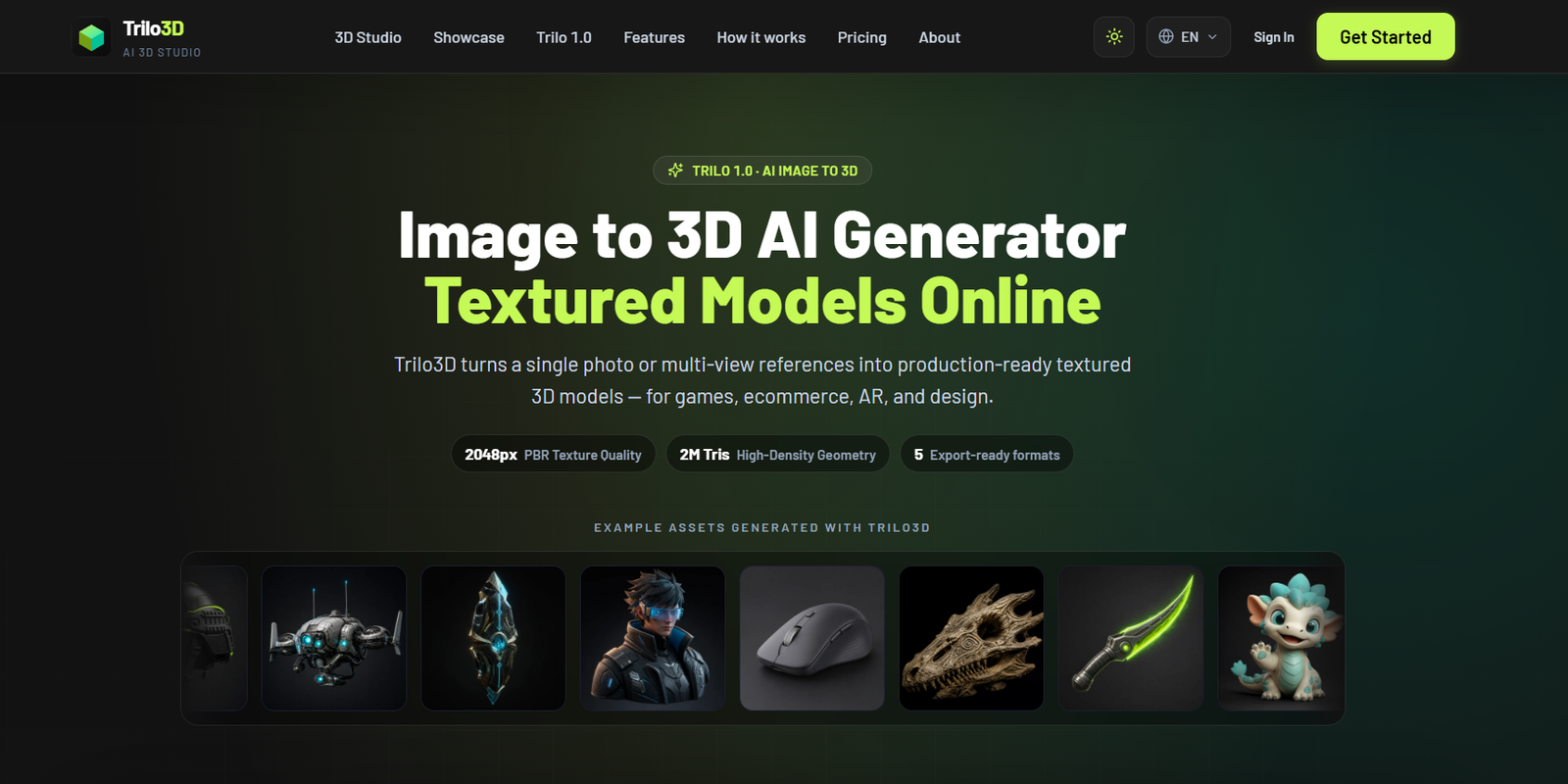
Trilo3D is an online AI powered image to 3D generator designed to turn photos, concept art, product images, character references, and other visuals into textured 3D models.
Instead of manually building a 3D object from the beginning, users can upload a single reference image and let Trilo3D reconstruct its geometry, textures, and materials automatically. For objects that require better geometric accuracy, users can provide multiple views, such as front, side, and back references.
The platform’s Trilo 1.0 model focuses on detailed reconstruction and can produce geometry with up to 2 million faces and textures up to 2048 resolution. Users can also generate PBR materials, including maps for albedo, normal, roughness, and metallic properties.
Generated assets can be exported in common 3D formats including GLB, FBX, OBJ, USDZ, and STL. This makes Trilo3D useful for game development, ecommerce, AR experiences, VFX, industrial design, prototyping, 3D printing, and other workflows where users need to convert 2D references into usable 3D assets.
Features
AI Image to 3D Generation
Users can upload a single image and allow Trilo3D to automatically reconstruct a 3D model. The AI generates geometry and can also create textures and materials depending on the selected options.
Multi-View to 3D
Trilo3D supports multiple reference images when a single photograph does not provide enough information about the object. Users can add additional views to improve geometric reconstruction and texture consistency.
Trilo 1.0 Model
Trilo 1.0 is the platform’s detailed image to 3D reconstruction model. It supports single-image and multi-view generation directly through the browser.
High-Density Geometry
The platform can generate models with up to approximately 2 million faces at its higher quality settings. This can be useful for workflows where detailed geometry is important.
2048 Texture Quality
Trilo3D supports textures at up to 2048 resolution, helping generated assets retain surface details from the original reference.
PBR Materials
Pro and higher plans can generate PBR material maps, including albedo, normal, roughness, and metallic maps. These can help generated assets respond more realistically to lighting in compatible 3D environments.
Five Export Formats
Generated models can be downloaded in GLB, FBX, OBJ, USDZ, and STL formats. This provides flexibility across game engines, 3D applications, AR platforms, and 3D printing workflows.
GLB Export
GLB is available as a lightweight option with textures embedded in the model, making it useful for web, AR, and other applications where convenient asset distribution matters.
STL Export
STL support allows users to move generated geometry into compatible 3D printing and manufacturing workflows.
Browser-Based Workflow
The entire generation process can be handled online. Users upload references, configure quality and materials, generate the model, preview it, and download the final asset without initially opening traditional desktop 3D software.
Live 3D Preview
Users can inspect generated assets through the browser based 3D viewer before downloading them.
Production-Oriented Outputs
Trilo3D is designed around producing assets that can move into workflows involving Blender, Unity, Unreal Engine, Apple AR, ecommerce, and other design pipelines.
Transparent Credit Costs
The platform displays the number of credits required before a generation begins. This helps users understand the cost of different quality and material options.
How It Works
Step 1: Open Trilo3D
Users can access the online 3D studio through a web browser and begin with the free option.
Step 2: Upload a Reference Image
Upload a PNG, JPG, or WebP image. Individual uploaded images can currently be up to 10 MB.
Step 3: Choose Single or Multi-View
A single clear image can be used for standard generation. Users who need more accurate reconstruction can provide additional reference views.
Step 4: Select Quality
Choose the appropriate generation quality according to the level of geometric and texture detail required.
Step 5: Configure Textures and Materials
Users can select geometry-only generation or add textures and PBR materials where supported.
Step 6: Review the Credit Cost
Trilo3D shows the required credits before generation so users can see the expected cost.
Step 7: Generate the Model
Trilo 1.0 processes the supplied reference images and reconstructs the geometry, textures, and selected material information.
Step 8: Preview the Result
The generated model can be inspected through the online viewer.
Step 9: Export the Asset
Users select an available export format such as GLB, FBX, OBJ, USDZ, or STL and move the model into their preferred 3D workflow.
Use Cases
Game Developers
Game developers can convert concept art, props, weapons, characters, creatures, and environmental objects into initial 3D assets for further development.
Indie Game Creators
Small development teams can use AI reconstruction to create starting assets without manually modelling every object from scratch.
Ecommerce Businesses
Product photographs can be transformed into 3D models for interactive product presentations, digital catalogs, and compatible ecommerce experiences.
AR Developers
USDZ and GLB exports can help developers prepare assets for augmented reality and web based 3D experiences.
VFX Artists
Artists can use generated geometry as an initial asset for further refinement in professional 3D and visual effects software.
Industrial Designers
Product concepts and reference images can be converted into 3D representations for visualization and early prototyping.
3D Artists
Artists can generate a base mesh from concept art and then continue refining, retopologizing, rigging, or texturing it in dedicated 3D software.
Character Designers
Character illustrations and AI generated character images can be converted into initial 3D models for creative projects.
3D Printing
STL export makes Trilo3D potentially useful for turning suitable visual references into geometry that can be further prepared for 3D printing.
Marketing Teams
Brands and creative teams can use 3D product assets in interactive campaigns, visual presentations, product demonstrations, and AR experiences.
Pricing
Trilo3D uses a credit based pricing system with free, monthly, annual, and pay as you go options.
Free: $0
The Free plan provides starter credits for new users and additional credits through daily check-ins.
No credit card is required.
Assets created under the Free plan are stored for 15 days. The free tier does not provide the same commercial licensing or long-term ownership and storage guarantees as eligible paid plans.
Basic: $10 per month
The Basic plan provides 1,000 credits per month.
When billed annually, the listed equivalent price is $8 per month.
It includes Trilo 1.0 image to 3D generation, single-image and multi-view generation, email support, and exports in GLB, FBX, OBJ, USDZ, and STL formats.
Pro: $20 per month
The Pro plan provides 2,000 credits per month.
Annual billing reduces the listed equivalent cost to $16 per month.
It adds PBR material maps, commercial usage rights, cloud generation history, result access, multi-view reference support, and a larger credit allowance.
Max: $50 per month
The Max plan provides 5,000 credits per month.
With annual billing, the listed equivalent price is $40 per month.
It includes the largest standard credit allowance, commercial rights, PBR materials, cloud generation history, all five export formats, and access to Trilo 1.0’s 2048 Master high-density generation.
Generation Credit Costs
A 2048 Quality geometry-only generation currently costs 396 credits.
The same quality with textures costs 440 credits.
A 2048 Quality generation with PBR materials costs 462 credits.
At 2048 Master quality, geometry costs 1,936 credits, generation with textures costs 1,980 credits, and generation with PBR materials costs 2,002 credits.
Pay As You Go Credits
Users can also purchase additional credits without relying entirely on a subscription. Trilo3D states that pay as you go credits do not expire and remain in the account until used.
Pricing and credit requirements can change, so users should check the current official pricing page before purchasing a plan.
Strengths
Simple Image to 3D Workflow
Users can create an initial 3D asset from a photograph or visual reference without manually modelling the complete object.
Multi-View Reconstruction
Support for multiple views can improve results when one image does not contain enough information about an object’s shape.
Detailed Geometry
Trilo 1.0 focuses on detailed reconstruction and supports high-density geometry for users who need more detailed outputs.
PBR Material Support
Generated PBR maps can make assets easier to integrate into professional game, visualization, and ecommerce workflows.
Multiple Export Formats
Support for GLB, FBX, OBJ, USDZ, and STL gives users flexibility when moving assets into other applications.
Useful Across Industries
The platform can support game development, ecommerce, AR, VFX, industrial design, prototyping, and 3D printing workflows.
Browser Based
Users do not need to install a large desktop application simply to generate the initial model.
Free Entry Option
The free plan allows new users to experiment with the technology before paying for a subscription.
Commercial Rights on Eligible Plans
Pro and Max plans include commercial usage rights for generated assets.
Drawbacks
AI generated 3D models may not always reproduce hidden surfaces or complex geometry accurately, especially when only one reference image is provided. Multi-view references may therefore be necessary for better results.
Generated assets may still require manual cleanup, retopology, rigging, optimization, or editing before they are ready for demanding production environments.
High-quality generation can consume a substantial number of credits. For example, 2048 Master generation can require close to or more than 2,000 credits for a single model depending on the selected material options.
The Basic plan does not include PBR material maps or commercial rights. Users planning commercial production should therefore review licensing differences carefully.
The free plan also stores generated assets for a limited period and does not provide the same commercial licensing benefits as eligible paid subscriptions.
Comparison with Other Platforms
Trilo3D competes broadly with other AI powered image to 3D generators and traditional 3D modelling workflows.
Traditional modelling software gives experienced artists extensive control over topology, geometry, UV mapping, materials, rigging, and optimization. However, manually creating detailed assets can require significant time and specialist skills.
AI image to 3D platforms reduce this initial workload by reconstructing a model automatically from visual references. Trilo3D follows this approach while emphasizing high-density geometry, multi-view reconstruction, textured meshes, PBR materials, and several production-oriented export formats.
Its multi-view capability may be especially useful for product and hard-surface objects where a single reference image does not provide enough depth information.
However, Trilo3D should generally be viewed as a way to accelerate asset creation rather than a complete replacement for professional 3D software. Blender, Maya, ZBrush, and similar tools may still be required when users need precise topology, detailed sculpting, rigging, animation, or production-level manual control.
Customer Reviews and Testimonials
Customer reviews and testimonials are not clearly available on the official website.
Trilo3D does provide creator notes describing common needs among people evaluating image to 3D workflows, such as converting catalog photos into textured models, using multi-view references for mechanical objects, and understanding credit costs before batch generation.
However, the website specifically states that these creator notes are not paid endorsements. They should therefore not be presented as verified customer testimonials.
Conclusion
Trilo3D is a practical AI tool for turning photographs, concept art, product images, and multi-view references into textured 3D assets without beginning every model manually.
Its combination of single-image reconstruction, multi-view input, high-density geometry, 2048 textures, PBR materials, browser based previews, and exports in GLB, FBX, OBJ, USDZ, and STL makes it relevant to several professional and creative workflows.
Game developers, 3D artists, ecommerce businesses, AR creators, VFX teams, industrial designers, and independent creators are likely to benefit most from the platform.
Trilo3D will not remove the need for professional 3D editing in every project. However, when the goal is to move quickly from a 2D reference to an editable 3D starting point, it can significantly simplify the early asset creation process.


