
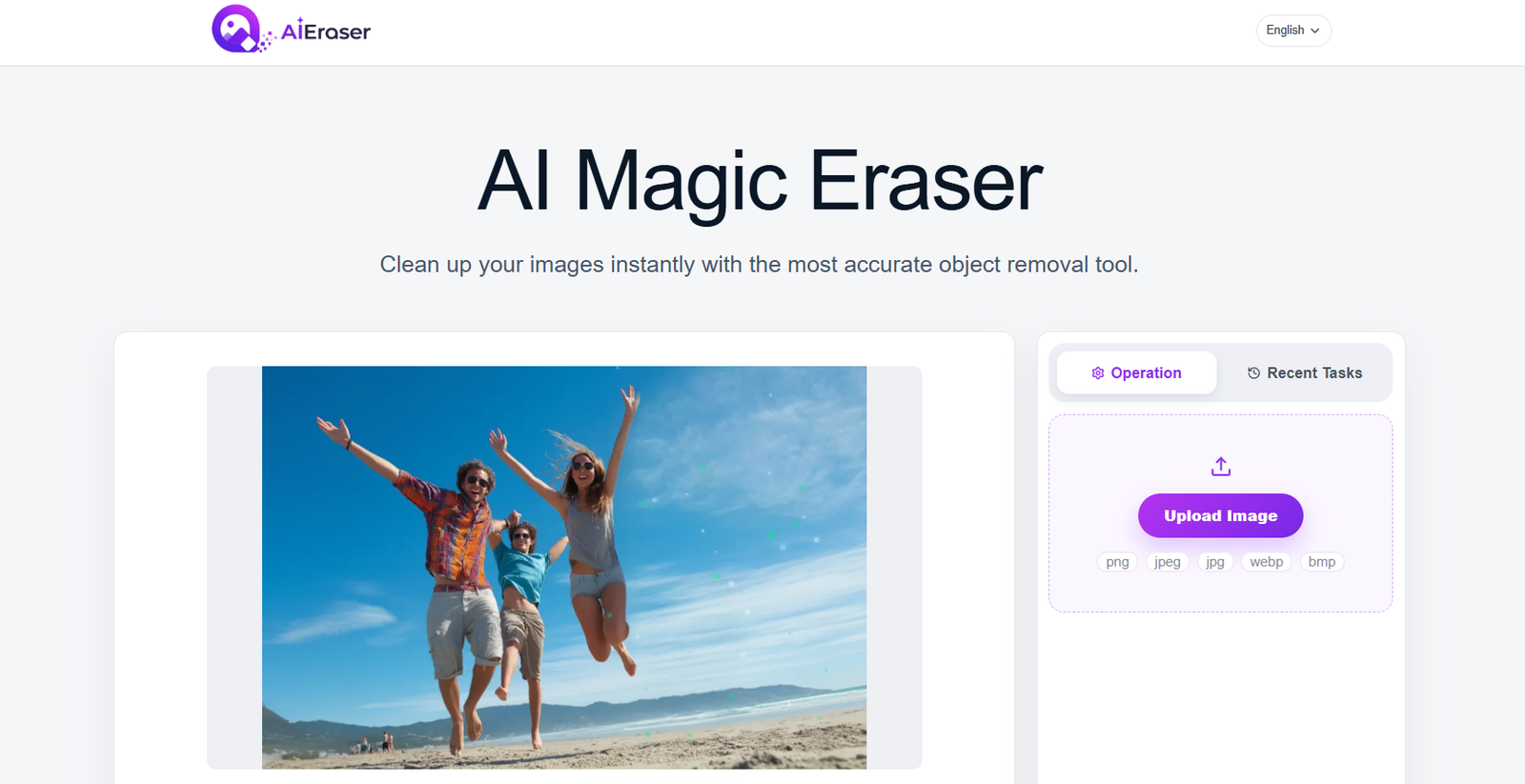
AIEraser is a free online AI image editing tool designed to remove unwanted elements from photographs. Users can upload an image, mark the area they want to remove and let the AI reconstruct the missing background automatically.
The tool can remove objects, unwanted people, text, logos, date stamps, reflections, wires, clutter and other visual distractions. It can also help clean up smaller imperfections such as temporary skin blemishes, stray hairs and minor marks.
Instead of requiring users to manually clone or repair pixels with professional photo editing software, AIEraser uses AI to analyze the surrounding area and generate replacement content that blends with the rest of the image.
The platform works entirely through a web browser and can be used on desktop computers, tablets and mobile devices. This makes it suitable for content creators, e-commerce sellers, photographers, marketers, designers and everyday users who need a quick way to clean up photographs.
AIEraser is currently focused primarily on its AI Magic Eraser and object removal capabilities rather than providing a complete professional image editing suite.
Features
AI Object Removal
AIEraser allows users to remove unwanted objects from photographs. Users simply mark the object, and the AI attempts to reconstruct the area behind it using surrounding visual information.
Remove Unwanted People
Travel photographs, group pictures and social media images can be cleaned by removing strangers, tourists or photobombers from the background.
Text Removal
Users can erase unwanted captions, dates, timestamps and other text appearing within an image.
Logo Removal
AIEraser can remove logos and similar graphic elements from images when users have the necessary rights to modify the content.
Watermark Removal
The tool supports removing watermarks from images. This should only be used on content that users own or have permission to edit, since removing copyright or ownership information without authorization may violate applicable rights.
Reflection and Glare Removal
Users can mark reflections, flash glare and unwanted light effects for removal. This can be useful for photographs taken through windows or reflective surfaces.
Wire and Power Line Removal
Distracting telephone wires, cables and power lines can be erased from landscapes, property photographs and city scenes.
Photo Cleanup
The Magic Eraser can remove visual clutter such as trash cans, signs, unwanted objects, stickers and other elements that distract from the main subject.
Product Photo Cleanup
E-commerce sellers can clean supplier or product images by removing unwanted labels, background clutter, dust, fingerprints and other suitable imperfections.
Portrait Retouching
AIEraser can be used for limited portrait cleanup, including removing temporary blemishes, stray hairs and minor visual marks while attempting to preserve surrounding texture.
Smart Object Selection
Users can select an unwanted area using a brush or box. The system is designed to recognize object boundaries so extremely precise manual selections are not always necessary.
AI Background Reconstruction
After an object is removed, the AI generates replacement pixels based on nearby textures, patterns and details instead of simply leaving a blank or blurred area.
High-Resolution Output
AIEraser states that edits preserve the original image dimensions and sharpness while modifying the selected area.
Multiple Image Formats
The platform supports common image formats including JPG, JPEG, PNG and WebP. The upload interface also lists BMP support.
Browser-Based Editing
No dedicated desktop application is required. The service works through modern browsers on mobile devices, tablets, Mac and Windows computers.
Privacy-Focused Processing
AIEraser states that uploaded images are retained only as long as necessary to provide the service and are then deleted according to its retention practices. The website also states that uploaded images are not used to train its AI models.
How It Works
Step 1: Upload an Image
Open AIEraser and upload the photograph that needs editing. Users can drag and drop an image or select a file from their device.
Step 2: Select the Unwanted Element
Use the brush or selection box to mark the person, object, text or other area that should disappear.
Step 3: Adjust the Selection
Users can change the brush size and cover the unwanted area. The AI assists with identifying object boundaries.
Step 4: Start AI Processing
Click the erase option and allow AIEraser to analyze the image.
Step 5: Reconstruct the Background
The AI removes the selected element and generates replacement content based on surrounding textures and visual details.
Step 6: Review the Result
Check whether the removed area blends naturally with the rest of the photograph. Complex backgrounds may require another attempt or a refined selection.
Step 7: Download the Image
Once satisfied, users can download the cleaned image in high quality.
Use Cases
E-Commerce Sellers
Online sellers can clean product photographs by removing unwanted labels, clutter, dust and other distractions before using the images in suitable store listings.
Content Creators
Creators can remove distracting elements from photographs before publishing them on social media, blogs or other digital channels.
Photographers
Photographers can quickly clean minor distractions such as background objects, wires, unwanted people and small imperfections.
Travelers
Travel photographs can be improved by removing tourists, signs, trash cans and other unwanted elements from the background.
Social Media Users
Users can clean photographs before posting them on Instagram, Facebook and other social networks.
Marketers
Marketing professionals can prepare cleaner promotional images by removing unnecessary visual elements.
Designers
Designers can use AIEraser for quick image cleanup before moving the image into a larger design project.
Real Estate Professionals
Property photographs can be cleaned by removing suitable distractions such as wires, date stamps and minor unwanted objects.
Family Photo Restoration
Users can remove scratches, marks and distracting elements from suitable scans of older family photographs.
Pricing
AIEraser currently presents its AI Magic Eraser as free to use.
Users can open the browser-based tool, upload an image and use its object removal functionality without purchasing a clearly advertised subscription.
The site’s terms indicate that the service may offer one-time purchases, credit packages or recurring subscriptions. However, specific paid plans and prices are not clearly presented on the publicly accessible main website.
Therefore, pricing details for any paid services are not clearly mentioned on the official website.
Strengths
AIEraser’s biggest advantage is simplicity. Users do not need professional photo editing experience to remove an unwanted element from an image.
Its brush and box based selection process makes the editing workflow easy to understand.
AI background reconstruction can produce more natural results than simply cropping an image or covering an unwanted object with a blurred area.
The platform can handle several common cleanup tasks, including unwanted people, text, reflections, wires and background clutter.
Because it is browser based, users do not need to install large photo editing applications.
The currently available Magic Eraser is free, making it easy for users to experiment with the service.
Its stated policy of not using uploaded images for AI model training is another useful consideration for privacy-conscious users.
Drawbacks
AIEraser is currently focused mainly on object removal and photo cleanup rather than providing the extensive editing capabilities of professional image editing software.
AI reconstruction may not always be perfect, particularly when users remove large objects from complicated backgrounds.
Images containing detailed patterns, overlapping subjects or important structural elements may require several attempts to achieve a natural result.
Removing text, logos and watermarks also creates copyright and ethical considerations. Users should only modify content they own or have permission to edit.
Because processing takes place online, users need an internet connection and must upload their images to the service.
Although the service states that uploaded files are deleted after processing and are not used for AI training, users working with highly confidential photographs should still consider their privacy requirements before uploading them to any online editing service.
Comparison with Other Platforms
AIEraser competes with AI object removal features found in online photo editors and larger image editing platforms.
Compared with traditional professional software, its main advantage is simplicity. Users can mark an unwanted object and allow AI to reconstruct the area instead of manually working with cloning, healing and selection tools.
Compared with broader AI photo editing platforms, AIEraser is more specialized. Its current focus is primarily on erasing unwanted elements rather than offering a large collection of generation, design and editing features.
This focused approach can be useful for people who simply need to clean up an image without learning a complex editing application.
Professional photographers and designers who require detailed layer controls, color correction, masking and extensive manual adjustments may still prefer full image editing software.
Customer Reviews and Testimonials
AIEraser displays several customer testimonials on its official website.
Jessica W., identified as an e-commerce entrepreneur, describes using the tool to remove unwanted logos and text from supplier images and highlights the time saved compared with manual editing.
Liam T., identified as a travel content creator, describes removing an unwanted person and a trash can from a travel photograph while maintaining a natural-looking background.
Nina S., identified as a freelance designer, describes using AIEraser to remove power lines and date stamps from property photographs.
These testimonials are published directly on the AIEraser website and should be considered platform-provided testimonials rather than independently verified customer reviews.
Conclusion
AIEraser is a straightforward AI photo cleanup tool for anyone who wants to remove unwanted elements without learning complicated image editing software.
Its AI Magic Eraser can handle objects, people, text, logos, reflections, wires, clutter and smaller visual imperfections. The simple upload, select, erase and download workflow makes it accessible even to users with little image editing experience.
It can be particularly useful for e-commerce sellers, content creators, photographers, marketers, designers and everyday users who frequently need to clean photographs quickly.
The tool is more specialized than a complete photo editing suite, and complicated removals may still require additional editing. Users should also respect copyright and obtain appropriate permission before removing watermarks, logos or other ownership information.
For quick browser-based object removal and everyday photo cleanup, AIEraser provides a simple and currently free AI-powered solution.


