
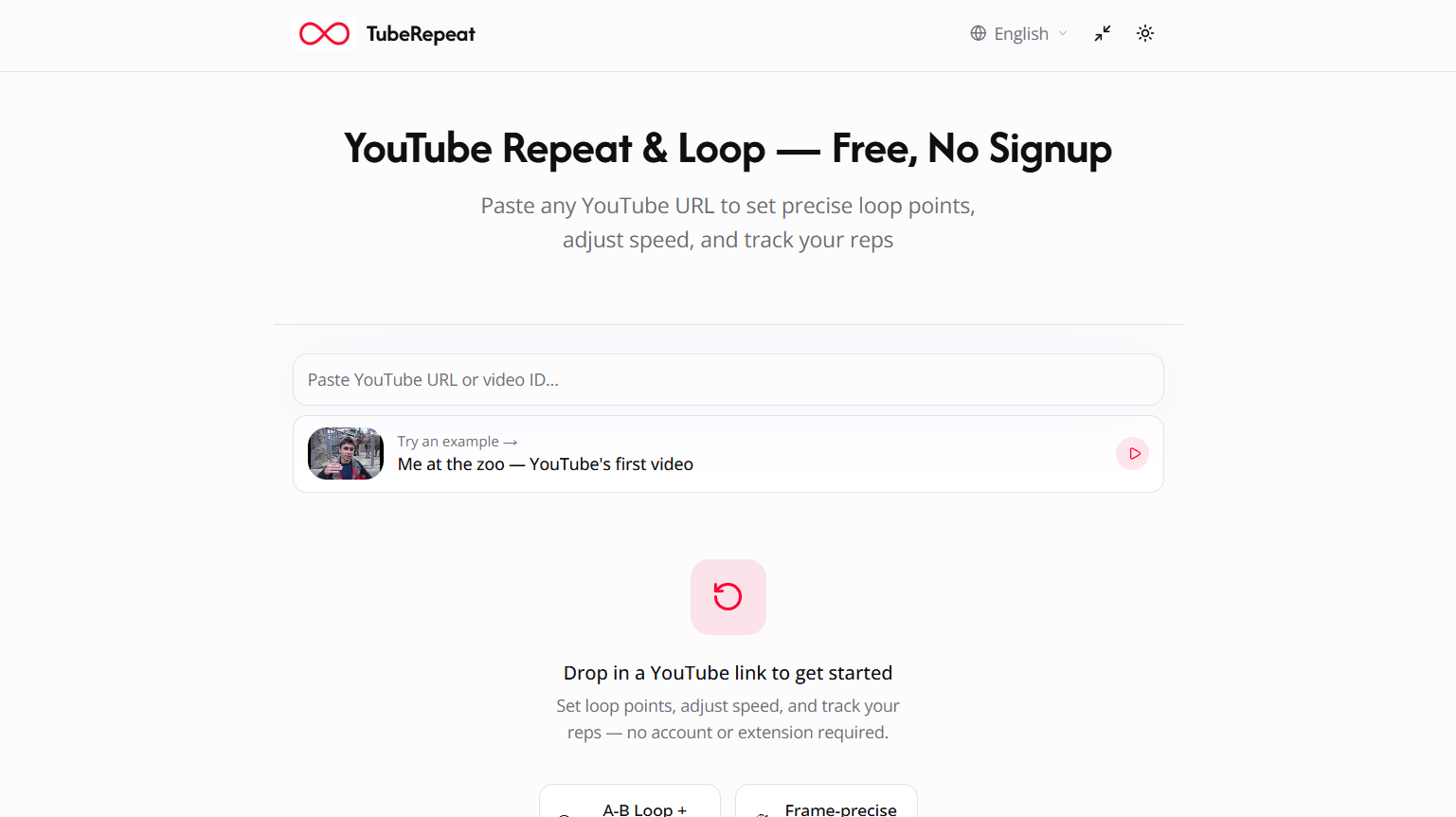
TubeRepeat is a free online YouTube repeat and loop tool designed for focused practice and learning. It allows users to select a specific section of a YouTube video and play that section repeatedly without manually rewinding the video.
The platform is particularly useful for musicians, language learners, dancers, students and anyone who learns a skill by repeatedly watching or listening to a specific part of a video.
Users simply paste a YouTube URL, choose the starting and ending points of the section they want to practice and begin looping it. Playback speed can be adjusted from 25% to 200%, making it possible to slow down difficult sections and gradually return to normal speed.
TubeRepeat also includes progressive speed training, keyboard controls, repetition tracking and shareable practice sessions. It works directly in a web browser and does not require users to install an extension, download software or create an account.
Despite using a .ai domain, the official website does not currently describe TubeRepeat as an AI-powered platform. Its main purpose is YouTube video looping and structured practice.
Features
A-B YouTube Looping
TubeRepeat allows users to define precise start and end points within a YouTube video. Only the selected section then repeats continuously.
This is useful when users need to practice a short guitar riff, spoken phrase, dance movement or part of an educational video.
Precision Loop Points
Users can select their A and B points by moving timeline controls or entering exact timestamps. This provides much more control than simply repeating an entire video.
Variable Playback Speed
TubeRepeat supports playback speeds ranging from 25% to 200%.
Users can slow difficult content down to study individual details or increase the speed as their skills improve.
Fine Speed Adjustment
Playback speed can be adjusted in increments as small as 0.05x. This allows users to gradually increase the difficulty rather than moving immediately from a slow speed to normal playback.
Progressive Speed Training
TubeRepeat can automatically increase playback speed after a selected number of repetitions.
For example, a musician can begin practicing a difficult passage slowly and have the tool progressively increase the tempo as the section repeats.
Repetition Counter
A built-in repetition counter keeps track of how many times a selected section has been practiced.
This provides a simple way for users to measure practice volume instead of relying on guesswork.
Keyboard Controls
TubeRepeat supports keyboard shortcuts for setting loop points and controlling practice sessions.
Musicians can therefore keep their hands closer to their instruments rather than repeatedly using the mouse.
Continuous Looping
Users can continuously repeat either a selected section or the entire video.
This removes the need to manually restart the content after every repetition.
Save Practice Sessions
TubeRepeat can preserve important session settings, allowing users to return to a particular practice setup later.
Shareable Loop Links
Each loop can generate a unique URL containing information about the video, starting point, ending point and playback speed.
Users can send this link to another person who can open the same practice setup.
Browser-Based Operation
TubeRepeat runs directly in a web browser. Users do not need to download desktop software or install a browser extension.
No Account Required
The service can be used without creating an account, making it quick to start a practice session.
How It Works
Step 1: Copy a YouTube Video URL
Find the YouTube video containing the music, lesson, dialogue, dance or other material you want to practice.
Step 2: Paste the URL
Paste the YouTube video link into TubeRepeat.
Step 3: Select the Starting Point
Choose point A to define where the section you want to repeat should begin.
Step 4: Select the Ending Point
Choose point B to define where the repeated section should end.
Step 5: Start the Loop
The selected A-B section will automatically play repeatedly without requiring manual rewinding.
Step 6: Adjust the Playback Speed
Slow the video down when learning a difficult section or increase the speed as your ability improves.
Step 7: Use Progressive Training
Users can configure TubeRepeat to automatically increase the playback speed after a certain number of repetitions.
Step 8: Track Repetitions
The repetition counter shows how many times the selected section has been practiced.
Step 9: Save or Share the Session
Users can preserve the generated URL or send it to a teacher, student, classmate or practice partner.
Use Cases
Musicians
Guitarists, pianists, drummers and other musicians can isolate difficult sections of performances or lessons and repeatedly practice them at slower speeds.
Music Students
Students can start with a difficult passage at a reduced tempo and gradually increase the playback speed until they can perform it at the original tempo.
Language Learners
Language students can repeatedly listen to short sentences or conversations spoken by native speakers.
Slowing down the recording can make it easier to understand pronunciation, rhythm and individual words.
Pronunciation Practice
Users can isolate a short phrase and repeat it many times while practicing pronunciation and speaking along with the video.
Dance Students
Dancers can isolate a particular sequence or movement, reduce the playback speed and repeatedly observe the choreography before attempting it at full speed.
Students
Students can repeat difficult sections of lectures, tutorials and educational videos while taking notes or trying to understand complicated concepts.
Teachers
Teachers can create loop links for specific portions of educational videos and share them with students for targeted practice.
Music Teachers
Music instructors can send students links containing exact practice sections and playback speeds rather than simply telling them which part of a long video to watch.
Band Members
Musicians working together can share identical loop settings so everyone practices the same section of a song.
Skill-Based Learning
The platform can also be useful for studying physical demonstrations, sports techniques and other skills where repeatedly observing a short video segment helps with learning.
Pricing
TubeRepeat is currently presented as a free online tool.
Users can repeat and loop YouTube videos without creating an account, installing an extension or downloading software.
The official website does not currently present paid subscription plans or premium pricing for its main looping functionality.
Strengths
Free to use: Users can access the core YouTube looping functionality without paying a subscription.
No account required: Practice can begin without registration.
Precise A-B looping: Users can repeat a specific part of a video rather than the entire video.
Wide playback range: Videos can be played from 25% to 200% speed.
Fine speed control: Small speed adjustments allow users to increase difficulty gradually.
Progressive speed training: Playback speed can automatically increase as practice progresses.
Repetition tracking: Users can see how many times they have practiced a particular section.
Shareable sessions: Teachers and students can share exact loop points and playback settings through links.
No extension required: Everything works directly through the browser.
Simple workflow: Users only need a YouTube link to begin.
Drawbacks
TubeRepeat is specifically designed around YouTube content, so it is not a general-purpose video editor or media player.
Users looking for advanced video editing, downloading, transcription or content creation features will need separate tools.
The platform’s usefulness also depends on the availability of the required content on YouTube.
Although the website uses a .ai domain, it does not currently advertise meaningful artificial intelligence functionality. Users specifically looking for AI-powered video analysis, summarization or tutoring should therefore consider other platforms.
Some users may also find that YouTube’s standard playback controls are sufficient if they only need to repeat an entire video rather than practice a specific section.
Comparison with Other Platforms
TubeRepeat competes primarily with YouTube looping websites, browser extensions and YouTube’s own built-in repeat functionality.
YouTube itself can repeat an entire video, but TubeRepeat provides more detailed control by allowing users to isolate a specific A-B section. This makes it more useful for structured practice.
Compared with basic YouTube looping websites, TubeRepeat adds features such as variable playback speed, progressive speed training, repetition counting, keyboard controls and shareable practice sessions.
Browser extensions may provide similar functionality directly inside YouTube, but TubeRepeat does not require users to install anything. A video URL can simply be pasted into the website.
Its strongest distinction is therefore its focus on deliberate practice rather than simple continuous video playback.
Customer Reviews and Testimonials
Customer reviews and testimonials are not clearly available on the official website.
The website describes practical applications for musicians, language learners, dancers and students, but these examples should not be interpreted as verified customer testimonials.
Conclusion
TubeRepeat is a simple but useful YouTube practice tool for people who need to study the same section of a video repeatedly.
Its A-B looping, adjustable playback speed, progressive tempo training, keyboard controls and repetition counter make it particularly useful for musicians, language learners, dancers and students.
The ability to create shareable links containing exact loop points and playback settings also makes TubeRepeat useful for teachers, coaches and collaborative learning.
TubeRepeat is not currently positioned as an AI tool despite its .ai domain. Instead, its value comes from providing a focused, browser-based YouTube practice environment that is free, easy to use and does not require an account or browser extension.


