
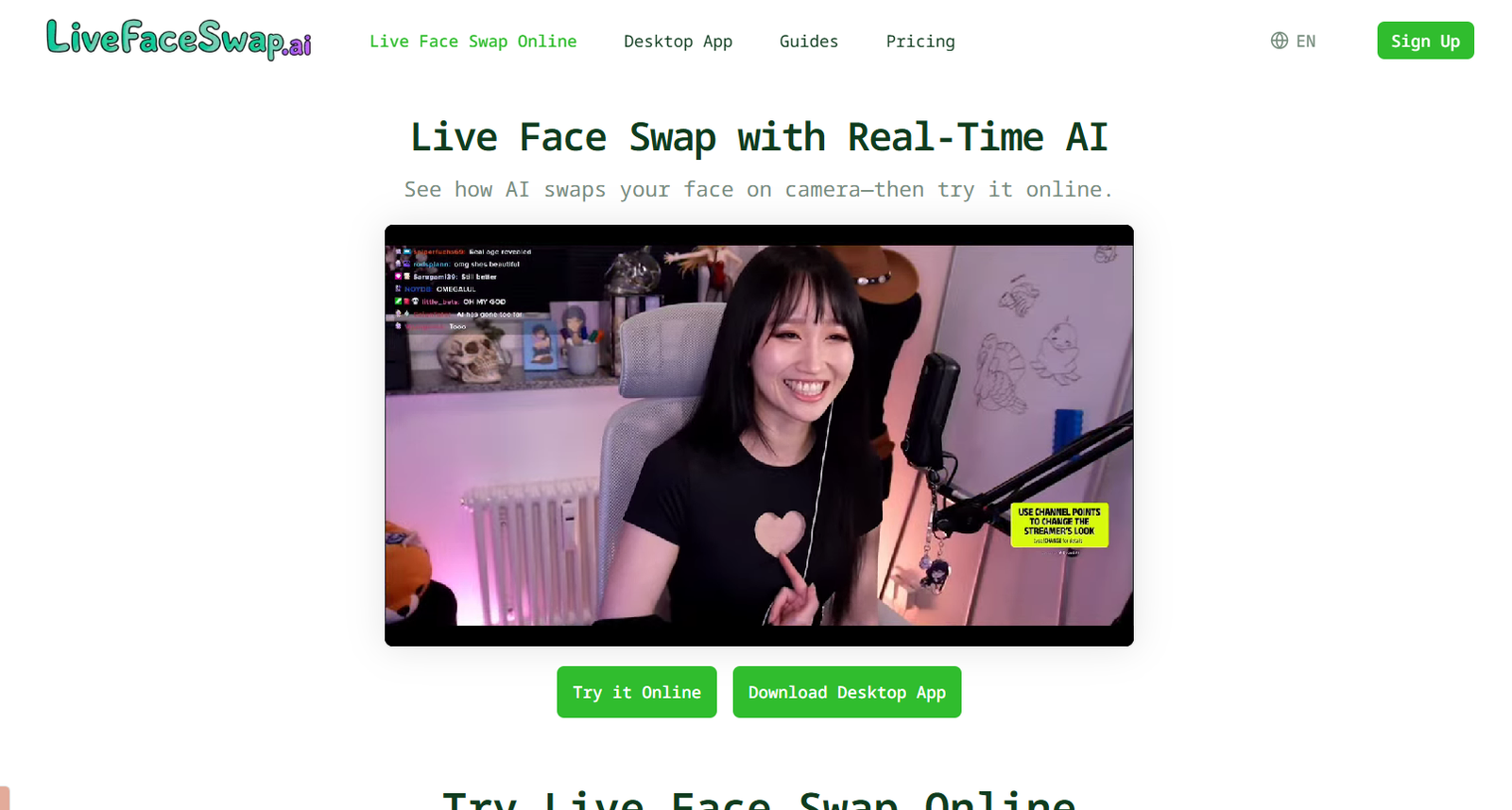
LiveFaceSwap AI is a real-time AI video transformation platform that allows users to change their appearance while using a live camera. Instead of processing an uploaded video after recording, the platform applies AI transformations to the camera feed as it happens.
Users can try the technology directly in a web browser or use the LiveFaceSwap Desktop application for broader workflows. The desktop version provides a virtual camera that can send the transformed video to compatible streaming, recording and video conferencing applications.
The platform supports three main types of live transformation: face swapping, visual restyling and virtual try-on. Users can upload a reference portrait, select an AI model and see the generated result respond to their movements in real time.
AI processing takes place in the cloud, which means users do not need a powerful graphics card or locally installed AI models. According to the platform, the transformed output can be returned with latency of less than 500 milliseconds under suitable conditions.
Users should only upload and use faces, images and other material they own or have permission to use.
Features
Real-Time AI Face Swap
LiveFaceSwap AI can replace or transform a user’s appearance directly from a live webcam feed. The output responds continuously as the person moves, changes expressions or adjusts their position.
Browser-Based Face Swap
Users can test real-time face swapping directly through a supported web browser without installing software.
Desktop Application
LiveFaceSwap provides a desktop application for users who need the transformed AI video outside the browser. Windows is supported, while the macOS version is currently offered through Early Access.
Virtual Camera
The desktop application creates a virtual camera called LiveFaceSwap Camera. This allows the transformed output to be selected as a video source in compatible third-party applications.
Livestreaming Support
Users can send the transformed camera output to OBS and compatible streaming software, making the platform useful for livestreaming and creative broadcasts.
Video Call Integration
The virtual camera can also be selected in compatible meeting and video calling applications, allowing users to use an AI-transformed appearance during live calls.
Live Restyle
Live Restyle applies different artistic and character styles to the camera feed. Examples include animated, illustrated, cinematic and other creative visual transformations.
Live Try-On
The Try-On mode lets users experiment with different outfits and appearances in real time through AI generated transformations.
Multiple AI Models
The platform provides different AI models for face swapping, restyling and try-on workflows. Available options include XMAX and Lucy based models.
Cloud AI Processing
Processing takes place through cloud AI infrastructure. Users therefore do not need to download large AI models or have a dedicated high-end GPU.
Low-Latency Output
LiveFaceSwap AI states that live output can be returned with less than 500 milliseconds of latency. Actual performance can depend on factors such as internet connection, camera quality and processing conditions.
Reference Image Upload
Users can upload a portrait as the reference for a face transformation. Clear, front-facing portraits with visible facial features generally provide a better starting point.
Privacy Controls
The browser experience does not provide recording, downloading, exporting or saved playback of the transformed stream. The platform states that camera streams connect to the selected AI model provider over an encrypted connection during active sessions.
How It Works
Step 1: Open LiveFaceSwap AI
Users can begin with the browser-based workspace or install the desktop application when virtual camera functionality is required.
Step 2: Sign In
An account is required before starting an AI face swap session. New users can receive limited free usage to test the service.
Step 3: Choose a Reference
Upload a clear portrait that you have permission to use or choose one of the available presets.
Step 4: Allow Camera Access
Enable camera access and make sure the face is clearly visible with suitable lighting.
Step 5: Select an Effect and Model
Choose Face Swap, Restyle or Try-On and select an available AI model.
Step 6: Start the Live Transformation
The camera video is sent to cloud AI for processing. Once the generated output appears, the transformed video responds to the live camera feed.
Step 7: Adjust the Result
Users can experiment with reference images, lighting, positioning and AI models to improve the result.
Step 8: Use the Desktop Virtual Camera
For livestreams, recording or compatible video calls, users can run the desktop application and select LiveFaceSwap Camera as the video source in the required software.
Use Cases
Livestreamers
Streamers can create different characters and appearances while broadcasting through compatible streaming applications.
Content Creators
Creators can experiment with AI characters, visual transformations and different styles for live content.
Video Calls
Users can send transformed AI video through the desktop virtual camera to compatible meeting and video calling applications.
Virtual Try-On
Fashion creators and other users can experiment with different AI generated clothing and appearance concepts in real time.
Creative Entertainment
The tool can be used to explore fictional characters, alternative appearances and artistic visual styles for entertainment.
AI Experimentation
People interested in generative AI can experiment with real-time video transformation without setting up AI models locally.
Streaming Projects
Creative teams can integrate transformed camera output into OBS based recording and streaming workflows.
Pricing
LiveFaceSwap AI uses a credit based pricing system. Credits are consumed while live AI output is running, with the rate depending on the selected model and transformation mode.
New users can currently receive up to approximately 90 seconds of free usage, depending on the model and applicable credit rate.
Basic: $12
The Basic option provides 600 credits valid for 30 days. This is estimated to provide around 16 minutes using the XMAX model for real-time transformations, depending on the selected mode.
Pro: $29
The Pro option provides 2,500 credits valid for 30 days. It can provide approximately 69 minutes of XMAX real-time use under the stated rate.
Max: $89
The Max option provides 10,000 credits valid for 30 days. This can provide approximately 4.6 hours of XMAX real-time use.
The platform also offers separate credit packages.
2,400 Credits: $39
This package provides 2,400 credits and can be purchased separately.
7,500 Credits: $99
This package provides 7,500 credits and is designed for users requiring additional usage.
The website indicates that certain US dollar credit packages do not expire, while some other purchase options may have specific validity periods.
Credit consumption varies by AI model. For example, XMAX 2.0 is currently listed at 0.6 credits per second for real-time face swap, restyling and try-on. Lucy based models can consume credits at higher rates.
Pricing and credit rates may change, so users should confirm the latest amounts on the platform before purchasing.
Strengths
A major strength of LiveFaceSwap AI is its focus on real-time transformation rather than only processing prerecorded photographs and videos.
Its browser version makes it relatively easy to experiment with face swapping without installing a large local AI setup.
Cloud processing also means that users do not need a dedicated high-end graphics card to run the AI models locally.
The desktop virtual camera makes the platform more practical for livestreaming and video calling workflows.
LiveFaceSwap also goes beyond simple face replacement by offering real-time restyling and virtual try-on capabilities.
Different pricing and credit options allow users to select an allowance based on how frequently they expect to use the service.
Drawbacks
Because AI processing happens in the cloud, a stable internet connection is required. Network conditions can influence latency and the smoothness of the transformed video.
The service uses credits while AI output is running. Longer live sessions, particularly with higher-cost models, can consume credits quickly.
The browser version does not currently provide controls for recording, downloading or exporting the transformed live video. Users who want to record or stream the result need to use the desktop application with suitable software.
The public desktop download is currently focused on Windows, while macOS access remains in Early Access.
Face swap quality can vary according to lighting, camera quality, movement, facial position and the quality of the reference portrait.
Users also need to consider consent, privacy, copyright and impersonation risks when working with real people’s faces.
Comparison with Other Platforms
Many AI face swap platforms focus primarily on uploaded photographs or prerecorded videos. LiveFaceSwap AI is different because its main focus is transforming a live camera feed in real time.
Its virtual camera functionality also makes it more relevant for livestreaming and video calling workflows than tools designed only for creating downloadable face-swapped images.
Compared with locally installed AI face swap software, LiveFaceSwap reduces hardware requirements because the AI models run in the cloud. The trade-off is that users need an internet connection and must pay for processing through the platform’s credit system.
It may therefore be more suitable for users who value convenience and real-time performance, while users seeking extensive offline processing or detailed frame-by-frame editing may prefer other types of software.
Customer Reviews and Testimonials
Customer reviews and testimonials are not clearly available on the official website.
Conclusion
LiveFaceSwap AI is a specialized real-time AI video transformation platform for users who want to change faces, visual styles or outfits while using a live camera.
Its combination of browser-based testing, cloud processing and a desktop virtual camera makes it particularly relevant for livestreamers, content creators, AI enthusiasts and users experimenting with transformed video during compatible calls and broadcasts.
The biggest advantage is that users can experience real-time AI transformation without downloading large models or owning a powerful GPU. However, credit consumption and dependence on a stable internet connection should be considered by users planning frequent or lengthy sessions.
For people specifically looking for live AI face swapping rather than traditional image-based face replacement, LiveFaceSwap AI offers a focused and accessible option. Users should always obtain appropriate permission before using another person’s face or likeness.


